SMS, MMS and RCS Frequency Capping lets you limit how many SMS, MMS and RCS messages one person receives within a set period. A well-chosen limit helps you avoid over-messaging, reduce opt-outs, and keep your messaging costs under control.
SMS frequency capping is a package feature that the Insider One team enables on your account. Once it is enabled, anyone with access to InOne Advanced Settings can configure it.
This article covers the following topics:
Set the channel limit
The channel limit sets the maximum number of SMS, MMS and RCS messages one person can receive within a period.
Navigate to your username > Settings > Inone Settings > Advanced Settings > Channel Frequency Capping.
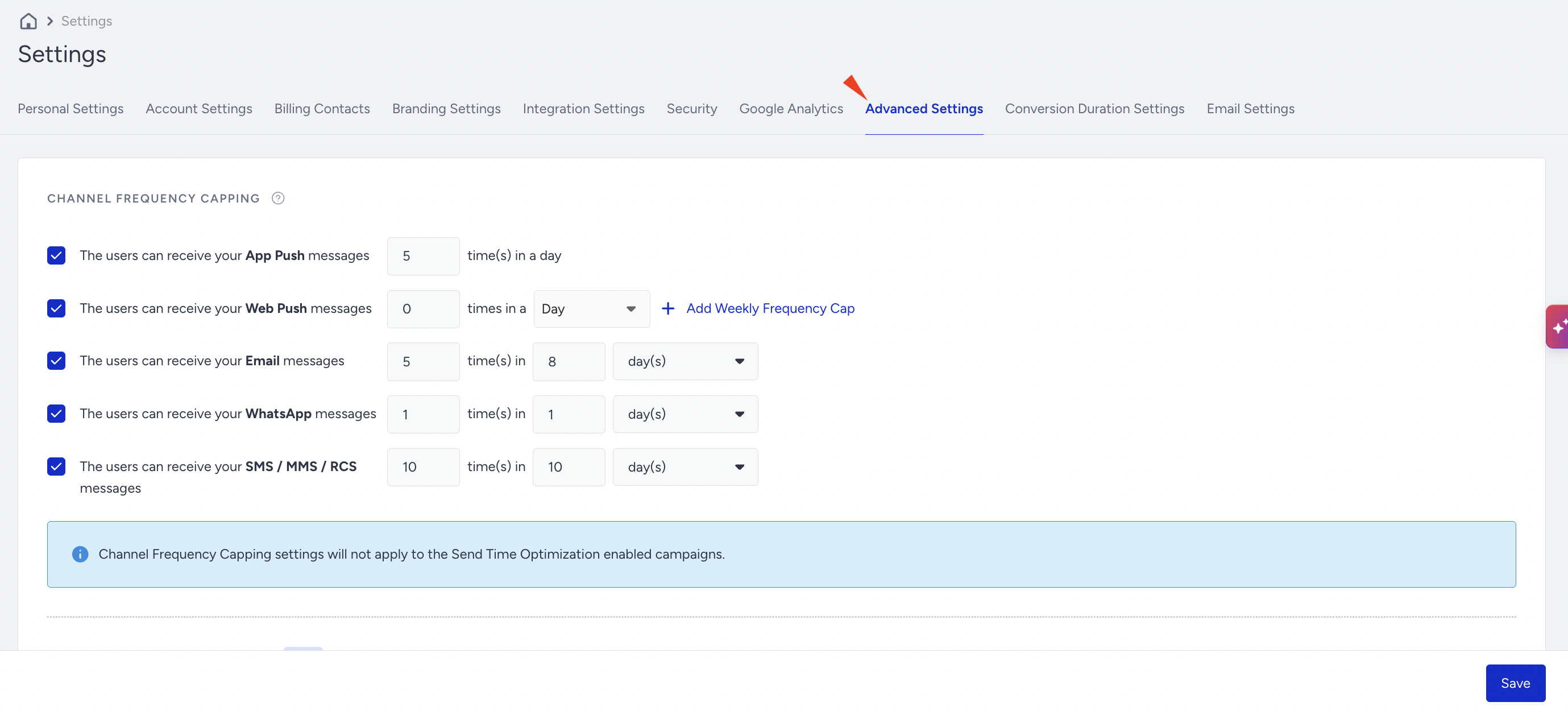
Find the SMS/MMS/RCS row and select the checkbox next to it.
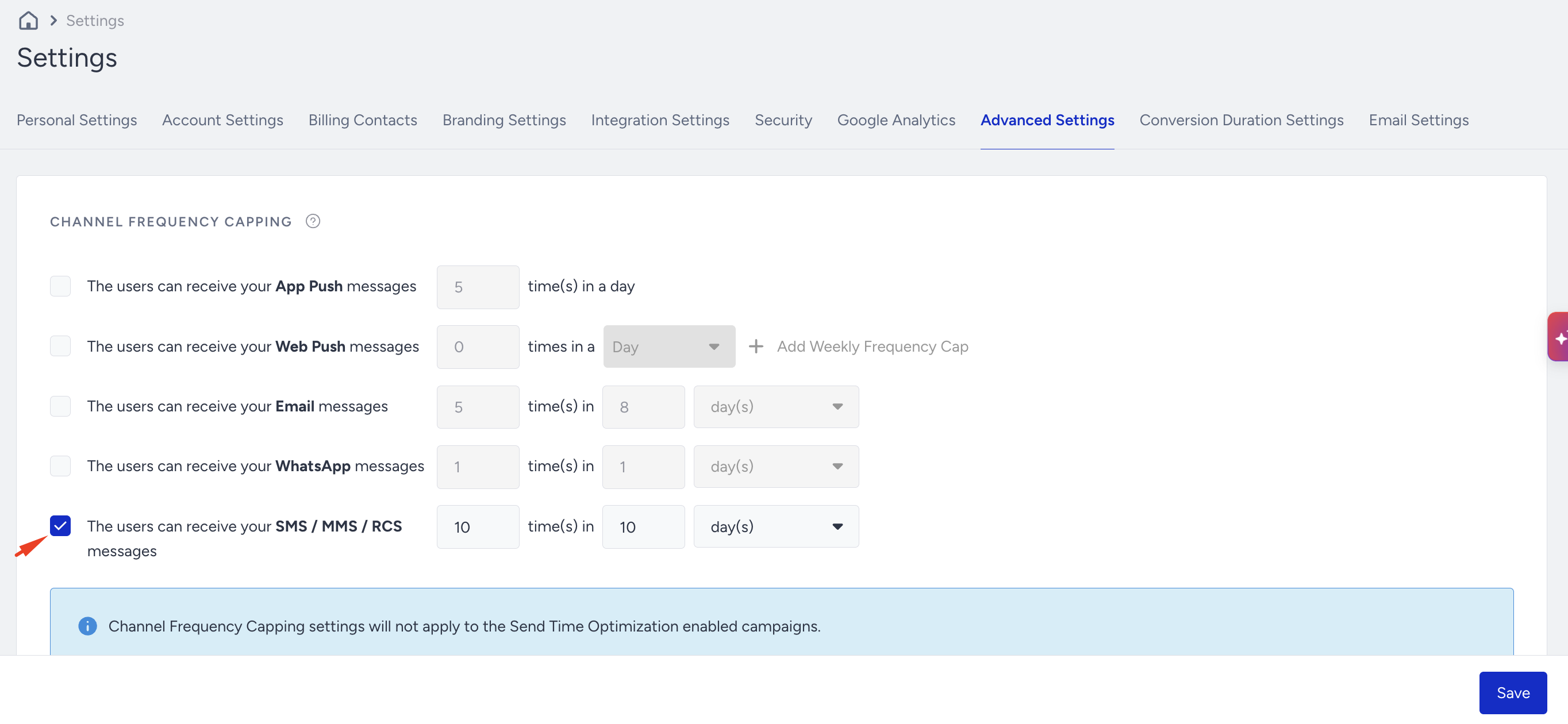
Enter the limit and the period.
Option | Description |
|---|---|
Checkbox next to SMS/MMS/RCS | Turns the channel limit on. |
Times | The maximum number of messages one person can receive within the period. Enter a value from 1 to 99. |
Duration | The length of the period. Enter a value from 1 to 99. |
Day(s)/Week(s) | The unit of the period. A week counts as 7 days. |
For example, if you set 2 times in 1 day, each person can receive up to 2 SMS, MMS or RCS messages per day.
For SMS, MMS and RCS, you can set either a daily or a weekly limit. Daily and weekly limits cannot be combined.
If the SMS/MMS/RCS row is greyed out and you cannot select it, SMS frequency capping is not enabled on your account. Contact your Insider One team to enable it.
Click Save.
Set a campaign limit for Cart Reminder SMS
On top of the channel limit, you can limit how many times one person receives a specific Cart Reminder SMS campaign in a day.
On the Rules step of your Cart Reminder SMS campaign, select Enable frequency capping.
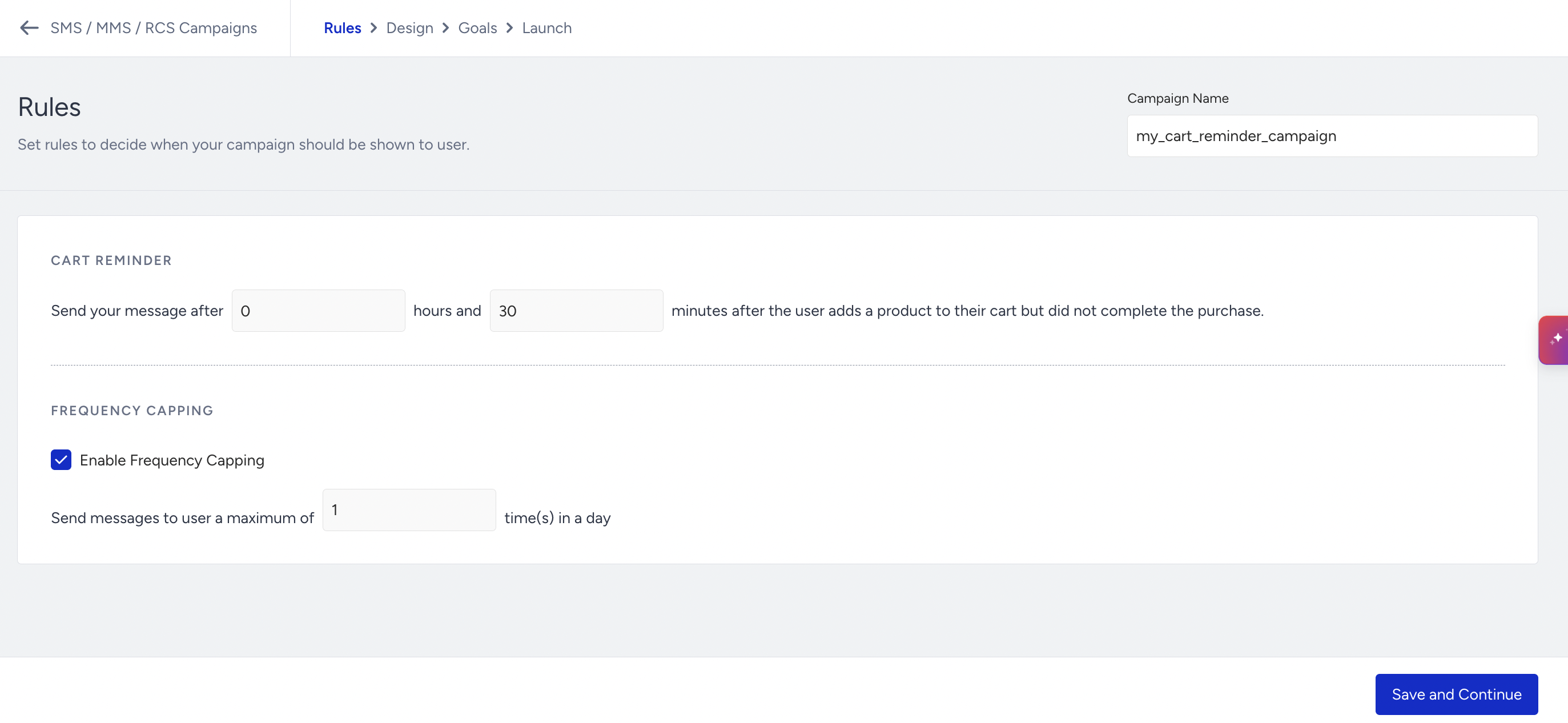
Enter how many times one person can receive this campaign in a day. You can enter a value from 1 to 90.
The campaign limit is available only for Cart Reminder campaigns. It is not available for Welcome SMS campaigns.
For the other steps of the campaign, refer to Cart Reminder SMS.
Click Save and Continue.
Bypass the channel limit
Use the bypass option for messages that every recipient should receive regardless of the channel limit, such as an urgent announcement.
Campaigns
On the Launch step of your SMS campaign, select Bypass Global Frequency Capping. The option is shown only when the SMS/MMS/RCS channel limit is turned on.
Bypass Global Frequency Capping skips the channel limit only. The campaign limit you set on the Rules step of a Cart Reminder campaign still applies.
Architect journeys
In the SMS element of your journey, select Bypass Channel Frequency Capping. If you turn on Send Time Optimization in the element, the bypass is turned on automatically.
For more information, refer to Bypass Channel Frequency Capping in Architect Channel: Using SMS.
How messages are counted
Insider One counts SMS, MMS and RCS messages as follows:
The count is kept per phone number within your panel. If two contacts have the same phone number, they share one count.
A message counts when it is sent to the provider, not when it is delivered.
SMS, MMS and RCS share one limit. An RCS message that falls back to SMS counts once.
Standalone campaigns and Architect journeys count toward the same limit.
Messages sent with a bypass option do not count toward the channel limit.
The following messages do not count toward the limit:
Messages dropped before sending, for example because of an opt-out, an invalid number, or the limit itself
Messages of a stopped campaign
Messages the provider rejects
When the count resets
The count resets at midnight (00:00) in your account time zone after the set period has passed. With a 1-day period, the count resets at the next midnight.
For example, suppose you set the limit to 2 times in 1 day:
A person receives campaign A at 09:00 and campaign B at 14:00.
Campaign C at 18:00 is not sent to them, because they have reached the limit.
From 00:00, they can receive SMS messages again.
What happens when a person reaches the limit
When a person reaches the limit:
In a campaign, the message is not sent to that person. You can see these messages in the campaign analytics under Unsuccessful Messages > Dropped Messages > Frequency Capped, and in Overall SMS Analytics.
In an Architect journey, the person does not receive the SMS and continues to the next element of the journey.
The Frequency Capped metric is shown only when SMS frequency capping is enabled on your account.
For more information on the metrics, refer to Architect Journey: SMS Channel Analytics.
Where the limit applies
The channel limit applies to:
All campaigns created under SMS/MMS/RCS, including Cart Reminder and Welcome campaigns
SMS, MMS and RCS elements in Architect journeys
The following messages are neither counted nor capped:
Test messages and previews
The SMS subscription confirmation message
Messages sent through the Transactional SMS API
OTP messages sent through the Verify API
For the frequency capping settings of the other channels, refer to Advanced Settings.