Channel Frequency Capping is a one-time setup that controls the maximum number of emails your contacts will receive within a specific time range. It scans through the logs of the emails sent (not the delivered ones) and maps each contact within the specified time range. Those who reach the defined limit for emails will be removed from the contact list.
This article explains:
How is channel frequency capping activated?
To activate this feature, navigate to Account Profile > Settings > Inone Settings > Advanced Settings. Check the box next to Email, and add your input values for the time(s) and day(s). 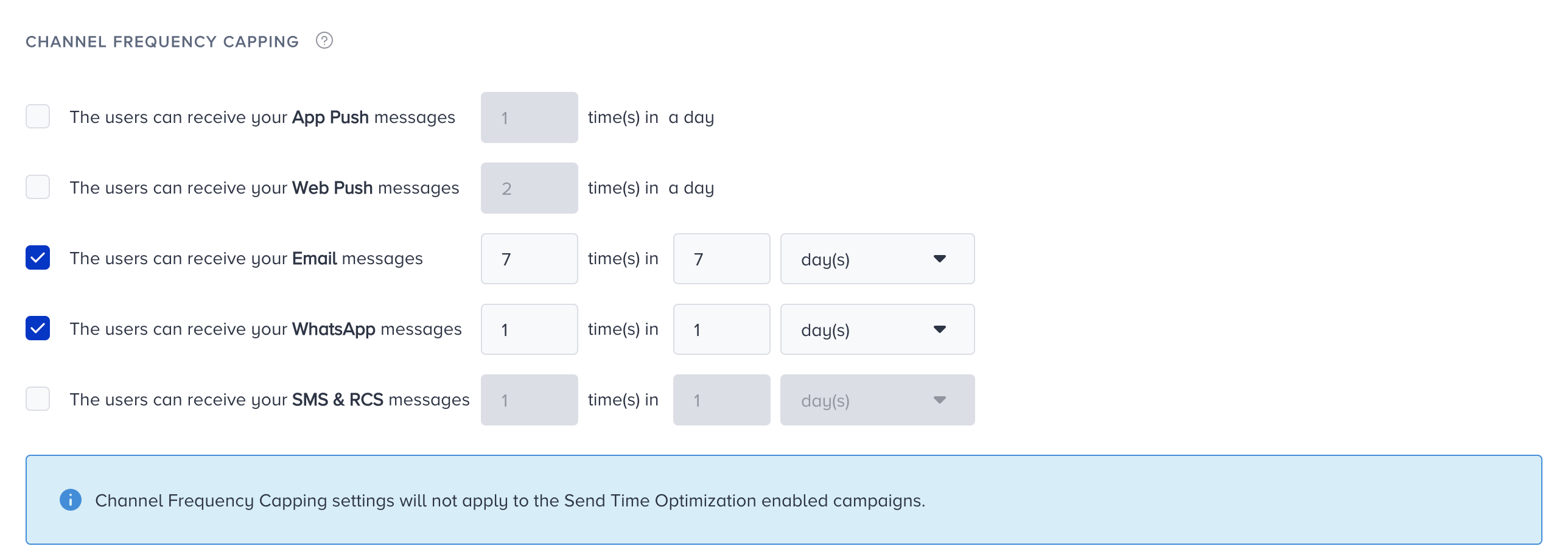
How can you bypass the capping?
If you want to send your email campaign regardless of the channel frequency capping configuration, you can bypass the limit on the Launch step of your campaign.
To enable it, check the Bypass Channel Frequency Capping box.

Why do you need Channel Frequency Capping?
You can limit the number of emails sent out using Channel Frequency Capping, often called pressure management or pressure limiting, to avoid overwhelming them. As the number of spam complaints and unsubscribers decreases, your overall email deliverability score increases.
Take, for example, Jane Doe as a subscriber. We can see that three emails were delivered to her. Whenever she receives a new email, her logs will be updated.
{
   "campaign_id":"88",
   "campaign_name":"My Email Campaign",
   "crea":"2020-09-04T09:25:07Z",
   "variation_id":"88"
},
{
   "campaign_id":"90",
   "campaign_name":"Discount Announcement",
   "crea":"2020-09-07T13:00:05Z",
   "variation_id":"90"
},
{
   "campaign_id":"92",
   "campaign_name":"Free Shipping",
   "crea":"2020-09-09T08:23:35Z",
   "variation_id":"92"
}
While sending out a campaign with Channel Frequency Capping, we read the logs based on the preferred frequency, and our system decides whether to send emails. The log type checked for reachability is delivered (not sent).
We calculate each user's time ranges after receiving their first email. For instance, when we set the frequency cap limit to a maximum of 3 emails in 1 week, Jane will not receive any new emails until 2020-09-11T09:25:07Z.
Why is frequency capping important?
With Channel Frequency Capping, you can limit the number of emails that your recipients will receive. Thus, your recipients will not feel overwhelmed upon receiving many emails. This reduces spam complaints and unsubscribes, and improves your email deliverability score.
What scope does the cap apply to?
Channel Frequency Capping is configured once per panel/account under Settings > Inone Settings > Advanced Settings, and it is evaluated within the same panel. The panel keeps a record of how many emails a contact has already received, so the limit governs sends from that account. This setting applies to both standalone Email campaigns and Architect Email.
If you want users in a journey to receive an email message regardless of the configured Email Frequency Capping, you can bypass the channel frequency capping.