URL shorteners reduce the length of links in your SMS messages. This lets you save character space, avoid multi-part messages, and improve the overall message experience.
Add every link to your SMS content with the full address, starting with http:// or https://. Insider One does not recognize a link without the protocol, such as example.com/sale. It does not shorten or track that link, so its clicks and conversions do not appear in your reports.
Insider One provides two types of URL shorteners for SMS campaigns:
Shortened Default URL
Uses the default Insider One short domain, such as
insdr.io.Is applied automatically during the Design step.
Does not require any additional setup.
To enable short URLs in your SMS campaigns, refer to the steps in Enable Shortened Default URLs in your SMS campaigns.
Branded URL
The branded URL feature allows you to use a domain that includes your brand name, such as x.insider.io.
Contact the Insider One team to enable this feature.
Enable Shortened Default URLs in your SMS campaigns
You can shorten links directly in the Design step of your SMS campaign. This helps reduce character count and prevents your messages from being split into multiple parts.
To enable this option:
1. Navigate to the Design step of your SMS campaign.
2. Scroll to the Short URLs section and select the Enable Short URLs checkbox.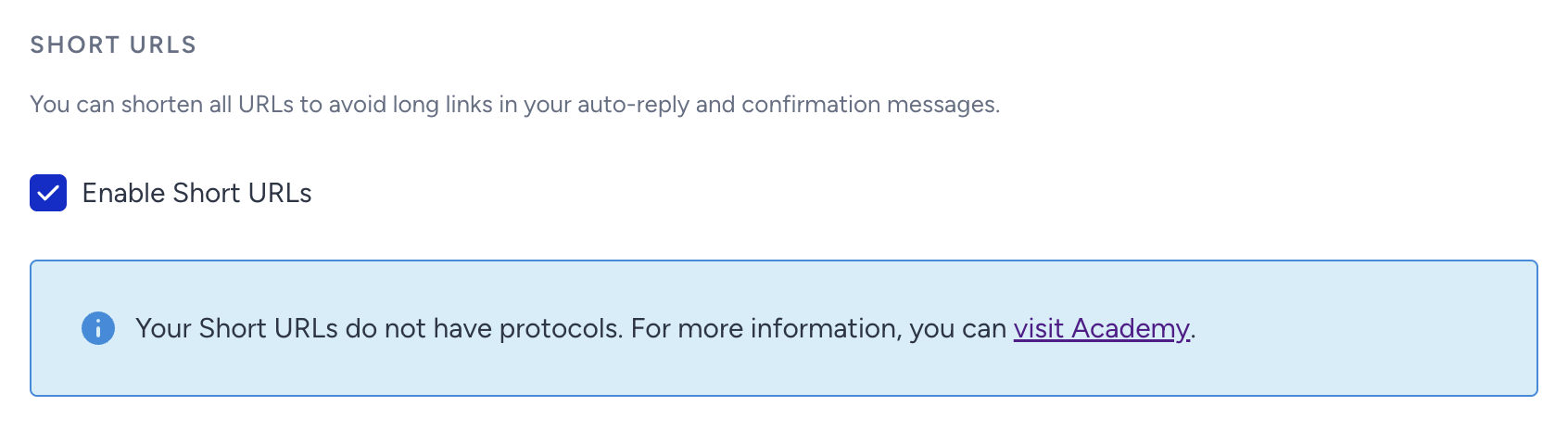
If your message includes a link, it is automatically shortened when this option is enabled, as shown in the preview below.
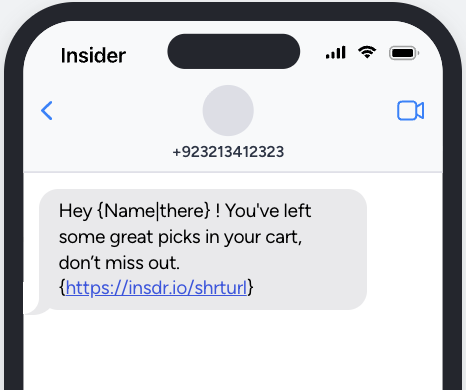
The Enable Short URLs option only applies if your message contains a link. If there is no link, this setting has no effect.
Excluding the https:// protocol saves character space but might result in non-clickable links on some devices, potentially reducing user engagement. For the best experience, include the protocol to ensure your links are accessible.
Shortened links remain active for 180 days. After this period, they become inactive.