You can launch your campaign with four different activation options. Active, Test, and Passive are visible in the Launch step, while Scheduled is visible on the listing page.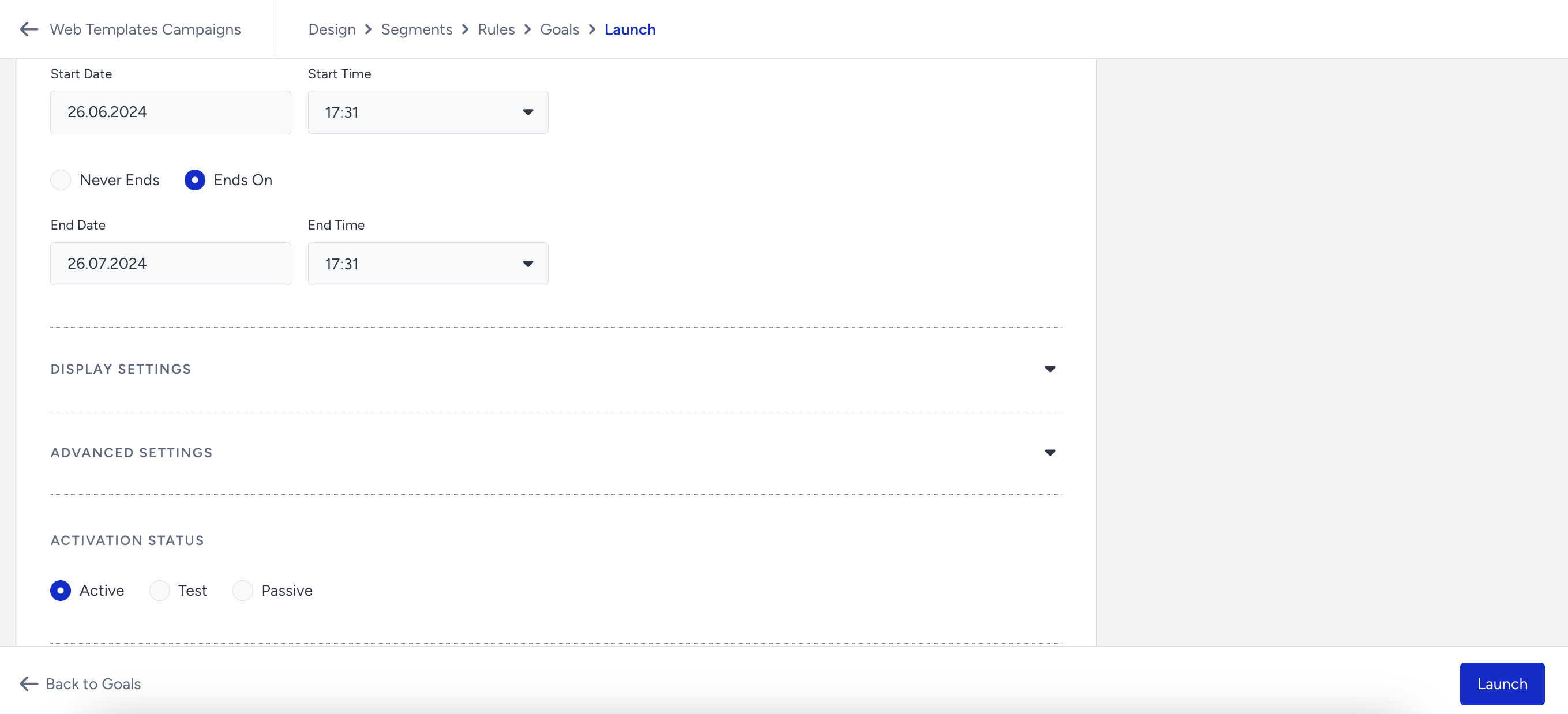
Active
The active status means your campaign is active on your website and can be displayed to eligible users. It must be set to Active if you schedule your campaign for a future day or time. For example, if you prepare the campaign but don’t want to make it active now, you can schedule it for later.
Test
The test status means that your campaign is in test mode and cannot be displayed to any user unless they have a test link. We suggest you always keep your campaigns in test mode until you are sure their functionality is properly configured and ready to go live.
A campaign with Test status is still part of your campaign base, which means it is not passive but only masked. An increasing number of campaigns on the Test and Active status might also affect the loading speed of the Insider script. That’s why we strongly suggest changing the campaign status to Passive instead of Test if you want to pause it.
Passive
The passive status means your campaign is deactivated and not displayed to any users. You cannot get any test link for your campaign when it is passive.
Scheduled
The scheduled status means your campaign will be activated on the specified day and time.
User actions like clicks and closes are recorded in local storage. Even if a campaign is deactivated, this information remains in local storage until expiration. If the campaign is reactivated within this period, it will resume where it left off.