When a user purchases a particular product category or a specific product, you can send them a follow-up email or a web push notification promoting a cross-sell product through a cross-sell journey.
Let's say you would like to promote home accessories to those who buy home furniture and promote home appliances. Users who purchased home furniture enter the journey. After a week, you send a web push notification promoting home accessories. If they click the web push, it means they are interested in your offer. Then you can follow up with home appliances via email, web push, app push notification, or on-site and in-app. With this journey, you can create two extra purchases from one single purchase!
Another example is having a flight to a specific destination. You may promote “rent a car”, hotel around the destination before the user goes there. Moreover, you can detect the user persona and suggest some special offers accordingly. For example, you can offer the cheapest hotels for students whose age is under 22, also if the flight ticket is not a business type.
You can actualize this flow without bothering your users for any irrelevant content by easily setting your product content in a web push, app push notification, or email. You can also use the on-site channel to show a smart recommender campaign on your website with many different recommendation algorithms after the user makes a purchase.
Cross-Selling journeys help you increase your average order value and boost customer satisfaction by recommending complementary products after a purchase. Instead of relying only on static recommendations, you can dynamically trigger personalized offers based on real user behavior and purchased items, delivering more relevant suggestions at the right moment.
This journey is ideal for users who recently completed a purchase and have shown interest in related categories or product types. You can target users based on their past purchase behavior, browsing patterns, or affinities, such as users who frequently buy from specific categories or who engage deeply with particular product types.
Cross-selling can work for both logged-in and guest users as long as your tracking system can identify the purchased items. For deeper personalization (like affinity, price range, or category-based rules), logged-in users provide better continuity, but it is not mandatory to be logged in.
This article explains the following:
Goals
While nudging your users to come back to your website or app with Cross-Sell Journeys, you can also improve your average order value and revenue. Each targeted and converted user will help you:
Multiply revenue,
Drive purchase frequency,
Increase average order value,
Increase transactions,
Boost conversion rate,
Boost cross-sell.
Requirements
Your website must have a cart structure that provides information about cart items.
Cart items and purchase information must be collected. Once your website is mapped during your onboarding, Insider One starts collecting this information by default. This does not require any additional integration.
You should implement the Web SDK for the cart items and purchased items to be tracked.
Before using any channel in your journeys, the integrations for that channel should be completed. Depending on the channels you want to use in your journeys, additional integrations might be required.
In case you need some custom events, you need to create them and pass them to Insider One.
If you have a mobile app, you must have the SDK Integration implemented.
Read more on the implementation guide.
Create a Cross-Selling Journey
You can create cross-selling journeys to drive your customers back to your website or app to purchase one more time along with many other custom use cases.
Consumer Electronics, Cosmetics, Fashion Retailer, Home & Furniture, Restaurant & Delivery
Imagine Sophie buys a sofa from your website. Since she purchased a large item, you want to encourage her to buy complementary products such as cushions, throws, or a side table. She browses a few related products but leaves without purchasing additional items.
You can implement a Cross-Selling journey to engage Sophie right after her purchase and show her personalized, complementary product recommendations.
You wait for 3 days to give Sophie time to receive a shipping update or explore alternatives on her own. If she makes another purchase in this period, she exits the journey.
If Sophie doesn’t purchase again, send a targeted web push notification promoting complementary items such as cushions, rugs, or lamps that match the sofa she bought.
If she still hasn’t purchased additional items, send a follow-up email showcasing curated collections like “Complete Your Living Room” including matching accessories, bundle discounts, or limited-time offers.
Later, you can review Sophie’s engagement with web push and email. If the email had a higher CTR, use more visual, collection-based content in future campaigns; if the web push performed better, you can test shorter, time-sensitive offers.
Airlines, OTA - Hotels & Accommodation
Let's say Alex books a round-trip flight to Los Angeles. He hasn’t booked a hotel, rental car, or activities yet. You’d like to recommend complementary travel services to complete his trip.
You can create a Cross-Selling journey to offer Alex relevant add-ons based on his booking details.
You wait for 24 hours to allow Alex some time to continue browsing naturally. If he books a complementary service (hotel, car rental, tour), he exits the journey.
If Alex hasn’t added anything else, send a web push notification encouraging him to book a hotel nearby, upgrade his seat, or reserve parking at the airport.
If Alex hasn’t purchased additional services, email him a personalized travel pack with recommended hotels, exclusive city tours, car rental discounts, or airport transfer options.
Based on Alex’s interactions, you can decide which channel drives better conversions. You may optimize future cross-sell flows with seasonal content, dynamic pricing, or segmented reminders based on departure date.
1. Select a starter
On Event
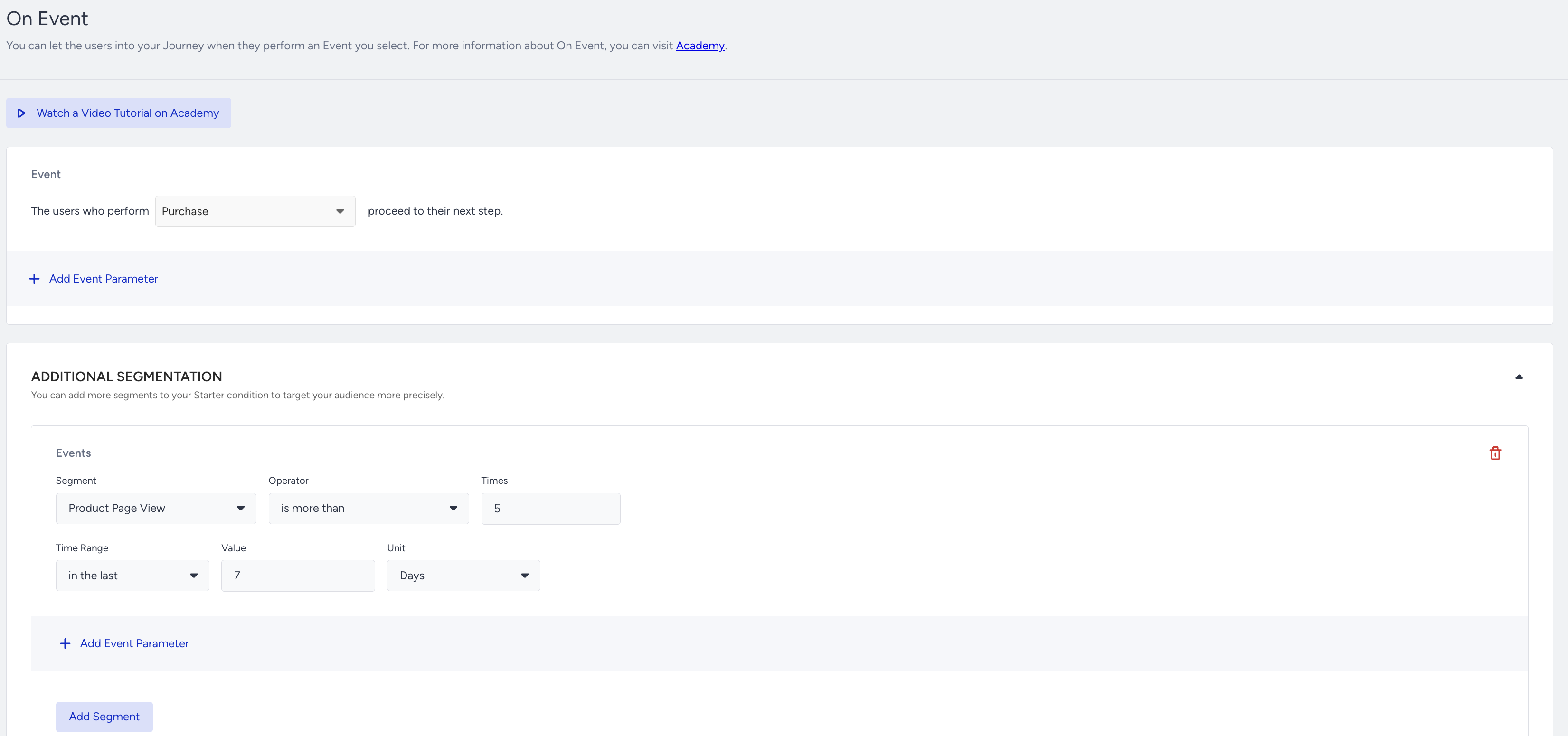
On Event starter tracks user events and takes them immediately on the journey when the users perform the specified event. You can select the purchase event to take users on a journey when they make a purchase.
You can use the event parameters to filter the users based on the product or product category they purchased.
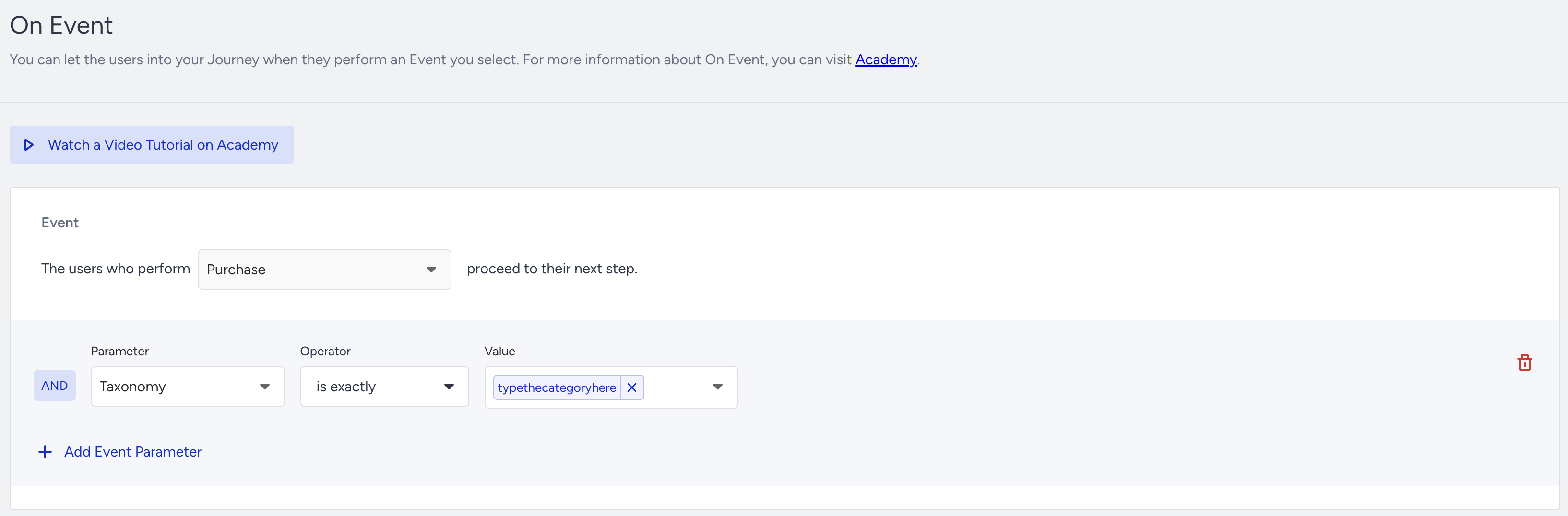
You can either use the purchase segment or find the same event in the Default & Custom Events.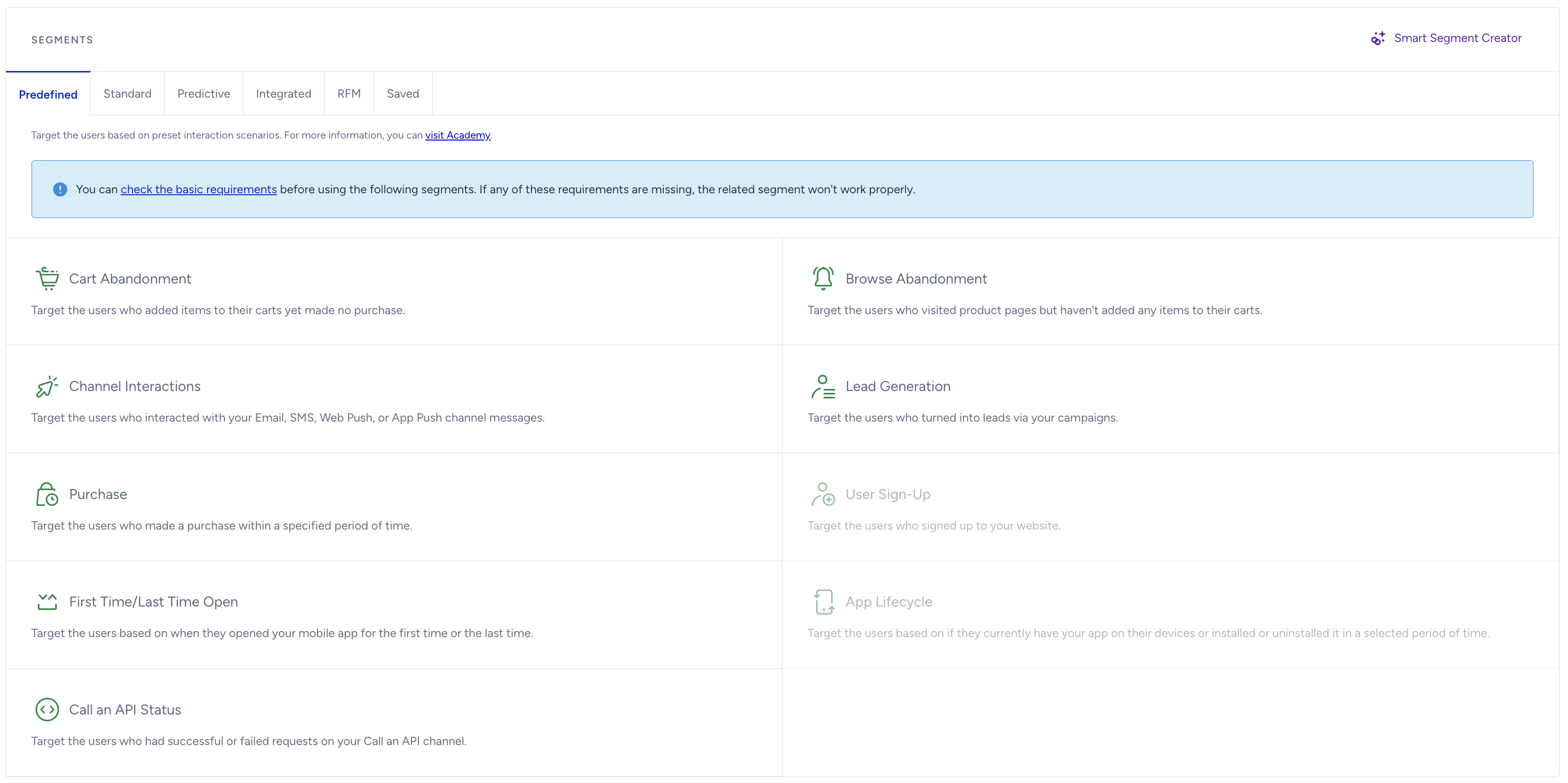
On event starter considers every platform to take users (e.g. website, mobile app, offline data passed from CRM, etc.). You can have custom events for different scenarios, such as booking, watching series, etc.
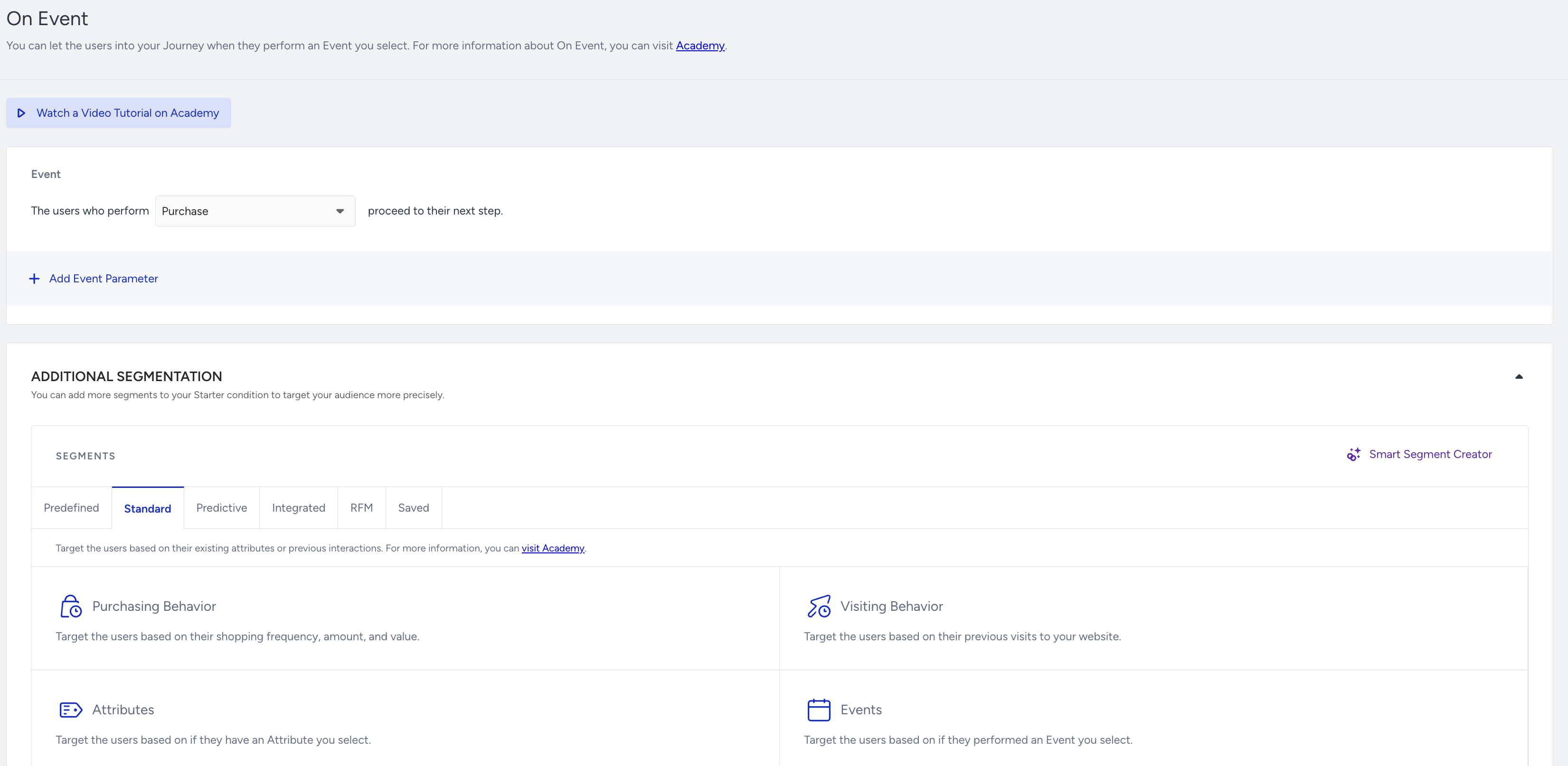
If you have any extra conditions or segments to take users on the journey, you can add an optional segment filter to control if they meet your condition. For example, you can target the users who made a purchase and visited more than 10 product pages in the last 7 days.
On Dynamic Date
On Dynamic Date is a starter that triggers the journey based on the user’s date type attributes or date type event parameters.
On Dynamic Date does not consider any attribute like which city, country, or destination the user booked a flight or hotel. You can add the Check Conditions element to the journey flow after the starter to check which category, destination, or city is related to the user’s purchase or booking event.
This starter triggers users once a day at 01.00 (GMT+0). You can consider that and add the Wait element accordingly after the starter element as you design your journey flow. This way, you do not send messages at white hours according to your timezone.
To use Dynamic Date, you need to have a date type attribute or date type event parameter for the desired event. For example, if book a flight is an event, flight date can be a date type event parameter.
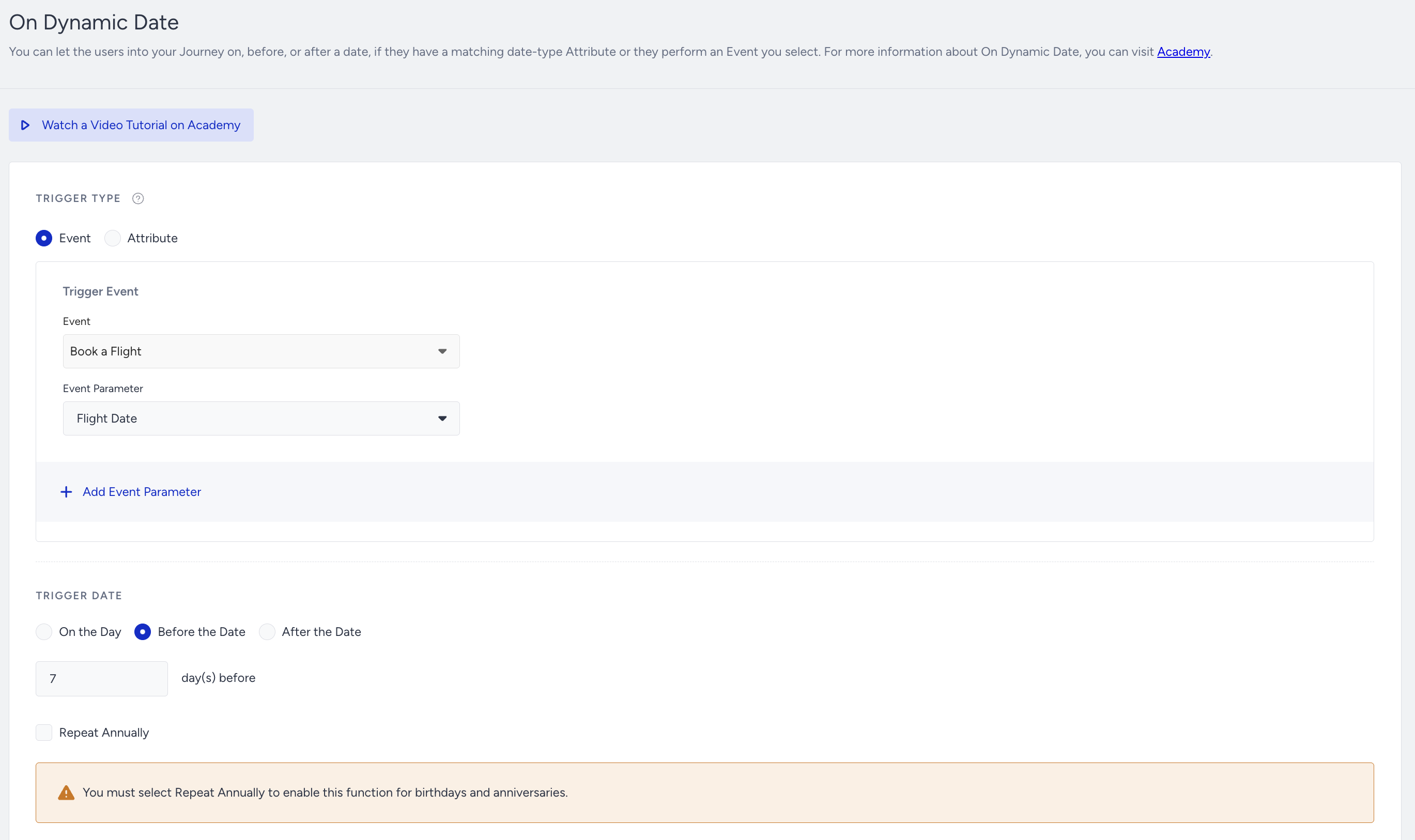
You should not enable the Repeat Annually option for cross-selling or complementary product journeys as the Dynamic Date starter does not consider the full date and omits the year information.
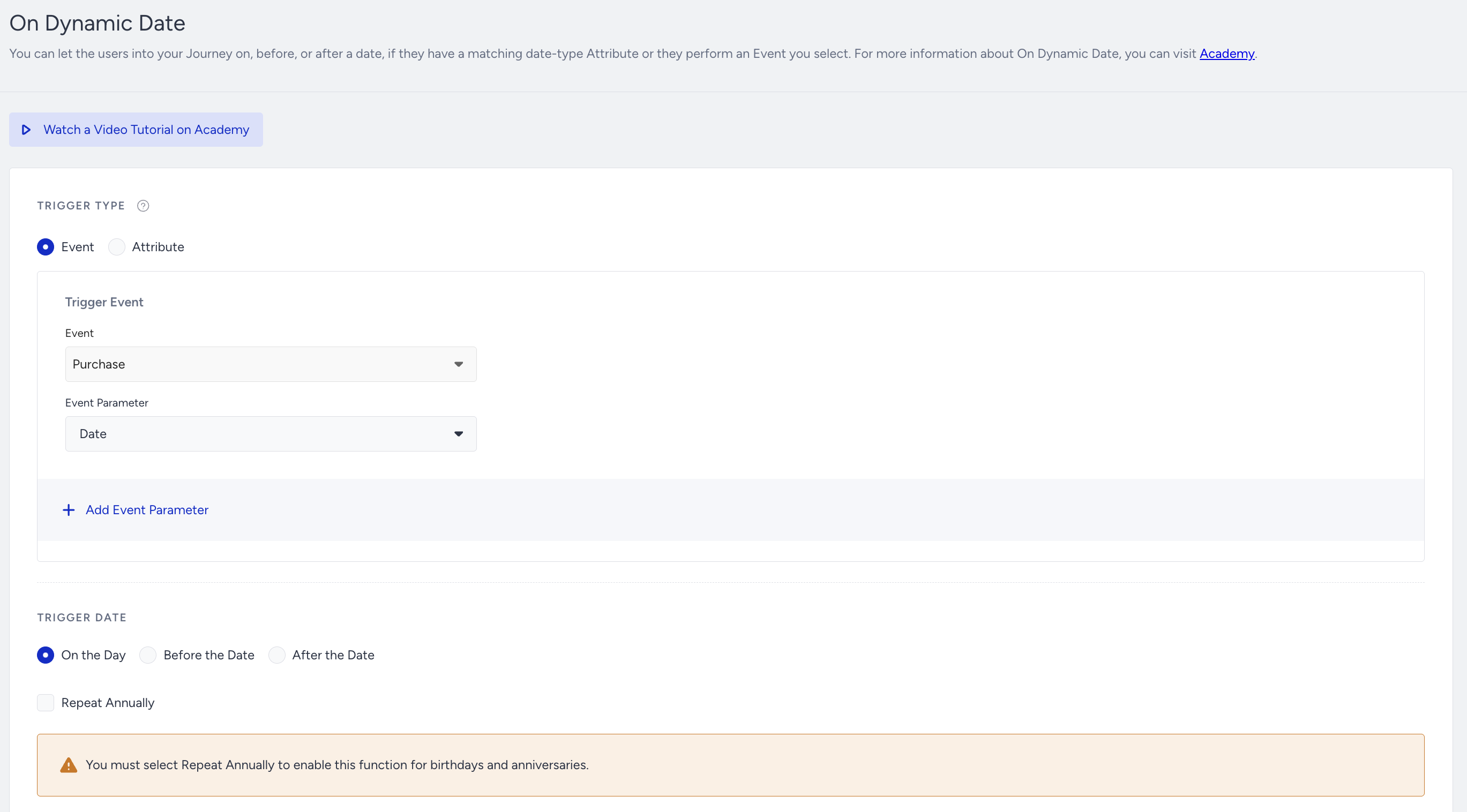
If you use the purchase event in the Dynamic Date starter, you can select the on the day of the event or after the date option.
User Website Action
This starter tracks user activities only on the website. You can use this starter if you want to target only the website users.
User Website Action works only on the website. If you want to target users on your mobile app or want to use data passed from your end, you can use On Event, On Attribute Change, On Past Behavior, or On Dynamic Date.
2. Add flow logic
Before creating content for any channel, you can add a Check Conditions element to filter users for different paths on the flow if you didn’t check for any category, city, attribute, or parameters in the starter element.
Before sending a message, you can also check if users are reachable on that channel. If not, you can try another channel on another path. Besides, you can use Next Best Channel to increase the possibility of engagement.

Read more about Check Reachability and Next Best Channel.
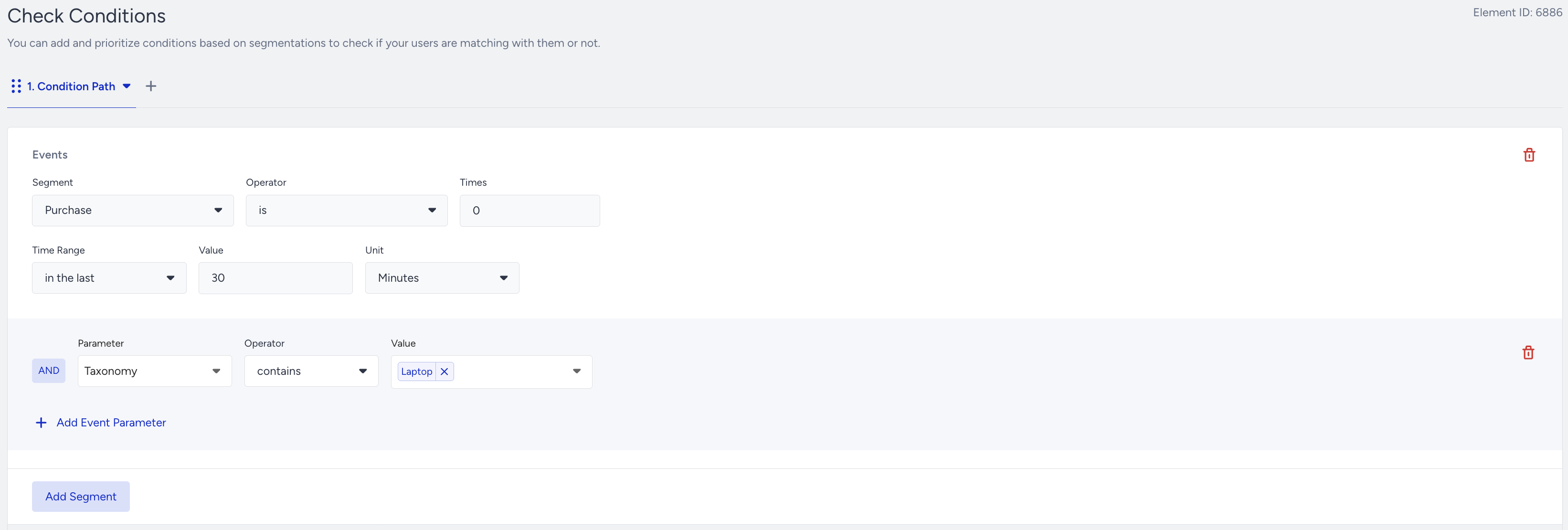
After sending a cross-selling message, you can check if the users complete your desired goal (e.g. purchasing again, renting a car, etc.). You can add a Wait element to give users some time and can add the Check Conditions element to check if they perform the specified action in the given duration. This logic helps you send more relevant and contextual messages by branching the journey flow into the different paths.
For example, you select the purchase segment to see whether a user has not made a purchase based on the waiting duration (2 days).
You can either use the Purchase event or find the same event under Events.
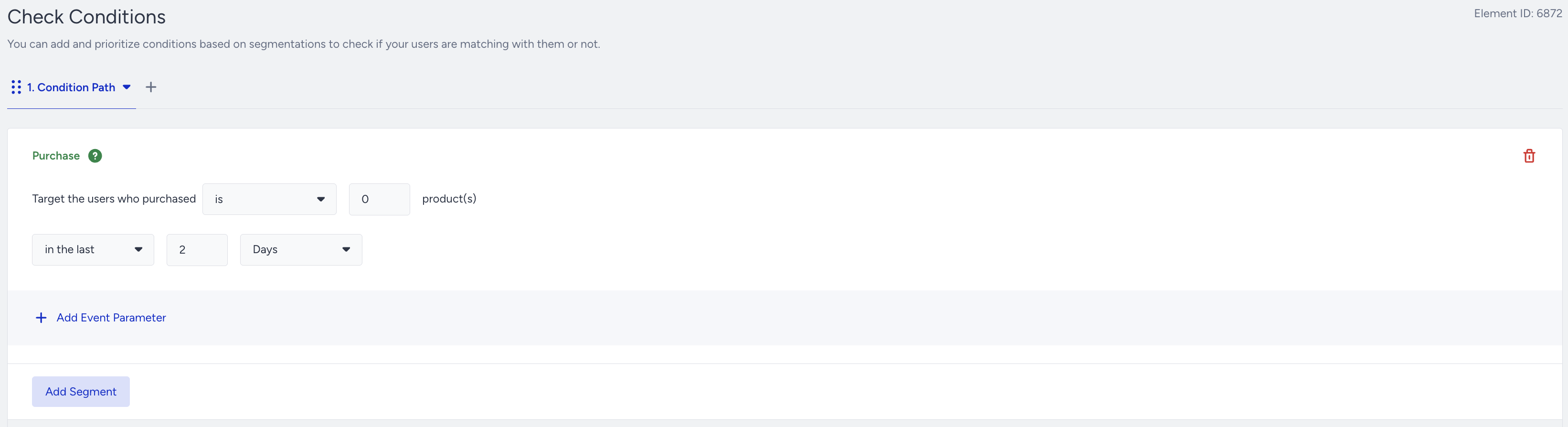
You can also use the standard segments to filter users.
Read more about wait elements and Check Conditions.
The Wait element helps you have a break between two messages. The first message may be sent immediately. However, adding a wait element before the second message will avoid bothering users with a few messages in a short time.
3. Create content
You can add different messages to all channels in the journey flow (e.g., email, SMS, app, web push notification, or on-site). You can customize your message content to include products that would be interesting to users.
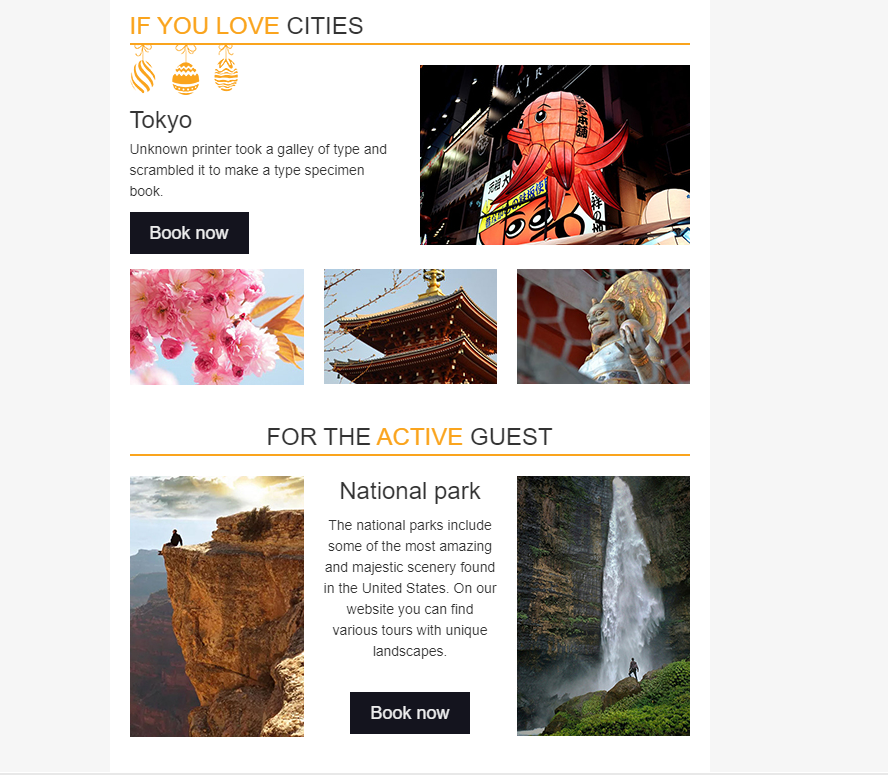
You can customize the email template by adding cross-sell/complementary product images, links, names, etc.
On-Site
You can display recommended products on your website using the on-site channel.

SMS

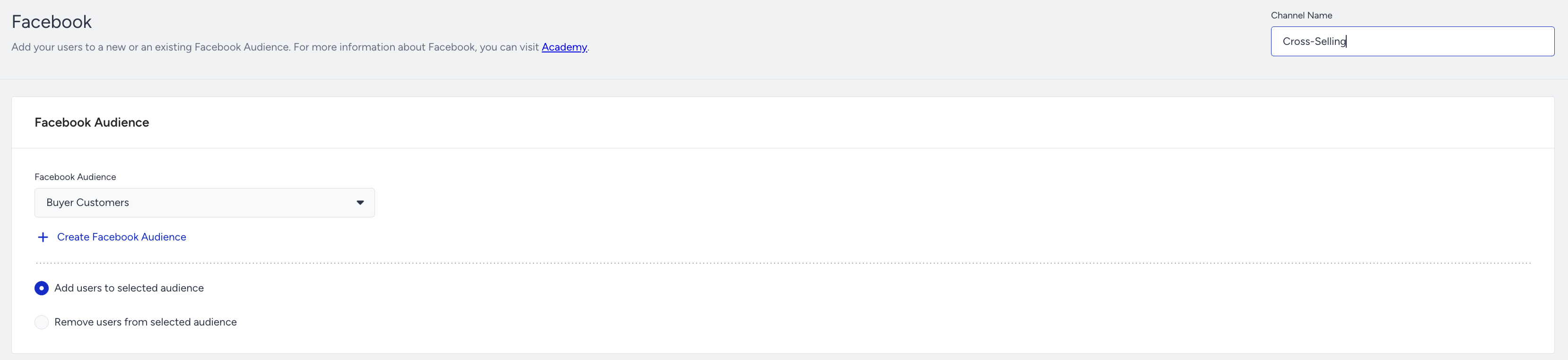
You can send users who made a purchase from a particular category to the Facebook Custom Audience. You can have a remarketing campaign on Facebook to recommend complementary products.
Advanced Cross-Selling Journey
You can advance your journey by analyzing user behavior and interactions. For example, you can check whether the user’s discount affinity is high and issue promo codes accordingly.

If you want to send different messages based on the category the user made a purchase from, you can have multiple paths in the Check Conditions. .png)
After setting the first tab, you can create more tabs, which will create different paths on the flow. You can differentiate the purchased product category on different tabs.


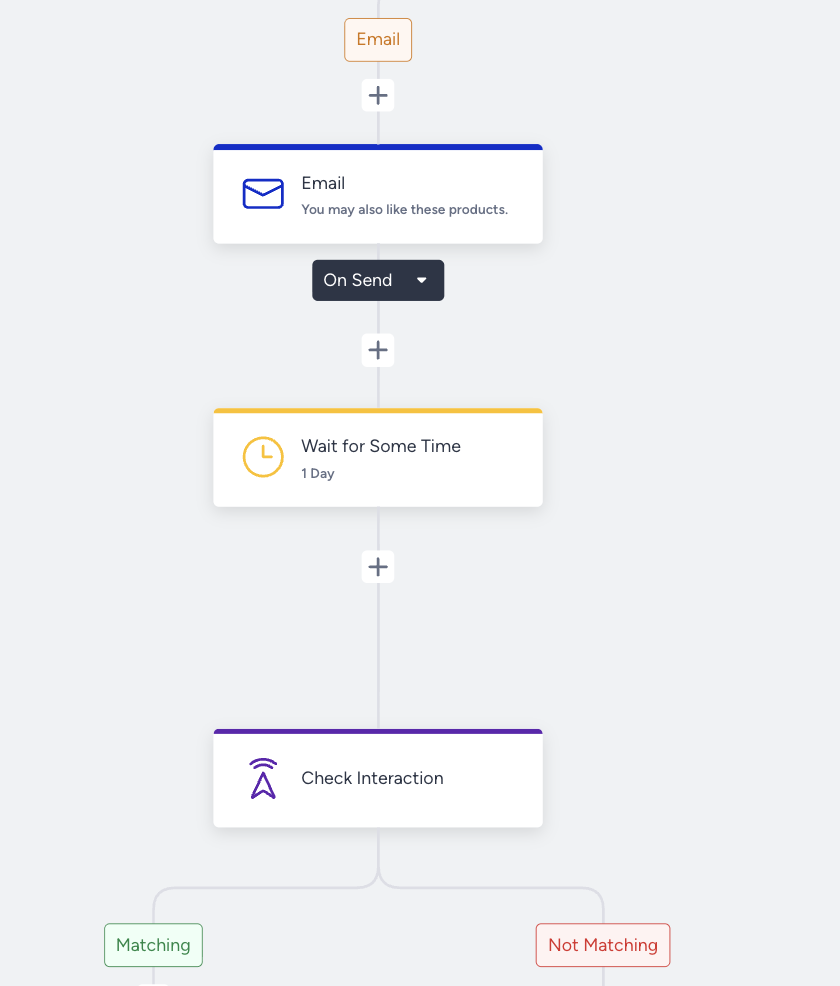
You can check whether users interact with the messages you sent in the journey, and take actions accordingly. For example, if a user clicks a web push notification or a URL in an email, it means they respond to your campaign. So you can continue to interact via the same channel.

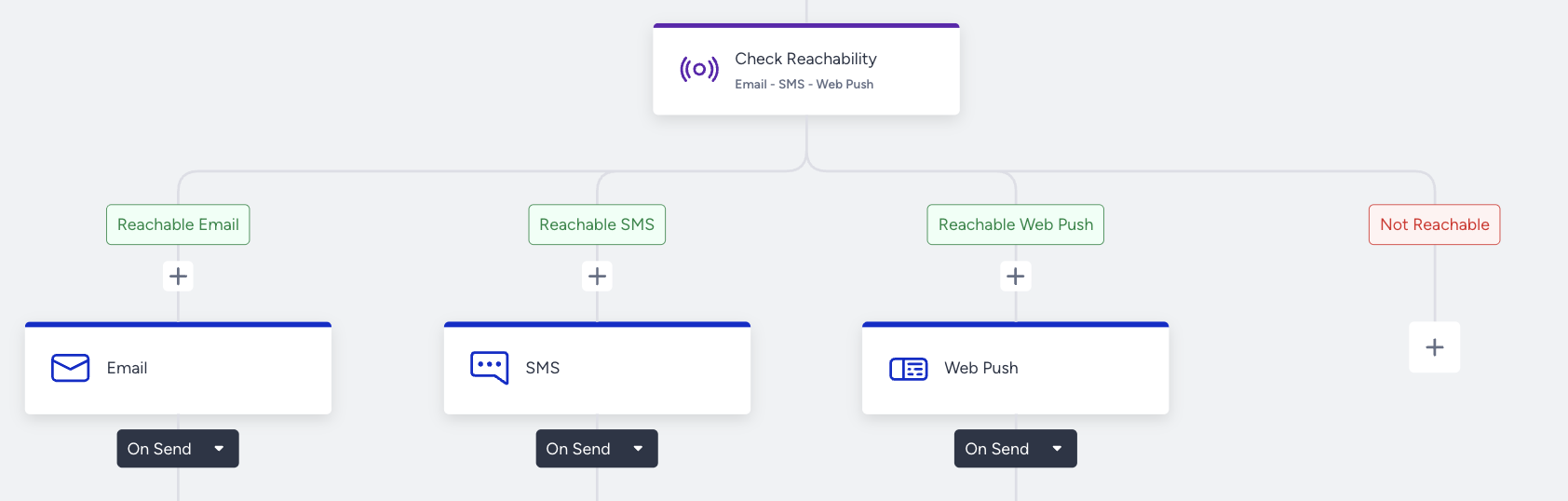
You can check multiple reachabilities on channels for users at the same time, and you can lead them to the corresponding path.
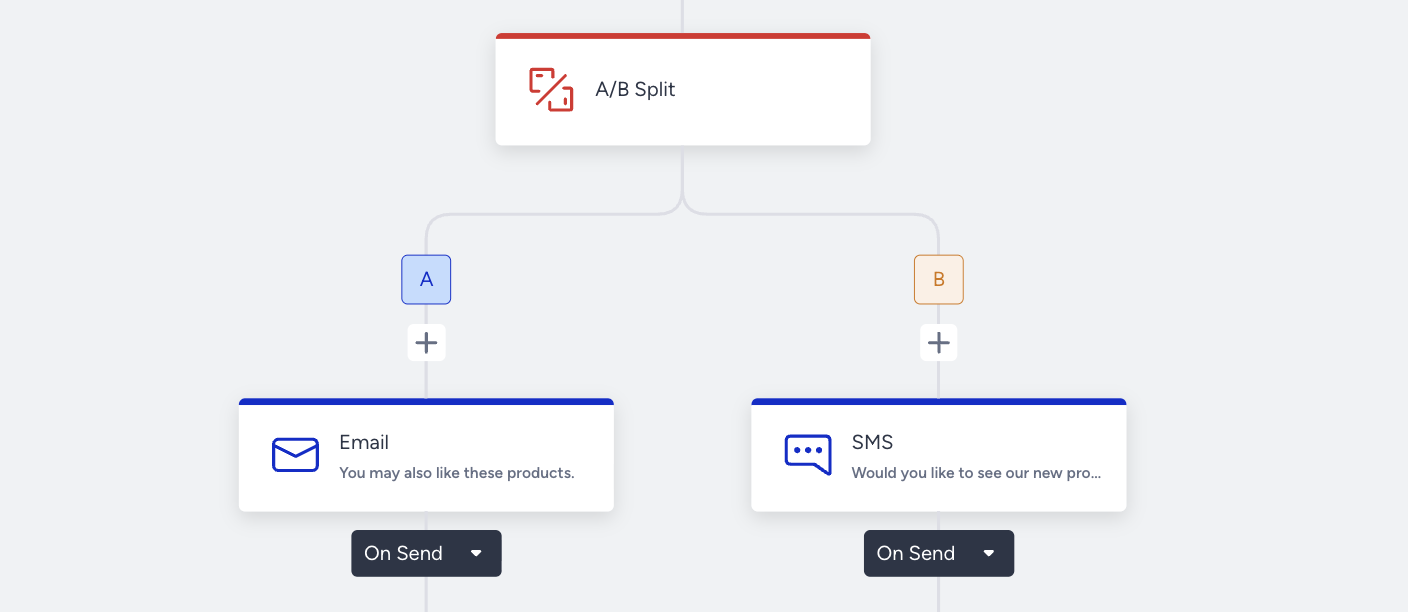
You can have an A/B Split on the journey flow to compare different contents on the same or different channels. The autowinner leads users to the winner content/channels automatically.
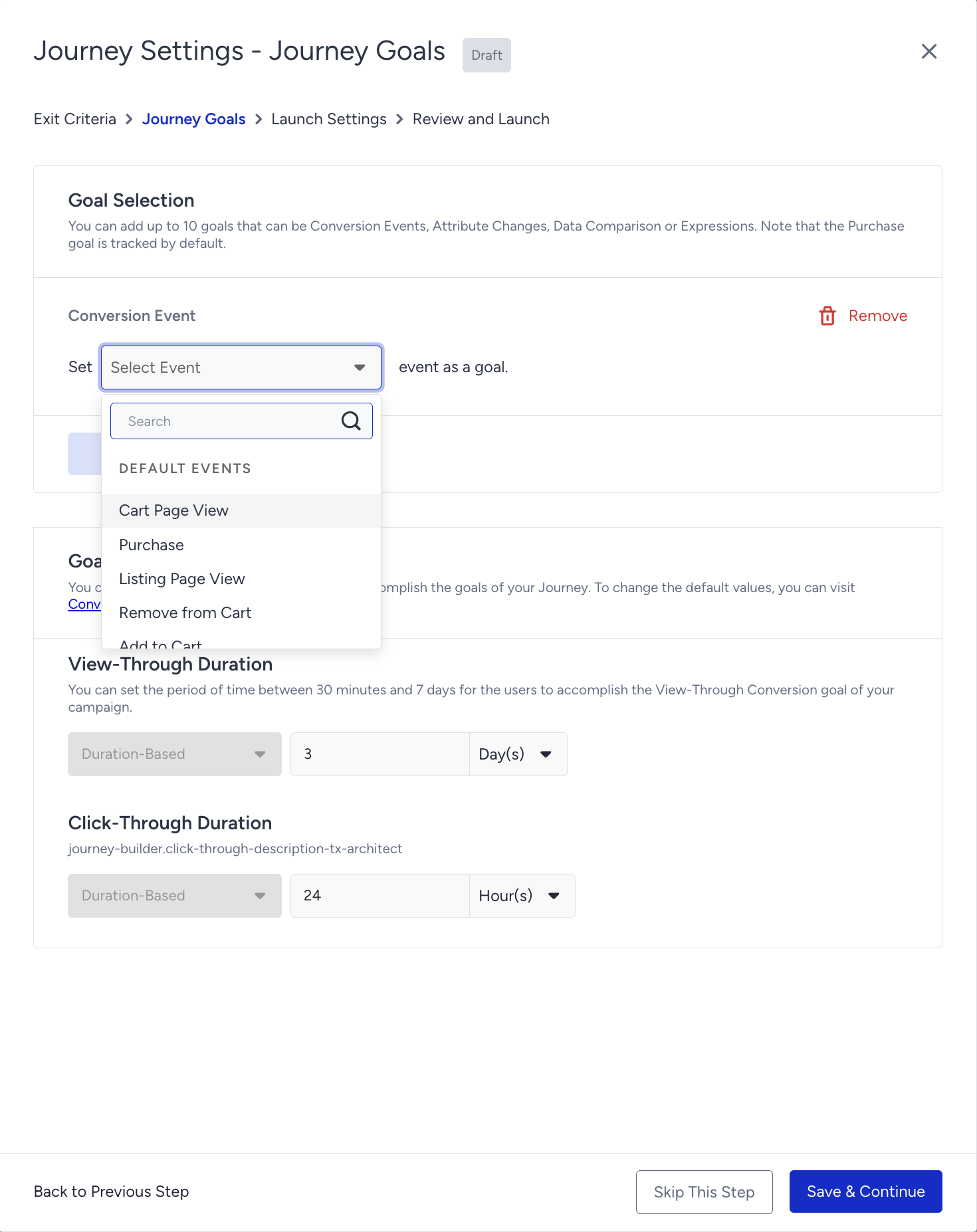
You can set special goals besides purchase for the users who enter the cross-selling journey (e.g., ride booking, redeeming coupons, buying a particular product, etc.). You can have a custom event to set goals or you can use default events as well as their event parameters.
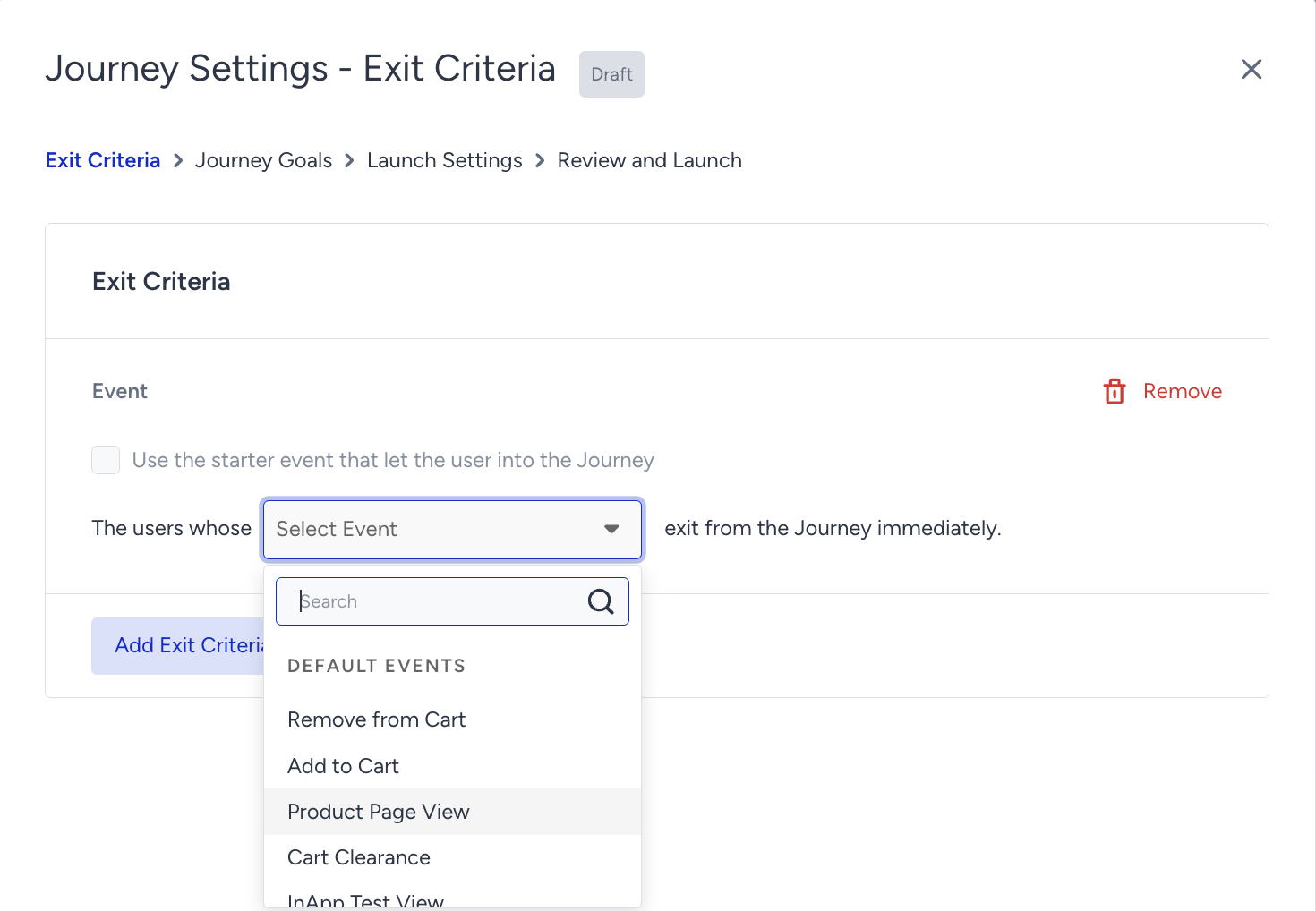
You can immediately exit the users from the journey when they meet the exit criteria.
For example, the user purchased a laptop and entered the cross-selling journey. You will recommend complementary products (e.g., mouse, laptop cooler, etc.) using the messaging channels. But the user may buy these complementary products until you send a message with the recommended items. To not send already-bought product recommendations, you can exit users automatically from the journey regardless of where the user is in the journey flow.