On Attribute Change, also known as triggering a journey when a customer's profile data updates, is a starter element that immediately takes users into the journey whenever a user attribute is changed from its current value to a new one. This starter is triggered when a specified attribute change occurs.
This guide explains the following:
The On Attribute Change starter tracks user attributes across all platforms, including the website, mobile app, and offline environment. You can also refer to the video below:
It helps you run real-time use cases by taking action as soon as a user attribute changes or receives a value. You can set attributes in this starter as strings, numbers, or booleans.
The current value is optional. You can leave it empty if you do not consider the current value.
An attribute is a status or property that a user can have. In other words, it refers to detailed information that can help you understand user personas, introduce high-level segmentation, and personalize your messaging. Attribute examples include birthday, age, last purchase amount, channel opt-ins, first name, last browsed product name, etc.
Read more on the default events and attributes.
How does it work?
On Attribute Change, the starter takes users on a journey whenever their attribute value changes or is set, helping you run real-time use cases.
Refer to Use an Array of Objects in Journey Elements to start the journey when a key changes for any object in the list, e.g., when a pet's vaccination status changes or when a new order is added.
You can set attributes in this starter to string, number, or boolean.
Current and new values are optional. You can keep them empty if you select the "changes" operator.
You can select the following operators to set up the On Attribute Change starter element:
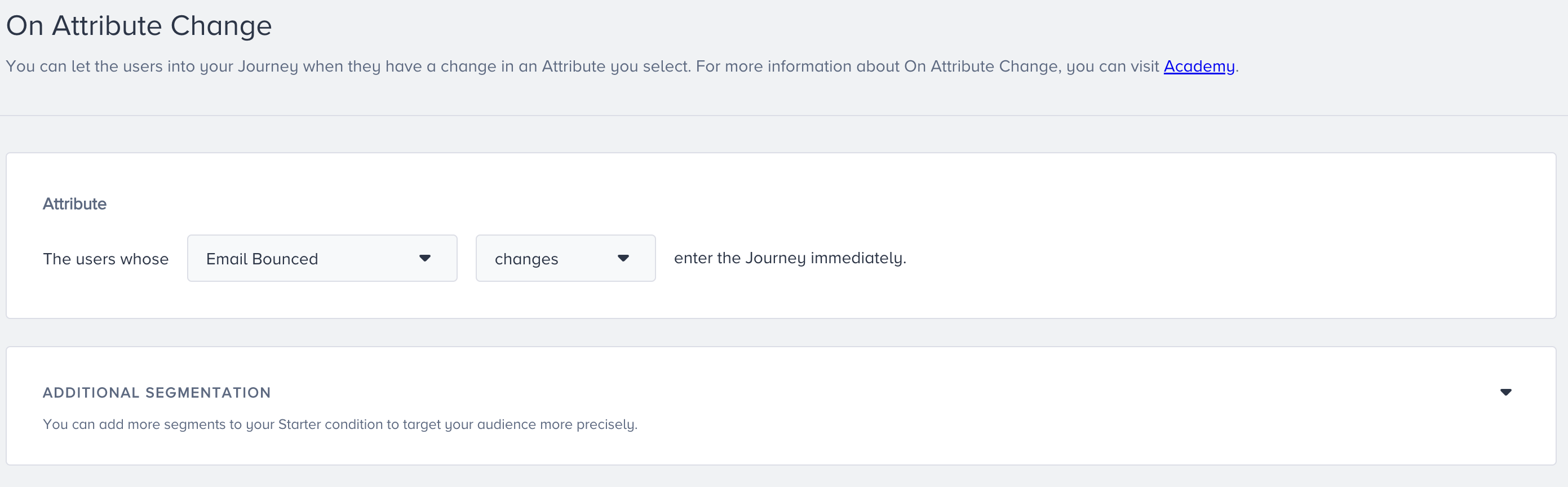
The "changes" operator lets you take users into the journey when the user attribute gets a value for the first time or the value changes.
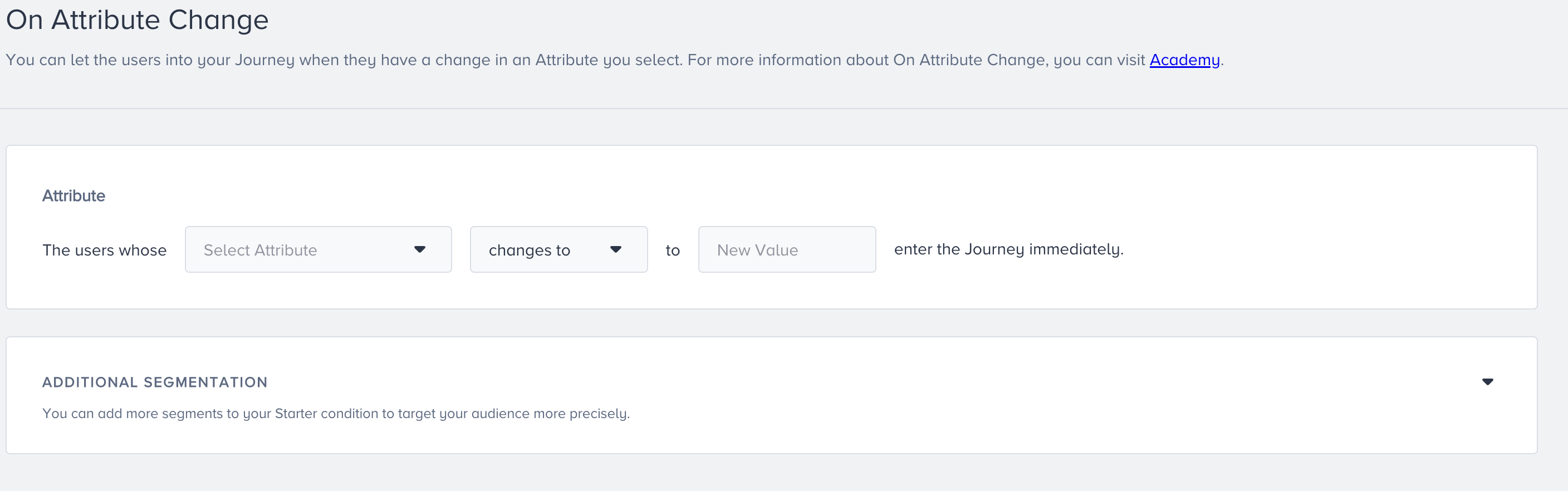
The "changes to" operator enables you to take users into the journey when the user attribute gets a new specific value.
The "changes from" operator lets you take users into the journey when the current specific user attribute value changes to a new specific value.

Make sure that you update attributes carefully to ensure that the 'On Attribute Change' starter works correctly.
If the user is created with the 'X' attribute, the starter will trigger.
If the user is created without the 'X' attribute but later inserts it, the starter will trigger.
If the user is created with the 'X' attribute but later updates it, the starter will also trigger.
If the X attribute is deleted, no change will be detected to trigger the starter.
Additional segmentation
You can add more segments to your starter condition to target your audience more precisely. For example, you can target users whose attribute gets a new value and who have a high Likelihood to Purchase value.
Users can enter the journey if their attribute value changes, and they already meet the optional segment filter criteria.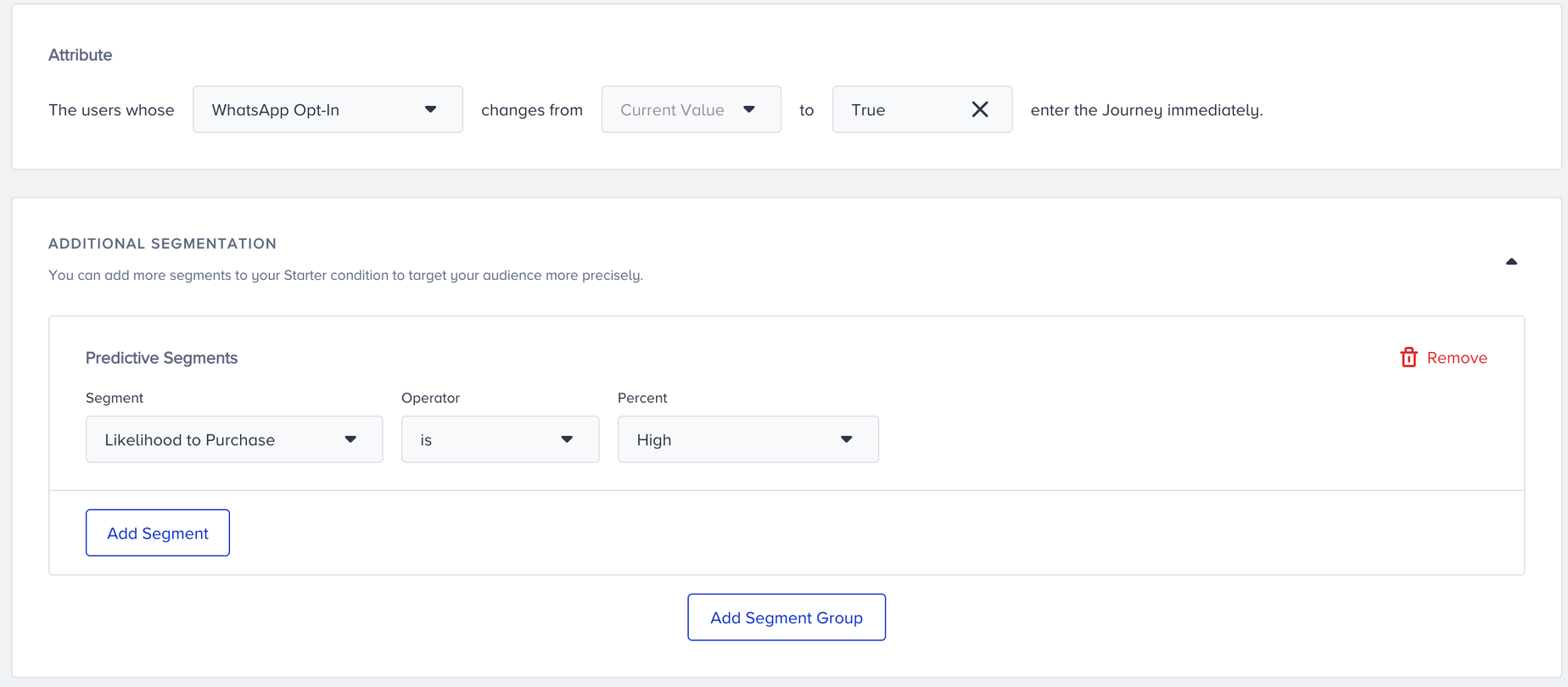
You can select predefined segments, standard segments, predictive segments, RFM segments, and saved segments to filter your users to take into the journey
Tips and tricks
You may have passed the user data without any language information. That’s why we recommend selecting the "All Languages" option on the launch settings screen.
If you have a time-critical use case, we recommend using the On Attribute Change starter.
Use cases
Take users into a journey if their special property is changed
Take users into a journey based on your custom attributes passed from your CRM
Requirements
You should have Insider Tag integration completed.
You should have SDK integration completed for the mobile app.
Your account should have the system rules completed to map out your website.
You should send the attributes from your website, mobile app, and offline platform.
If needed, custom user attributes should be created.