Segment Agent creates dynamic segments from a plain-language description, right in the Agent One Teams chat, from any page in the InOne panel. Tell it who you want to reach, and it turns your words into segment conditions, checks them against your account, shows you the exact audience size, and creates the segment once you approve.
No more opening the segment builder, hunting for the right cards, and setting every condition by hand. You describe the audience, review what Segment Agent built, and approve it.
To learn how conversations, tasks, and memory work across all agents, see Work with Agent One Teams.
On this page:
Why marketers love Segment Agent
Build from anywhere. Ask for a segment while you're reading a campaign report or building a journey. You never leave the page you're on.
The exact count before you save. The audience size you approve is the same number the segment builder shows. No estimates.
Nothing saved without you. Segment Agent always shows you what it's about to create and waits for your confirmation.
Put it to work
Win back cart abandoners
Shoppers added to cart this week but never checked out. You ask for "Cart abandoners 7d: users who added to cart in the last 7 days but didn't purchase." Approve it, then drop it into a journey that sends a reminder email with the abandoned products.
Catch app users before they uninstall
Some mobile users haven't opened your app in two months. You ask for users whose last app open was more than 60 days ago and who are push-reachable, then target them with an App Push campaign that highlights new features.
Reward your best customers
A new collection is about to launch. You ask for "my Champions who are reachable on WhatsApp," and Segment Agent builds the segment from your RFM scores. They get early access before anyone else.
Put budget where buyers are
You want a limited-time offer to land with the right people. Ask for users with a high likelihood to purchase who haven't purchased in the last 30 days, and Segment Agent uses your predictive models to build it.
Build on a segment you already have
You ask for users in your Loyal Customers segment who visited the site in the last 3 days. Segment Agent finds Loyal Customers in your saved segments and uses it as a condition, instead of rebuilding it.
How it works
When you ask for a segment in the Agent One Teams chat, your request automatically goes to Segment Agent. You don't need to choose an agent. Segment Agent then:
Understands your request. It turns your description into segment conditions, using the attributes, events, and segments that exist in your account. If a term is vague, such as "VIP" or "inactive," it looks for matching data first, and asks you to define it only when nothing matches.
Checks for an existing segment. If a saved segment already matches your description, it shows you the matches with their name, type, and audience size, and offers to build on the one you pick instead of creating a duplicate.
Validates the segment. It runs the same checks as the segment builder, including whether every attribute and event exists and whether the features used are enabled for your account.
Counts the audience. It calculates the exact number of users who match.
Asks for your approval. It shows the audience in plain language, the exact audience count, and a proposed segment name.
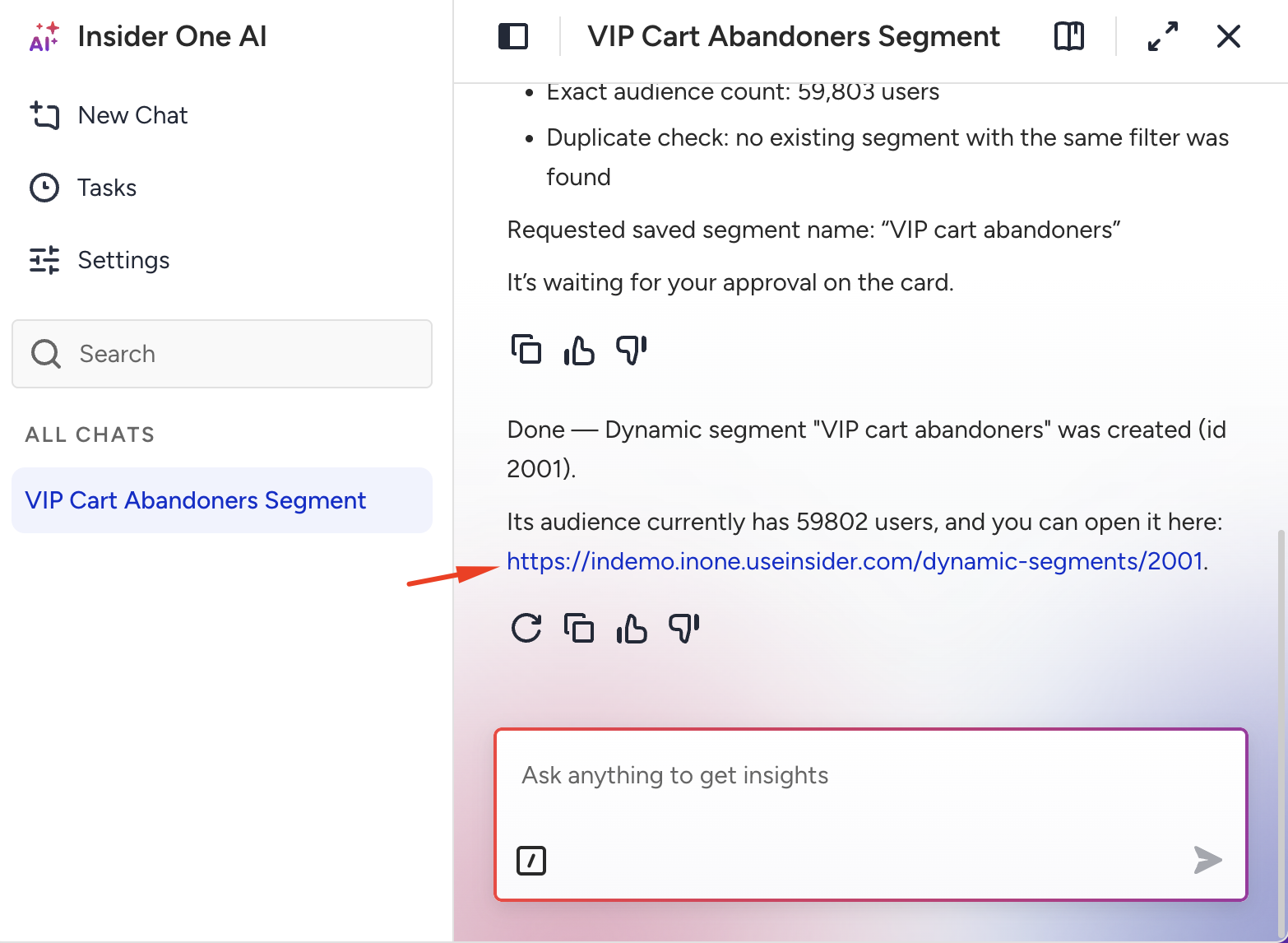
Creates the segment. After you approve, it creates the dynamic segment and shares its name, ID, audience count, and a link that opens it in the panel.
If you decline, or if any check fails, nothing is created.
The new segment appears under Audience > Segments > Dynamic and works like any other dynamic segment. Open it in the segment builder, edit it, and use it in campaigns and journeys.
Create a segment
Open the chat. Open Agent One Teams from the chat entry point in the InOne panel. The chat opens alongside your work, so you stay on the current page.
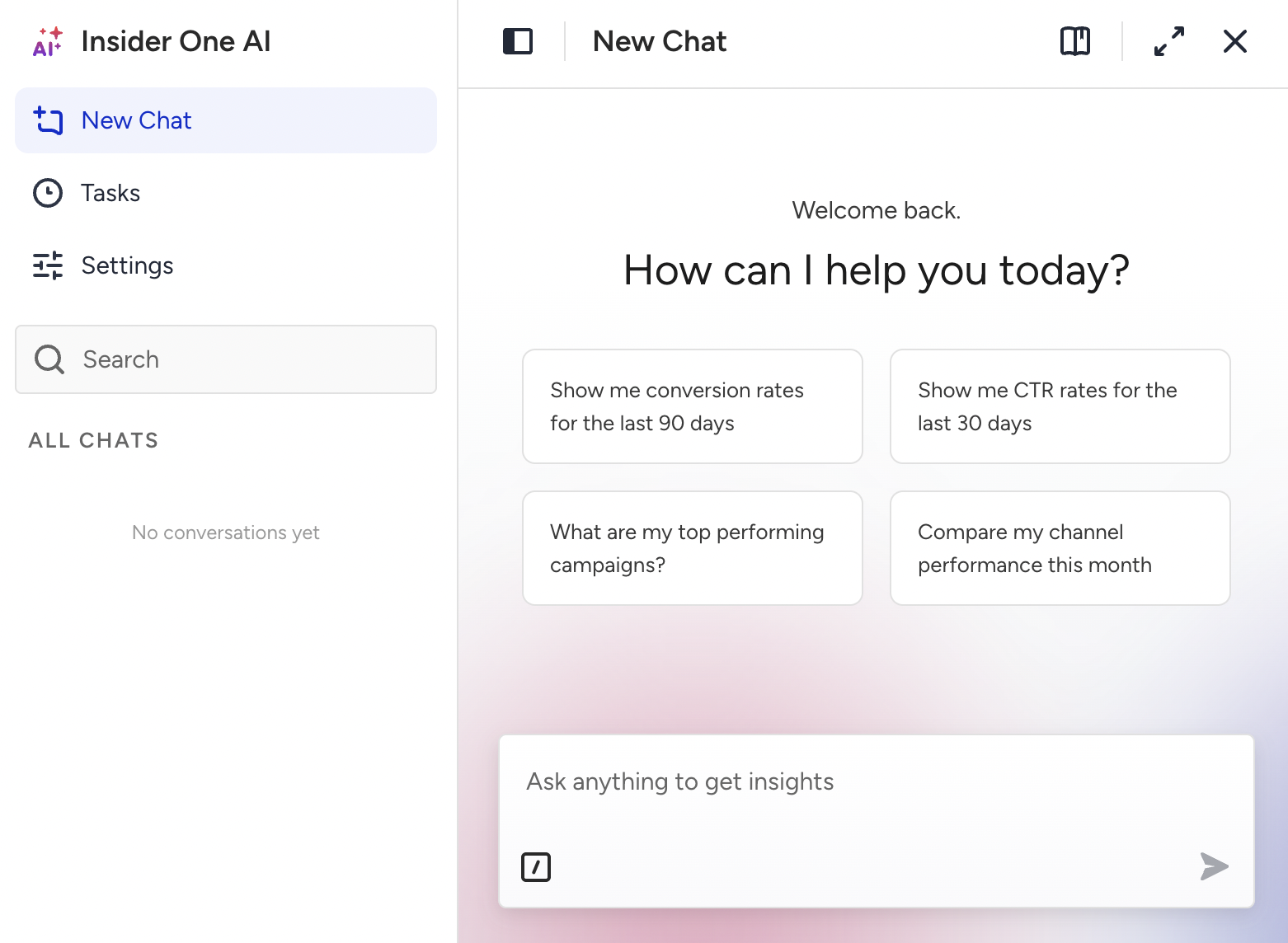
Describe your audience. Include the behavior, the timeframe, and any channel you have in mind. For example:
Create a segment called VIP cart abandoners for users who added to cart in the last 7 days but did not purchase. If you don't give a name, Segment Agent suggests one.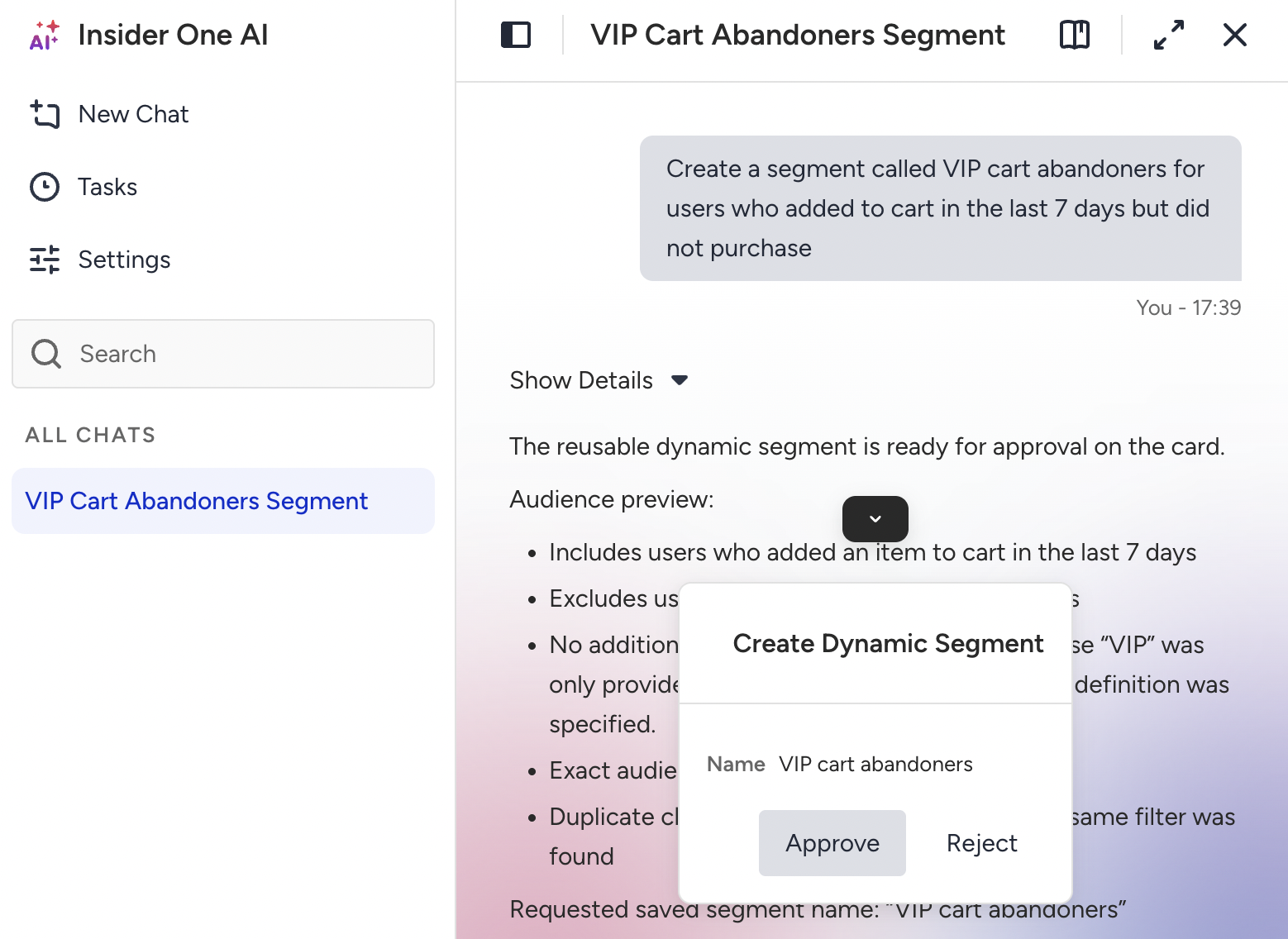
Review any matching segments. If a saved segment matches your description, Segment Agent lists it. Select it if it fits your needs, or ask Segment Agent to continue with a new segment.
Review the summary and approve. Check the audience description, the exact audience count, and the proposed segment name. To change something, tell Segment Agent, such as "make it the last 14 days instead." When everything looks right, approve the segment in the chat.
Open your new segment. Click the link Segment Agent shares, or find the segment under Audience > Segments > Dynamic.
Note: An audience count of 0 is a valid result. It means no users match the segment right now. You can still create it, and users join as they start to match the conditions.
Supported segment criteria
Segment Agent builds segments with the same cards you see in the segment builder. Each segment it creates opens on the matching card, so you can review and edit it like a segment you built by hand.
Category | What you can ask for |
|---|---|
Cart Abandonment, Browse Abandonment, Channel Interactions, Lead Generation, Purchase, User Sign-Up, First Time/Last Time Open, App Lifecycle, Call an API Status | |
Purchasing Behavior, Visiting Behavior, Attributes, Events, Expressions, Aggregates, Data Comparison, Email Engagement, Reachability on Channel, Annual Occasions, Device Attributes, User Attributes, Custom Attributes, Geofence, Location, Unsubscribe Groups | |
Likelihood to Purchase, User Engagement, Customer Lifecycle Status, Discount Affinity, Attribute Affinity | |
Mixpanel cohorts and Amplitude cohorts connected to your account | |
The 11 named RFM segments, such as Champions, and custom recency, frequency, and monetary scores | |
Saved | Existing dynamic, static, and first-party segments, used as a condition in a new segment |
Cards that depend on your account setup
Expressions, Aggregates, and Data Comparison must be enabled for your account.
Unsubscribe Groups is available only if your account uses the products that support it.
First Time/Last Time Open, App Lifecycle, Device Attributes, User Attributes, Custom Attributes, and Geofence require mobile app data.
Predictive and RFM segments require the related predictive models to be active for your account.
Integrated segments require a connected Mixpanel or Amplitude integration.
If you ask for a card that isn't available for your account, Segment Agent tells you which feature is missing instead of building a similar segment from other data. To enable a feature, contact the Insider One team.
Example prompts and tips
Try these to get started:
Create a segment called Cart abandoners 7d for users who added to cart in the last 7 days but did not purchase.
Users whose last app open was more than 60 days ago and who are push-reachable.
Create a segment of my Champions who are reachable on WhatsApp.
Users with a high likelihood to purchase who have not purchased in the last 30 days.
Users in my Loyal Customers segment who visited the site in the last 3 days.
For sharper segments:
Name the behavior and the timeframe. "Users who purchased at least twice in the last 90 days" works better than "frequent buyers."
Say what to exclude. "Email-reachable users who have not opened an email in the last 30 days."
Use the names in your panel. Refer to events, attributes, and saved segments by the names your account uses.
Combine conditions in one sentence. "SMS-reachable users with no purchase in the last 10 days, or email-reachable users who purchased in the last 10 days."
Ask for predictive and RFM segments by name. "Create a segment of my Champions" or "users with a high likelihood to purchase."
Good to know
Topic | Details |
|---|---|
Segment type | Creates dynamic segments only. It doesn't create static or first-party segments, but can use existing ones as a condition. |
Editing and deleting | Creates new segments only. To edit, duplicate, or delete a segment, go to Audience > Segments. |
Segment name | Up to 40 characters, unique in your account. If a name is already in use, Segment Agent suggests another. |
Aggregates | Up to five aggregate conditions per segment. |
App Lifecycle | Up to two App Lifecycle conditions per segment. |
Contact Lists | Not supported. |
Campaign audiences | When you ask for an audience while building a campaign with Campaign Agent, the audience is added to that campaign draft instead of being saved as a separate segment. |
Language | Write in most languages. You'll get the most consistent results in English. |
FAQ
Will a segment be created without my approval?
No. Segment Agent always shows you the audience summary, the exact count, and the proposed name, and creates the segment only after you approve it in the chat.
Is the audience count the same as the one in the segment builder?
Yes. Segment Agent calculates the exact count with the same method the segment builder uses. It doesn't use an estimate.
What happens if my account doesn't have the data I asked for?
Segment Agent tells you which attribute, event, or feature is missing and doesn't create the segment. It never replaces missing data with a similar condition.
Can I edit a segment that Segment Agent created?
Yes. Open it under Audience > Segments > Dynamic and edit it in the segment builder like any other dynamic segment.
Does Segment Agent see my users' personal data?
Segment Agent works with segment definitions and audience counts. It doesn't return lists of individual users.
How is Segment Agent different from Smart Segment Creator?
Smart Segment Creator works inside the segment builder and fills in the conditions for you to review and save there. Segment Agent creates the segment directly from the chat, from any page, after showing you the exact audience size.
Next steps
Segment Agent turns a sentence into a validated, exactly counted segment, and saves it only when you say so. Ready to try it? Open the chat and describe the audience for your next campaign. To put that audience to work, see Campaign Agent.