This guide provides an overview of how to use WhatsApp to engage users, build trust, and drive measurable outcomes.
Insider One WhatsApp enables you to connect with users instantly through a widely used messaging channel. It supports interactive, two-way communication, helping you move beyond one-way notifications and guide users from awareness to action within a familiar and trusted environment.
With Insider One WhatsApp, you can:
Reach users instantly with personalized and interactive messages.
Deliver time-sensitive updates and offers, such as order confirmations or flash sales.
Enable two-way engagement through conversational flows, surveys, and feedback collection.
Support full-funnel journeys, from awareness to conversion, within a single conversation.
Use WhatsApp alongside Email, SMS, and Architect Journeys for a connected cross-channel experience.
This guide covers how to use WhatsApp for time-sensitive campaigns, real-time updates, and conversational experiences that support engagement and conversions.
Before you begin, review the guide structure below to find the sections most relevant to your needs.
What’s new? (2024–2025 highlights)
These updates shape how you’ll use WhatsApp today, especially when it comes to performance and reporting.
Visibility depends on the products enabled in your contract.
Feature/Update | Why It Matters | When to Use | Business Impact |
|---|---|---|---|
Optimize content and timing | All customers | Higher engagement, better ROI | |
Simplifies operations, improves localization | Global brands | Increased reach, easier management | |
Boosts engagement and interaction | All campaigns | Higher CTR, more replies | |
Enables two-way conversations | Support, feedback, surveys | Improved CX, more data | |
Real-time updates | E-commerce, logistics | Improved CX, reduced support | |
Responds to unexpected user messages | Brands not using 2-way support | Reduces opt-outs, improves CX | |
Stay compliant, save time | All customers | Reduced risk, faster launch | |
Deeper insights | All customers | Smarter optimization |
Some features might require activation. For the latest updates, see the WhatsApp What's New.
Core WhatsApp capabilities
WhatsApp is built around a few essential building blocks. Once you are familiar with these, the strategies in this guide will be easier to apply.
Key Features
Opt-In & Entry Points: Use QR codes, cross-channel opt-in, and clear consent capture. Always include opt-out instructions. Refer to WhatsApp Opt-in Integration.
Foundation & Integration: Verify your business account, sender, and API or webhook setup. Use multi-number support for localization. Refer to the Integration and Settings.
Message Templates & Composition: Use marketing and utility templates, carousel and media-rich messages, quick replies, and deep links. Keep messages under 550 characters. Refer to WhatsApp Message Templates.
Targeting, Triggers & Orchestration: Segment users based on behavior, trigger messages from Architect Journeys, and combine with other channels. Refer to Predictive Segments.
Compliance & Deliverability: Monitor template approval, quality rating, and opt-out handling. Always include your brand name and ensure lawful data use. Template Approval
Testing & Optimization: Manually test variants by duplicating campaigns and splitting segments. Track delivered messages, clicks, replies, and opt-outs. WhatsApp Analytics (Message Performance & Conversion Metrics)
Conversational & Support Add-Ons: Connect chatbots, enable auto-reply, and use transactional flows for real-time updates. Third-party Chatbot Connection
How to apply
Validate Setup:
Verify business account, sender ID, and API or webhook integration.
Set up opt-in and unsubscribe compliance.
Integrate & Test:
Use multi-number support for localization.
Test template approval and delivery.
Launch & Optimize Campaigns:
Use high-impact templates (order updates, abandoned cart, promotions).
Add buttons, quick replies, and rich media for engagement.
Segment audiences and trigger from Architect Journeys.
Measure & Improve:
Monitor WhatsApp Analytics (Message Performance & Conversion Metrics) for delivery, reads, clicks, and opt-outs.
Manually test variants by splitting segments and comparing results.
Scale & Sustain:
Connect WhatsApp metrics to business outcomes.
Share insights and expand best practices to new segments or regions.
With these core concepts in place, you can start using WhatsApp effectively, not just understand how it works.
Quick wins
If you want to see impact quickly, start with these steps. These quick wins take 10–30 minutes to implement and are designed to deliver visible results without complex setup or cross-team dependencies.
Personalize messages with name, product, or location to improve engagement. Refer to Elements of WhatsApp Message Templates.
Keep messages short and actionable (maximum 550 characters) for better performance.
Add buttons or quick replies to increase click-through rates and replies. Refer to Elements of WhatsApp Message Templates.
Trigger WhatsApp for abandoned cart or order updates to drive faster revenue impact. Refer to the Cart Reminder WhatsApp Message Campaign.
Explore the Use Case Library for campaign ideas by industry, channel, or goal.
After testing one or two of these approaches, you will have a baseline for how WhatsApp performs in your environment.
To align your team and move from one-off experiments to a more structured approach, use these prompts with your team.
Team Conversation Starters
Use these conversation starters to help your team align on priorities, review performance, and identify the most impactful next steps for WhatsApp.
Which WhatsApp Message Templates are driving the highest read and click rates?
Do our automated flows align with key moments in the customer lifecycle?
Are we using rich formats (carousel, button templates) effectively?
What questions are customers asking most often?
What should we test next to improve engagement or conversions?
What is our top business goal for WhatsApp campaigns next quarter?
Where do we see the biggest drop-off in our funnel (delivery, reads, clicks, or conversions)?
How are we currently segmenting users? Should we use predictive or RFM segmentation for better targeting?
Are we seeing different behaviors on mobile vs. desktop for WhatsApp engagement?
Should we test new campaign ideas using the Use Case Library?
These discussions help you understand your current performance and define what your team expects from WhatsApp in the next 1–3 quarters.
Next, connect WhatsApp to your broader strategy, including growth, retention, and Ever Success goals.
Strategic Guidance: Connect WhatsApp to your goals
WhatsApp works best when it supports clear business outcomes, rather than operating as a standalone channel.
Kickoff: Integration & Goal Alignment:
Validate business account, sender ID, and API or webhook setup.
Define measurable objectives (opt-in growth, read rates, conversion uplift).
Grow: Launch & Expand:
Launch high-impact templates (order updates, abandoned cart, promotions).
Use rich media, quick replies, and interactive buttons.
Expand segmentation and trigger from Architect Journeys.
Optimize: Monitor & Test:
Track engagement and business impact in WhatsApp Analytics.
Manually test variants by duplicating campaigns and splitting segments.
Review: Analyze & Share:
Review campaign impact on business goals.
Share insights and highlight key learnings.
Iterate: Apply Learnings:
Use insights to adjust and scale future campaigns.
Escalate blockers to Insider One Support if needed.
Once you understand the role of WhatsApp in your overall strategy, tailor your approach based on your current maturity level.
The playbook below helps you focus on the right actions based on your current stage, from initial setup to advanced optimization.
Strategic Playbook by Stage
Use this table to choose your next steps based on your current adoption stage. You do not need to do everything at once. Select the stage that best matches your situation and proceed accordingly.
Stage | Goal | Focus & Actions | What Success Looks Like |
|---|---|---|---|
Start Strong | Establish foundational WhatsApp messaging. | • Validate business account and templates. | • Strong delivery and read rates. |
Level Up | Personalize and automate conversational journeys. | • Add rich templates (carousel, multi-product). | • Higher CTR and conversions. |
Get Back on Track | Resolve delivery or engagement issues. | • Review template rejections. | • Improved delivery and clicks. |
Optimize & Orchestrate | Build advanced conversational experiences. | • Use interactive templates. | • Strong multi-channel attribution. |
As you move through these stages, your metrics will indicate whether your strategy is effective or needs adjustment.
Next, review the key WhatsApp metrics, where to find them, and how to act when performance changes.
WhatsApp Key Metrics
This guide explains how to monitor key WhatsApp metrics, where to find them in your InOne panel, what they indicate, which changes to watch for, and what actions to take accordingly.
In this guide, dashboard names appear with a short description in parentheses to clarify what insights each view provides.
Sent
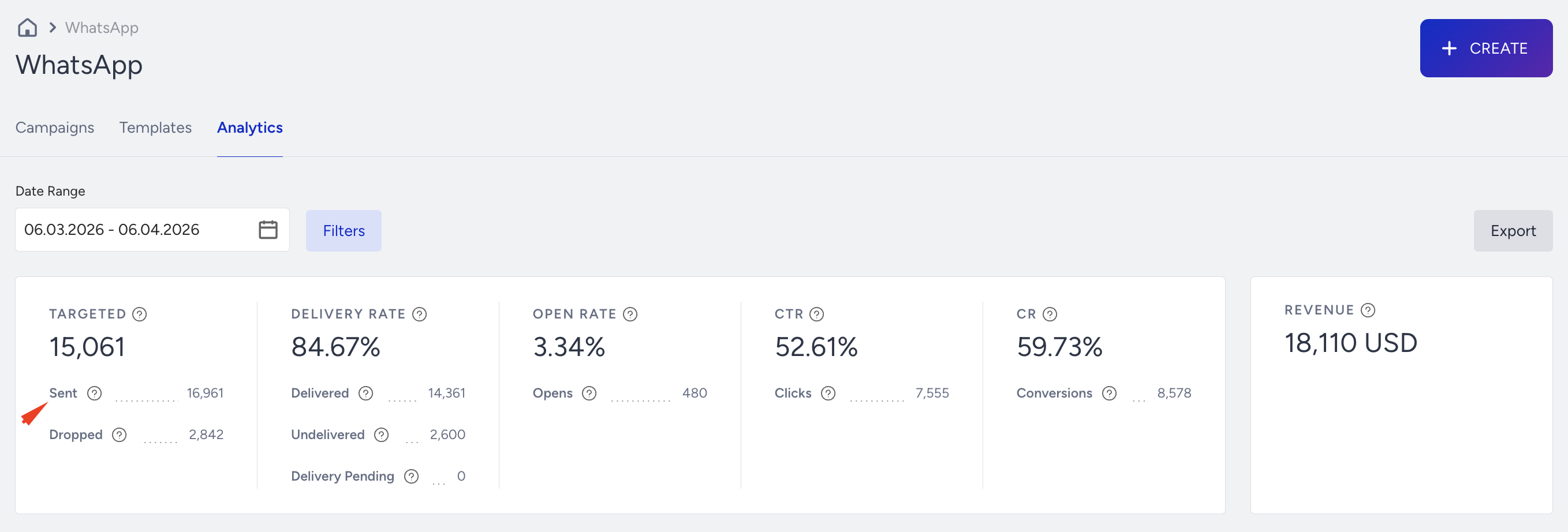
Where to find it: Overall WhatsApp Analytics
Why it matters:
Shows how many WhatsApp messages were sent.
Confirms whether your campaigns are reaching the intended audience.
What to watch for (decline / below benchmark):
Sudden drop in Sent volume vs similar campaigns → segment shrinkage, template disapproval, or campaign paused.
Actions to take / features to use:
Check template approval status,
Confirm campaign is Active
Verify segment size and filters.
Benchmarks/ watch for:
No fixed target; compare vs your usual send volume for that use case.
Frequency: Daily / Weekly
Example: A promo campaign usually sends to 15K users, but one sends only hits 4K → template may have been rejected, or the segment changed.
Dropped
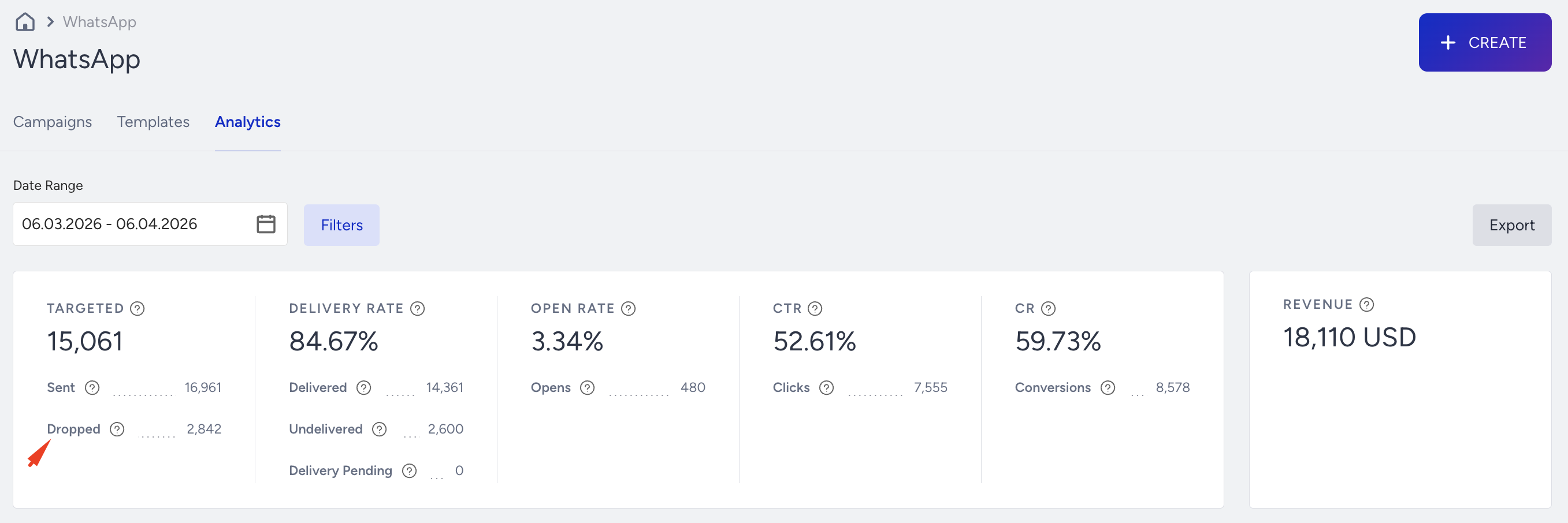
Where to find it: Overall WhatsApp Analytics
Why it matters: Messages successfully delivered to WhatsApp accounts. Reflects list health and template compliance.
What to watch for (decline / below benchmark):
Decline in Delivered while Sent remains similar → expired opt-ins, inactive numbers, template compliance issues.
Actions to take / features to use:
Refresh the audience with active segments
Remove low-quality numbers
Validate opt-ins
Avoid risky or disallowed content.
Benchmarks/watch for:
Aim for high 90s% delivery depending on market and data quality.
Frequency: Weekly
Example: Delivered falls from 96% to 88% after importing an external list → list quality or consent issue.
Delivery Rate
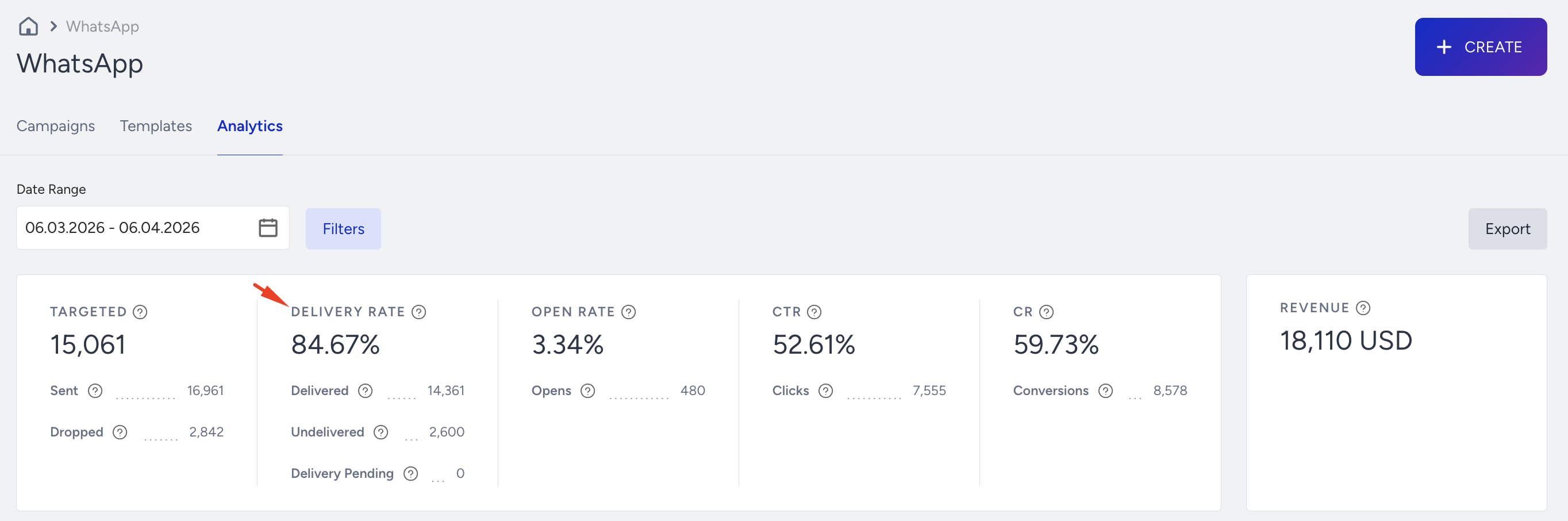
Where to find it: Overall WhatsApp Analytics
Why it matters: The percentage of sent messages that were delivered. Summarizes list quality and technical compliance.
What to watch for (decline / below benchmark):
Delivery Rate < 90% or trending down over time
Actions to take / features to use:
Clean invalid or inactive contacts
Optimize the opt-in process
Avoid keywords or templates that trigger filtering
Benchmarks/watch for: Keep Delivery Rate at 90%+ where possible
Frequency: Weekly
Example: Delivery Rate drops after using more promotional language → revise templates to be clearer and compliant
Open Rate
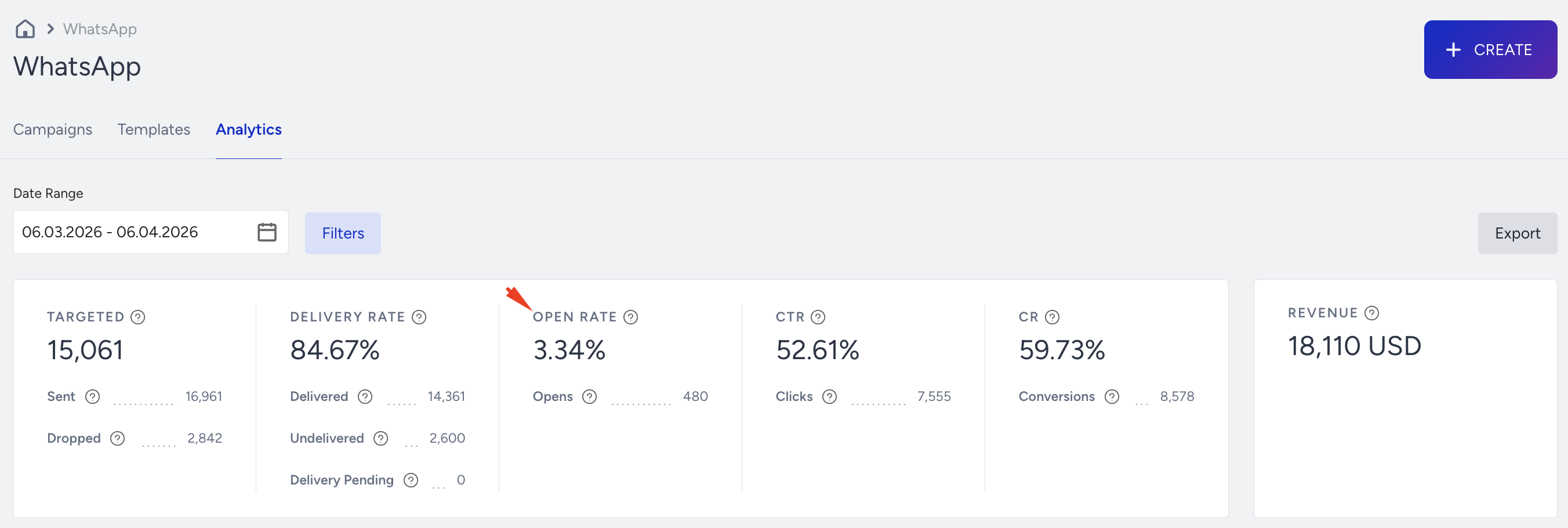
Where to find it: Overall WhatsApp Analytics
Why it matters: The percentage of delivered messages opened. Indicates message relevance, trust, and notification behavior.
What to watch for (decline / below benchmark):
Open Rate falling across multiple campaigns
Drop after template naming or header changes
Actions to take / features to use:
Improve template name preview
Send at peak user hours
Refine message relevance
Reduce over-sending
Benchmarks/watch for:
Many use cases see 40–60%+ Open Rate depending on message type
Frequency: Weekly
Example: After switching to a generic template name like “Notification,” opens fall from 65% to 40% → update naming and copy
Click-Through Rate (CTR)
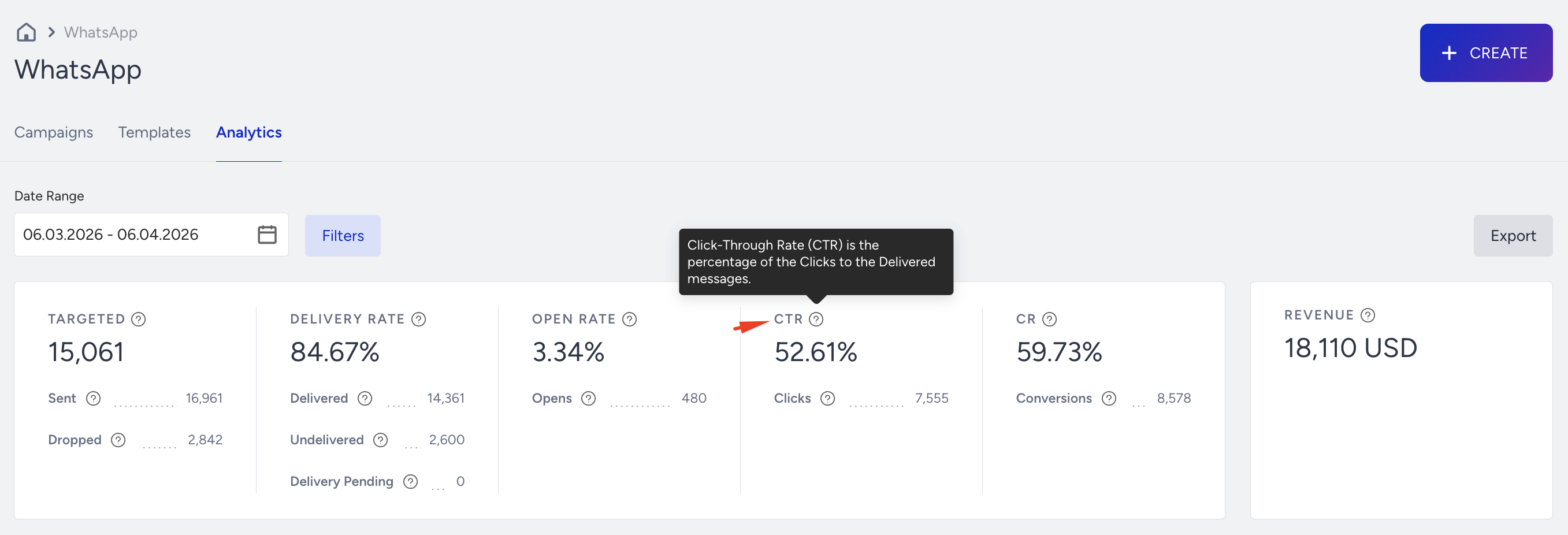
Where to find it: Overall WhatsApp Analytics
Why it matters: The percentage of users clicking a button or link. The core signal of how compelling your offer and CTA are.
What to watch for (decline / below benchmark):
CTR < 5–10%
Sudden drop vs similar campaigns
Actions to take / features to use:
A/B test button text
Shorten message copy
Use rich template formats (buttons, carousels)
Narrow segments for better relevance
Benchmarks/watch for:
Many teams aim for 5–10%+ CTR depending on vertical and intent
Frequency: Weekly
Example: A back-in-stock campaign sees only 3% CTR vs your usual 8% → improve button copy or targeting
Conversion Rate
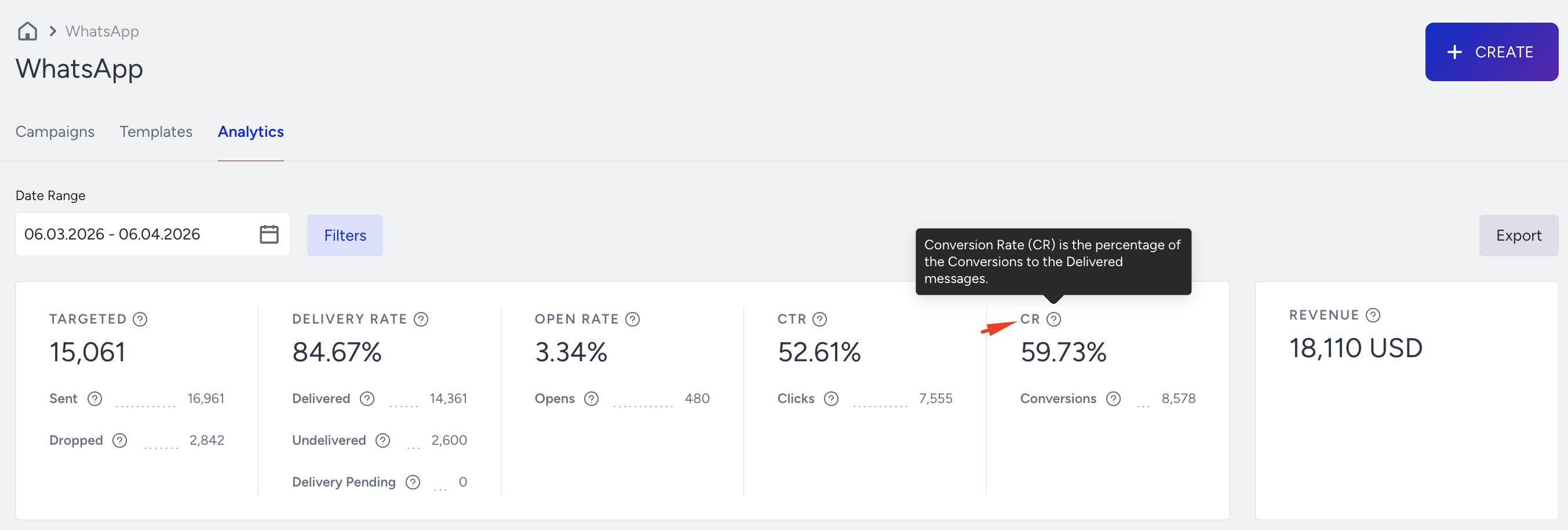
Where to find it: Overall WhatsApp Analytics
Why it matters: The percentage of users who converted after a click or interaction. Shows how effectively WhatsApp drives business outcomes.
What to watch for (decline / below benchmark):
Drops vs your usual baseline
Higher engagement but weaker conversion
Actions to take / features to use:
Align offers with audience intent
Segment high-value users
Shorten funnel steps
Adjust timing closer to purchase intent
Benchmarks/watch for:
No universal target; compare against your own baselines and key campaigns
Frequency: Weekly
Example: Your reminder journey used to convert at 3%, now it is 1% after a website redesign → investigate friction
Conversions
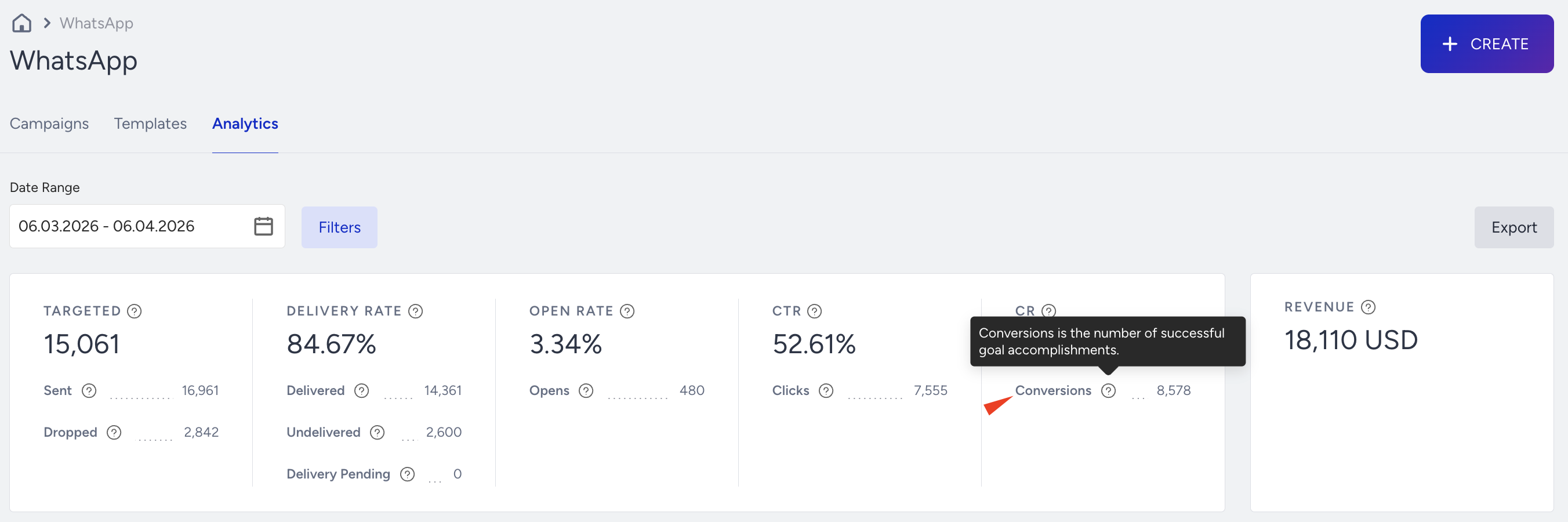
Where to find it: Overall WhatsApp Analytics
Why it matters: Total users who completed the defined conversion after interacting with the message.
What to watch for (decline / below benchmark):
Low conversions despite good CTR
Landing page misalignment or too many steps
Actions to take / features to use:
Improve landing page continuity
Simplify checkout
Retarget high-intent users
Use deep links to direct users to relevant screens
Benchmarks/watch for:
Watch for steady or improving conversions vs your own history
Frequency: Weekly
Example: CTR is 9%, but conversions are very low → your landing page does not match the promise in the message
Revenue
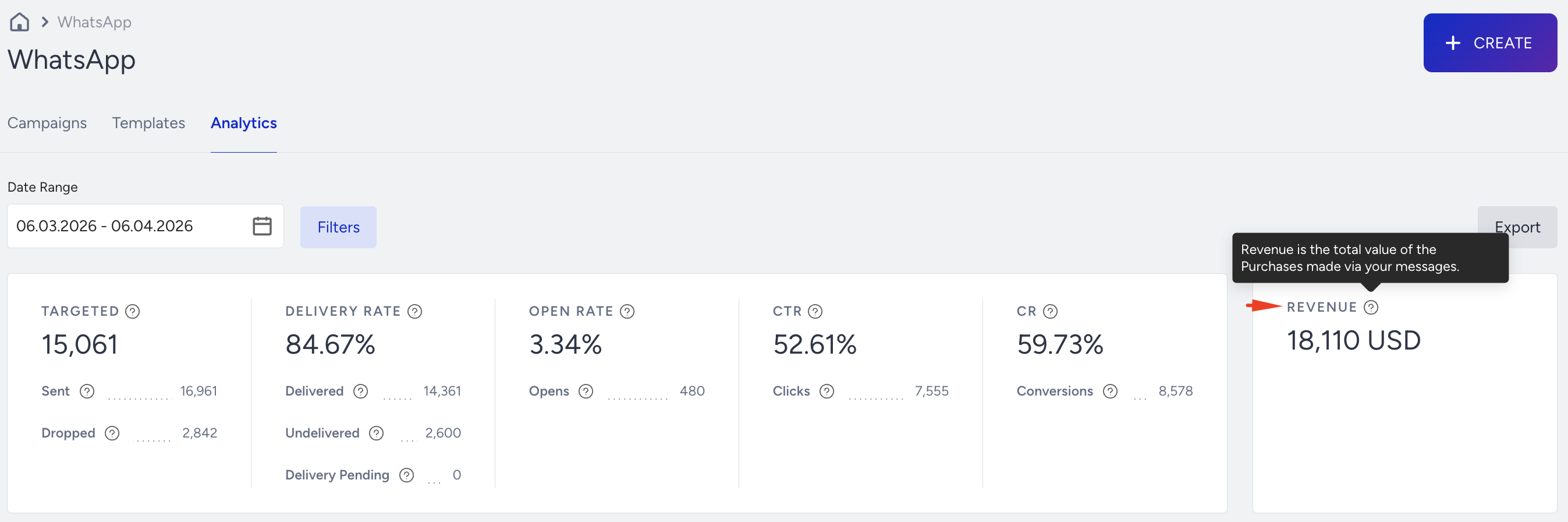
Where to find it: Overall WhatsApp Analytics
Why it matters: Revenue driven or influenced by WhatsApp campaigns over time. Shows whether the channel is scaling impact, not just engagement.
What to watch for (decline / below benchmark):
Flat or declining revenue despite strong opens or clicks
Weak offer or low-value targeting
Actions to take / features to use:
Focus on high-ROI use cases (cart recovery, back-in-stock, renewals)
Target high-value segments
Test incentives and bundles
Benchmarks/watch for:
Look for an upward revenue trend as your use cases mature
Frequency: Weekly / Monthly
Example: Engagement is strong, but revenue remains flat → shift campaigns from generic promotions to high-intent automations
Subscribers Growth
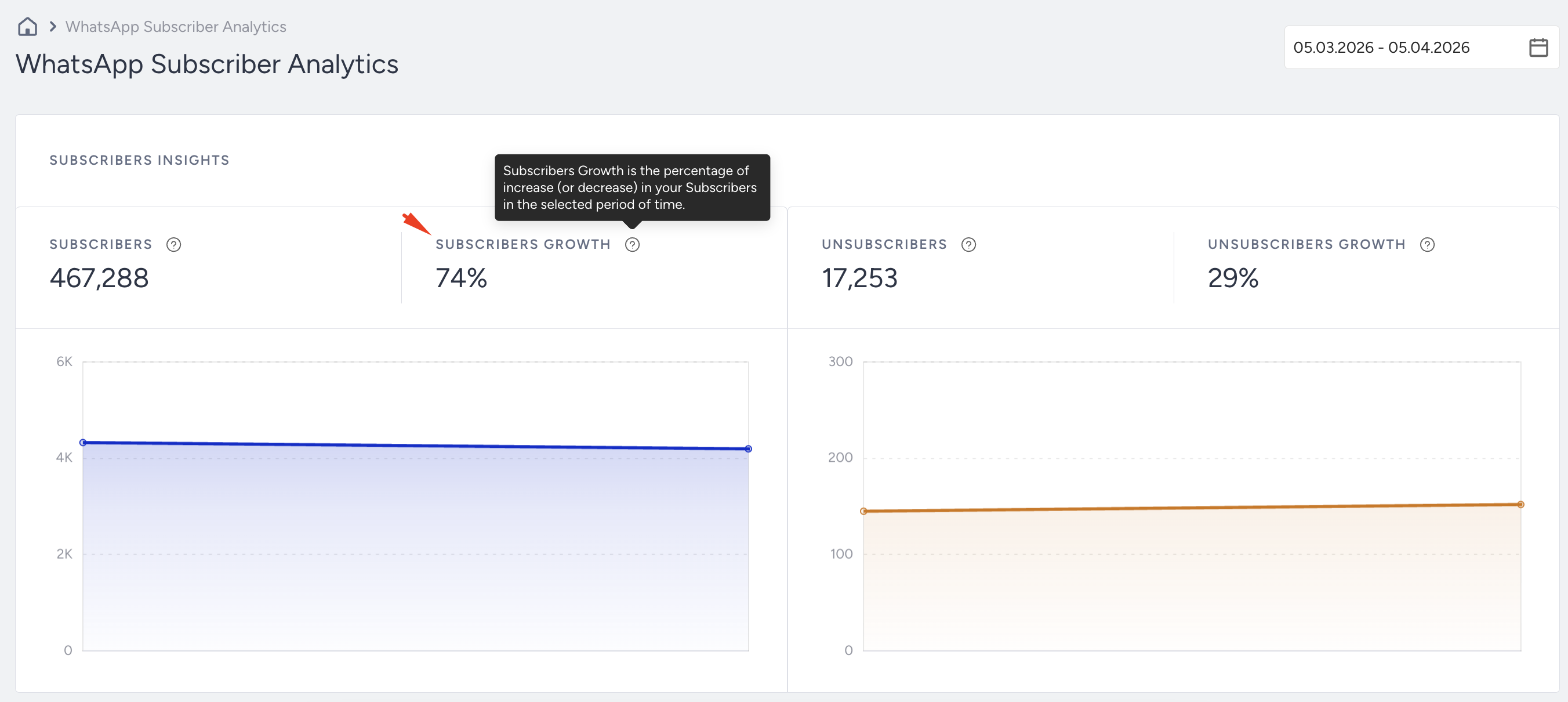
Where to find it: WhatsApp Subscriber Analytics
Why it matters: Tracks how fast new opt-ins are joining your WhatsApp audience. Critical for long-term scale.
What to watch for (decline / below benchmark):
Slow or flat growth, even with strong site or campaign traffic
Actions to take / features to use:
Add WhatsApp opt-in to signup flows and lead generation templates
Promote benefits in email and web
Use incentives for initial opt-in
Benchmarks/watch for:
Healthy programs show steady subscriber growth over time
Frequency: Weekly / Monthly
Example: After adding WhatsApp opt-in to your order confirmation page, subscriber growth increases by 30%.
Troubleshooting Scenarios
Here are common issues you may observe in your analytics and practical steps you can take to resolve them.
Symptom | Likely cause | What to do |
|---|---|---|
Templates get rejected | Policy violation or unclear content | Review Meta’s template policies, remove promotional language from non-promotional templates, and simplify wording. |
High read, low click | Message content not actionable | Strengthen CTA, use buttons when possible, and make the next step clear (e.g., “View order”, “Continue shopping”). |
Conversations do not convert | Flows too long, confusing, or not goal-oriented | Simplify conversation paths, reduce unnecessary steps, and align templates with a single clear outcome. |
Users complain or block the number | Poor timing, irrelevant messages, or too many updates | Limit non-essential messages, improve segmentation, and focus on high-value notifications and personalized content. |
Use this section when you notice a specific issue, such as drops in engagement, revenue, or reach, and need a focused approach to investigate and resolve it.
Once performance stabilizes and key issues are addressed, you can move from basic functionality to more advanced optimization.
Best Practices & Pro Tips
These best practices and tips help you get more value from WhatsApp with the same or less effort.
Send messages at appropriate times, avoiding late-night or early-morning delivery.
Keep messages concise (maximum 550 characters) and actionable.
Use buttons, quick replies, and rich media to increase interaction and engagement.
Monitor delivery, read, and opt-out rates on a regular basis.
Align WhatsApp with other channels to support an omnichannel strategy.
Ensure compliance by capturing explicit opt-in, providing clear opt-out instructions, using approved templates, and following local regulations.
You do not need to apply every tip at once. Treat this section as an idea bank and use what aligns with your goals and capacity.
As you apply these practices, you may encounter recurring questions similar to those faced by other teams.
Additional Resources
Use the resources below to continue learning, test more advanced strategies, or get extra help when you need it.