Design Agent, also known as the AI pop-up and game builder, is a no-code campaign design tool and an AI-powered capability that streamlines the creation and customization of campaign templates. It enables teams to generate on-brand campaign designs rapidly without coding, significantly reducing production time and dependency on design and development resources.
Design Agent supports three primary modes of operation:
Pop-Up Mode
Used for creating standard pop-up designs that may include images, buttons, countdown timers, static coupon codes, and text elements.
Gamification Mode
Used for generating interactive, playable campaign experiences through natural-language prompts, such as Rock Paper Scissors, Tic Tac Toe, Guess the Word, Digit Recall, Repeat the Colors, and Soccer Shot)
Inline Mode
Used for non-intrusive, native placements, operating in markets with regulatory restrictions on popups, or wanting to place personalized content mid-page, such as within product listings, blog posts, or the checkout flow.
These modes enable you to design engaging, high-impact campaign experiences while preserving brand consistency and minimizing operational complexity.
Design Agent also marks an advancement toward AI-driven marketing personalization, strengthening automation capabilities and interactive campaign design within OnSite products.
Pop-Up Mode
Pop-Up Mode is designed to create pop-up designs featuring images, buttons, countdown timers, static coupon codes, and text elements using generative AI.
Pop-up mode capabilities
Generates ready-to-use pop-up layouts based on natural-language prompts.
Allows users to edit or regenerate designs using additional prompts.
Supports manual fine-tuning through the in-editor floating menu.
Pop-up mode benefits
Reduces pop-up creation time.
Minimizes reliance on design and technical teams.
Improves campaign speed, quality, and consistency across teams.
Gamification Mode
Gamification Mode automates the creation of interactive, game-based campaign experiences designed to increase user engagement and conversion.
Supported game types
Generates six complete, playable game types in its initial release:
Game Type | What the visitor does |
|---|---|
Rock Paper Scissors | Picks one of three hands and plays a round against the brand. |
Tic-Tac-Toe | Places markers on a grid against the brand until someone lines up three. |
Guess the Word | Reveals a hidden word from letter tiles, with a shake animation on a wrong guess. |
Digit Recall | Memorizes a sequence of digits, then re-enters it from memory. |
Repeat the Colors | Watches a sequence of colored tiles light up, then repeats it in order. |
Soccer Shot | Aims and takes a shot at a goal to win the reward. |
Additional capabilities include:
Creating visual and gameplay variations aligned with brand identity
Reusing built-in logic for scoring, animation, and interactivity
Enabling scalable self-service game creation for partners and internal teams
Gamification mode benefits
Accelerates expansion of the gamification library through AI-generated templates.
Reduces dependency on external teams.
Enables partners to react immediately to seasonal, campaign, or trending concepts.
Inline Mode
Inline Mode enables AI-generated campaigns to be embedded directly into the page without interrupting the user experience.
Inline mode capabilities
Generates ready-to-use inline content blocks based on natural-language prompts.
Supports placement configuration via page zone or CSS selector.
Provides full Design Agent capabilities, such as editing, dynamic content, and publishing, for inline formats.
Inline mode benefits
Offers a non-intrusive alternative to popups, ideal for those who prefer embedded placements.
Supports accounts operating in markets with regulatory requirements that limit popup usage.
Enables personalized content mid-page, for example, within product listings, blog posts, or the checkout flow.
How Design Agent works
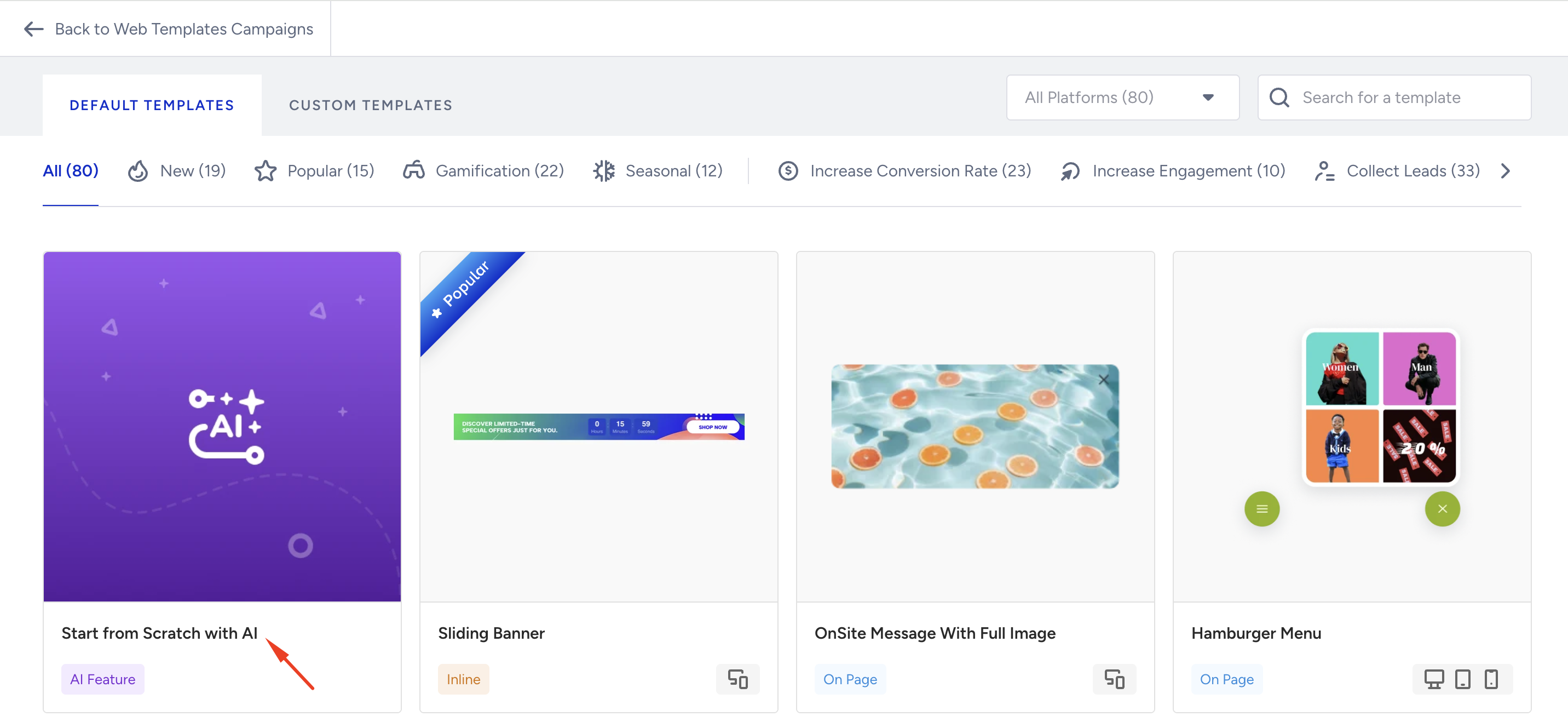
Navigate to Design Agent from the Template Store of Web Templates.
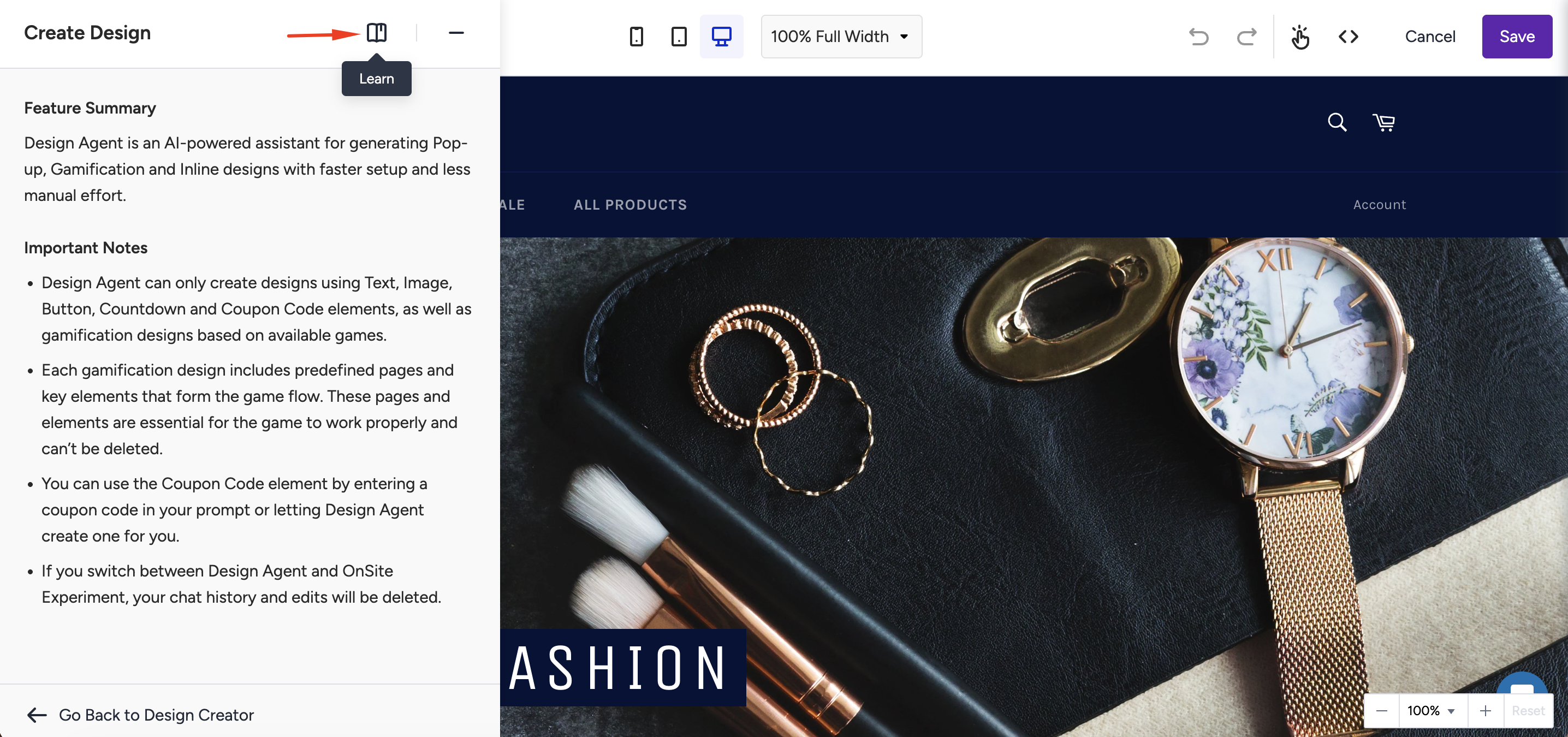
A built-in help and education panel is available within the interface, where you can review capabilities, limitations, and important usage notes to better understand how Design Agent works.
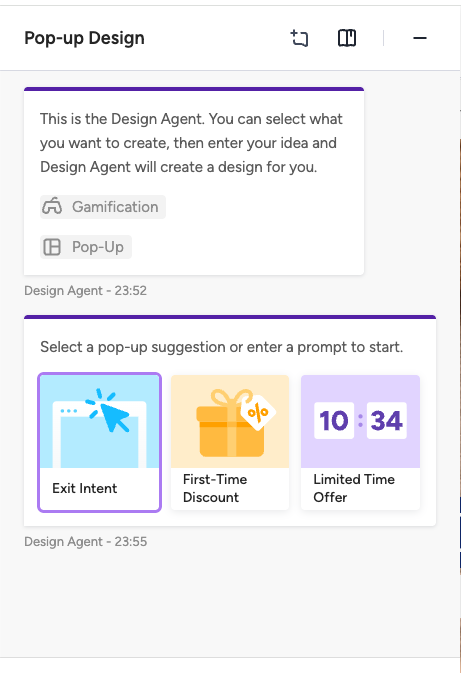
You can choose either Pop-Up, Gamification, or Inline mode.

Pop-up Mode: When selected, the system displays prompt suggestions (e.g., “Create a seasonal signup popup with a countdown timer”) to help you start the chat and generate a design instantly.
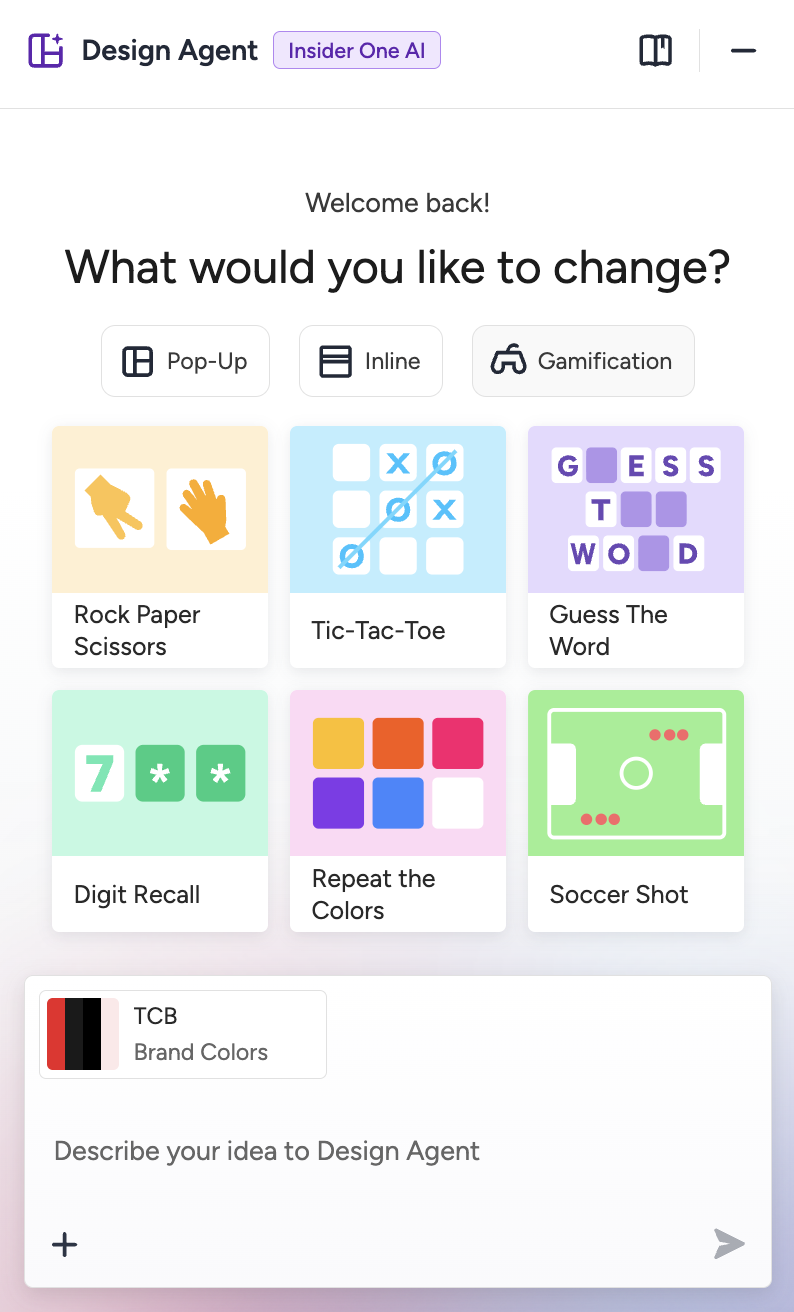
Gamification Mode: When selected, the system displays a list of available game templates (e.g., Rock Paper Scissors, Tic Tac Toe, Guess the Word, Digit Recall, Repeat the Colors, and Soccer Shot). You must pick one game type to continue customizing it through prompt instructions or direct edits.
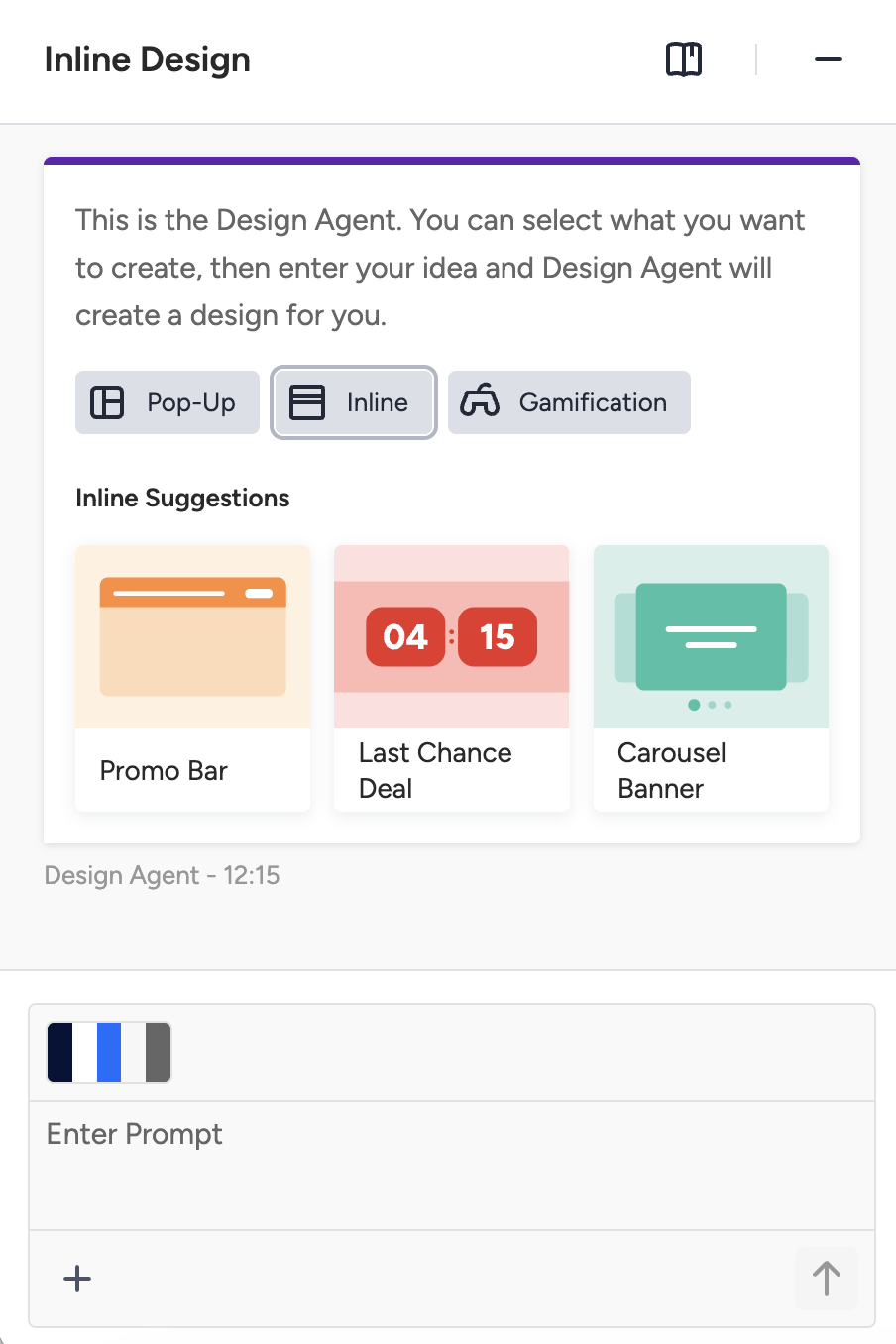
Inline Mode: When selected, the system displays a list of available inline templates (e.g., Promo Bar, Last Chance Deal), and prompt area. You can pick one game suggestion, or enter a prompt to continue customizing it.
Navigation Mode, particularly valuable in Gamification Mode, allows you to switch between different game screens or states (for example, start screen, gameplay, win screen, loss screen). This enables you to preview each step of the experience and fine-tune the design and content for every stage of the game.

You can describe what you want using natural language. For example:
“Create a holiday-themed popup with a countdown.”
“Generate a pastel-colored Tic Tac Toe game for a fashion brand.”
The system generates a fully functional design for a pop-up or game template. Both layout and logic (e.g., game scoring, animations, interactivity) are automatically created.
You can instantly undo or redo recent changes from the top bar, ensuring flexibility and creative freedom during customization.
You can click directly on elements to modify visuals, copy, or layout. The floating editor menu enables fine-tuning without re-running generation.
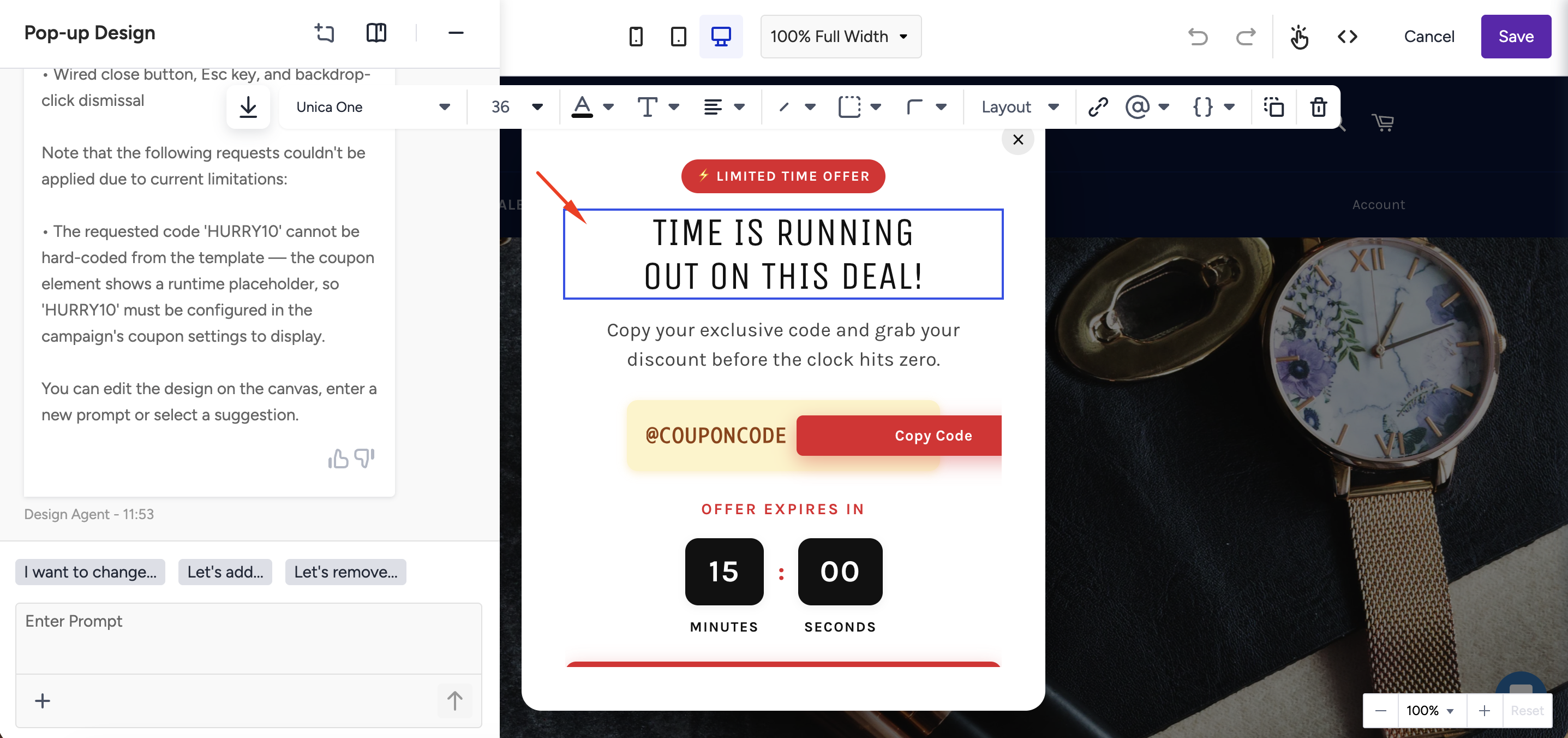
At any time, you can start a new design session using the Create a New Chat option, which clears the previous prompt and launches a fresh AI-assisted design process.
Once finalized, save and publish your design through the standard campaign workflow (segment, rules, launch).
Limitations and error messages
The Design Agent uses AI to interpret user prompts and generate campaign designs. However, certain inputs, conditions, or technical issues can result in limited or failed outputs. Below are the main cases and the messages you may encounter:
Successful scenarios
Type | Description | System Response |
|---|---|---|
Successful Generation | The prompt is valid, supported, and clearly structured. | |
Semi-successful Generation | The AI partially understands the request but omits minor details (e.g., missing styling or limited animation). | The design is generated using partial elements; you are advised to refine the prompt for better results. |
Prompt-related failures
Type | Description | System Response |
|---|---|---|
Irrelevant Prompt | You enter a prompt unrelated to design or gamification (e.g., “How to be rich?”). | “Design Agent can only help you create designs. You can enter another prompt to start creating.” |
Unsupported Game | You request a game type not among the five supported during initial development (e.g., “Create a Flappy Bird game”). | “Design Agent can only create gamification designs based on the available game types. Please enter another prompt and try again.” |
Not Understood | Your prompt is ambiguous or incomplete, and the AI cannot infer a valid design. | “Your request couldn’t be applied. You can rephrase your prompt and try again.” |
System-related failures
Type | Description | System Response |
|---|---|---|
Backend Error / Timeout | A server issue or long generation time prevents design creation. | “Your design couldn’t be created right now. You can wait for a while and try again.” (Includes a “Try Again” button.) |
Failed Generation | The system fails to produce a valid output due to an internal error or unexpected prompt structure. | “Generation failed. Please refine your prompt or try again later.” |