Dynamic content lets you insert personalized text into campaigns created with Design Agent. At runtime, placeholders are replaced with each user's actual attribute or event parameter values, so every visitor sees content specific to them.
Dynamic content becomes available after Design Agent produces its first design. Simply click on the text, tap the @ button, and choose the attribute or event parameter you want to use.
Dynamic content enables:
Per-user personalization in AI-generated campaigns.
Reuse of the same personalization logic you already use across Email, SMS, Journeys, and other channels.
Consistent, relevant onsite experiences without duplicating campaigns for different audiences.
Supported data types
Type | Description |
|---|---|
System-level user attributes such as name, city, browser language, and more | |
User attributes tracked via Insider One's data layer that you defined | |
Parameters from the last occurrence of a tracked user event |
PII protection:
Attributes and event parameters marked as PII, either by default or manually by your team, are excluded from the dynamic content picker and cannot be selected when creating a campaign. If an attribute already used in a live campaign is later marked as PII, the campaign is automatically deactivated to prevent PII exposure.
How to add dynamic content
Dynamic content is only available after the first design is produced.
Open Design Agent and complete the generation flow.
In the design editor, click on the text element you want to personalize. The @ button appears on the selected text element.
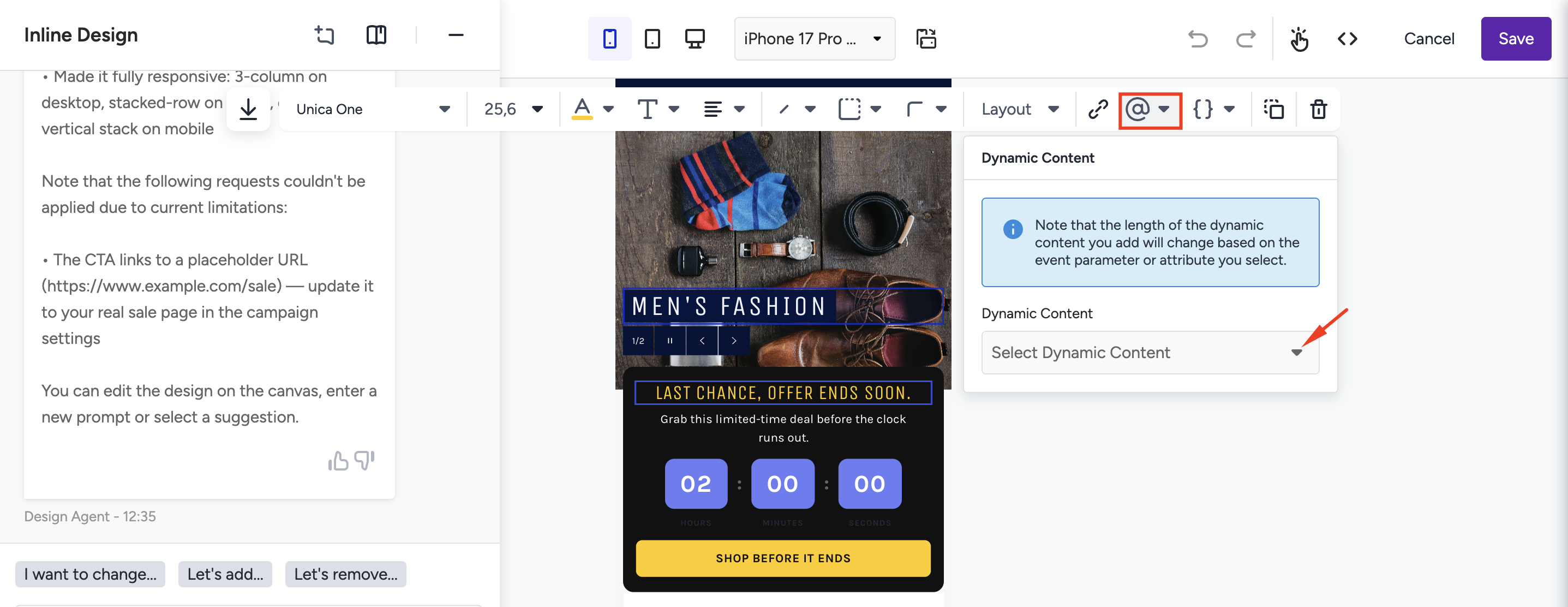
Click @. The Dynamic Content picker opens.
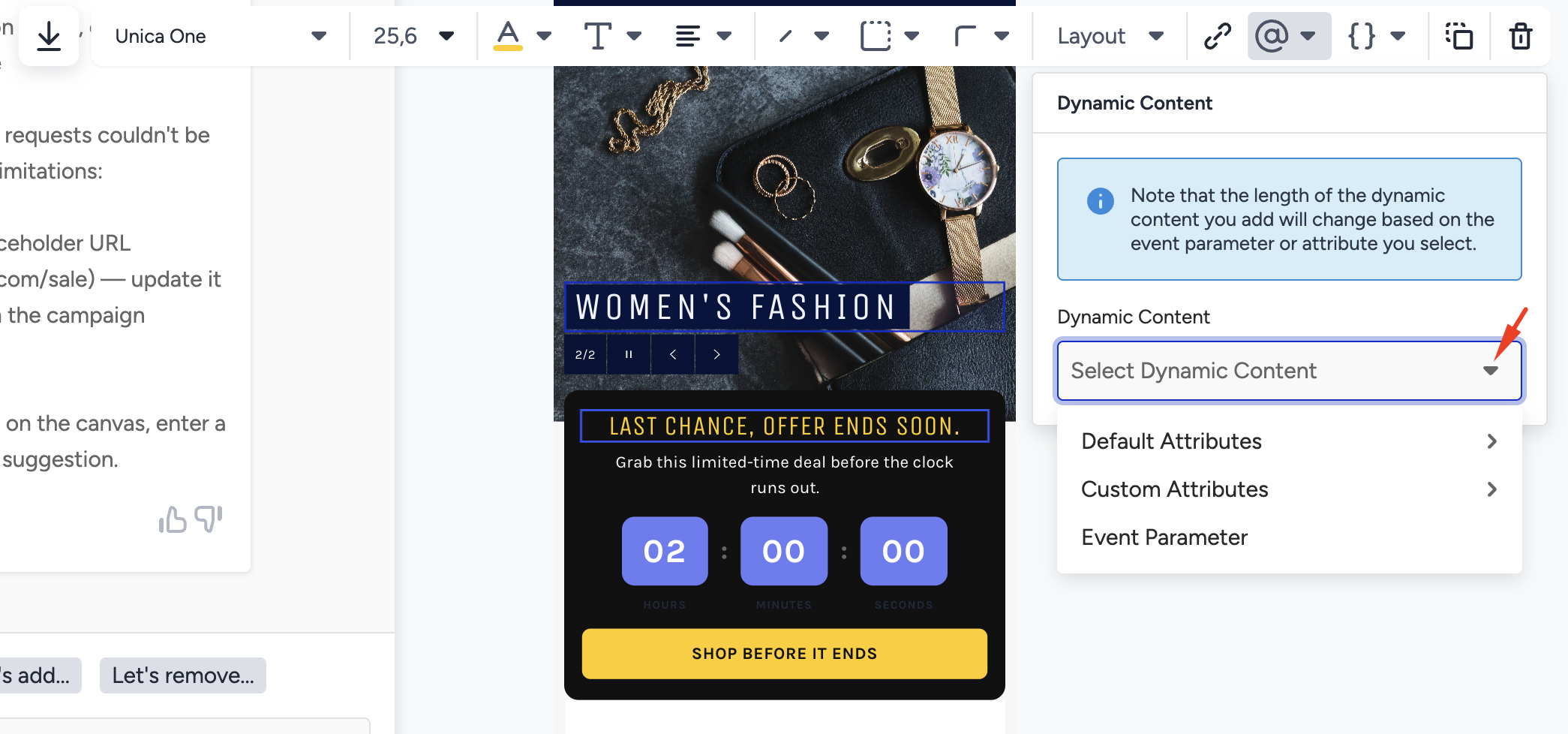
Browse or search the categorized list and select the value you want to insert.
Set a fallback value. This is the text shown to users who do not have the selected attribute or event data available. We suggest you always set a fallback to ensure every user sees a complete message.
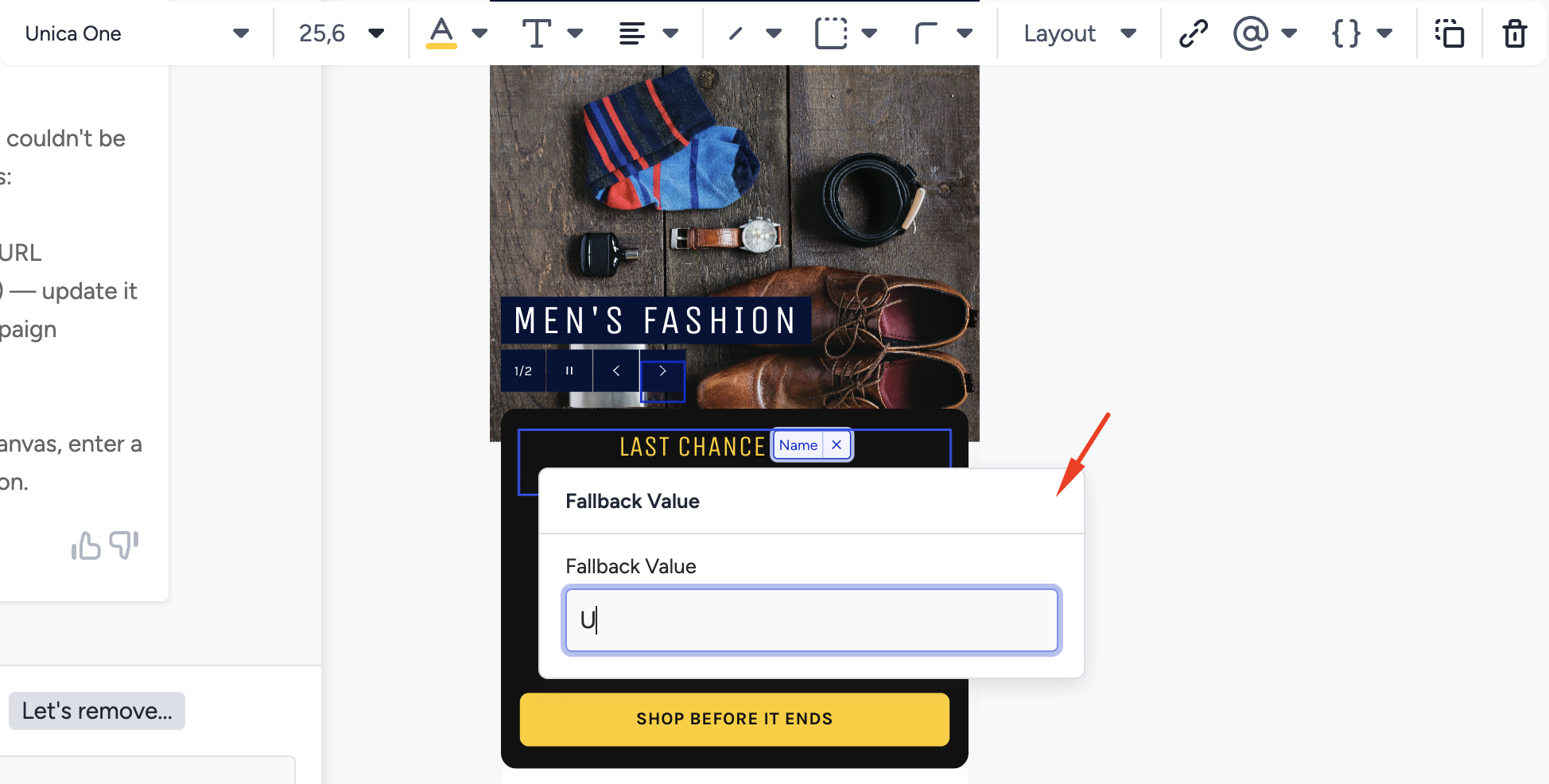
The placeholder appears as a chip in the editor. The underlying template stores it as a marker that is replaced at runtime.
Save and publish your campaign.
How dynamic content is resolved at runtime
When a user views the campaign:
User data is fetched from Insider One's Unified Customer Data (UCD).
Each placeholder is replaced with the user's actual attribute or event parameter value.
If the data is unavailable for a user, the fallback value is shown instead.
First load behavior:
Dynamic content is resolved client-side. Personalized values appear on the user's second page interaction, not on the first page load. Plan campaign design and testing accordingly.
Limitations
Dynamic content is only available for text elements.
Dynamic content can only be added after the first design is generated by Design Agent, not during the generation step.
PII-marked attributes and event parameters cannot be used.