Design Agent supports inline template type, in addition to popups and gamification. This means you can use AI to generate campaigns that are embedded directly into your page, rather than displayed as overlays, giving you more flexibility in how and where you engage your visitors.
Common use cases are:
Personalized product recommendations mid-page
Contextual promotions within category or product pages
Lead collection embedded in content
What it enables
It is an embedded content block placed within a specific zone on your page, for example, between products on a listing page, inside a blog post, or within the checkout flow. Inline templates feel native to the page, not interrupting the experience:
AI-generated inline campaigns alongside existing pop-up and gamification support.
A non-intrusive alternative to pop-ups, ideal for accounts that prefer embedded placements or operate in markets with regulatory requirements that limit pop-up use.
Full Design Agent capabilities (editing, dynamic content, publishing) are available for inline formats.
Create an Inline Campaign
Open Design Agent from the Template Store.
At the template type selection step, choose Inline.
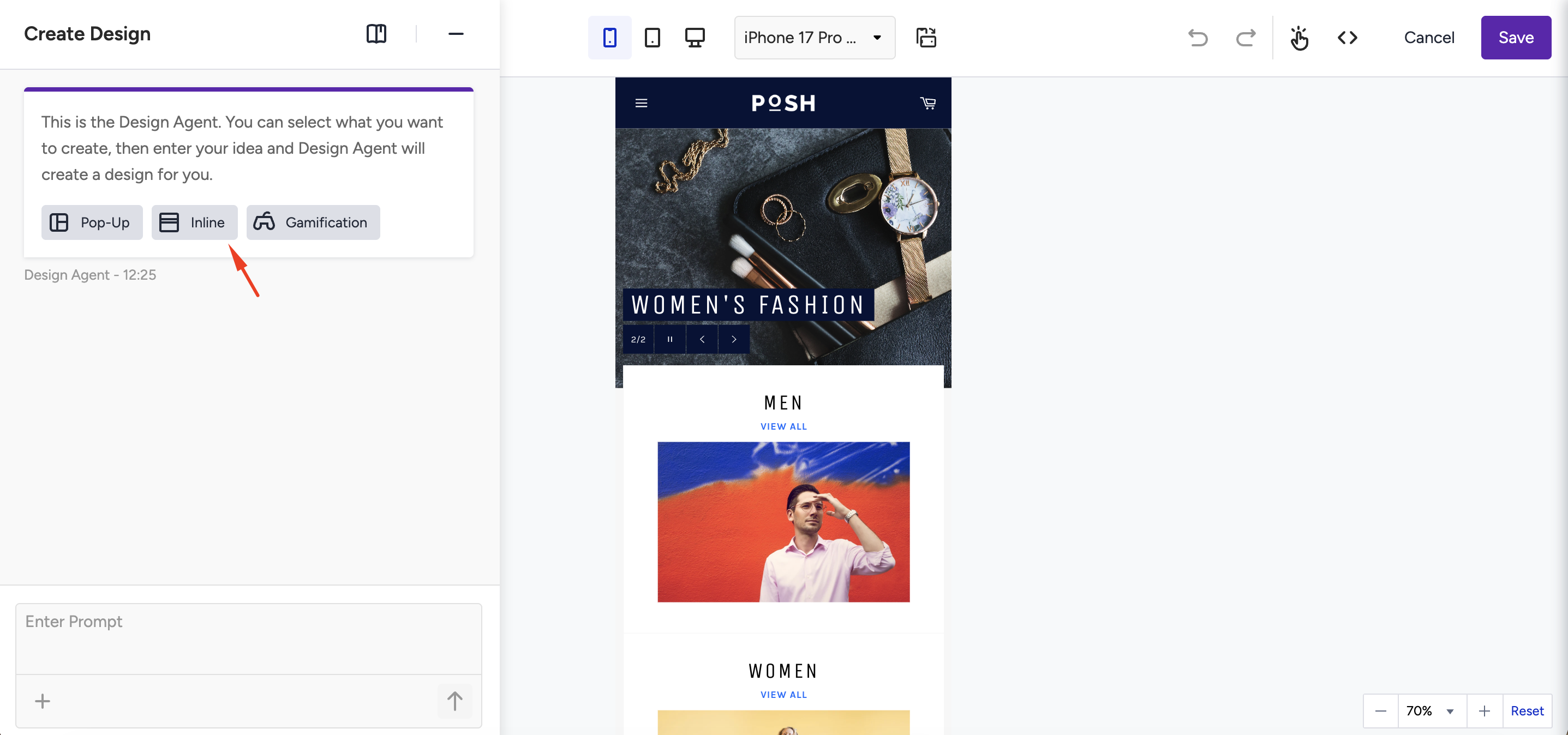
Enter your prompt; describe the goal, tone, and key content for the AI. You can choose from the suggested prompts. (e.g., hero carousel for seasonal offers or new arrivals).
Design Agent generates a design optimized for the selected format's layout and dimensions.
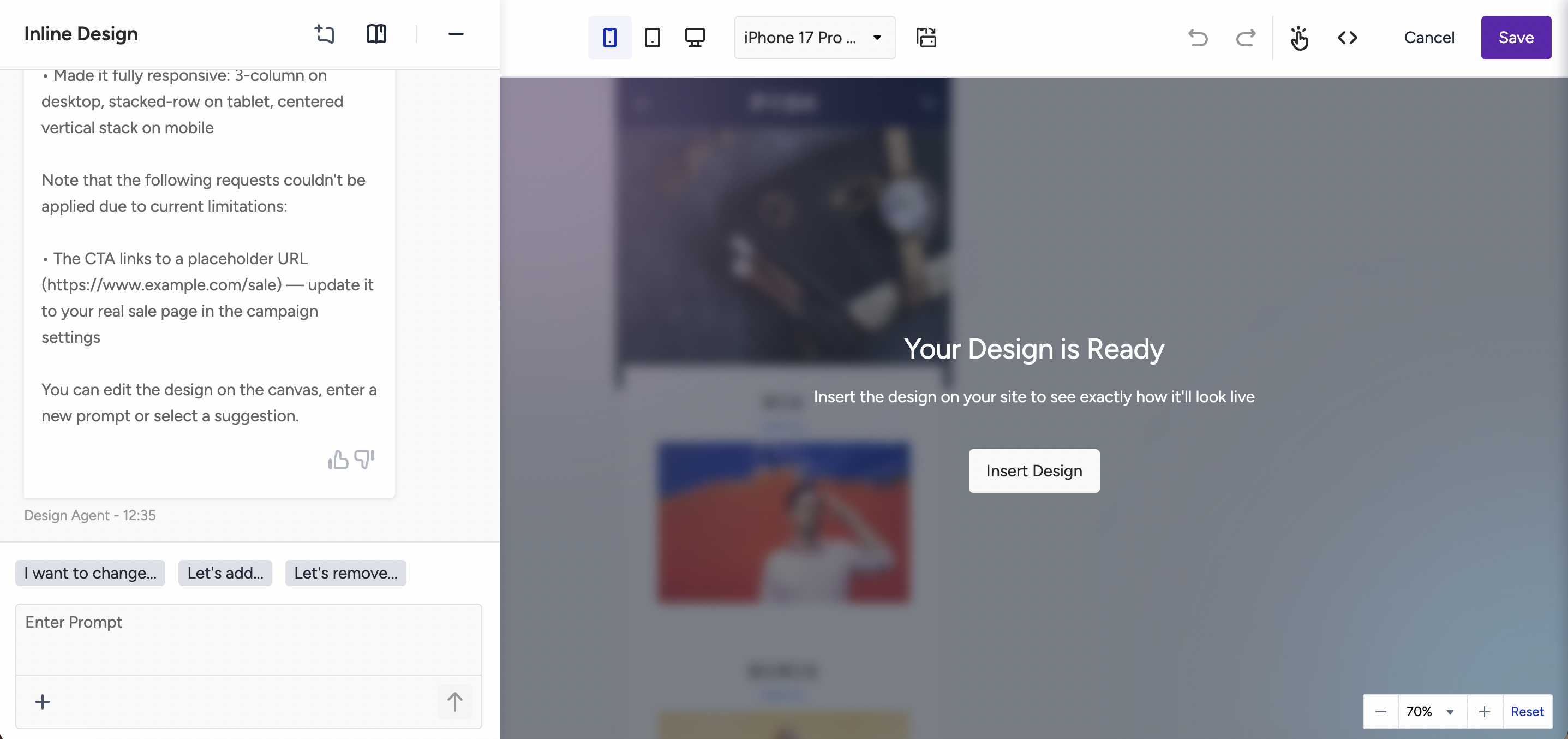
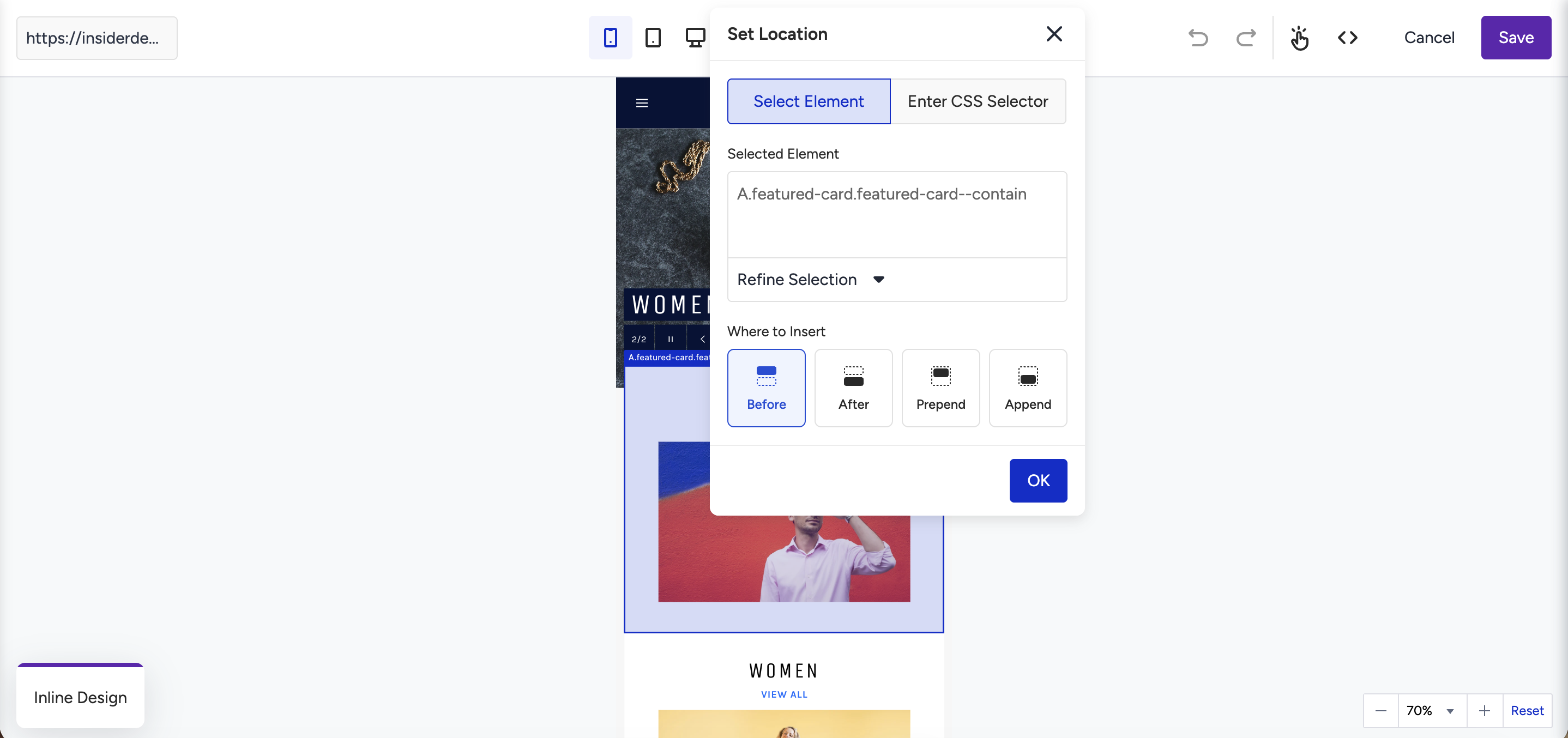
Click Insert Design to configure placement:
Select a page zone by using “Select Element” for the zone-based placement system, or
Define a CSS selector to target the specific element on your page where the inline block will be injected.
If you're using a CSS selector for the first time, your development team may need to help identify the correct selector for your page layout.
Review and edit the generated design; adjust text, CTA, colors, and background as needed.
Save and publish your campaign.
Limitations
AI-generated designs for inline formats are constrained by the available space.
Inline placement via CSS selector may require developer involvement for non-standard page zones.
Gamification-style interactive elements (e.g., spin-to-win) are not supported within inline formats.
Content is rendered client-side; personalized values appear on the user's second page interaction, not on first load.