Suggested readings: Use coupon codes in email design, Launch email campaigns with coupon codes, Add Copy Coupon Codes to WhatsApp Business templates
The Coupon Lists page enables you to create, manage, and track your coupon lists (vouchers or promo codes) for your email campaigns, Architect journeys, and WhatsApp campaigns.
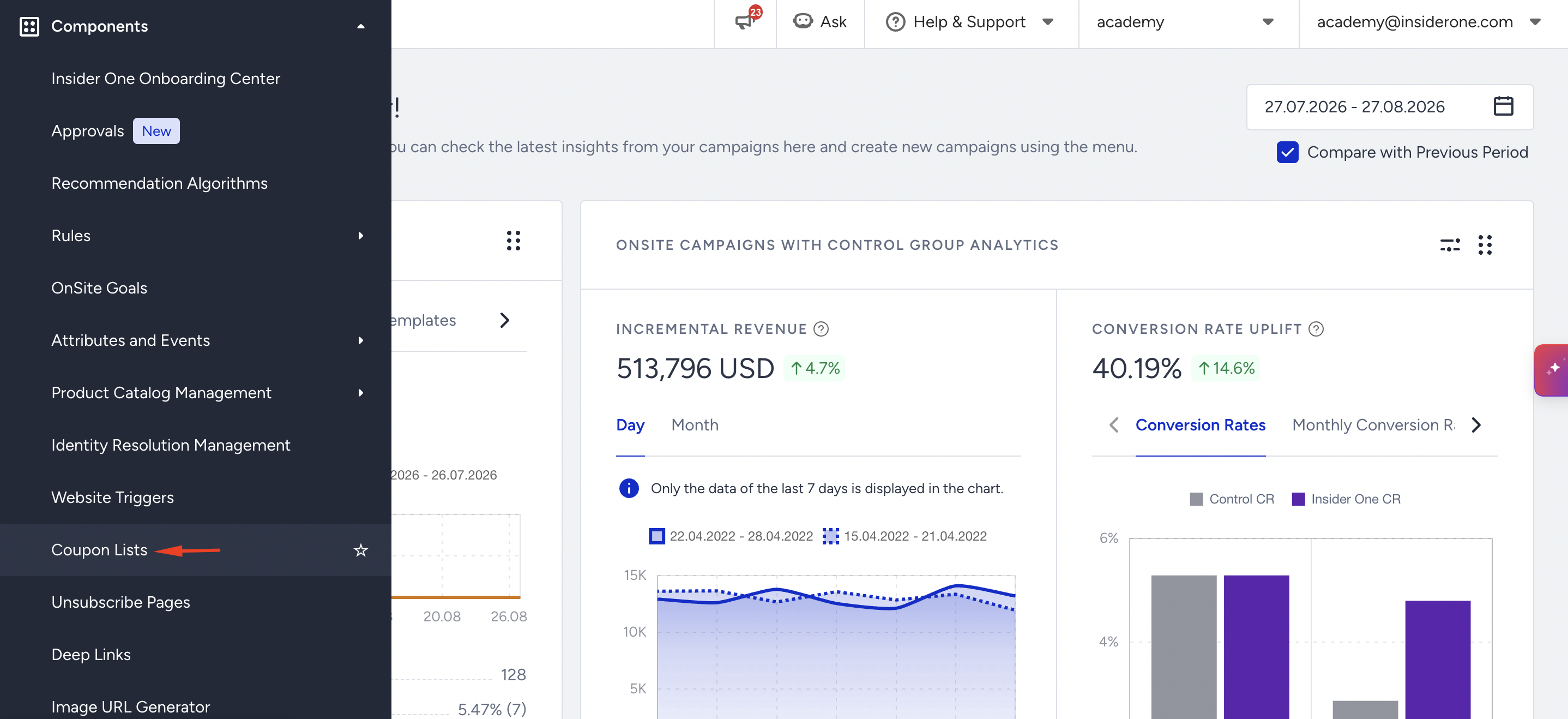
You can reach this page through Components > Coupon Lists.
The Coupon Lists page displays the lists you create along with their respective information and elements. You can also upload coupons to a list, rename it, delete it, and see its details.
The maximum Expiration Date of a coupon list is 1 year. Also, the maximum number of Unique Coupon Codes you can upload is 20 million.
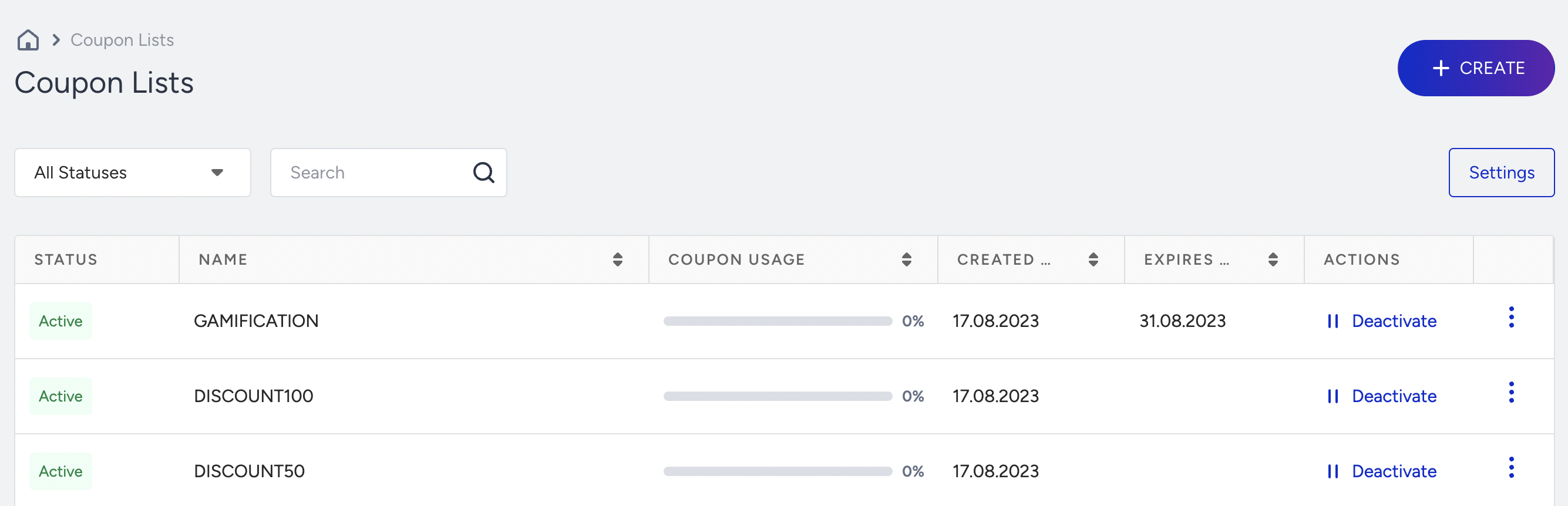
Status
A coupon list can have four different types of statuses:
Processing: The coupon list you just uploaded is being processed to get the number of coupons. You cannot upload coupons to a list while it is still being processed.
Active: The coupon list with available and unused coupon codes has not passed the expiry date. You can upload more coupons into active coupon lists and can offer them until their expiry date.
Used: The coupon list of coupons that have been used in campaigns. This list does not have any available coupons left to use in the campaigns. This status does not indicate any information about the expiry date of the list.
Expired: The coupon list that has passed its expiry date. There might be coupons that are not used in this list, but you cannot use this list in your campaigns as it has passed its expiry date. An expired status does not allow you to upload more coupons.
Deactivated: The coupon list has been deactivated.
Coupon Usage
Coupon Usage lets you see the usage percentage of the uploaded coupons.

Created & Expires
You can see the date you created the coupon list and the expiry date for which your coupon list is available.
Actions
Deactivate
You can temporarily deactivate a list so that the coupons cannot be used in campaigns. Once you click the Deactivate button, you will view the campaigns and journeys in which your coupon list is used. You can click the Activate button to activate the deactivated list again.

Upload Coupons to a List
You can upload coupons to a previously created list. Depending on your list type, you can either upload a CSV file consisting of new coupons or enter how many coupons you want to add to the list.

A coupon list's maximum expiry date is 1 year. When you add new coupons to an existing coupon list, you can update the expiry date for one year.
You can add up to 20 million unique coupon codes to an existing coupon list.
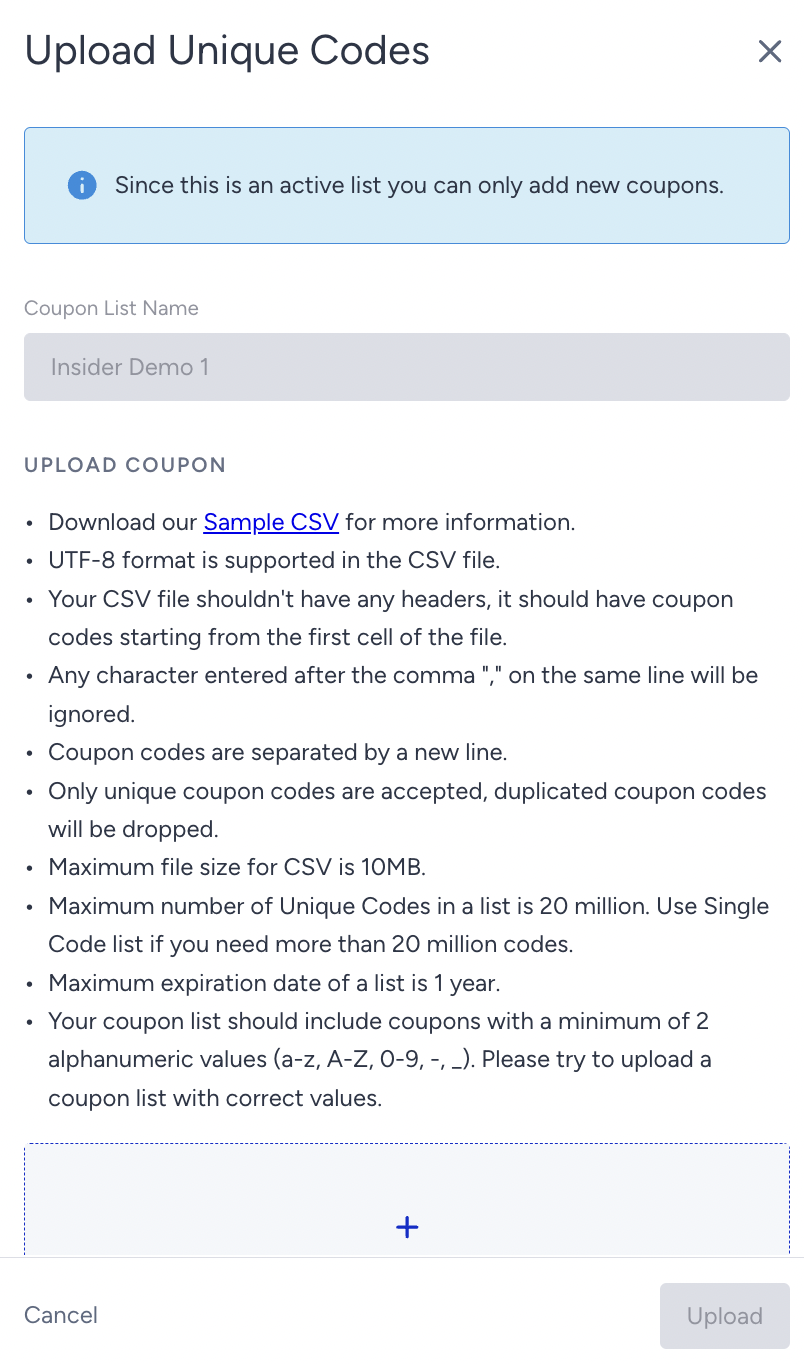
Coupon code formats and upload requirements
To successfully upload your coupon lists, you should format your coupon codes and file according to the following requirements:
1. Code length and file size
Character limit: Your coupon codes must be between 2 and 100 characters long.
File size: The maximum size for your upload file is 10 MB.
Long coupon codes increase the file size, meaning fewer codes can fit in a single file. Keep them concise where possible.
2. Allowed characters
Use only the following characters for your coupon codes to prevent upload errors:
Uppercase and lowercase letters (A-Z, a-z)
Numbers (0-9)
Hyphen (-)
Underscore (_)
No other special characters or symbols are accepted.
3. File formatting and dropped coupons
Your file should contain one valid coupon code per line. The system validates each line upon upload.
Any lines that are empty, contain invalid characters, or feature a duplicate code will be automatically ignored, or “dropped”.
For example, a status message of “1,000 coupons loaded, 5 dropped” indicates that 1,000 codes were successfully added, while 5 lines in your file were skipped due to one of the errors listed above. This ensures only valid and unique codes are added to your list.
Additional Limitations for WhatsApp Business Standard Templates:
These limitations apply only to WhatsApp Business Standard Templates.
Coupon codes are limited to 15 characters.
Only alphanumeric values are supported.
Button text cannot be customized.
Templates support only one Copy Code button.
Coupon variables cannot be used inside the Carousel templates.
Refer to Add Copy Coupon Codes to WhatsApp Business Templates on InOne for further information.
Rename a Coupon List
You can rename your coupon lists.
See Details
You can see the details of the coupon lists.
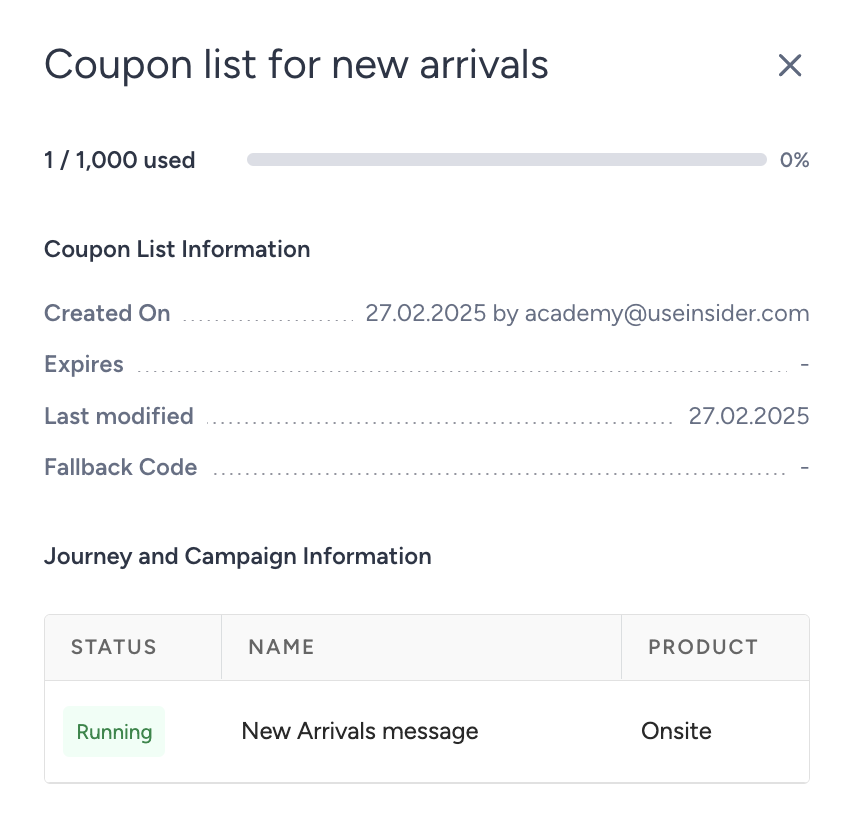
You can also see the journeys and campaigns that use the respective coupon list on this screen.
Delete
You can permanently delete a coupon list. Before deleting it, check the journeys and campaigns that use the respective coupon list.