Suggested readings: Coupon Lists, Create a Coupon List
You can follow these steps to set a reminder to get notified about the coupon usage of your campaigns:
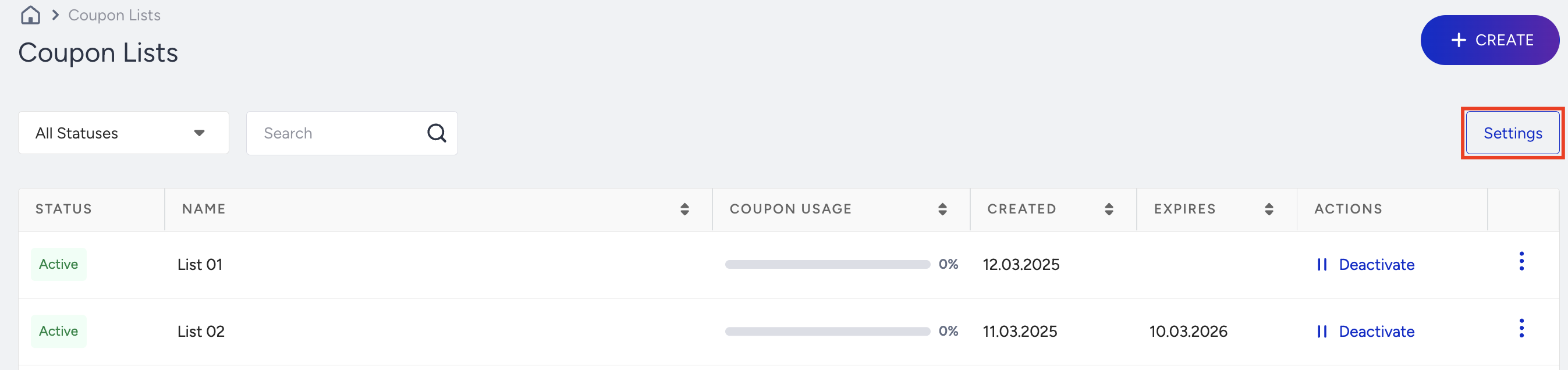
Click the Settings button on the Coupon Lists page.
Enable the Coupon Usage Reminder checkbox and set a threshold. This number indicates when you will start receiving emails about coupon usage. If the number of coupon codes in your coupon lists reaches this number, a reminder email will be sent to the recipients you entered.
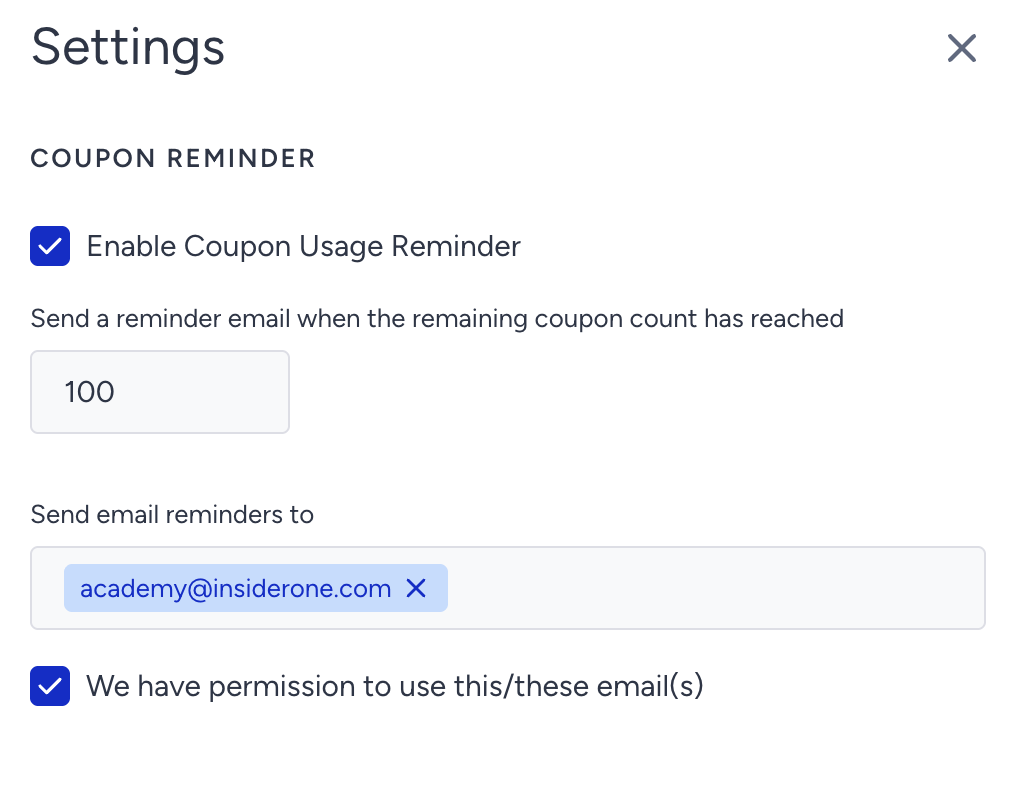
Add the email addresses you want to send the notification email to. Check the "We have permission to use this/these email(s)" box.
Click the Save button to save your settings.
The coupon is marked as "used" as soon as it is included in a message or campaign and sent to the user, regardless of whether the user copies or redeems it. Once it's in the message, the system considers it utilized.