You can create your coupon lists by following these steps:
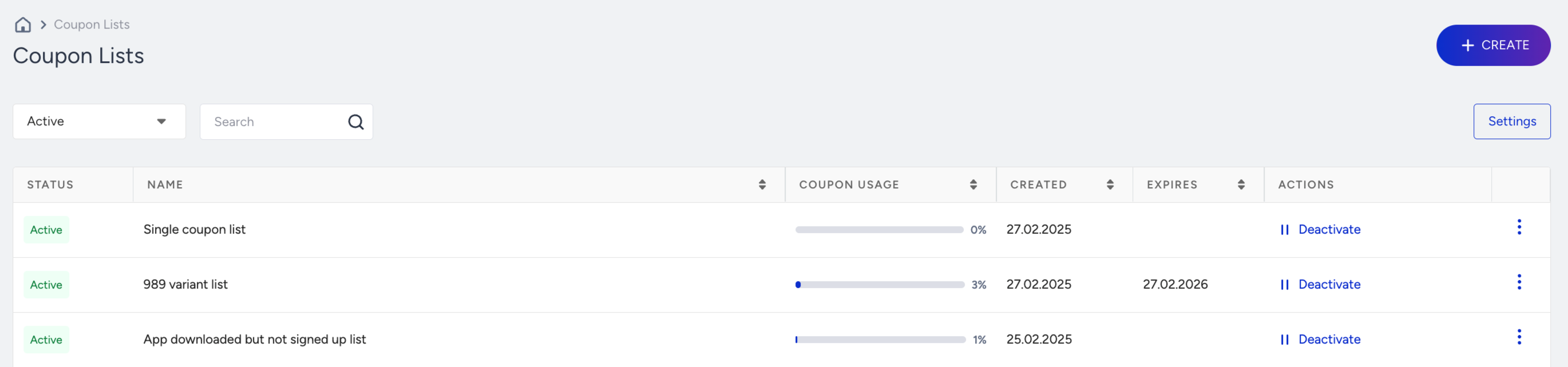
Go to Components > Coupon Lists.
Click the Create button.
You can create a coupon list with unique or single codes. Select the list type you want to create.
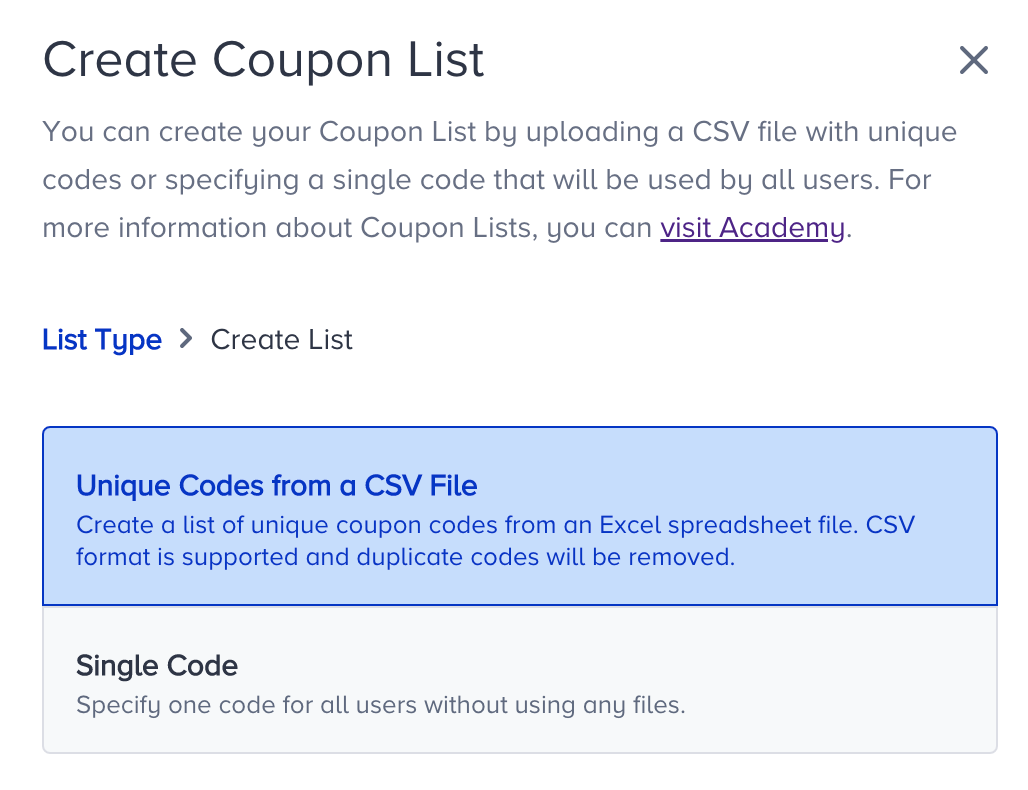
Unique code list: Upload a file of pre-generated codes (one code per line). Each recipient is served a different, single-use code drawn from the pool. Use this when every customer must receive their own code.
Single code list: Define one static code that every recipient receives. Use this for a shared promotion where the same code is valid for everyone.
Single Code
Name your coupon list, add your coupon, and the number of times you want to give out this coupon to your users.
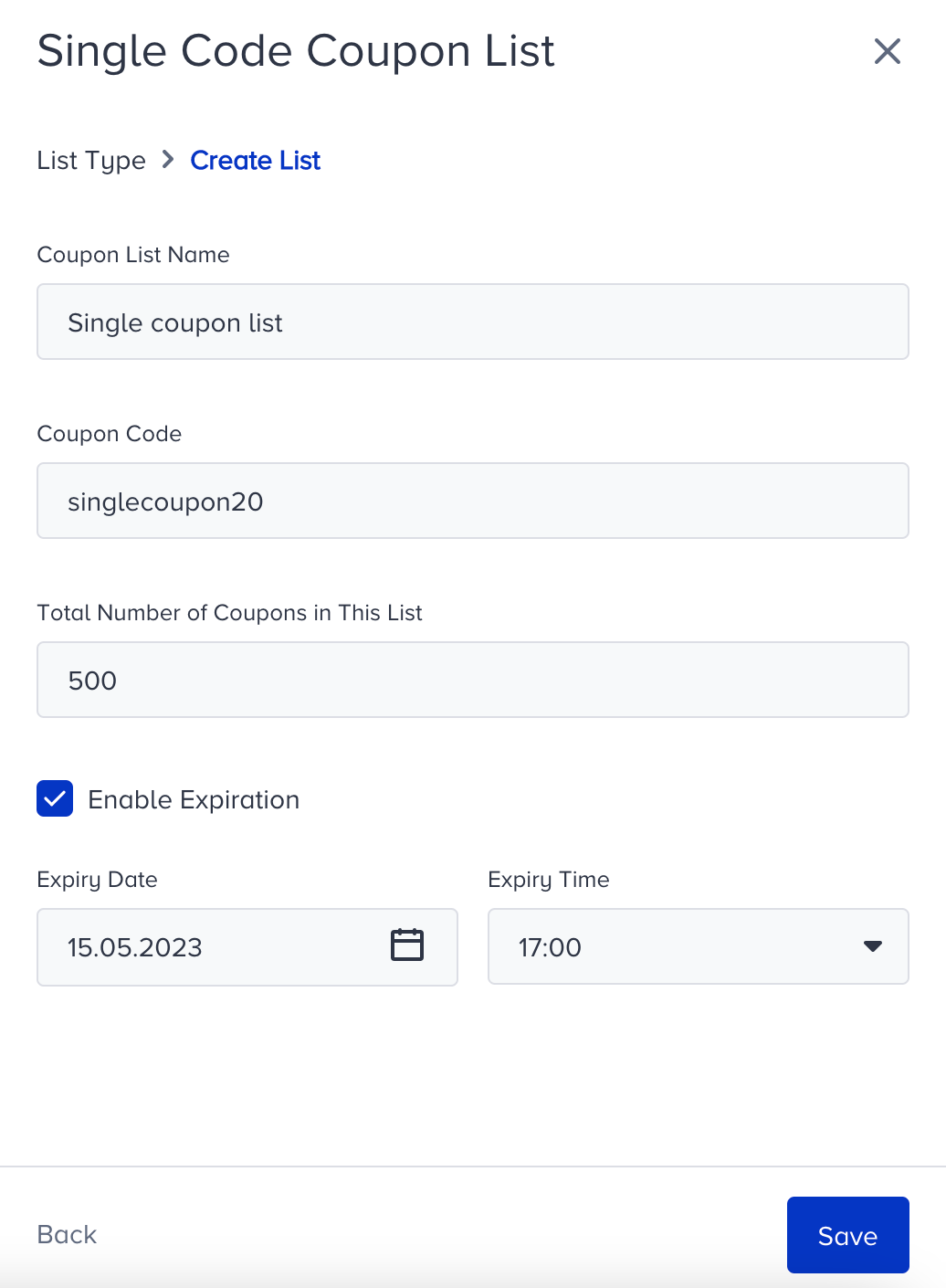
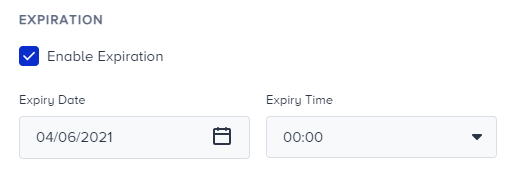
If you want this list to expire, check the Enable Expiration box to set an expiry date and time.
Click the Save button to save your changes.
Unique Codes
1. Name your coupon list. Download the sample CSV to see the format of the list that you will create.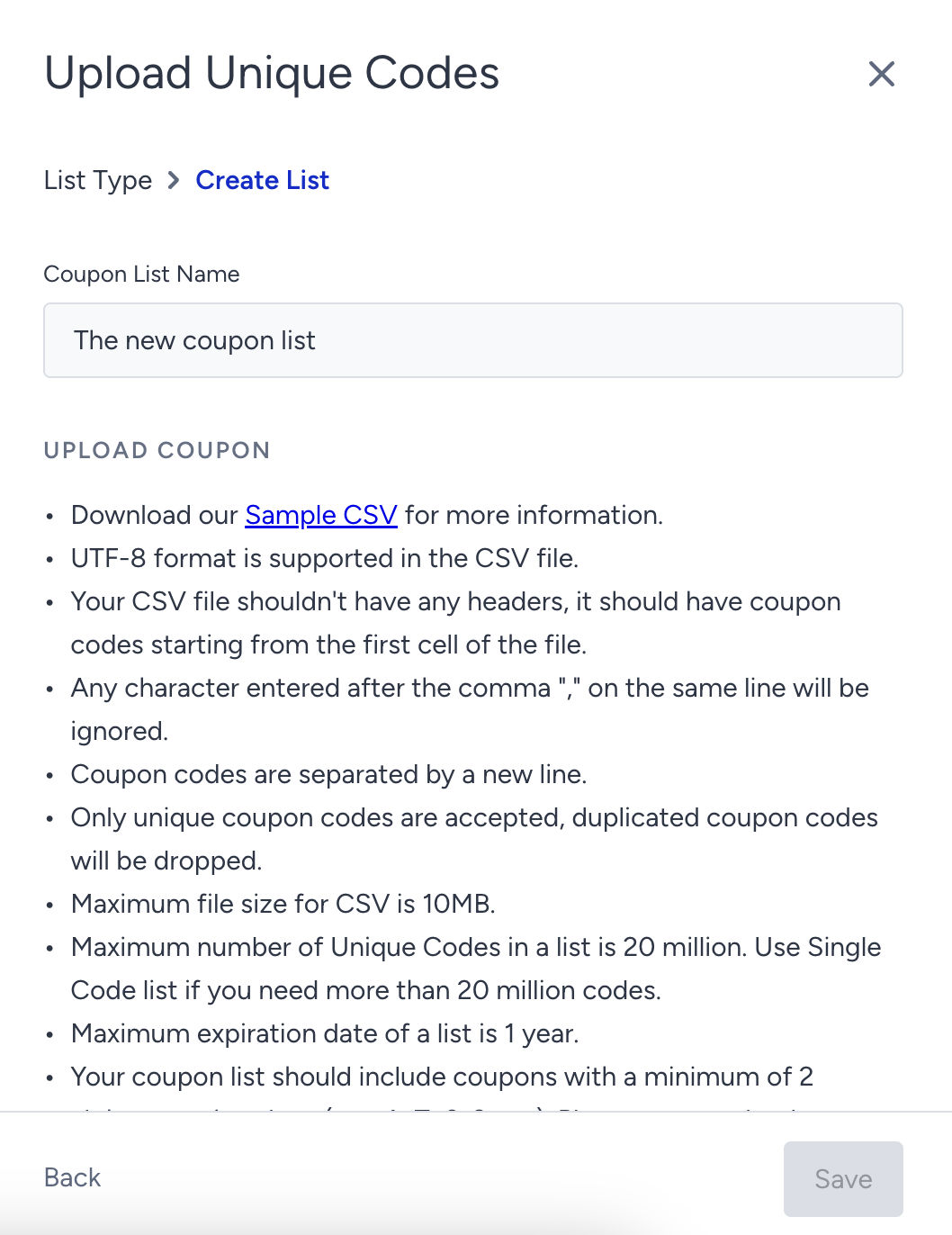
2. Upload the coupon list that you created, following the limitations listed on this screen. Once you upload your list, you can see the number of uploaded coupon codes and the dropped codes. Dropped codes are the duplicated codes in the list.
The exact upload limits (maximum number of codes per list, maximum file size, and maximum expiration window) are set by platform limits. Confirm the current values with the Insider One team before planning a large upload.
The maximum number of unique codes in a list is 20 million. Use the Single Code list if you need more than 20 million codes.
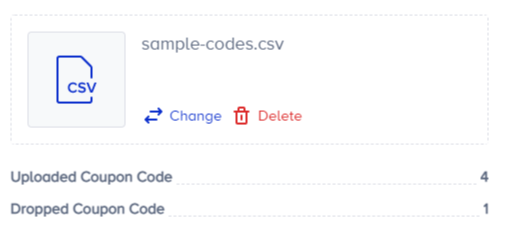
3. Enable Expiration to set an expiry date and time for your coupon list.
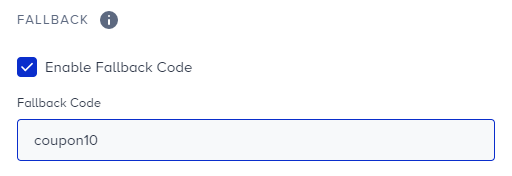
4. Each list can also hold a fallback code. Enable Fallback Code to add a fallback coupon code. The fallback coupon is a generic code that is served if the unique pool runs out or a code has expired, so a campaign never sends an empty coupon.
5. Click Save to save your changes. Once you add your list, you can see its status, coupon usage, and expiry date details, along with the Deactivate option on the listing page.

Upload coupons to an existing list
You can upload coupons to a coupon list you created before following these steps:
1. Go to the menu next to the list you want to edit and click the Upload button.

2. If it is a single coupon list, define the Total Number of Coupons Added to the List.
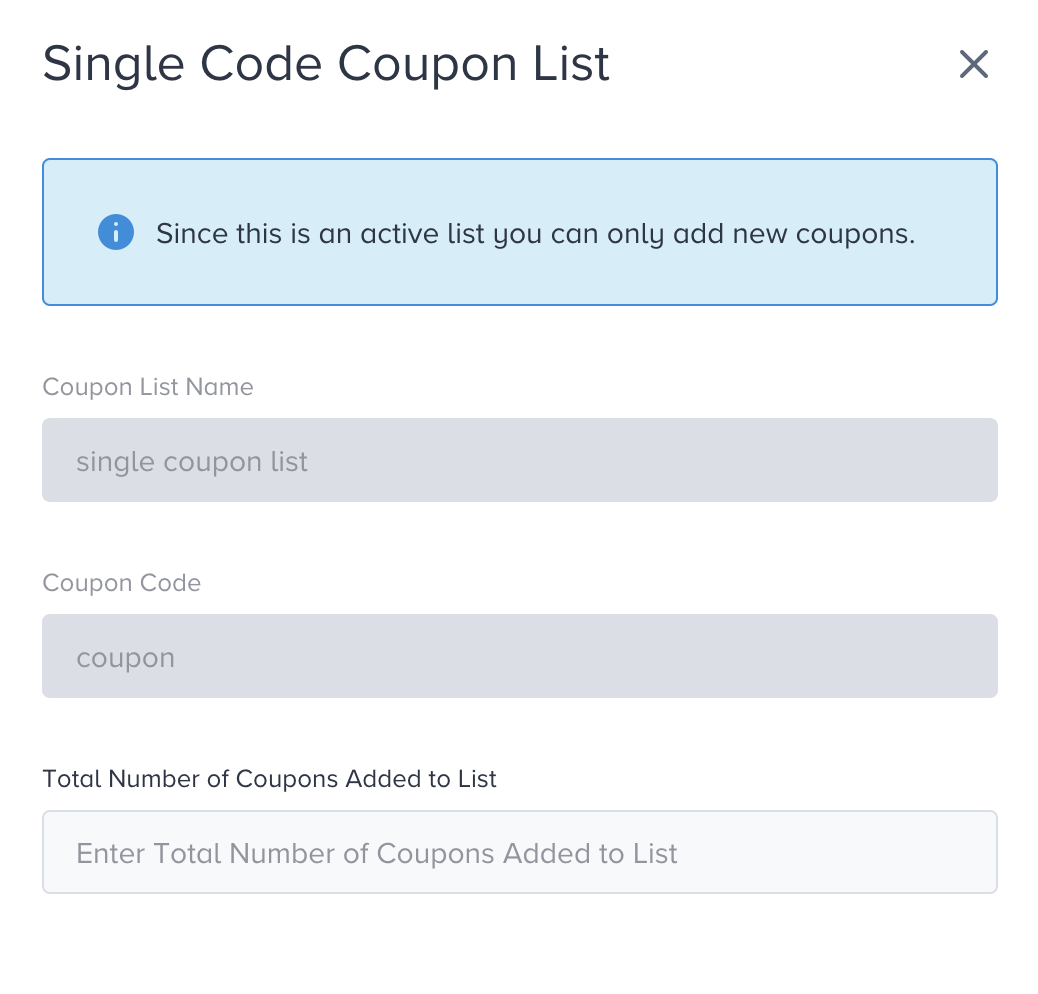
If it is a unique coupon list, click the Upload CSV button to add it. Once you upload your list, you can see the number of uploaded coupon codes and the dropped codes. Duplicate codes are removed automatically when you upload a file, and each list carries an expiration date after which its codes are no longer served.
You can select a list in a campaign only while it is in Processing or Active status; Completed or Expired lists cannot be used in active sends.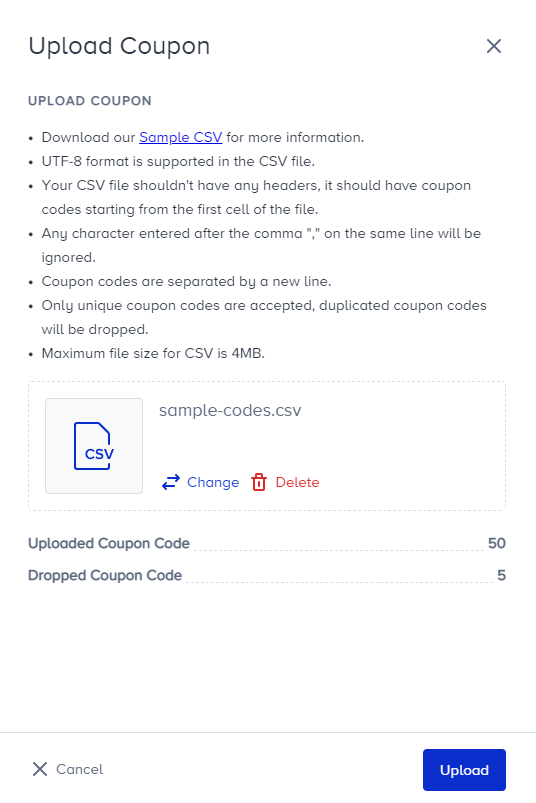
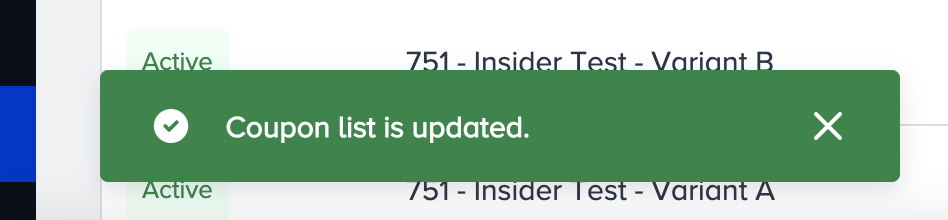
3. Click the Upload button to start the uploading process. You will be prompted to provide an update.
When the coupon code file structure or the characters used in the coupon codes are invalid, the coupons' status becomes invalid.
You can't edit existing coupon lists, expiry dates, or fallback coupons. However, you can upload new coupons to the existing lists or delete them.