Double opt-in is a process where users need to confirm their phone number to be added to your SMS list and receive SMS communications. This double confirmation ensures their subscription to your subscriber base. Implementing double opt-in in SMS marketing is an effective way to maintain GDPR compliance and keep your subscriber list accurate and engaged.
To use double opt-in, contact the Insider One team to enable it for your account first.
To enable double opt-in for an SMS sender,
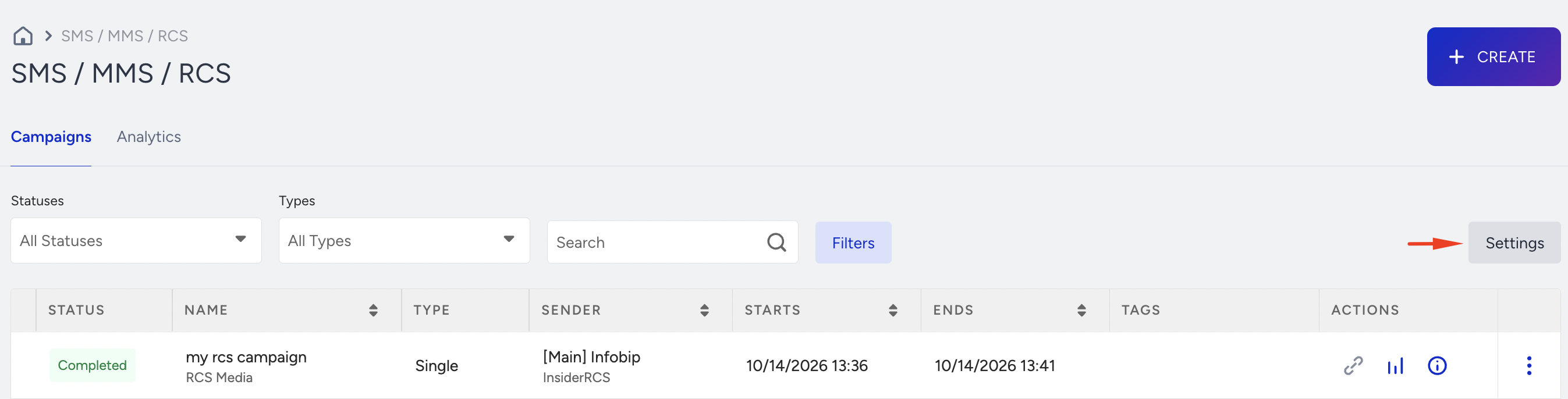
Navigate to InOne > Campaigns > Messaging > SMS/ MMS/ RCS and click Settings.
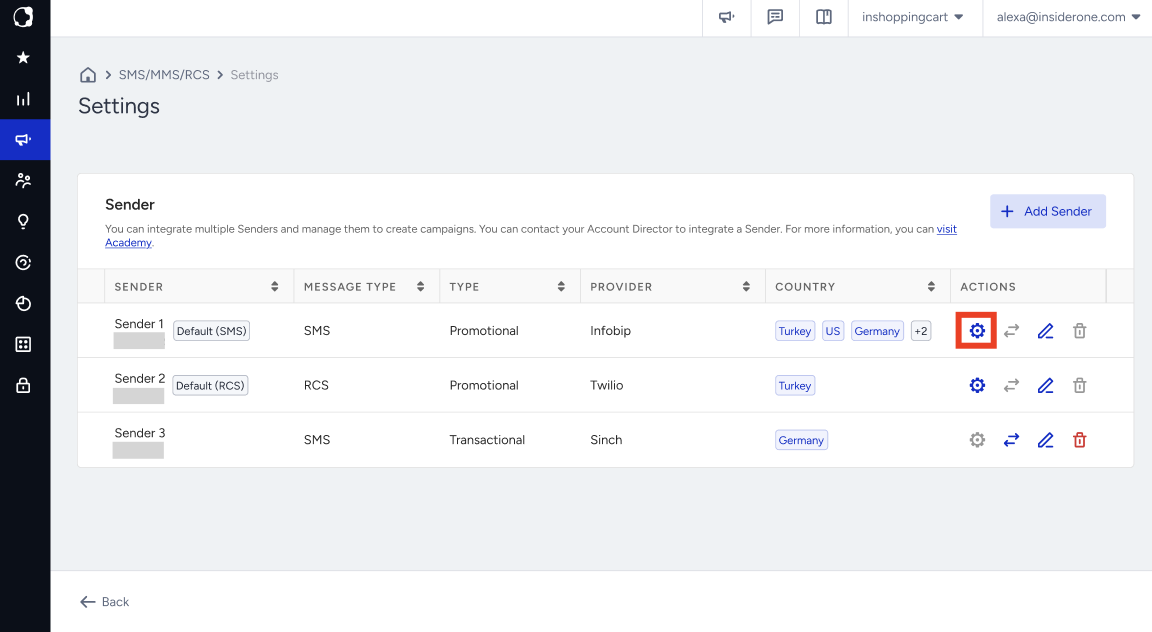
In the Sender table, click the Sender Preferences icon in the Actions column for the promotional SMS sender you want to configure.
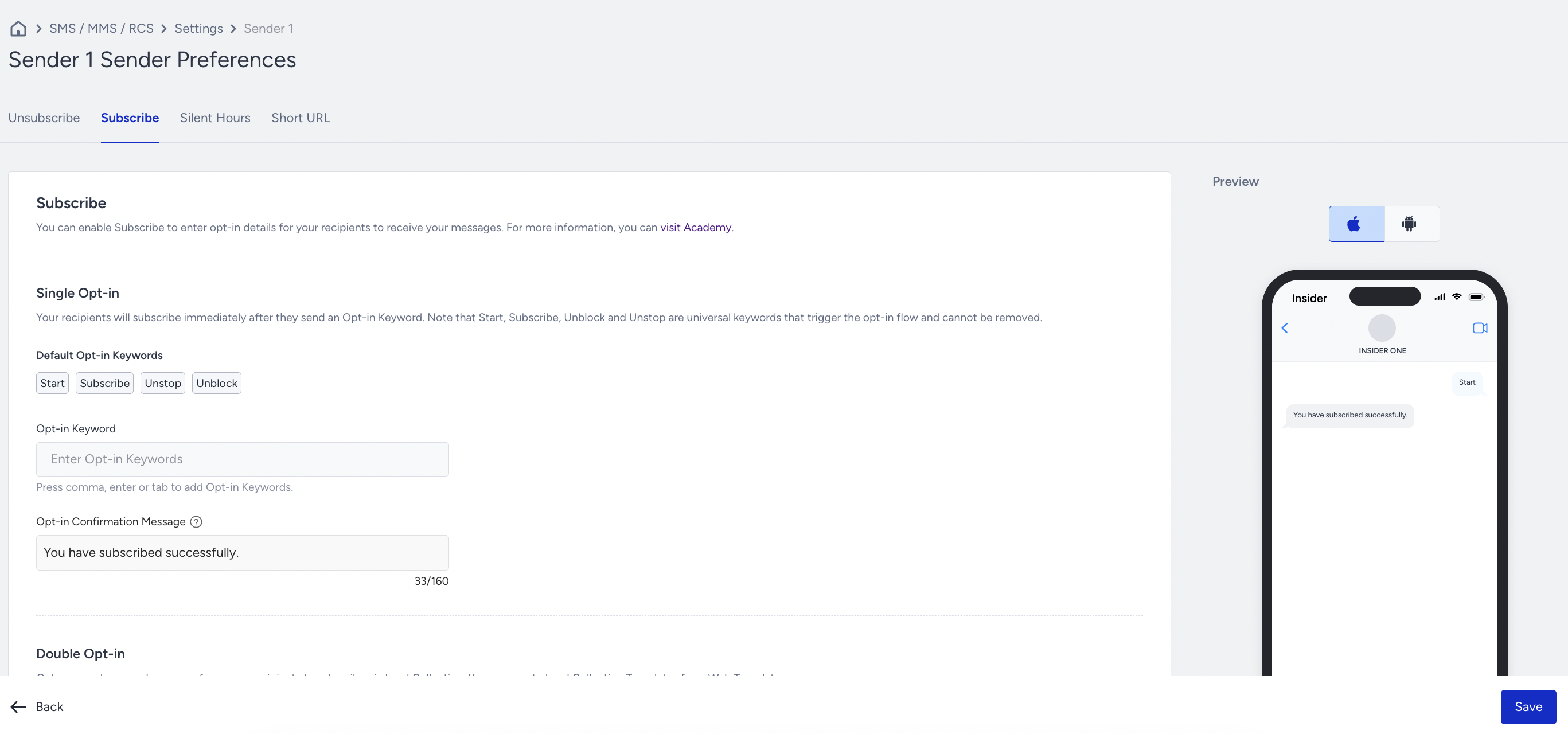
On the Sender Preferences page, open the Subscribe tab.
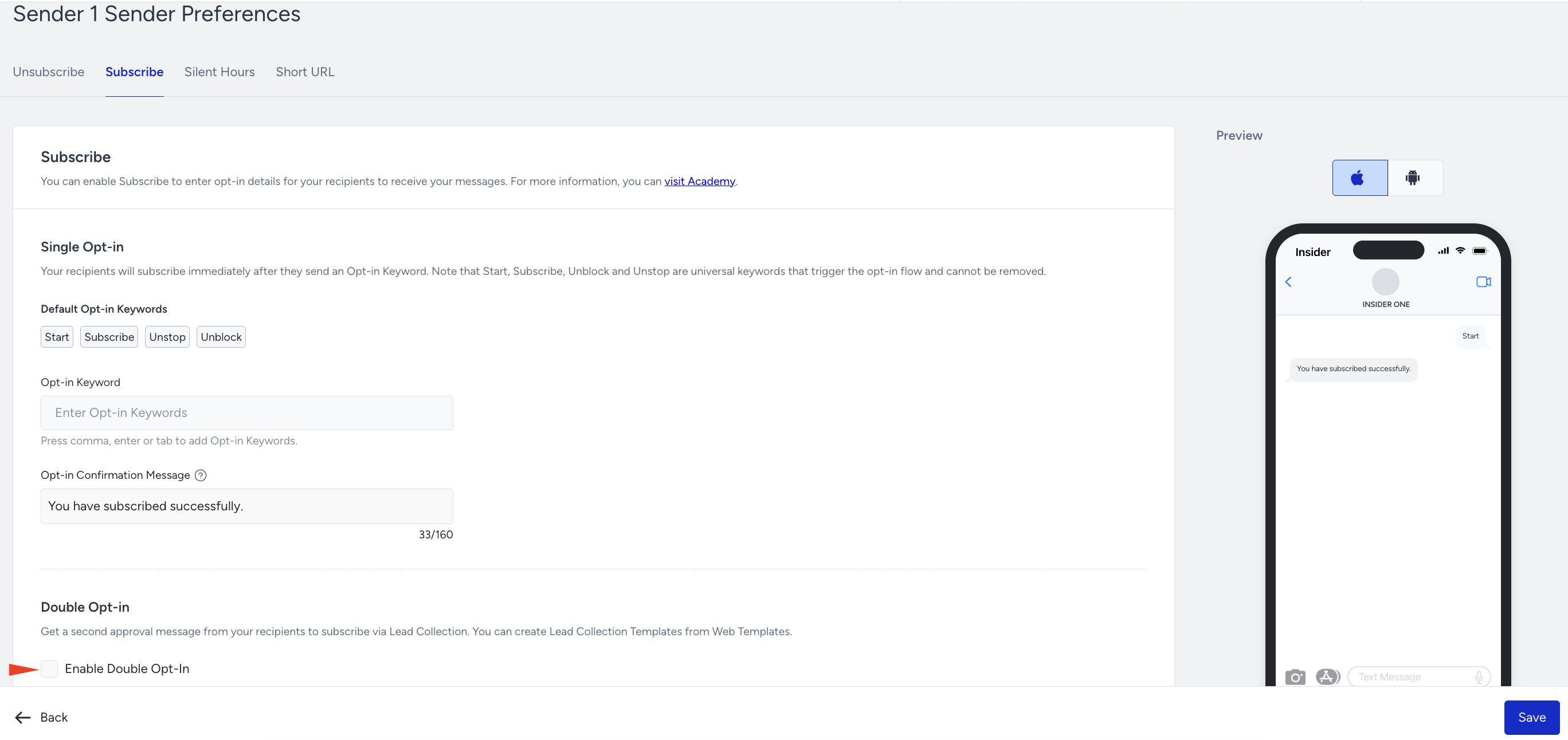
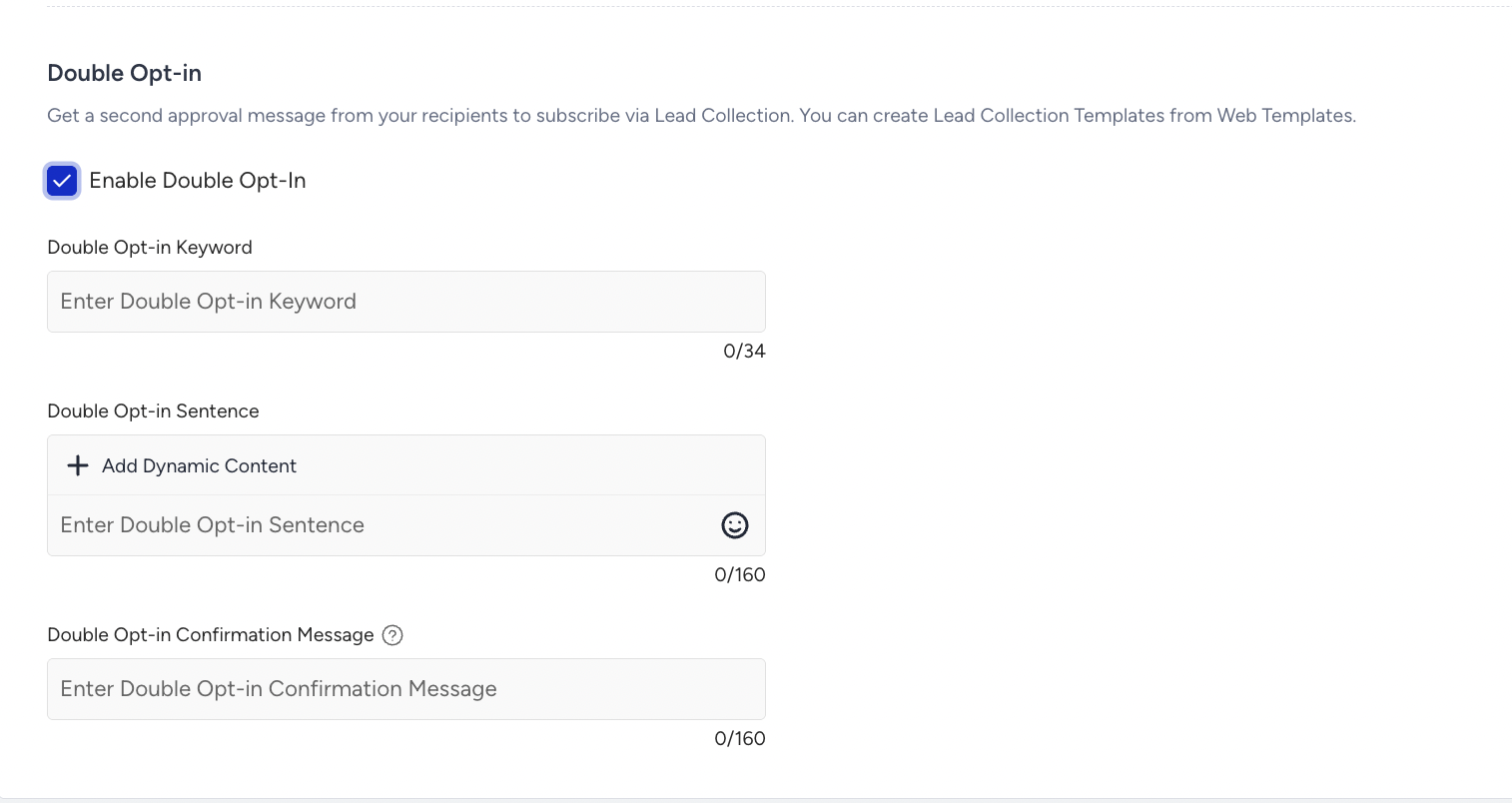
Select the Enable Double Opt-In checkbox.
Enter the keyword recipients must reply with in the Double Opt-In Keyword field.
In the Double Opt-In Sentence field, enter your confirmation request and insert the Double Opt-In Keyword variable from the dynamic content menu.
Enter the message recipients will receive after confirming their subscription in the Double Opt-In Confirmation Message field.
Save your configurations.
Double opt-in settings apply only to the selected sender. Repeat these steps for each promotional SMS sender you want to configure.