Silent Hours ensures that your text messages are sent during preferred times, avoiding the inconvenience of contacting your subscribers late at night or during other unsuitable hours.
The Silent Hours feature offers several benefits:
Your SMS messages reach users at more appropriate times of the day.
It helps you comply more easily with laws and regulations.
It prevents the loss of subscribers due to messages sent at non-preferred times.
It can reduce the number of reported spam cases.
Things to consider about the Silent Hours feature:
Silent Hours uses each recipient's local time. Insider One uses the time zone saved in the user's tz attribute first (see Default Attributes). If the profile has no valid time zone, it uses the time zone derived from the recipient's phone number, based on country and area code.
Silent Hours is available for Single and Card Reminder SMS campaigns.
Silent Hours do not affect Opt-in, Opt-out, Welcome, and Help messages.
Daily management is unavailable; Silent Hours applies to all days of the week.
SMS and MMS are included within the same scope.
You can track Silent Hours metrics in the dropped messages section.
Enable Silent Hours
To enable the Silent Hours feature and choose your time range:
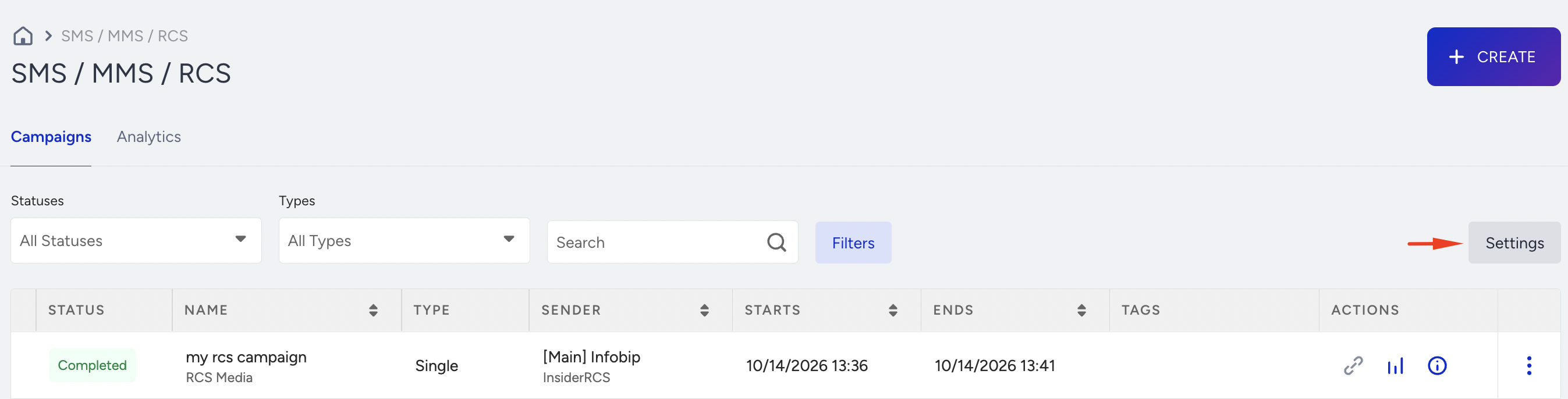
Navigate to InOne > Campaigns > Messaging > SMS/ MMS/ RCS and click Settings.
On the General tab, enable the Silent Hours toggle and enter the time range during which Silent Hours apply.
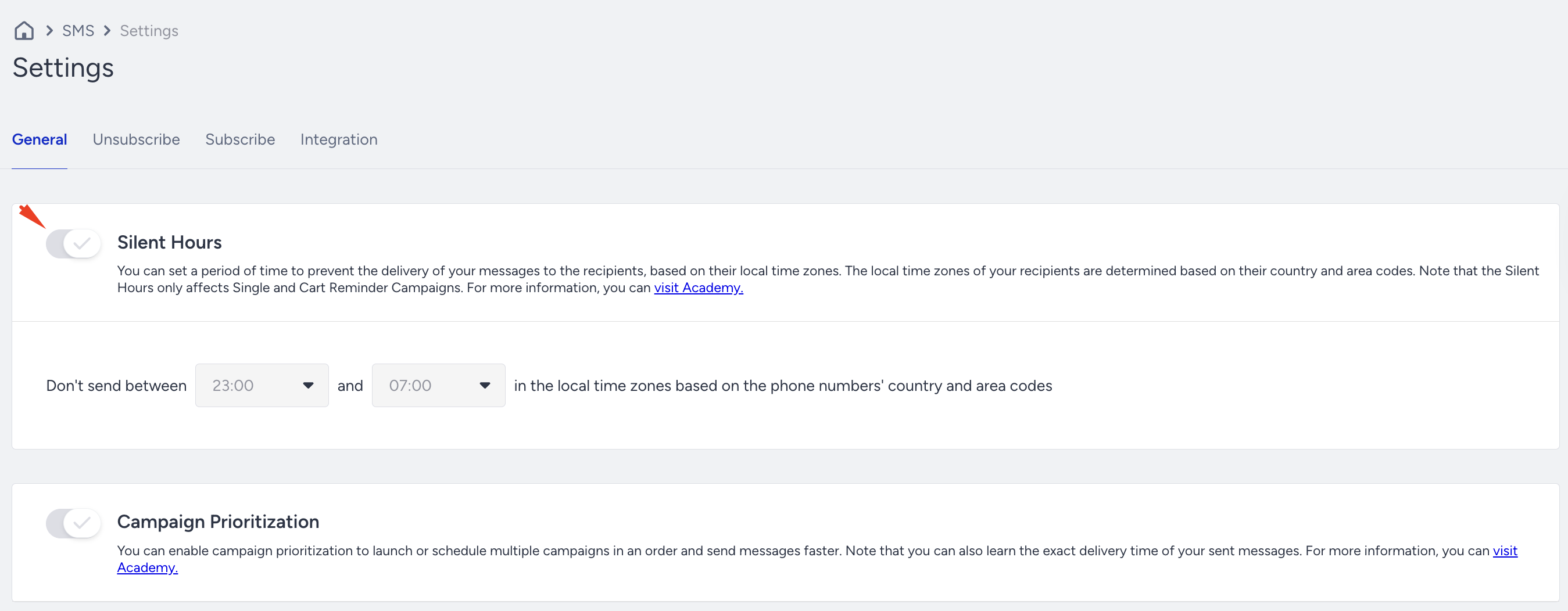
Click the Save button to save your configuration.
Configure Silent Hours in Campaigns
The Silent Hours feature is available for Single and Cart Reminder SMS campaigns.
In the Launch step of your campaign, you can bypass the Silent Hours, allowing the campaign to continue during Silent Hours even if the feature is active.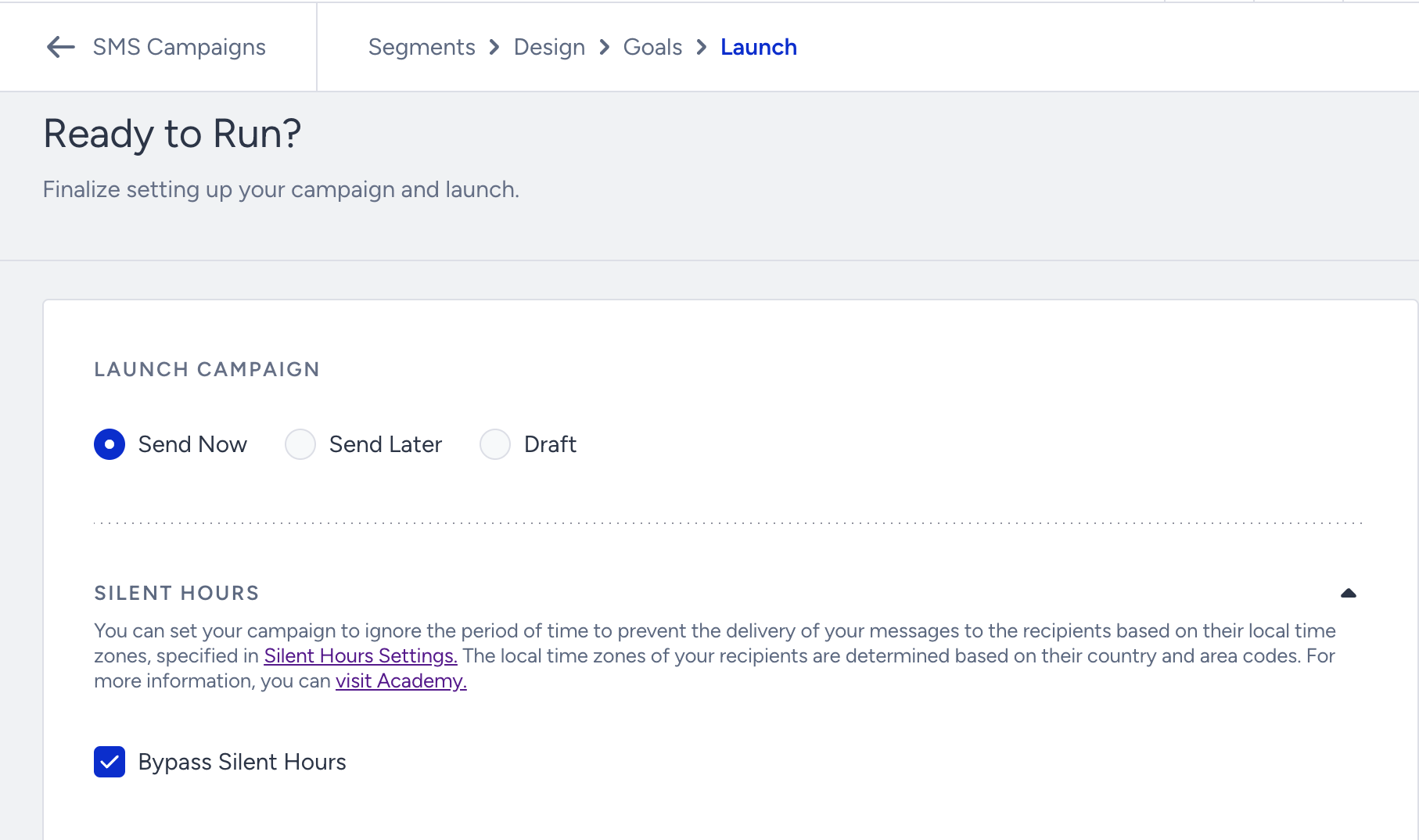
You can proceed with the campaign during Silent Hours, but any parts of the messages that fall within the Silent Hours range will be dropped.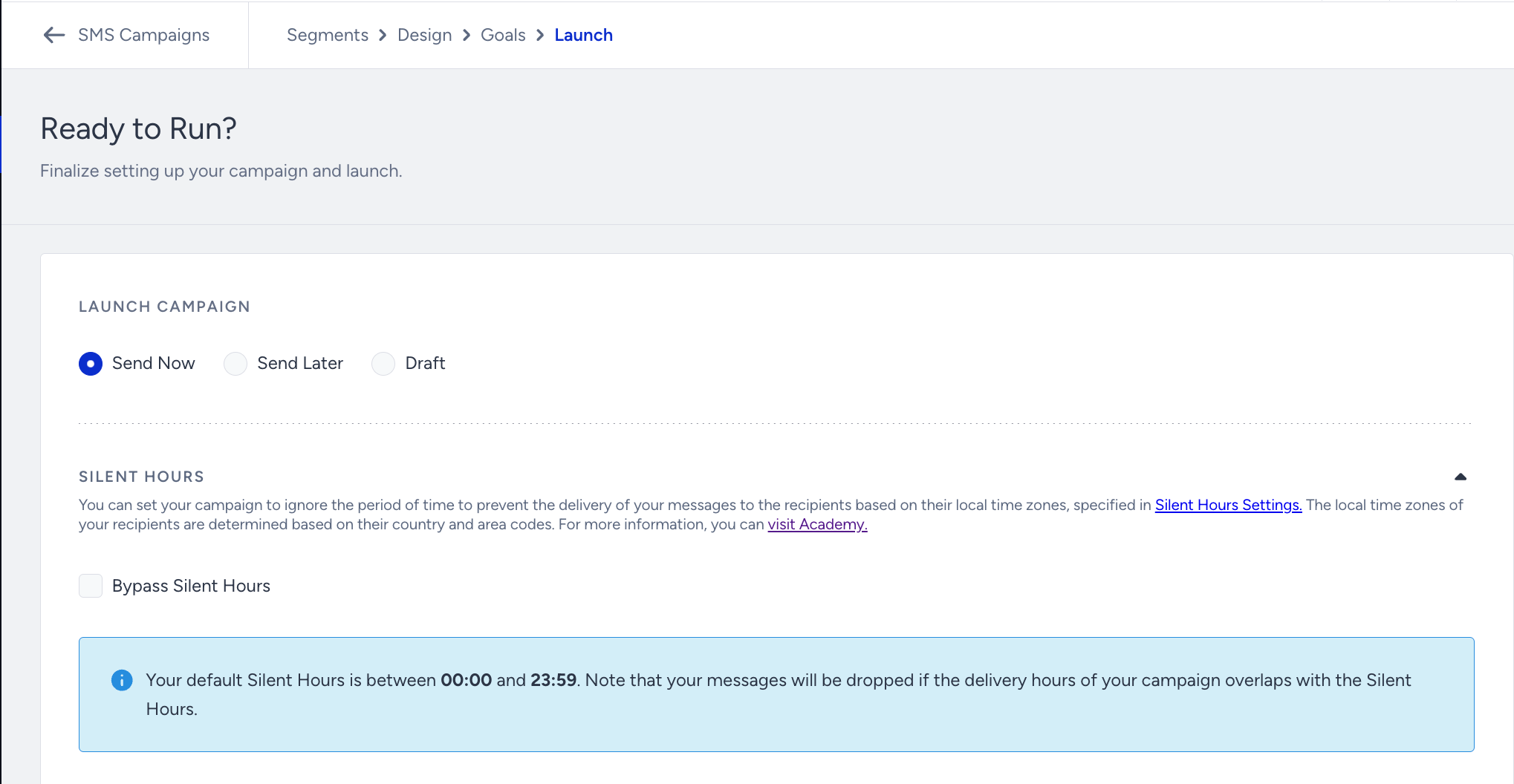
Silent Hours in Analytics
With Analytics details, you can track the number of messages corresponding to Silent Hours. This information is available in the Dropped section under the Silent Hours reason.
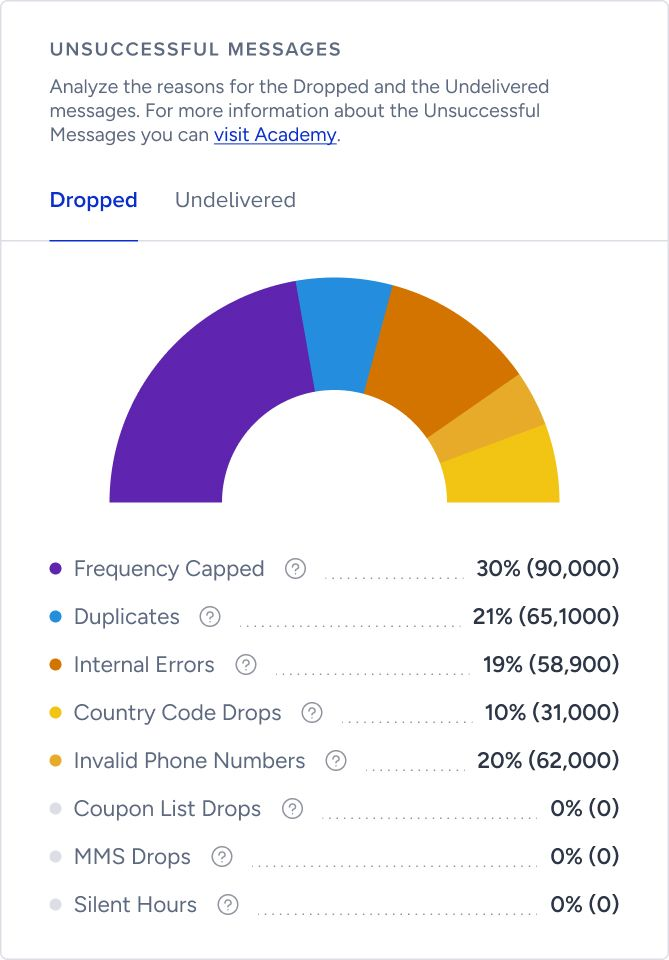
You can view the Silent Hours metric for each campaign in the Campaign Metrics section.