Navigate through Experience > Discover > Web Smart Recommender to easily find the Smart Recommender. You can create and manage campaigns when you land on the Smart Recommender's listing page.
The structure of the listing page
The listing page of Smart Recommender holds all the active and passive campaigns with their details. With the Create button, you can create a new recommendation campaign. You can also find each campaign’s start-end dates, page type, campaign-level analytics, campaign details, and each campaign's test link.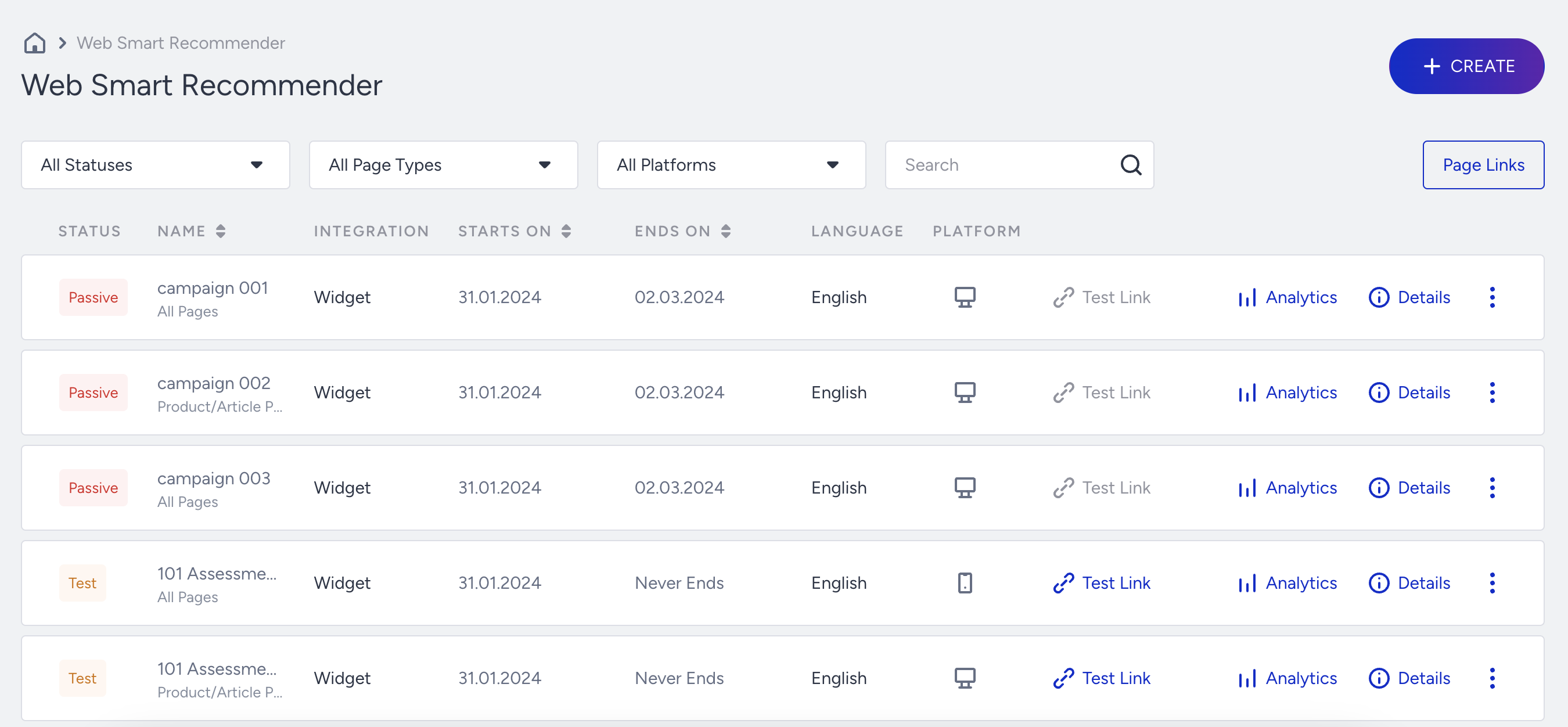
The details you see on the listing page are:
Integration
Smart Recommender campaigns have two different integration options: Widget and API based. When a campaign is Widget-based, you use Insider One's InOne panel to design it. When you select API-Based Web Smart Recommender, you can access the recommendation results as an API response and use your HTML format.
Page Type
You can create Smart Recommender campaigns for different page types, such as All Pages, Product Detail Page, Category Page, and Cart Page. The Page Type information under the Name column shows which page type the campaign works for.
Campaign Analytics
Smart Recommender campaigns have campaign-level analytics besides the general Smart Recommender Analytics page. You can click the Analytics option against each campaign. Then, you see a detailed analytics page that shows how different variations of the same campaign performed against each other and the control group within the selected time range.
Campaign Details
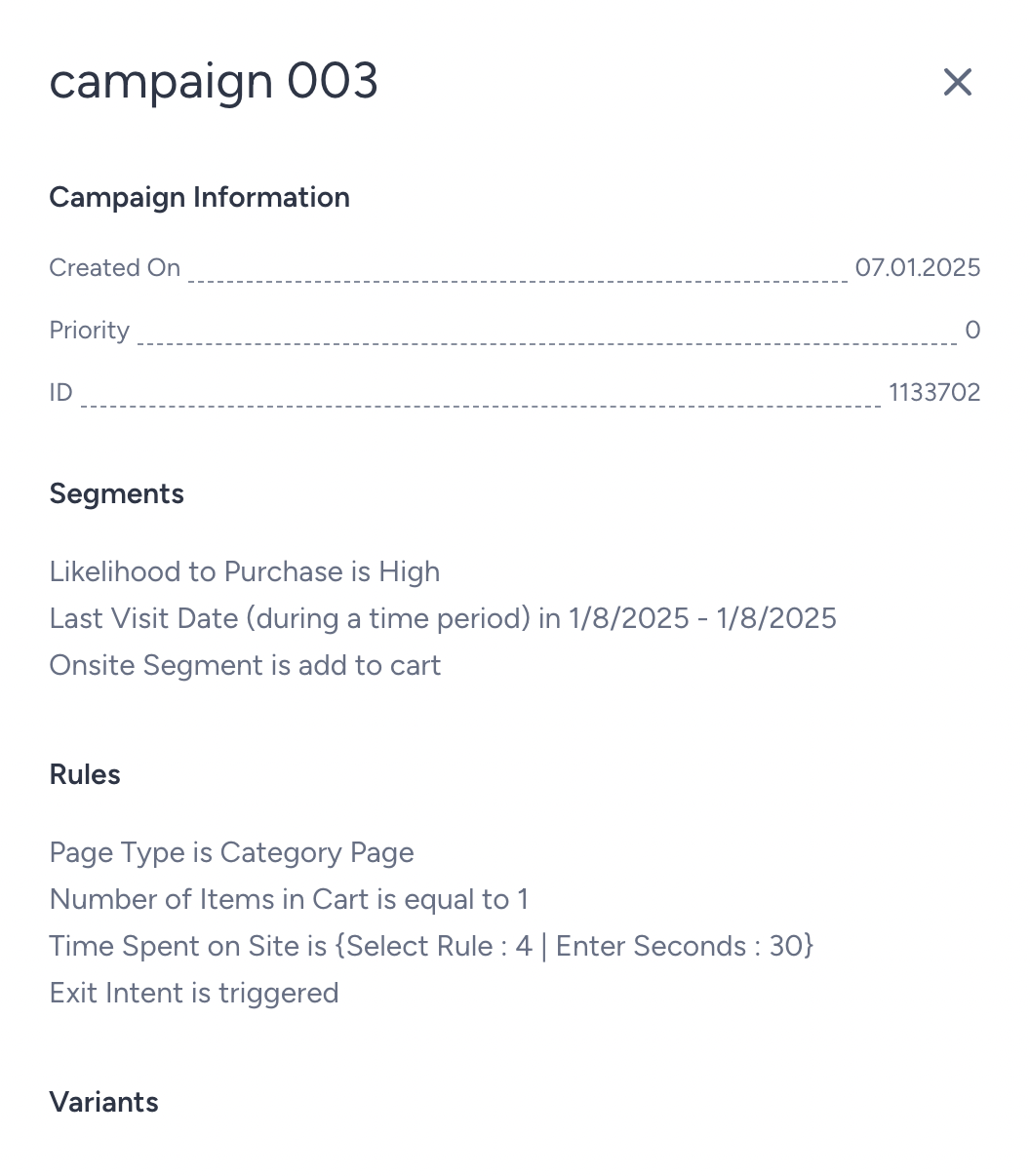
Click the Details option against the campaign to view the campaign details, including the creation time, ID, segments, rules, goals, variants, and traffic allocations.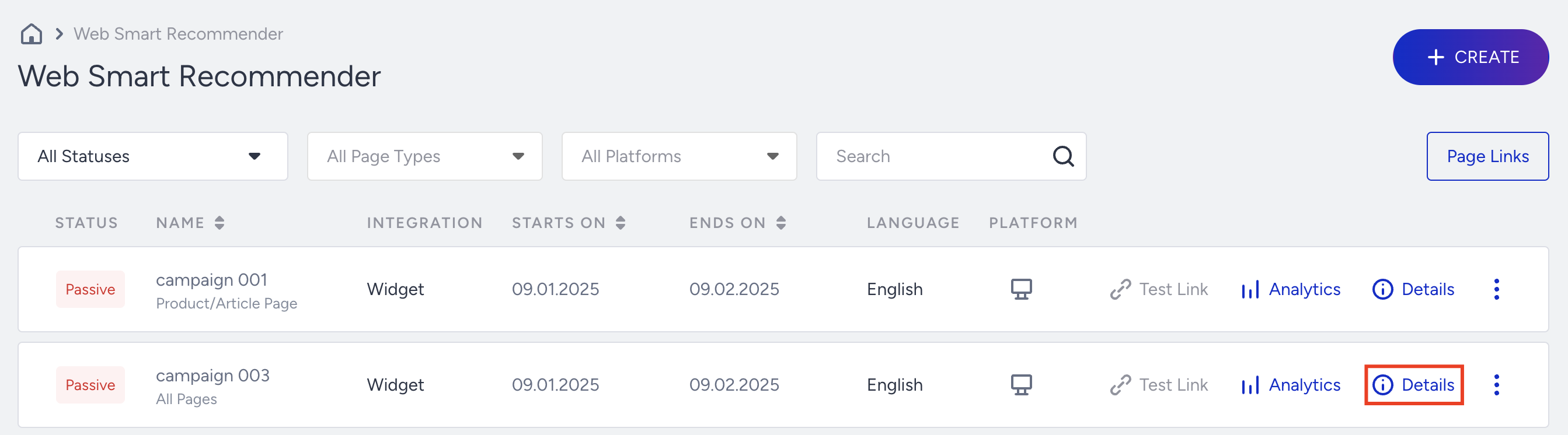
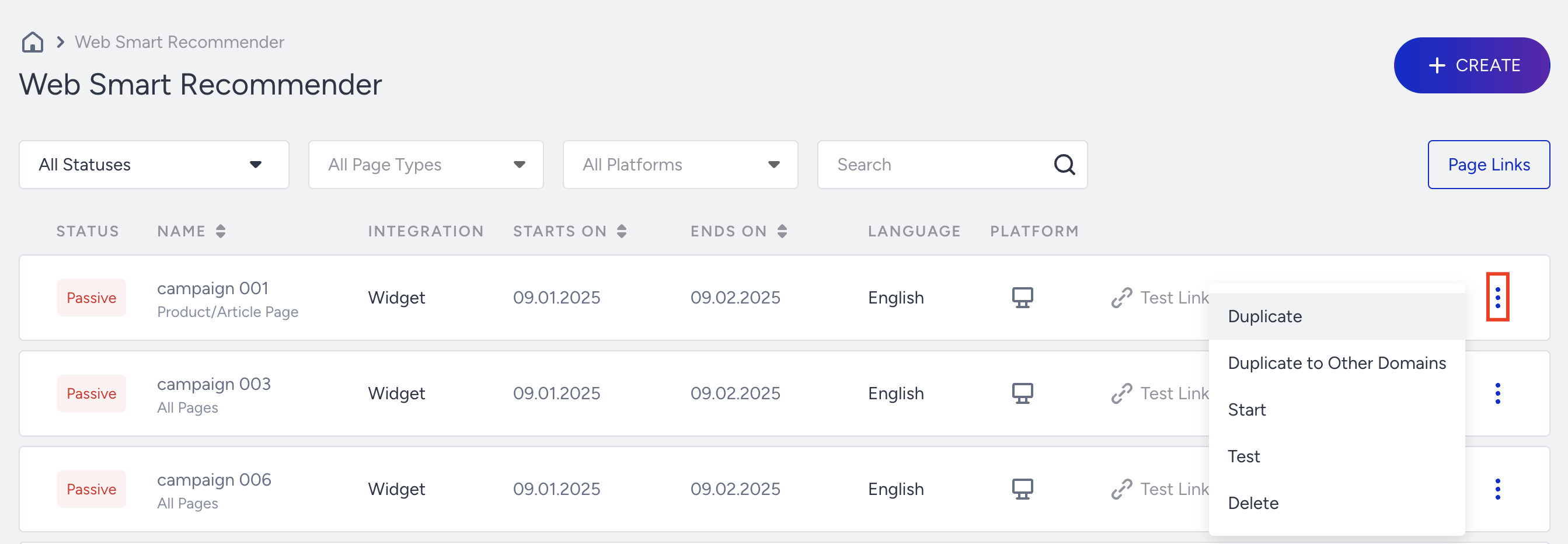
Campaign Actions
Click the three-dot menu on the right side of each campaign to easily manage your campaigns. This allows you to duplicate, delete, start, or pause your campaigns.