Suggested reading: Getting started with Smart Recommender
When creating your Smart Recommender campaign, you are prompted to select the page type where you want to add it. This selection enables you to navigate to the respective page type directly.
You can use Page Links to set these examples.
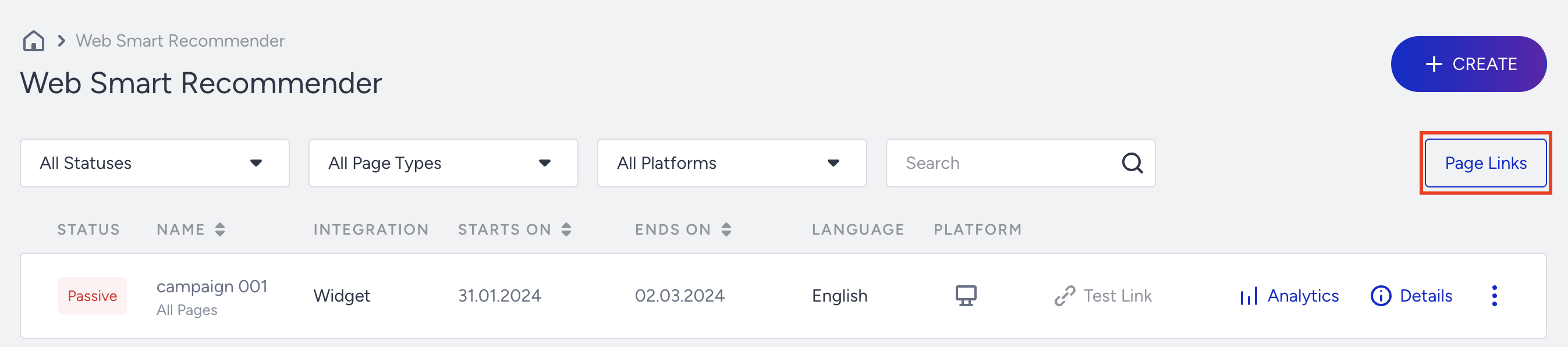
- Click the Page Links button on the listing page of the Smart Recommender.
- Add an example page URL for Product, Category, and Cart Pages from your website.
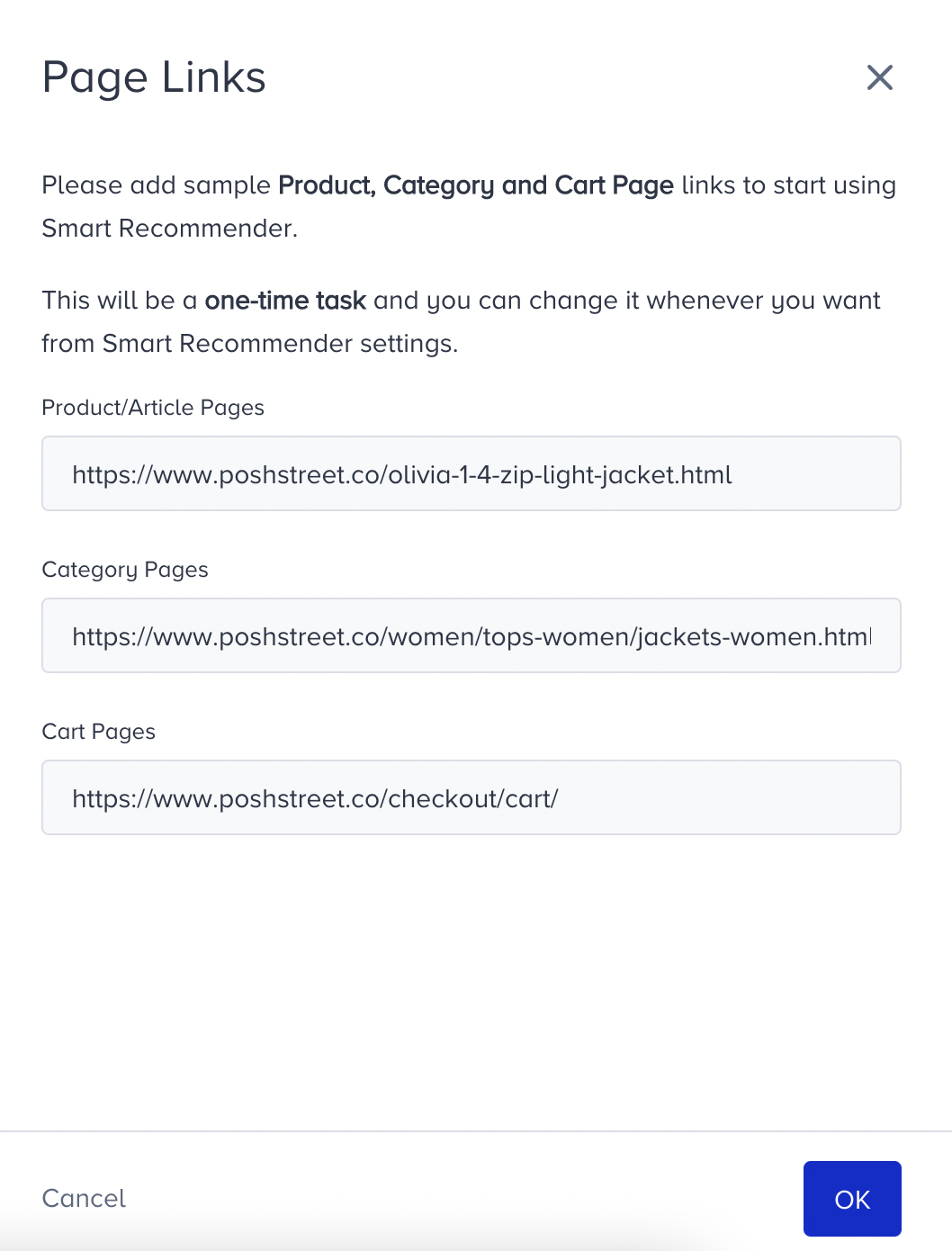
- Click OK to save this step.
Your title goes here
Note that this is a one-time task, but you can change the page links anytime by following the same steps.