After creating your message, you can choose a target segment to send your message to.
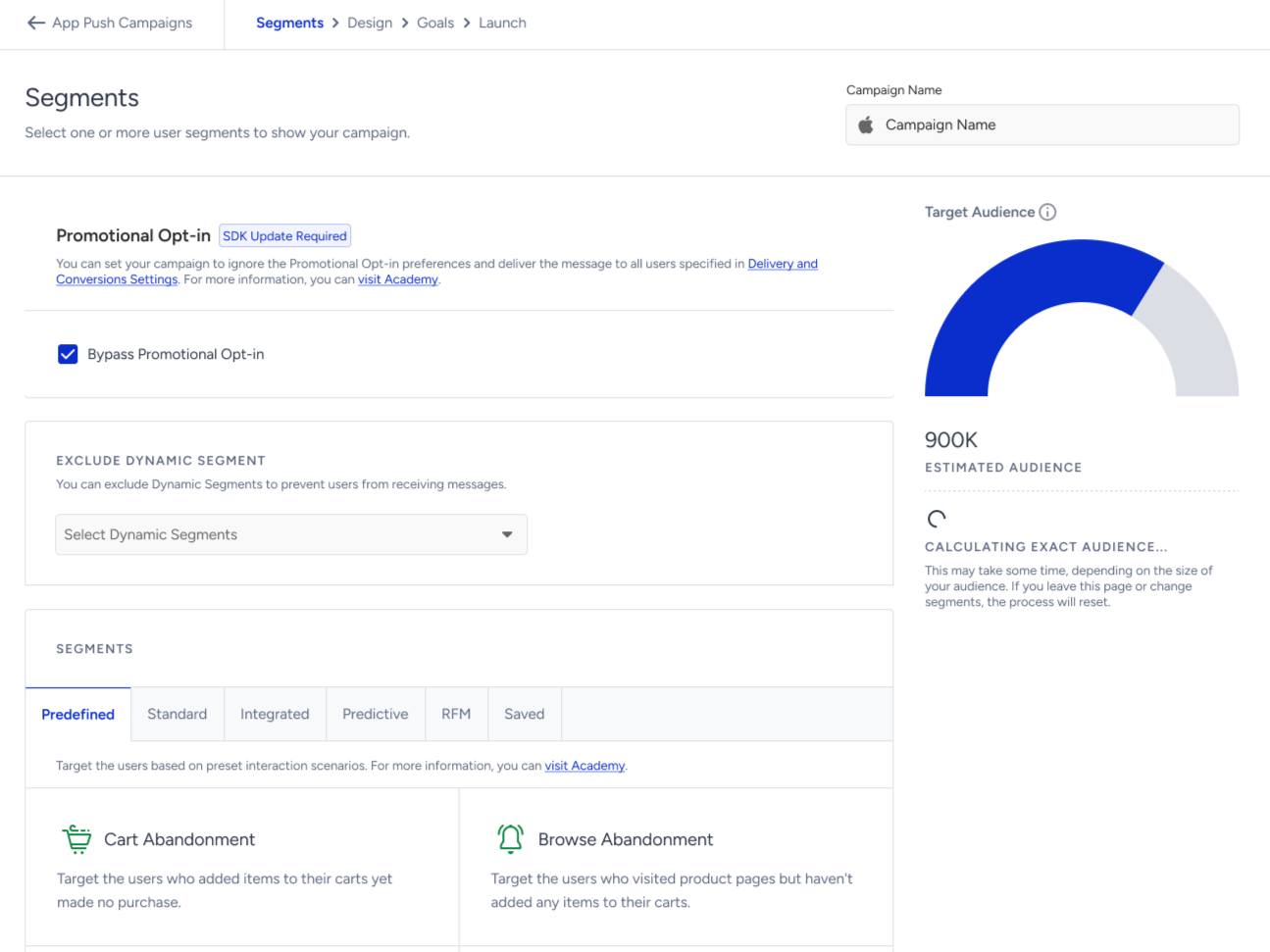
On the right side of the page, you can see the estimated audience. To get the exact audience after selecting the segments, click the Get Exact Audience button.
Promotional Opt-in
When the Promotional Opt-in is enabled, you can check the Bypass Promotional Opt-in box on the Segments step. If you bypass it, the campaign ignores users' promotional consent preferences and is sent to all users defined by the Delivery and Conversions settings.
After the Segment step is completed, changes made to the Promotional Opt-in setting in Mobile App Settings do not affect that campaign. The campaign is delivered using the audience configuration that existed when the Segment step was completed, and no additional warning is displayed.
Even if you later disable the feature, the Bypass Promotional Opt-in option continues to appear when editing a launched campaign.
The campaign Details modal displays Bypass Promotional Opt-in as Yes or No. If the campaign was created before this option was available, the field is not shown.
When a campaign is duplicated, its Promotional Opt-in and bypass configuration is updated based on the current settings.
Geofence and Conversion push campaigns are also subject to the Promotional Opt-in filter.
When the App Push Reachability segment is selected, the audience query automatically includes the Promotional Opt-in condition. As a result, these segments include only users who have opted in to receive promotional push notifications.
The App Push Reachability status shown on the User Profile page is also updated based on the user's Promotional Opt-in status. Users who have not granted promotional consent are not shown as reachable for App Push.
If a Dynamic Segment that includes the App Push Reachability criterion (and therefore already contains the Promotional Opt-in filter) is used in an App Push campaign, the Bypass Promotional Opt-in option remains selectable but has no effect. In this case, the campaign creator is shown a warning indicating that the bypass option will not be applied.
Exclude Dynamic Segments
You can exclude dynamic segments to prevent users from receiving messages.
Segments
This step offers the following segmentation options:
Once you select your segments, click the Save and Continue button to proceed to the next step.