Suggested readings: AMP for Emails, AMP Sender Registration Form, AMP Carousel, AMP Accordion, AMP Form
Customers need to get whitelisted by Google to send AMP content in their emails. If you are not whitelisted for AMP content, the AMP content inside the email will not be visible. To get whitelisted, launch your campaign and send the email rather than a test message.
If your sender is whitelisted and you still cannot see your AMP content, you can check the following items:
Check the HTML of the AMP block
1. Hover over the AMP block in the email and click on the <> icon on the menu.
2. Copy the HTML code of the AMP block to validate it. You can use the following websites to validate it.
Check the email content
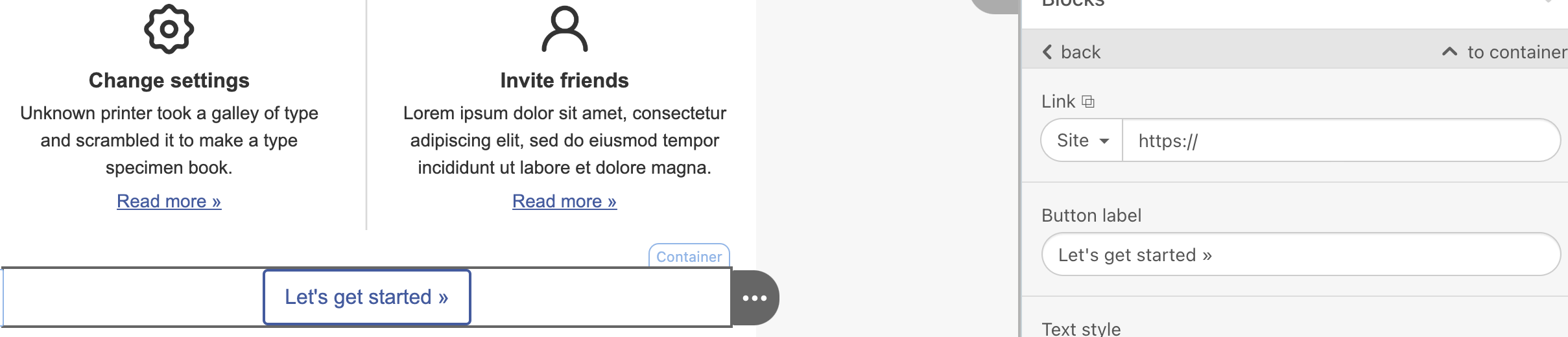
For AMP to work, you should correctly create the entire email content. For example, if you have a regular button without a redirection URL, your AMP content will not be visible.
Send a test email to yourself
Most of the time, the business address domains block AMP content. Send a test email to your email address, not your business address, to see if your AMP content is visible in your inbox.
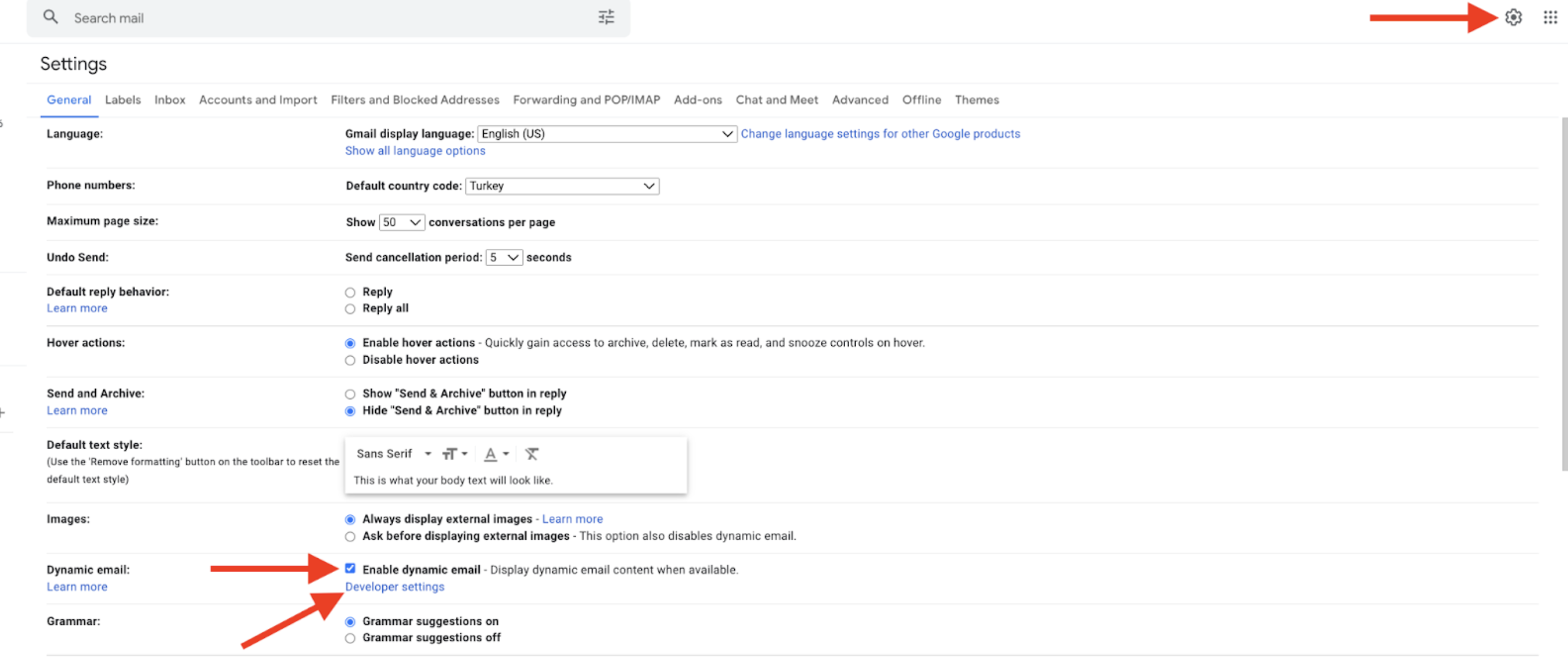
Ensure you have completed the following configuration on Gmail > Settings > Dynamic email.