The Recommendation Story template enables you to recommend products in a story format based on the algorithms you select. It helps users discover the latest products, popular products in a category, or trends with a single click. The Recommendation Story template enables you to recommend products and motivate users to purchase them more interactively on desktop and mobile devices.
Customize the Recommendation Story
You can start by assigning the algorithms to your stories. You can use different algorithms in different stories. To perform algorithm-based customizations, click the respective Story listed in the Elements section of the left menu and click the Recommendation Settings button in the Settings section on the right.
.gif)
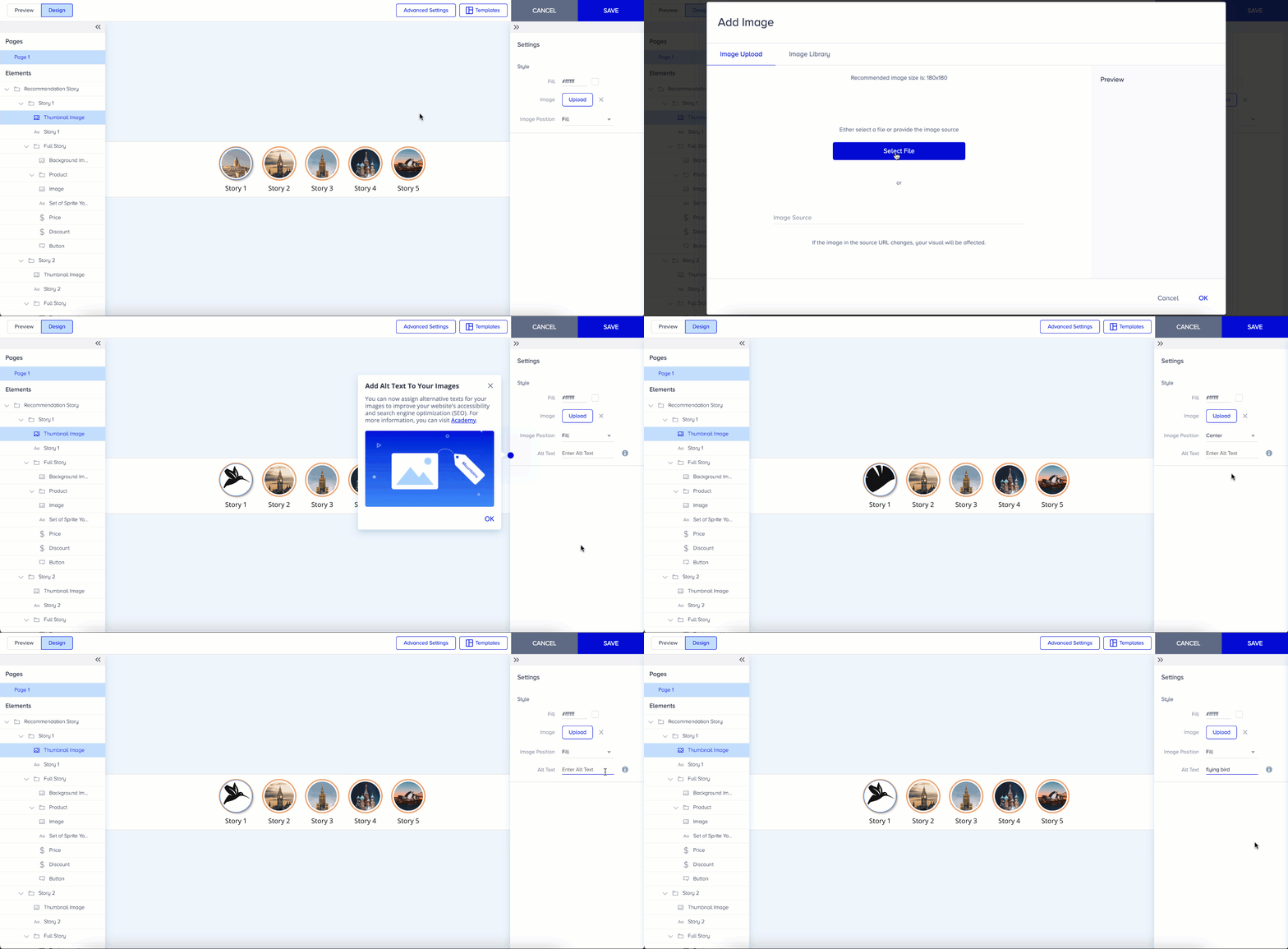
To change the thumbnail image, click the Thumbnail Image button in the Elements menu, or double-click the thumbnail on the canvas to upload a new image. You can upload images or GIFs to use as your thumbnail.
To change the text, click on the text of the respective story.
The Full Story is displayed full screen when users click the bubbles. Based on the selected algorithms, the full story shows a product name, image, price, and discounted price (if available).
To enable or disable the product attributes in Full Story, click the Product button on the left menu and turn the toggles off/on in the right menu. You can use these toggles on the right menu to show/hide the details of your Full Story.
You can also customize the other elements of Full Story, such as the text, button, image, and background image. For example, add a background image to the Full Story or assign a background color. You can also adjust the position, font, size, and colors of the text and button elements.
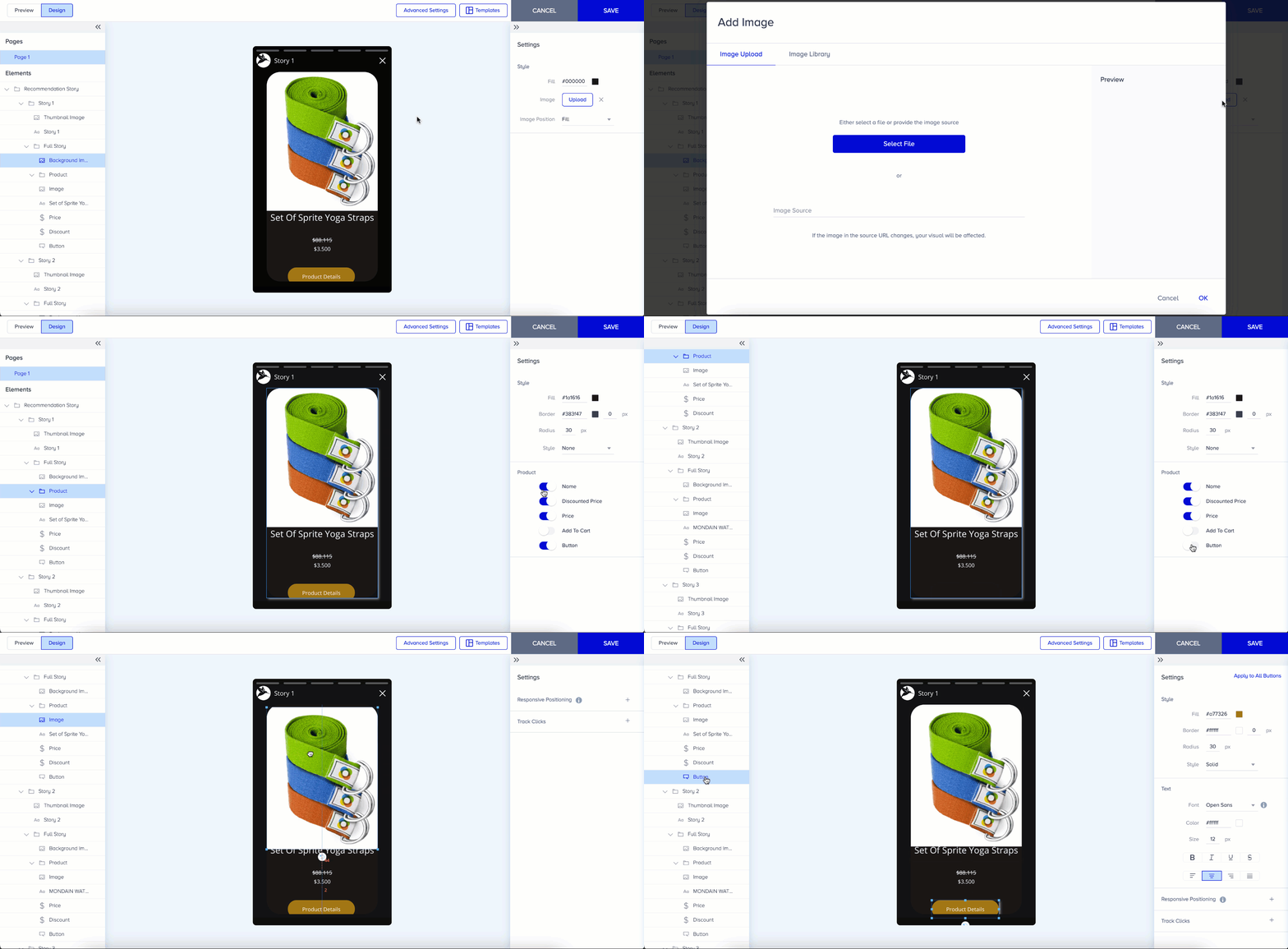
The maximum size of a Full Story is 500 KB, and the recommended size is 180 x 180 px.
You cannot edit the Product Name, Product Price, and Product Image, but you can edit their styles.
Story Settings
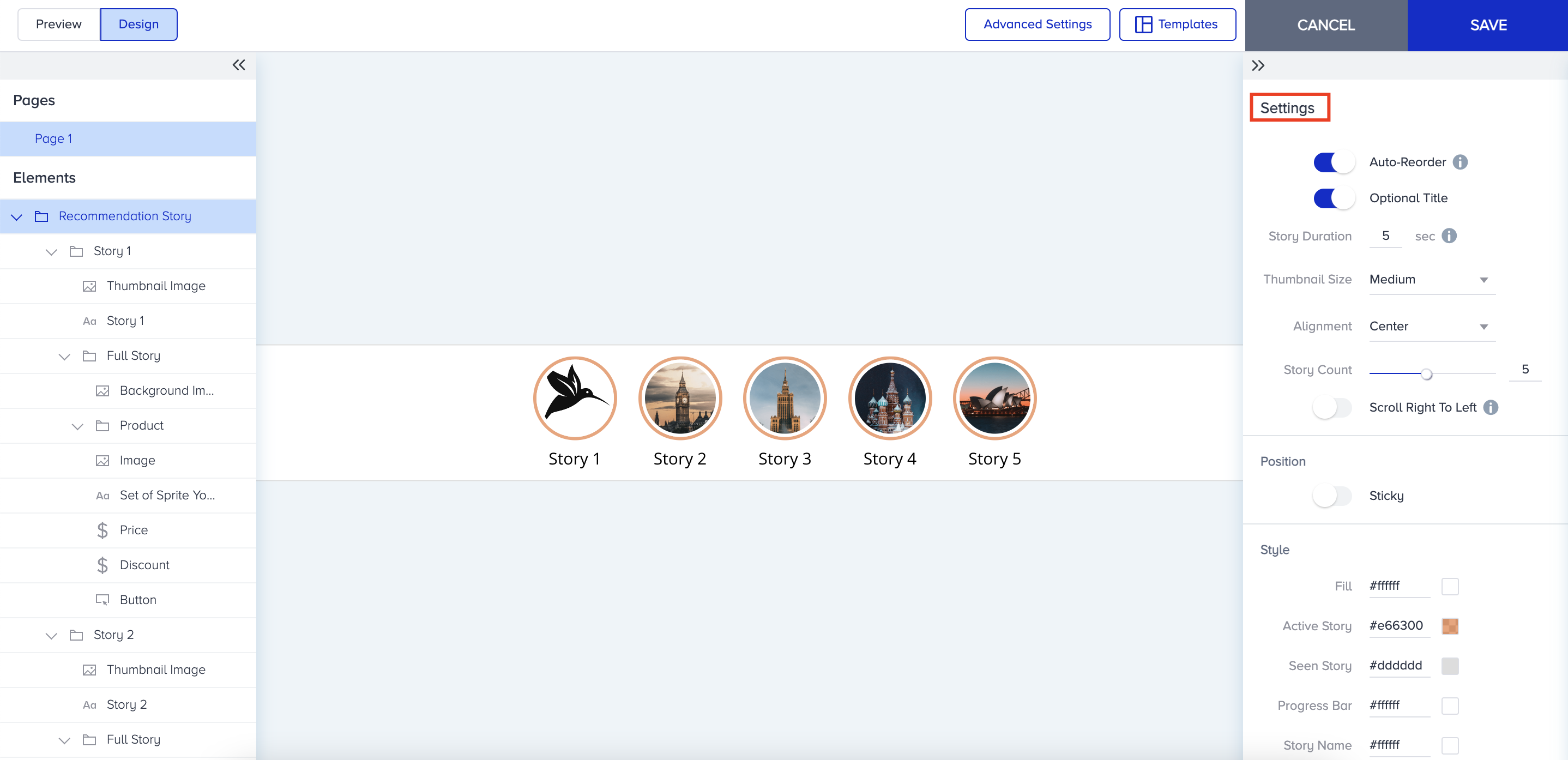
Auto-Reorder: It moves viewed stories to the end of the order queue.
Optional Title: It makes the thumbnail title visible/invisible.
Story Duration: You can set a story duration to display your stories.
Thumbnail Size: You can change the size of the thumbnails of your stories.
Alignment: You can change the stories' alignment. If you enable the "Scroll Right to Left" option, your stories will flow automatically from right to left.
Story Count: You can use this to set the number of stories you want to add.
Story Styles

You can customize your Full Story and change:
The fill color, which is the story bar background color.
The color is attributed to active and seen stories.
The color displayed on the full story progress bar.
The color of the story name displayed on the full story.
The color of the borders around the story bar.
Recommendation Settings
You can select algorithms for your stories to display to your users in the Recommendation Settings modal.
You can set how many products you want to recommend in the same story with the selected algorithms. You can recommend up to 10 different products in the same story.
You can reorder recommended products by enabling the Shuffle Recommendation option.
You can hide the widget if there aren't enough products to recommend using the Hide the Widget option.
You can assign one of the recommendation algorithms to the selected story under the Recommendation Strategy. You can choose different algorithms for different stories in the same campaign.
You can recommend products based on the user affinity score with the Personalize Recommendation with Attribute Affinity option.
You can exclude recently viewed and purchased items, as well as items in your cart, from your recommendations.
You can filter the categories you want to recommend using filters.

Refer to Smart Recommender Algorithms for further information on algorithms.