Organization Prefix automatically adds your brand or organization name to the beginning of your SMS and MMS message content. This helps recipients identify who the message is from without requiring you to add the brand name manually to each campaign.
When you send messages from a numeric sender, such as a US 10DLC long code, a short code, or a long code in a market that does not support alphanumeric Sender IDs, recipients see a phone number as the sender. Organization Prefix adds your brand or organization name to the message content so recipients can identify the sender more easily.
How does Organization Prefix work?
When Organization Prefix is enabled, Insider One adds the configured prefix before the message content at send time.
For example, if the Organization Prefix is InsiderOne, you can display it in one of the following formats:
Inline, which is the default format:
InsiderOne Your message content here...On a new line:
InsiderOne
Your message content here...
Organization Prefix applies to:
Organization Prefix does not apply to:
RCS message content, because RCS displays your verified brand name and logo natively
Transactional SMS
Set up Organization Prefix
Organization Prefix is configured separately for each sender. This enables you to define different prefix text for different senders when needed.
You configure the prefix in Sender Preferences, then confirm whether to use it for individual campaigns in the campaign editor.
Open the Organization Prefix settings
Go to Sender Preferences.
Select the sender you want to configure.
Open the Organization Prefix tab.
Enable the Organization Prefix toggle.
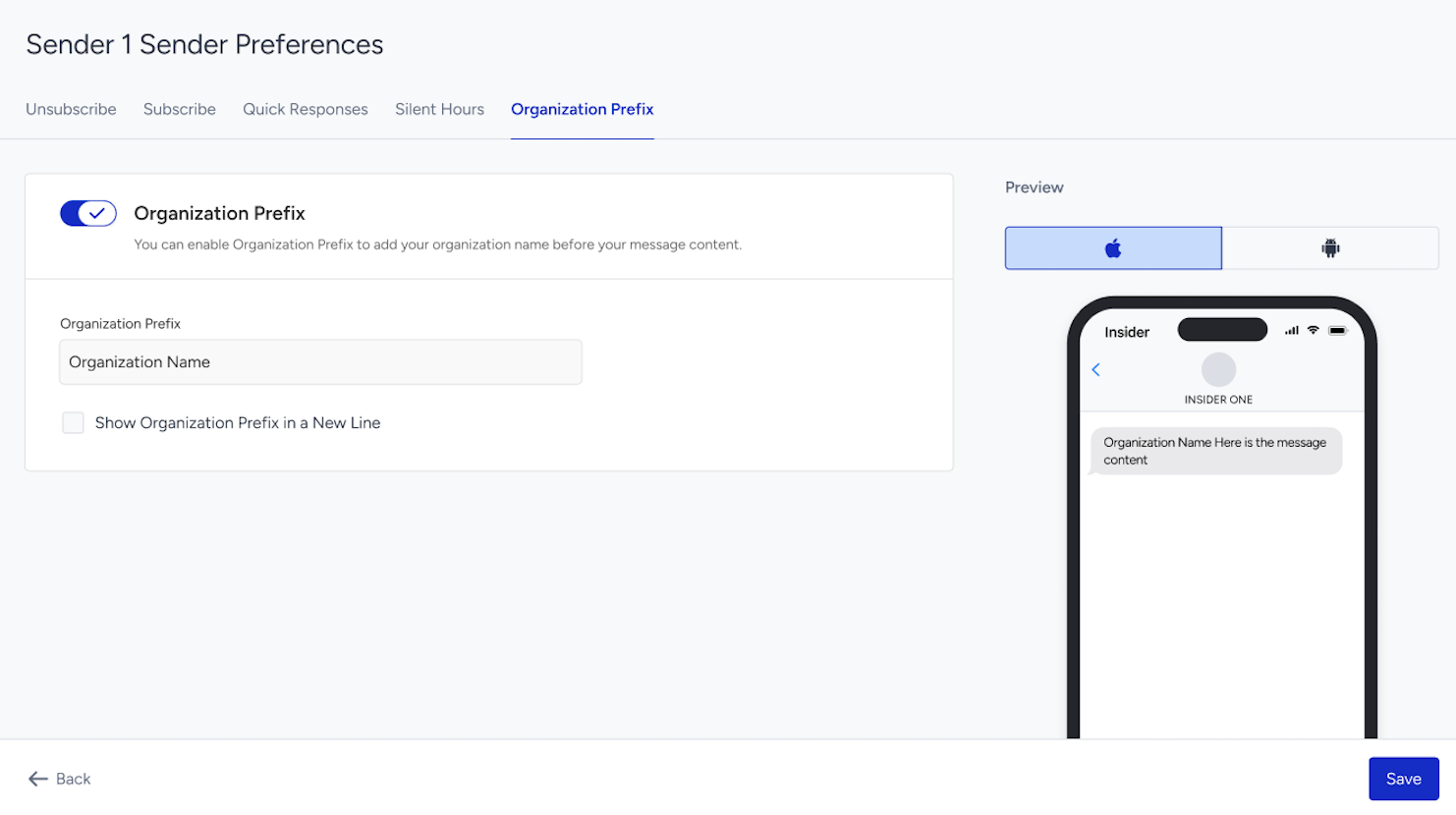
In the Organization Prefix field, enter the text you want to add before the message content, such as your organization or brand name.
To display the prefix on a separate line above the message content, select Show Organization Prefix in a New Line. Otherwise, the prefix appears inline with the message content.
Select Save.
Use Organization Prefix in a campaign
When Organization Prefix is enabled for the selected sender, an Organization Prefix section appears in the Design step of SMS and MMS campaigns and in the SMS Fallback step of RCS campaigns.
Campaign-level enablement: The Enable Organization Prefix checkbox is selected by default when Organization Prefix is enabled for the selected sender. You can clear the checkbox if you do not want to use the prefix for that specific campaign.
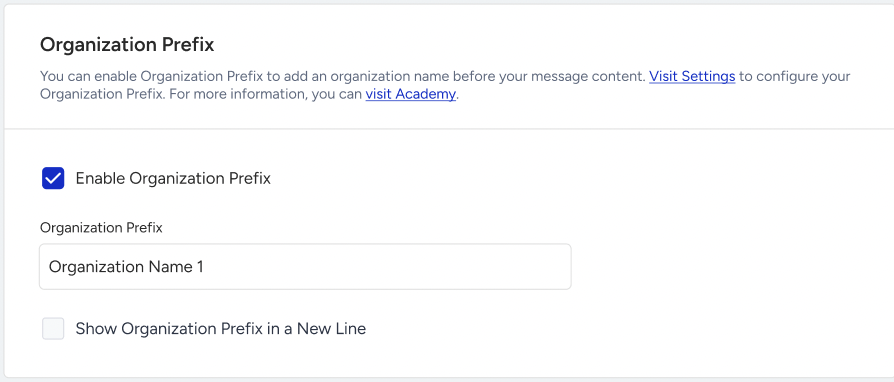
Message preview: The preview displays the prefix as it will appear in the sent message, either inline or on a separate line.
Character and segment count: The character and segment counter includes the Organization Prefix and, when applicable, the line break. The displayed count therefore reflects the complete message, including the unsubscribe sentence.
Prefix settings: Use Visit Settings to review or update the Organization Prefix configured for the sender.
What should I consider before enabling Organization Prefix?
Remove manually added brand names from your message content. If your existing campaign templates already include the brand or organization name at the beginning of the message, enabling Organization Prefix can cause the name to appear twice. Remove the manually added prefix from your templates before enabling this setting.
The prefix used for a campaign is saved after the first actual send. When a campaign sends for the first time, Insider One saves the exact Organization Prefix used for that campaign. This lets you see which prefix was used, even if you later update or turn off the prefix in the sender settings.
If you duplicate a campaign, the saved Organization Prefix is not copied to the duplicated campaign. The new campaign uses the Organization Prefix currently configured for the sender when it sends.
Enable Organization Prefix for your account
Contact the Insider One team to enable Organization Prefix for your account.
For Organization Prefix to be added to a message, all of the following conditions must be met:
Insider One enables Organization Prefix for your account.
You enable Organization Prefix in Sender Preferences in SMS Settings, and configure the prefix text for the selected sender.
The Enable Organization Prefix checkbox is selected for the SMS or MMS campaigns.
If one or more of these conditions are not met, your SMS or MMS campaigns will be sent without adding an Organization Prefix.