Auto Opt-Out Disclosure Sentence helps you manage how frequently the configured opt-out sentence is included in messages sent to US recipients.
For US recipients, Insider One checks when each recipient last received the configured opt-out sentence. If the recipient received it within the last 30 days, the sentence is not included in the message. If 30 days or more have passed, the sentence is included again.
For recipients outside the US, the configured opt-out sentence is always included.
Auto Opt-Out Disclosure Sentence works only with an opt-out sentence that is already configured for the sender. It does not create or add an opt-out sentence automatically.
This guide answers these questions:
How does Auto Opt-Out Disclosure Sentence work?
Auto Opt-Out Disclosure Sentence is configured separately for each SMS sender in Sender Preferences. When enabled, Insider One determines whether to include the sender's configured opt-out sentence for each recipient.
For a US recipient who received the opt-out sentence within the last 30 days, Insider One does not include the sentence again.
For a US recipient who has not received the opt-out sentence within the last 30 days, Insider One includes the sentence.
For recipients outside the US, Insider One always includes the configured opt-out sentence.
Insider One calculates the 30-day period separately for each recipient based on when they last received the opt-out sentence. It is a rolling 30-day period and does not reset at the beginning of each calendar month.
If a recipient opts out of SMS and later subscribes again, Insider One treats them as a new subscriber for this setting. The configured opt-out sentence is included in their next applicable message.
Auto Opt-Out Disclosure Sentence applies to:
SMS messages
MMS messages
SMS fallback messages for RCS campaigns
It does not apply to:
RCS messages that are sent without SMS fallback
Test messages
Subscribe prompts
Enable Auto Opt-Out Disclosure Sentence
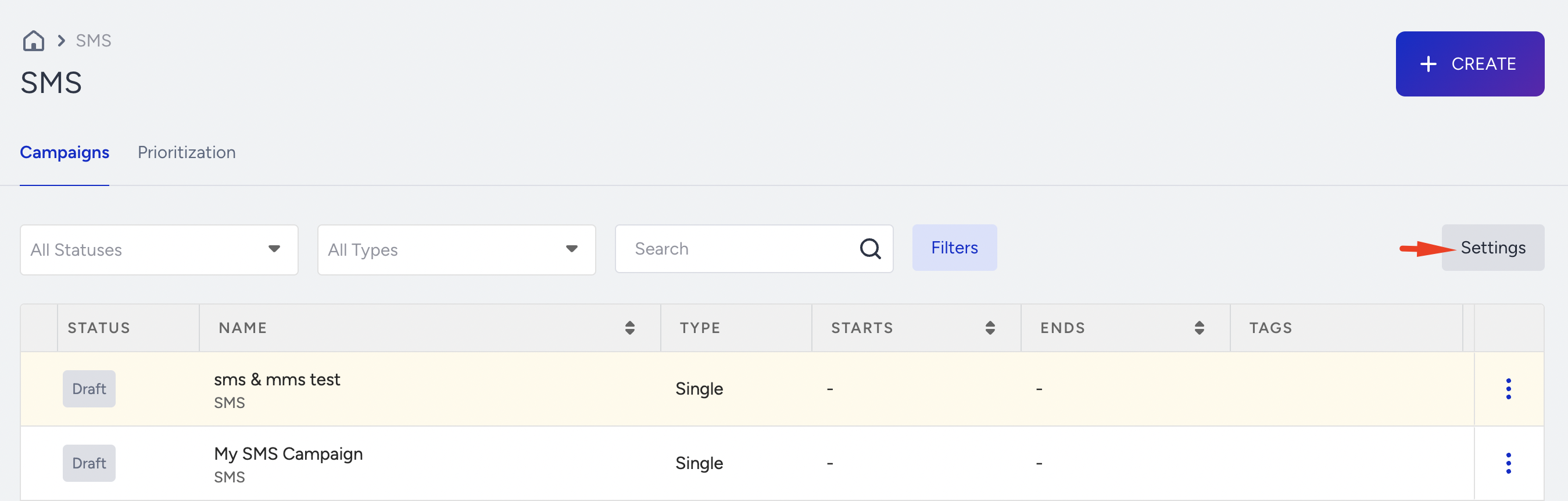
Navigate to InOne > SMS/MMS/RCS > Settings.
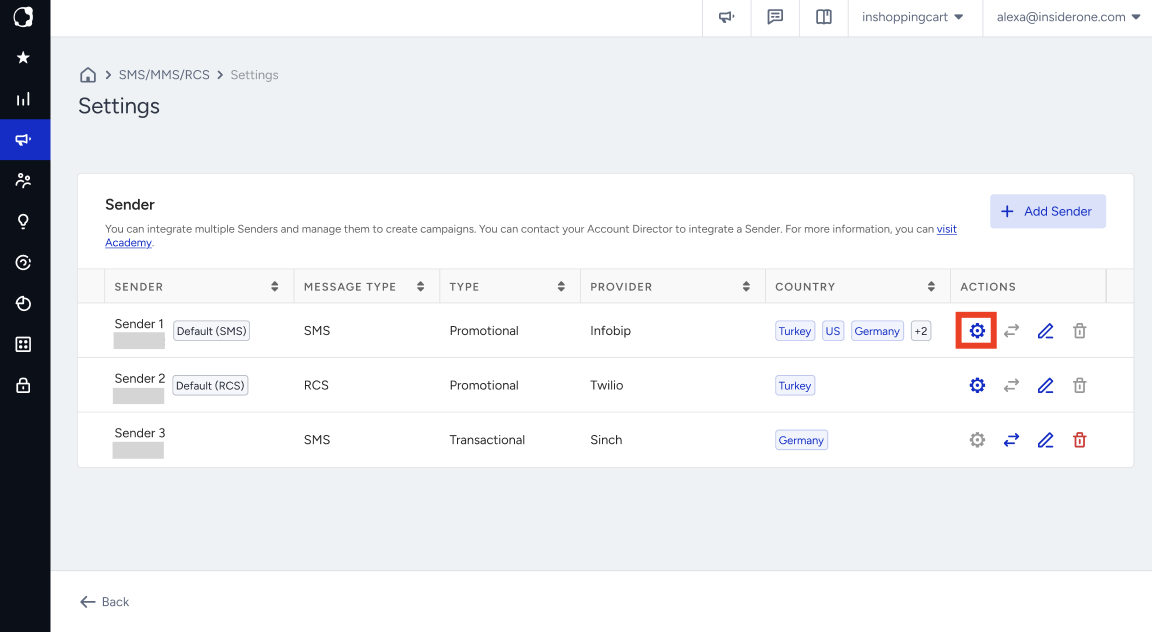
Open Sender Preferences for the relevant SMS sender.
Open the Unsubscribe tab.
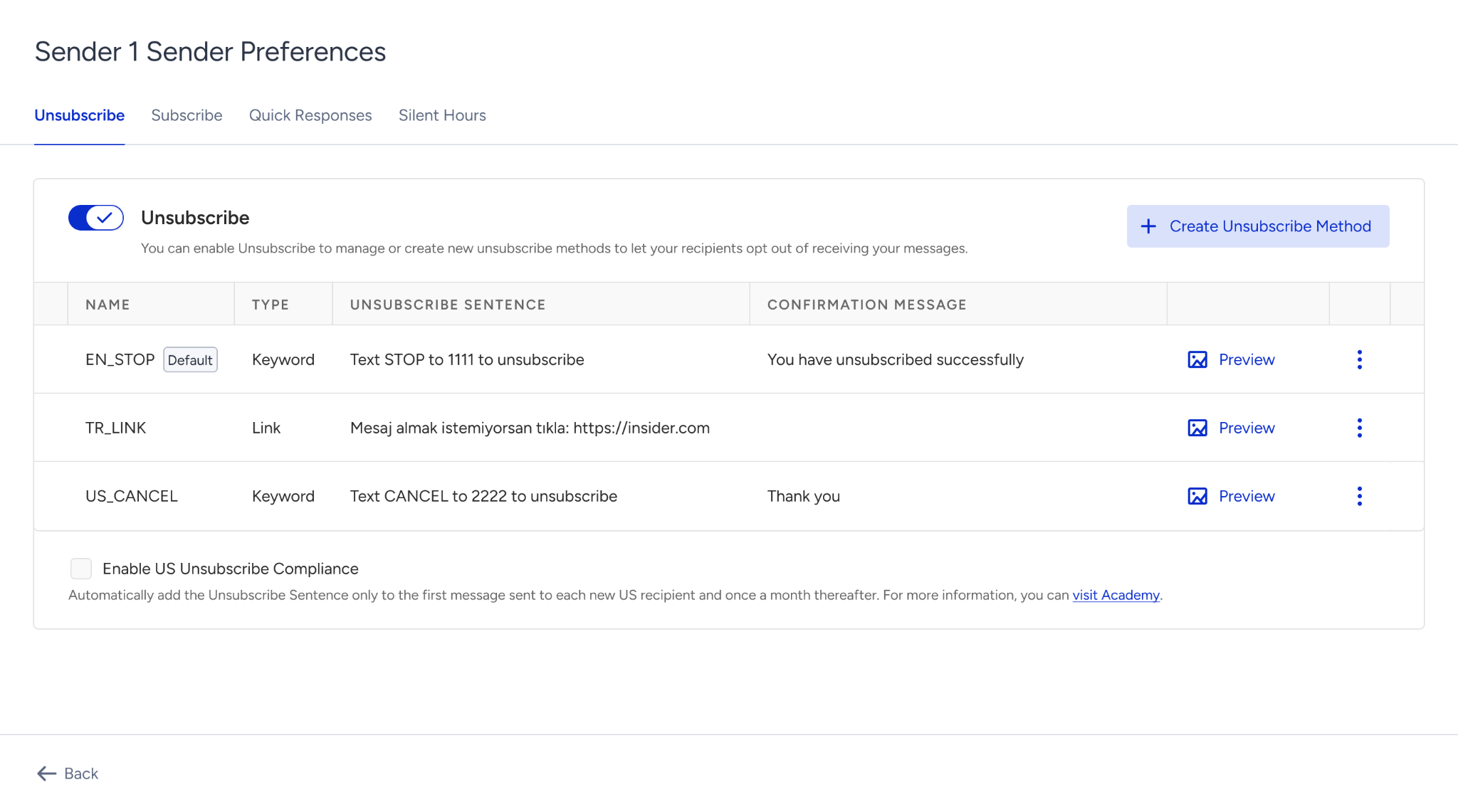
Make sure that an opt-out sentence is already configured for the sender.
Select the Enable US Unsubscribe Compliance toggle.
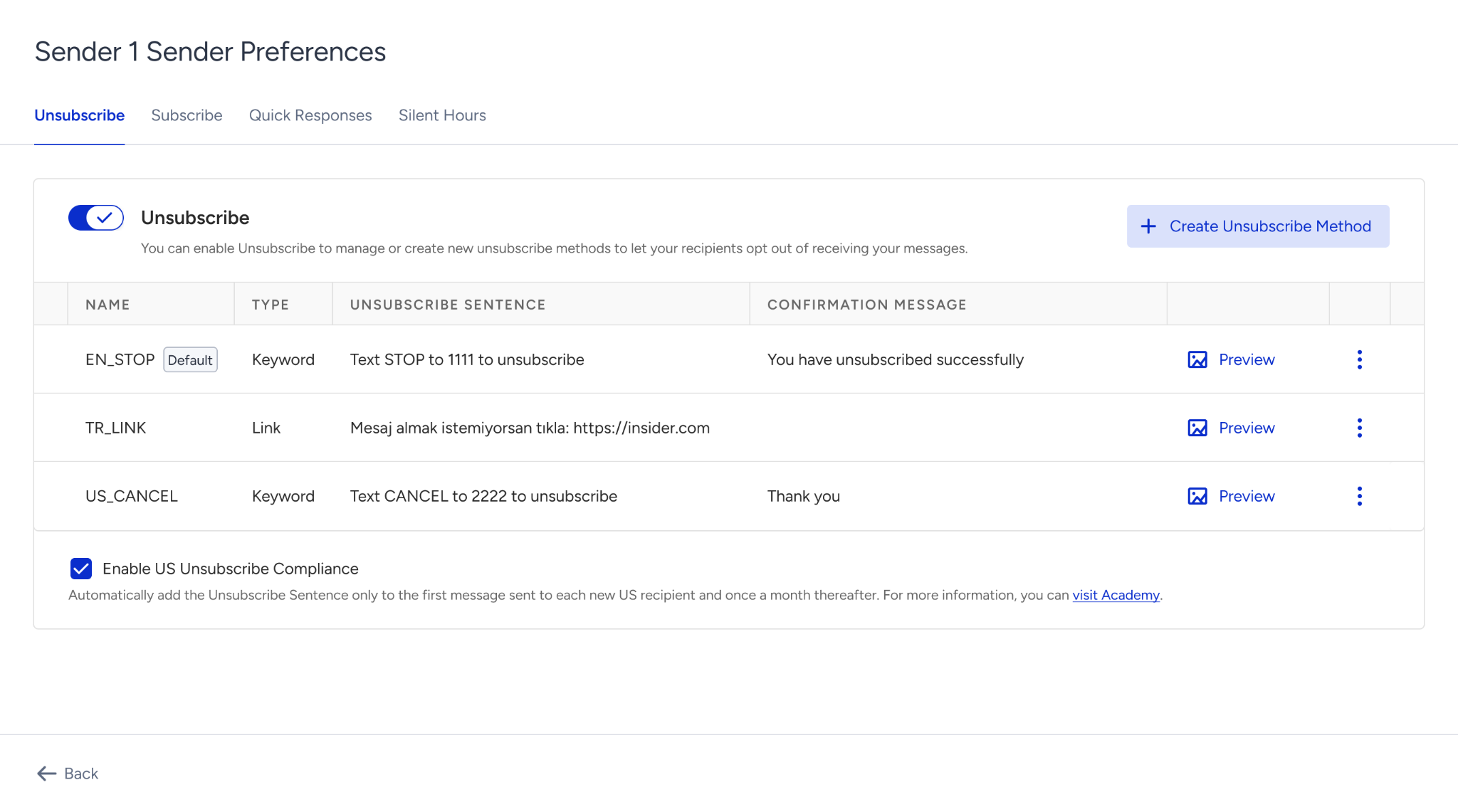
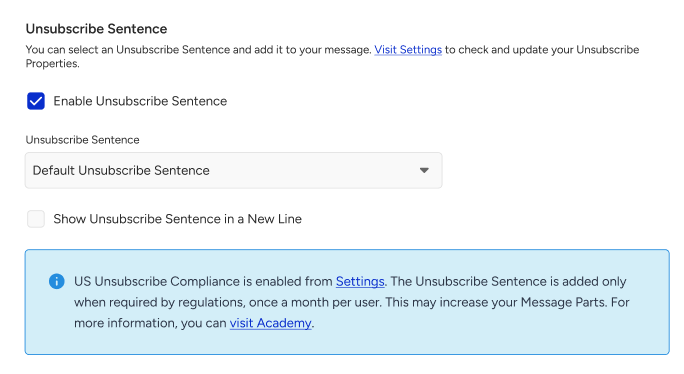
Once enabled, Insider One automatically determines whether to include the configured opt-out sentence for each recipient. You do not need to configure this setting separately for individual campaigns.
Key considerations
Auto Opt-Out Disclosure Sentence can only control an opt-out sentence that is already configured for the sender. It does not create an opt-out sentence.
The 30-day rule applies only to US recipients. Recipients outside the US always receive the configured opt-out sentence.
The 30-day period is calculated from the last time each recipient received the opt-out sentence. It does not follow calendar months.
The campaign preview and message part estimate always include the opt-out sentence, even when Insider One does not include it in the actual send.
Because the preview always includes the opt-out sentence, the actual number of message parts sent can be lower than the estimate shown in the campaign builder.
The setting applies to SMS, MMS, and SMS fallback messages for RCS campaigns. It does not apply to RCS messages without SMS fallback, test messages, or subscribe prompts.