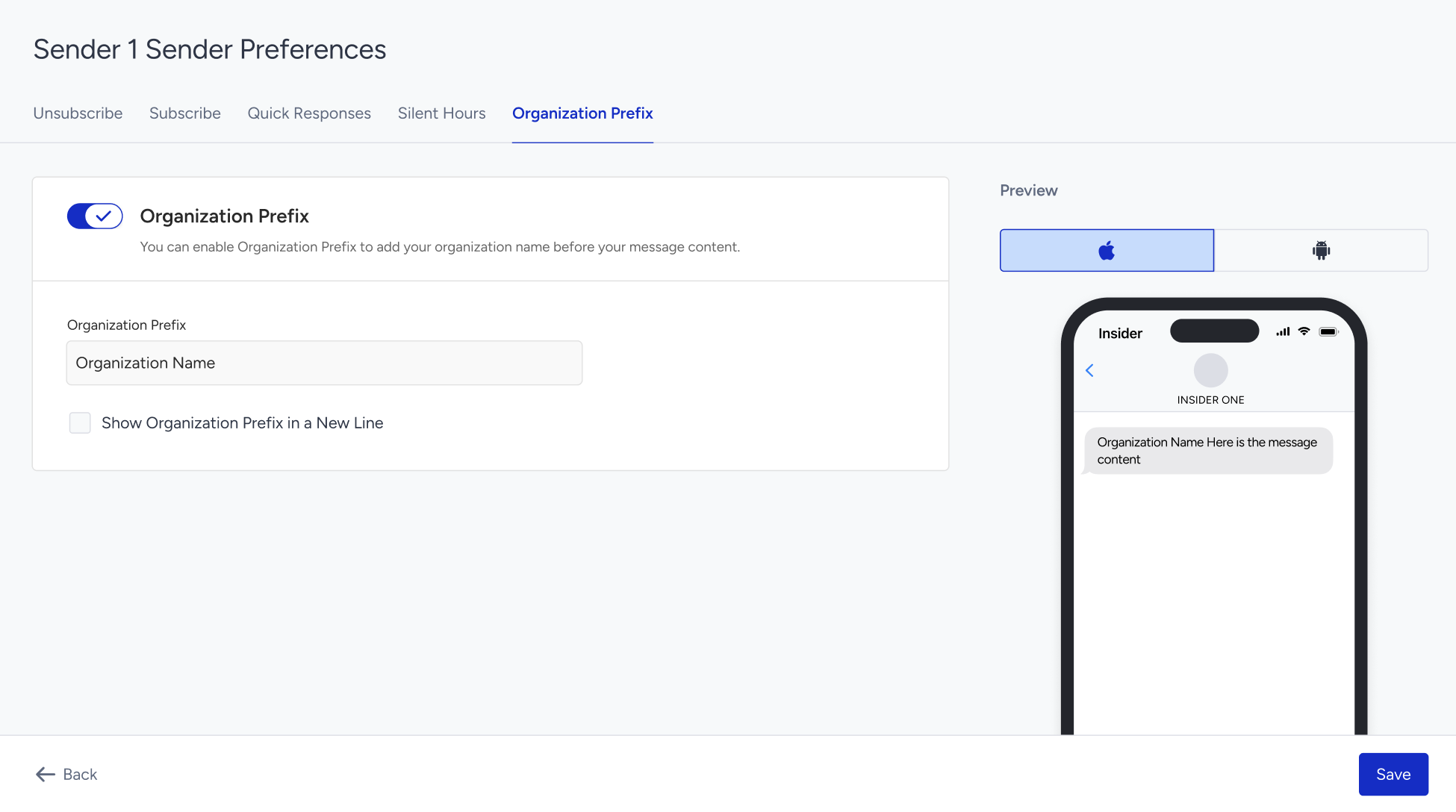
The SMS Settings page enables you to manage your SMS and RCS senders and configure sender-specific preferences, such as unsubscribe and subscription methods, quick responses, organization prefixes, and Silent Hours.
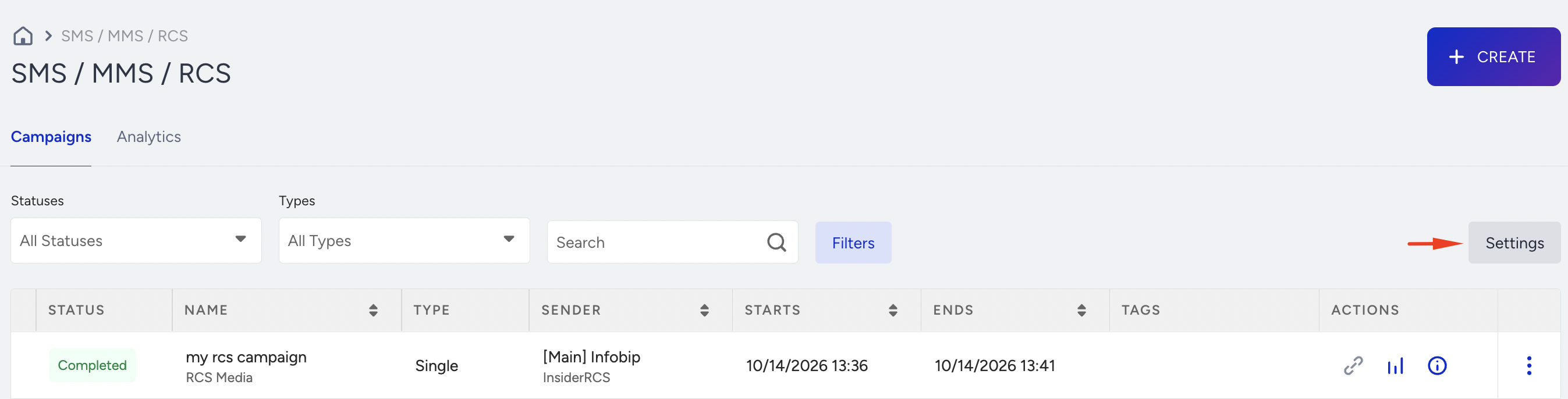
To access SMS Settings, navigate to InOne > Campaigns > Messaging > SMS/ MMS/ RCS and click Settings.
Sender Settings
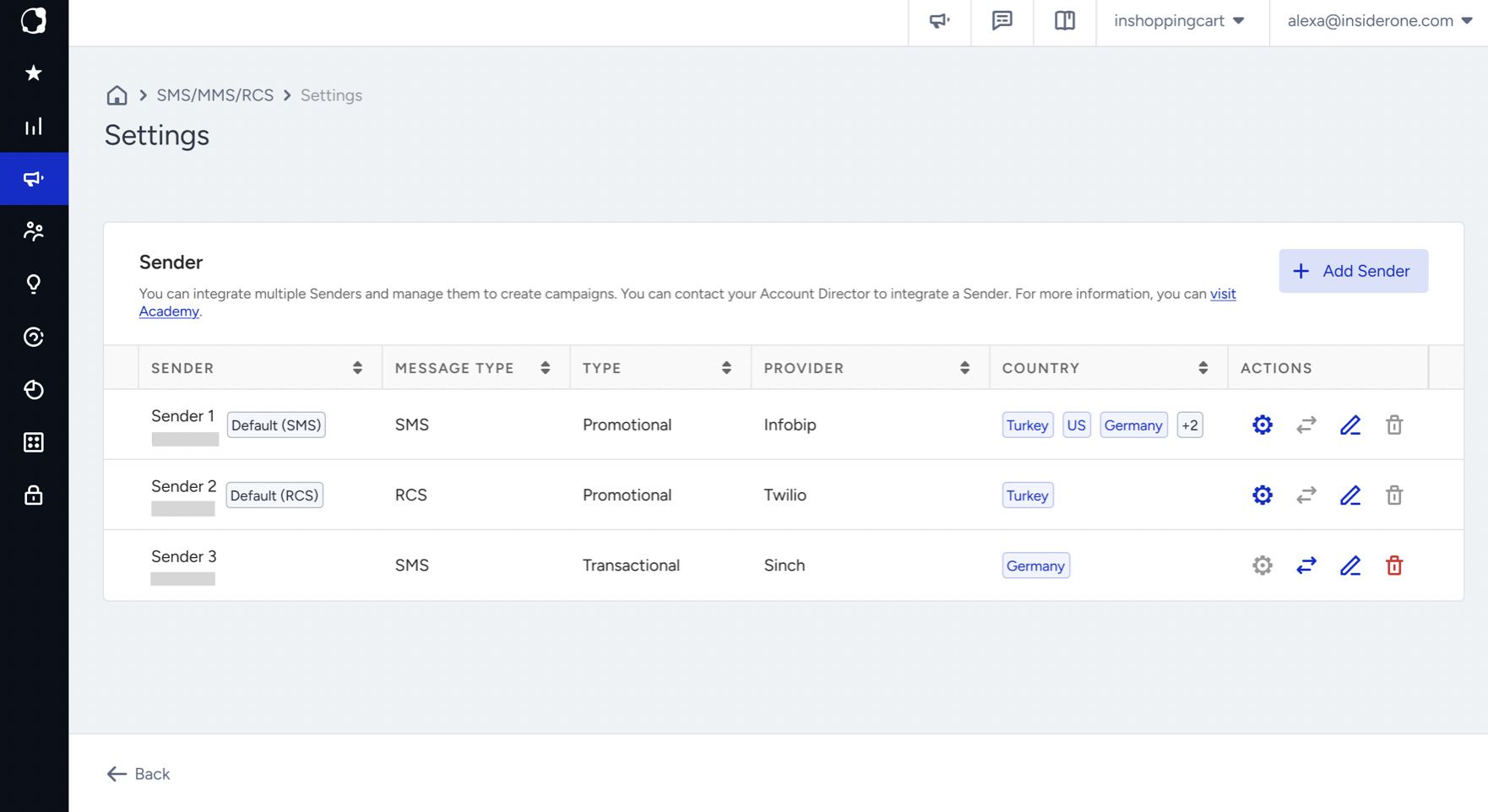
When you open SMS Settings, the Sender Settings page displays the senders configured for your SMS and RCS channels.
From this page, you can view and manage your senders and access the preferences available for eligible senders.
Sender Preferences
Sender Preferences enables you to configure settings for an individual sender. The settings you configure apply only to the selected sender.
From the Actions column, click the Sender Preferences icon for the relevant promotional sender.
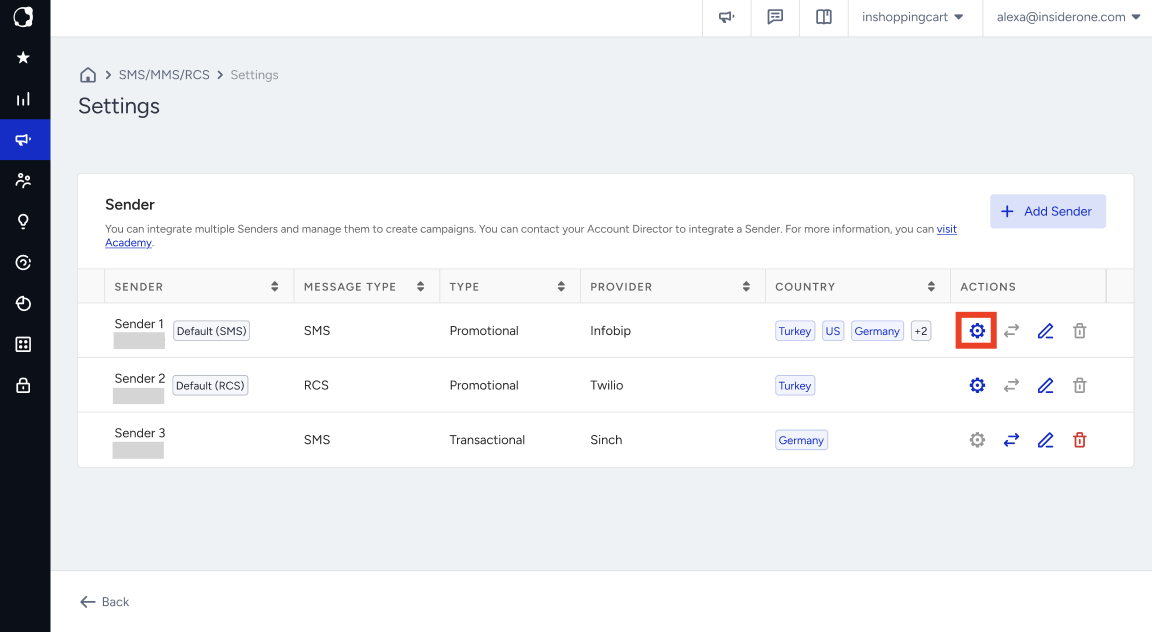
The sender name appears at the top of the page so you can identify which sender you are configuring.
The tabs available under Sender Preferences depend on the sender's channel, sender type, provider configuration, and the features enabled for your account.
Available tabs can include:
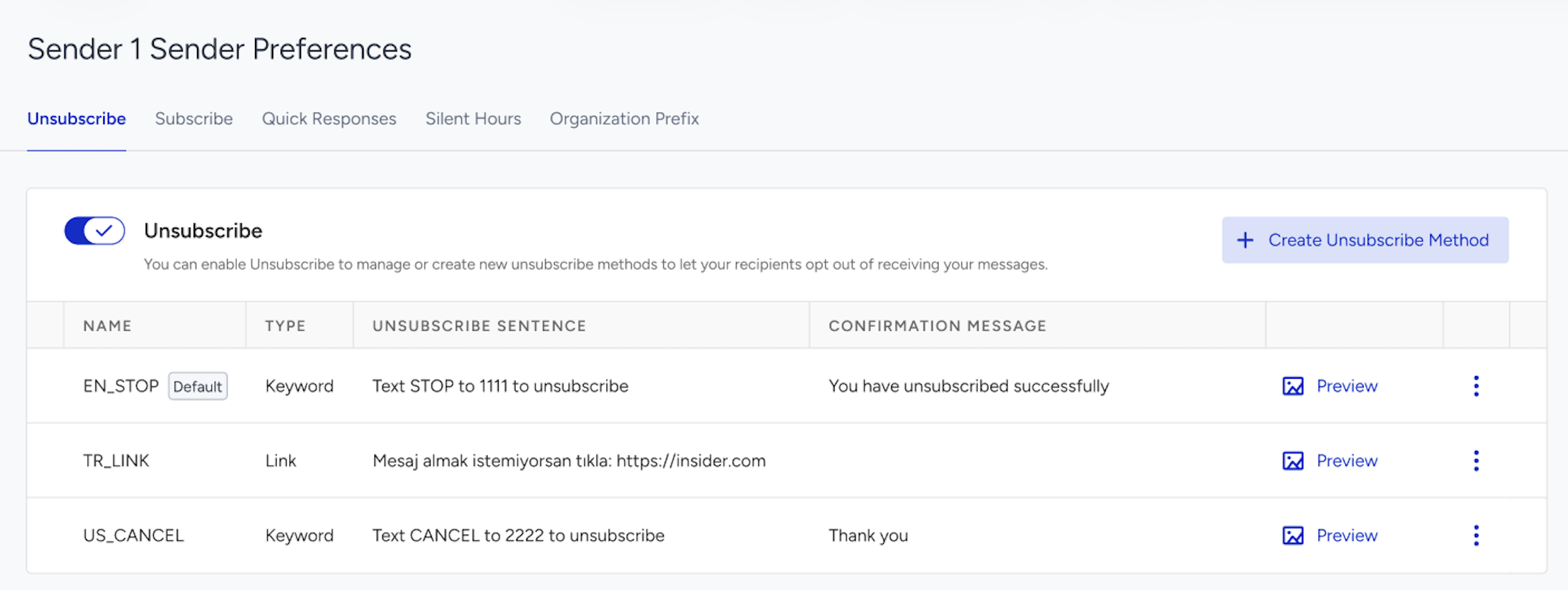
Unsubscribe
The Unsubscribe tab enables you to configure how recipients opt out of messages from the selected sender.
You can configure link-based and keyword-based unsubscription methods. For link-based unsubscription, you can also customize the unsubscribe page that recipients visit when they click the link.
Unsubscription methods and their default selections are managed separately for each sender. A method configured for one sender does not apply to another sender.
Refer to Unsubscription Methods for SMS for more information.
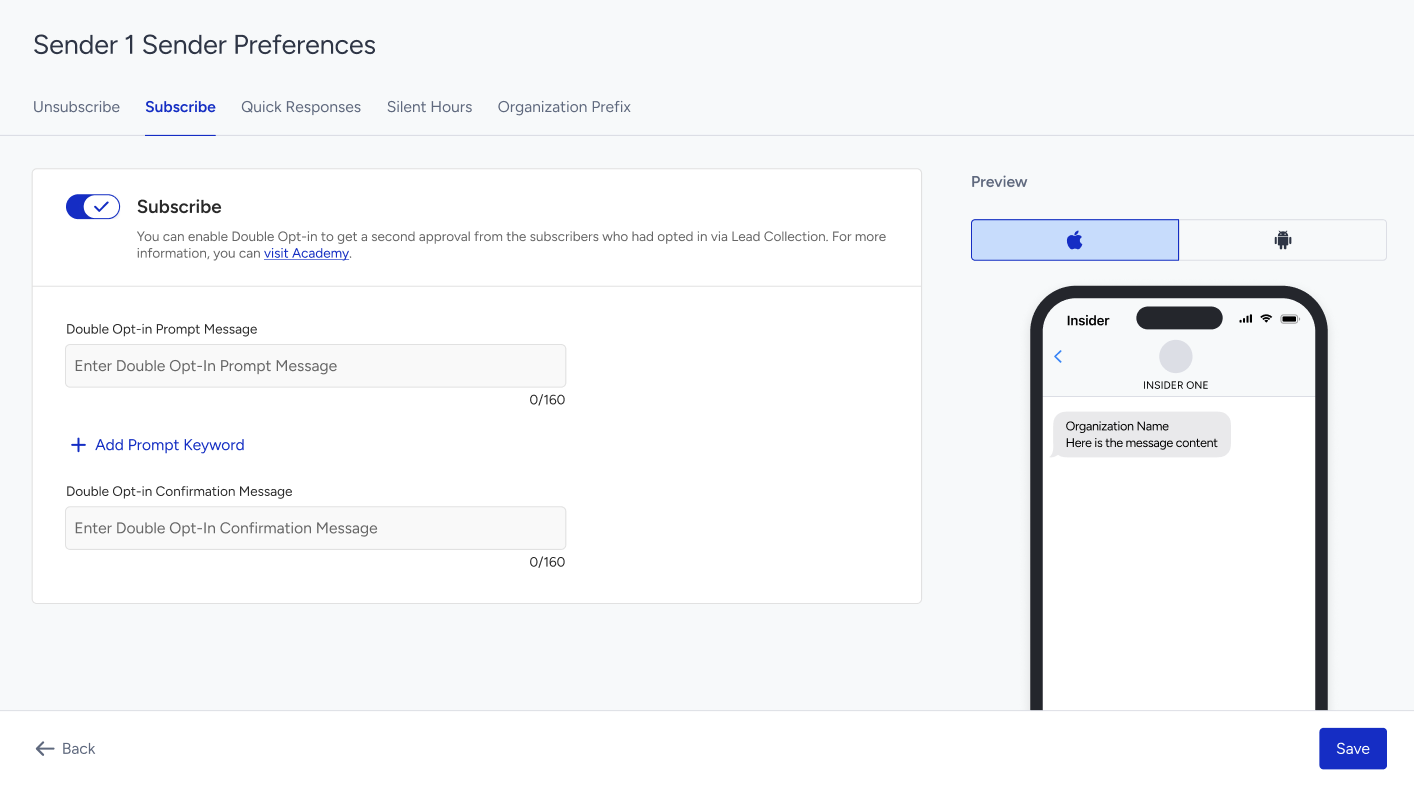
Subscribe
The Subscribe tab enables you to manage subscription and opt-in settings for the selected sender.
Depending on your account configuration, you can configure subscription keywords and double opt-in messages. Double opt-in settings are managed separately for each sender.
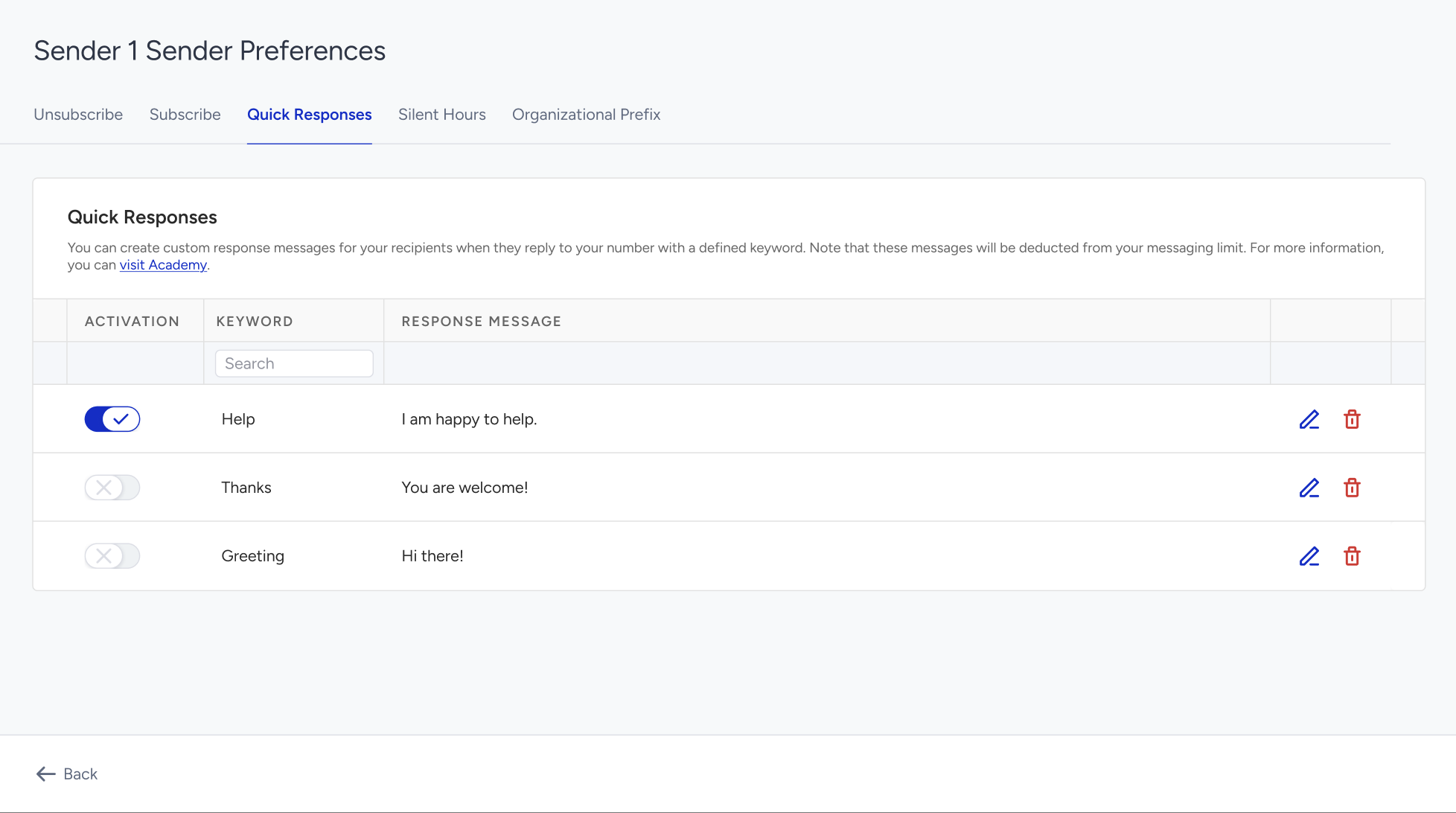
Quick Responses
The Quick Responses tab enables you to create automated responses for keywords received by the selected sender.
Quick Responses are managed separately for each sender. A keyword configured for one sender does not appear under another sender.
This tab is available only when Quick Responses is enabled for your account and the selected sender supports inbound responses. It is not displayed for RCS, transactional, shared, or alphanumeric senders.
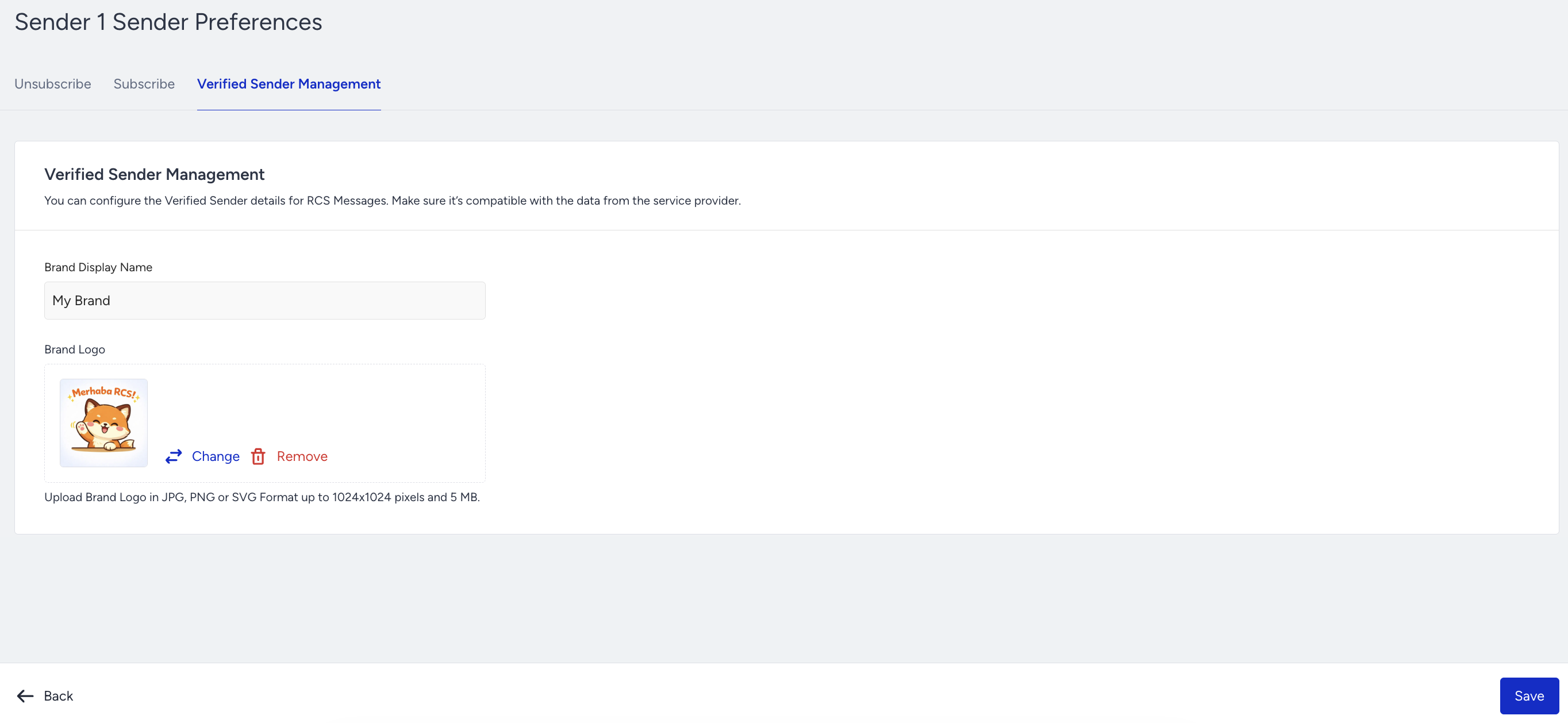
Verified Sender Management
The Verified Sender Management tab is available for RCS senders. It displays the verified sender details associated with the selected RCS sender.
The available fields and actions depend on the sender's provider configuration and your account permissions.
Silent Hours
The Silent Hours tab enables you to prevent messages from being delivered during unsuitable times of day for the selected sender.
Silent Hours is available for eligible SMS senders but not for RCS senders.
To configure Silent Hours:
Enable the Silent Hours toggle.
Select the start and end times for the period during which messages should not be delivered.
Save your changes.
The configured period is evaluated according to each recipient's local time zone. Messages that fall within this period follow the Silent Hours behavior configured for the campaign.
Because Silent Hours is configured per sender, you can define different time ranges for different senders.
For example, you can configure a longer restricted period for one promotional sender than for another.
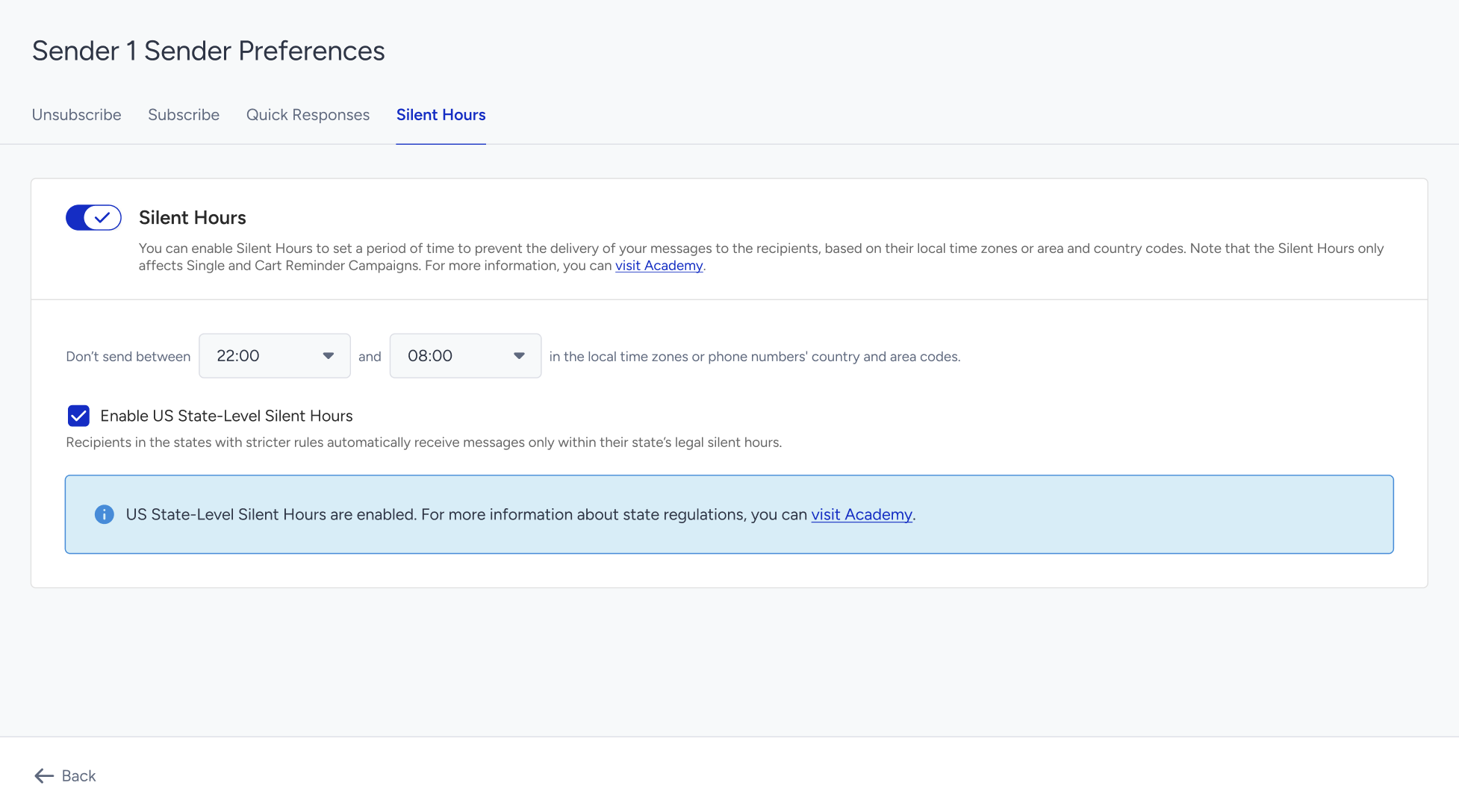
US State-Level Silent Hours Compliance
The US State-Level Silent Hours Compliance option is available when Silent Hours is enabled for an SMS sender configured to serve the United States.
When you enable this option, Insider One applies the relevant US state-level quiet-hour rules based on the recipient's resolved location, in addition to the Silent Hours period you configured.
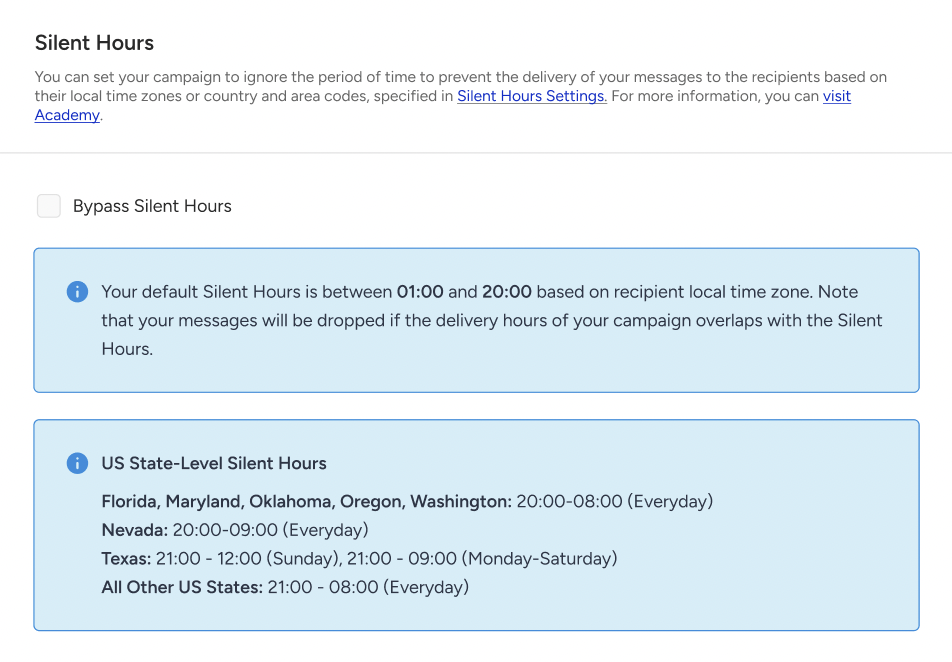
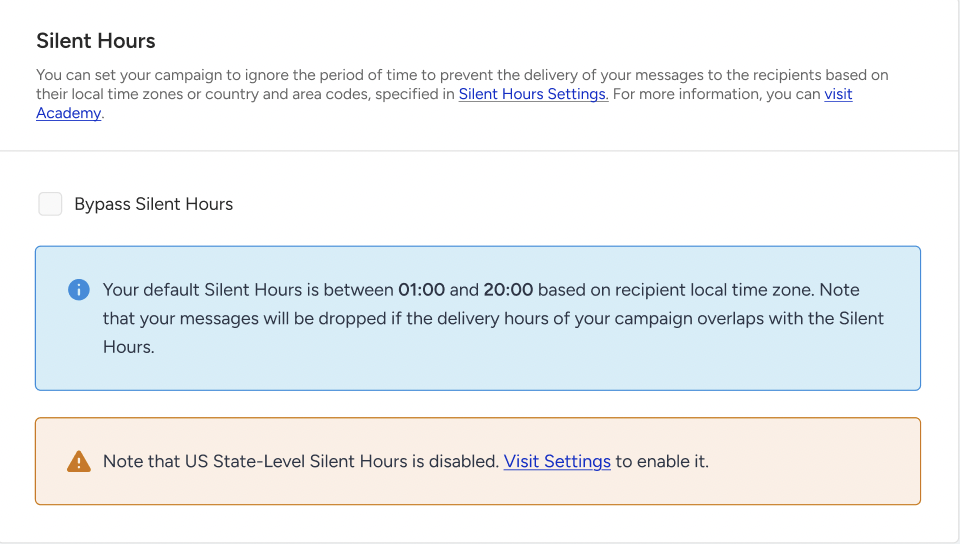
When the option is disabled, a warning informs you that state-level quiet hours are not enforced automatically.
This option is not displayed for:
RCS senders
SMS senders that are not configured to serve the United States
Senders for which Silent Hours is disabled
Organization Prefix
The Organization Prefix tab enables you to add an organization prefix to messages sent from the selected sender. The prefix helps recipients identify the organization sending the message.
This tab is available when Organization Prefix is enabled for your account and the selected sender is an eligible promotional SMS sender.
It is not displayed for RCS or transactional senders.