If you encounter any issues receiving Web Push notifications, you may need to share your Web Push token with the Insider One team for troubleshooting.
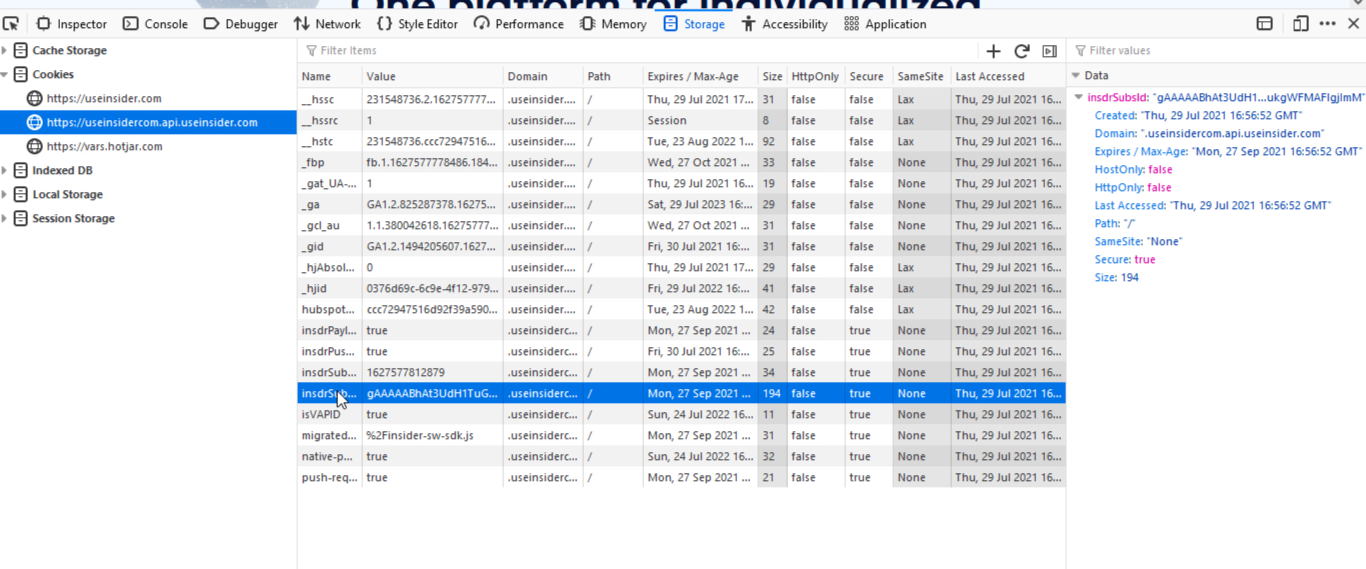
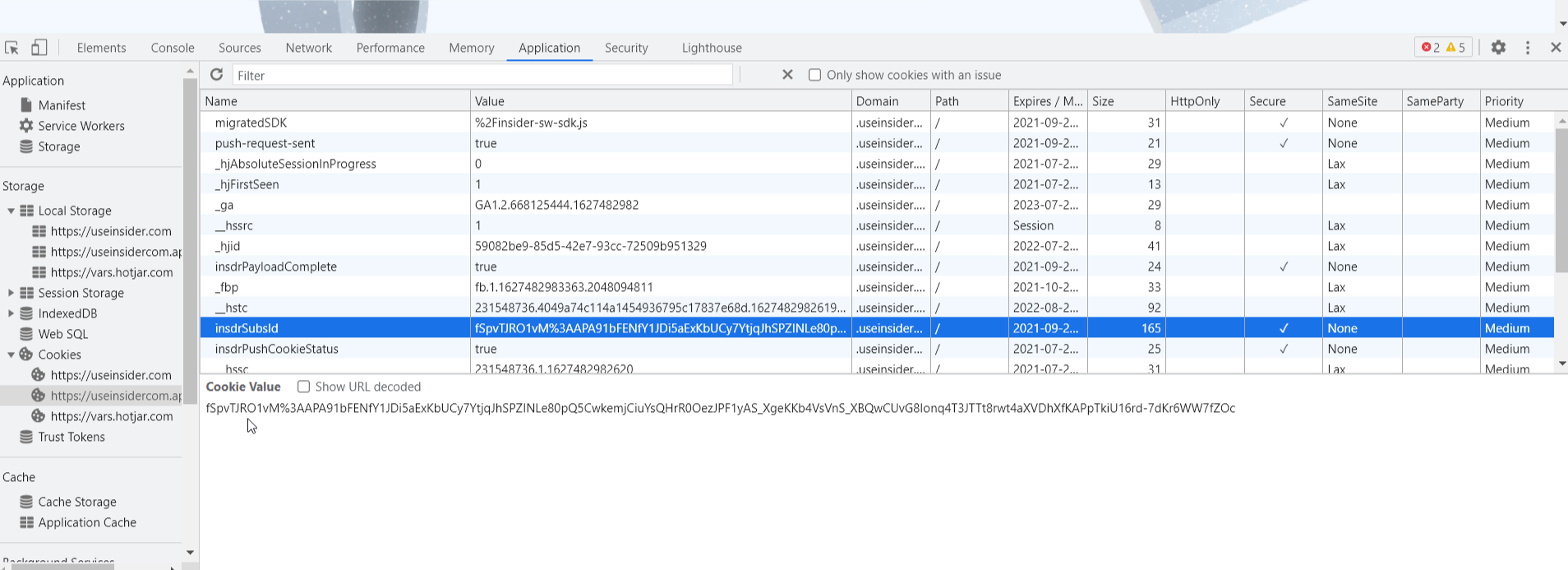
Web Push tokens are stored under the insdrSubsId name.
Chrome
To get your Web Push token on Chrome:
Click right > Inspect on your website and open the browser console.
Go to Application > Cookies to see the value of insdrSubsId. You can copy this value and share it when requested.
Firefox
To get your Web Push token on Firefox:
1. Click right > Inspect on your website and open the browser console.
2. Go to Storage > Cookies to see the value of insdrSubsId. You can copy this value and share it when requested.