Suggested reading: Receiving no Web Push Notifications
If you want to debug any issues with receiving Web Push notifications, you should also check whether you have allowed them.
When you opt in to notifications, the insUserPermissionGranted key will be set to true.
Chrome
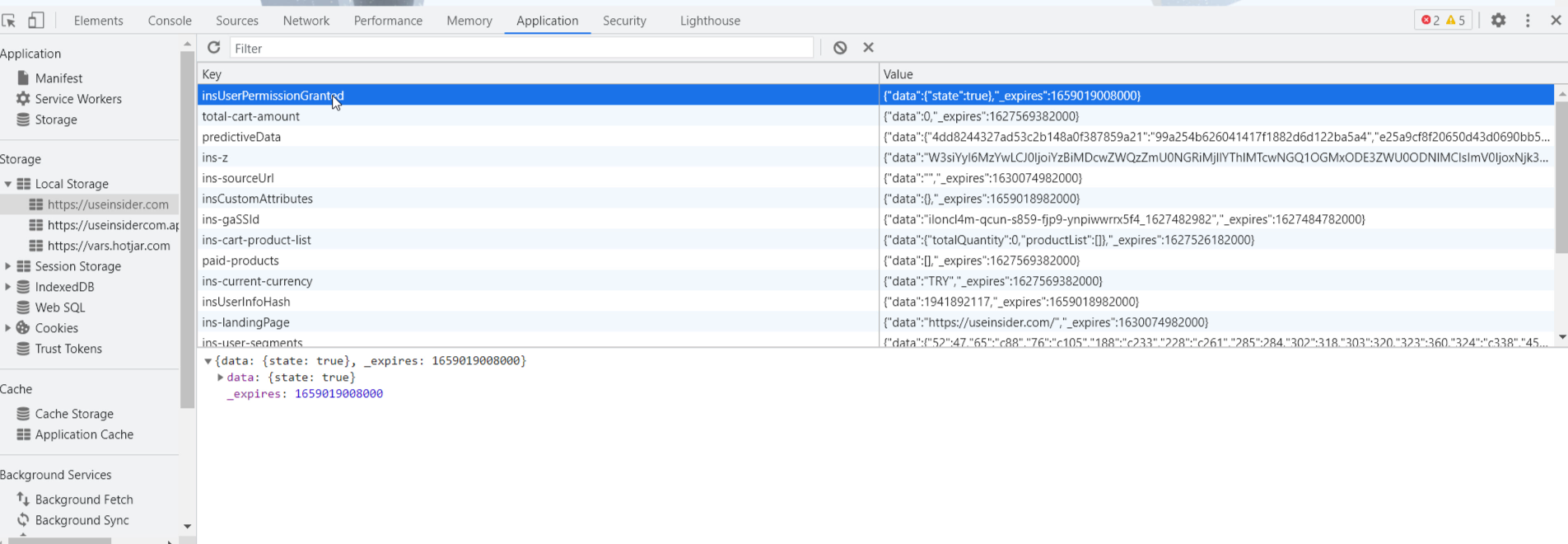
To check whether you have allowed Web Push notifications on Chrome:
Click right > Inspect on your website and open the browser console.
Go to Application > Local Storage to see the value of insUserPermissionGranted.
If the value shows the state as true, you have enabled Web Push notifications.
Firefox
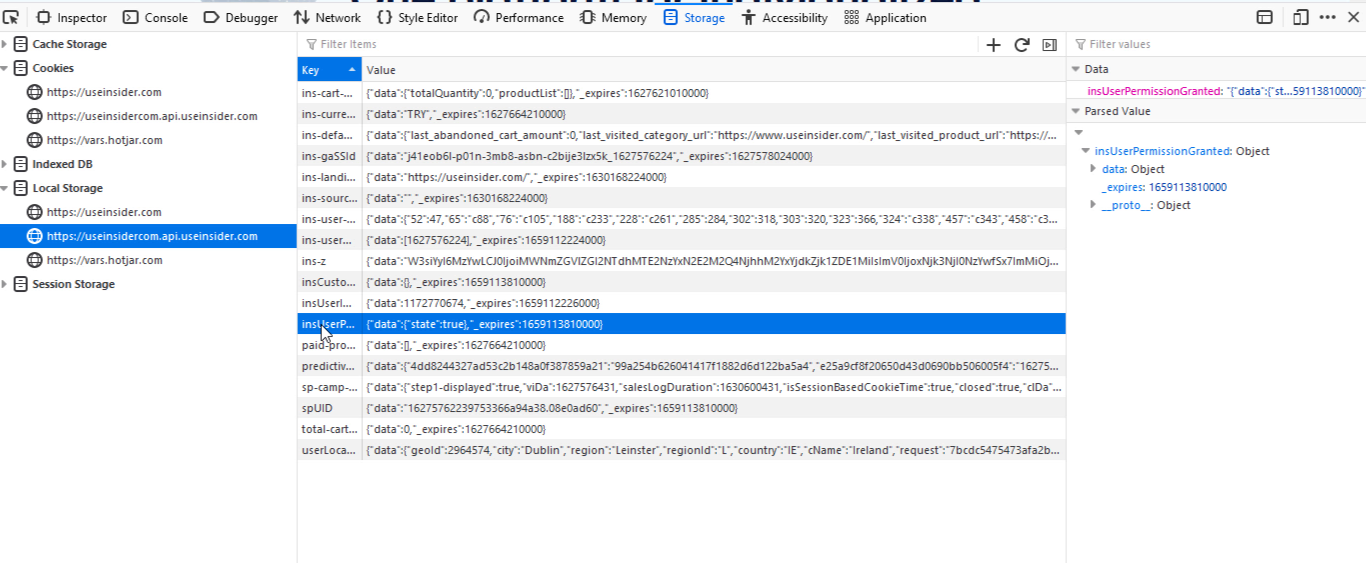
To check whether you have allowed Web Push notifications on Firefox:
Click right > Inspect on your website and open the browser console.
Go to Storage > Local Storage to see the value of insUserPermissionGranted.
If the value shows the state as true, you have enabled web push notifications.