Insider One is transitioning to a new SMS setup experience, so the setup available in your panel can differ. If you see Country Settings in the SMS setup navigation, you are using the new SMS setup wizard and can follow the guides in this section. If Country Settings is not available, you are using the previous SMS setup wizard. Refer to SMS Channel Setup instead.
SMS, short for Short Messaging Service, is a service used to send text messages. With SMS, you can reach your users anywhere in the world, at any time, even when they are offline.
To start using the SMS product, configure the settings on the Insider Onboarding Center page. To open it, navigate to InOne > Components > Insider One Onboarding Center.
The SMS Onboarding Wizard guides you through every step required to register your senders, define how your users opt in and opt out, submit the documents your provider needs, and validate your setup before you send your first campaign.
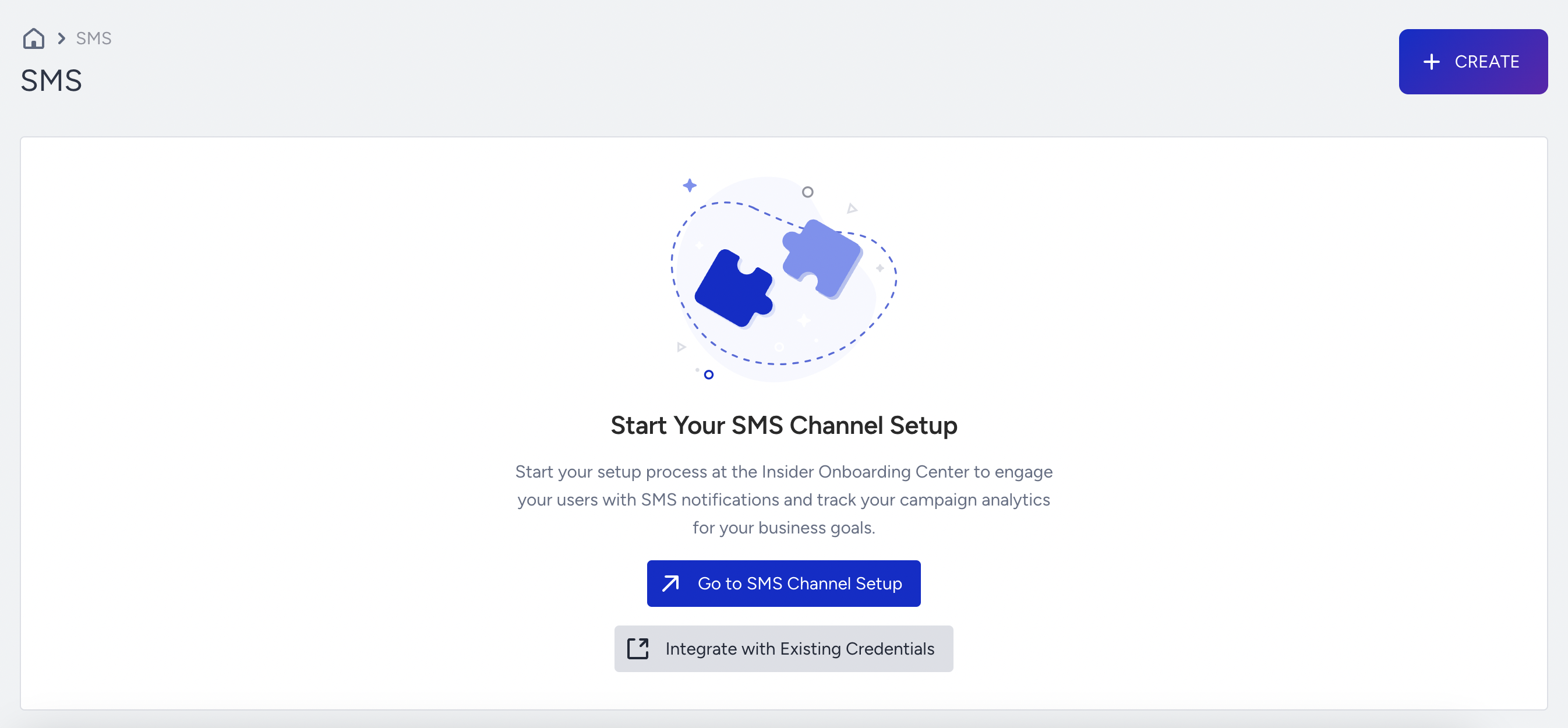
If you open the SMS listing page before you complete your setup in the Insider Onboarding Center, you see a message directing you to complete the SMS channel setup first. Click the Go to SMS Channel Setup button to open the Insider Onboarding Center.
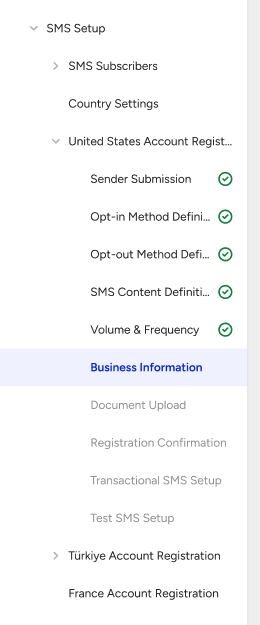
Every country enabled on your Insider One panel appears in the left navigation, and each country has its own registration. Türkiye, the United States, and Australia use in-product registration, where you complete every registration step directly inside the Insider Onboarding Center.
All other countries use form-based registration, where you complete your registration using the registration form provided by Insider One while the Insider One Onboarding Center displays and tracks each country's status.
Each sender is registered separately. Sender registration takes 2 to 12 weeks, depending on the country and sender type, because the provider, rather than Insider One, is mainly responsible for this duration. This period covers provider-side registration only, so plan your own document collection time in addition to it.
Before you register a country
Start with the following three pages. Your consent selection applies to every country on your panel rather than to a single country, so make this selection before you begin a country registration.
In this step, you review how the entire SMS setup flow works before you begin.
In this step, you select how your users give consent to receive SMS messages, either Single Opt-in or Double Opt-in. You configure this under General Settings > Channel Consent Settings rather than in SMS Setup because your selection applies to every country on your panel.
If you select Double Opt-in, submit the request on that page. The Insider One team reviews and activates it, which can take up to 3 working days. You are notified once it is enabled. Selecting Double Opt-in on its own does not complete the step.
Germany and the United States require Double Opt-in for SMS marketing. If you add a sender for either market, Double Opt-in is applied automatically and Single Opt-in can no longer be selected. If you previously completed this step with Single Opt-in, it returns to incomplete until you submit the Double Opt-in request.
In this step, you review your subscriber setup and the guidance for uploading your subscriber data. The page has two sections, Subscriber Base and Unsubscription Management, and reflects the choice you made in SMS Consent Settings.
Set up a country
In this step, you see every SMS country defined for your panel, track the registration status of each country, and start or continue a country registration.
In this step, you provide everything the SMS provider needs to register your senders in a country, from sender submission through document upload and submission. This applies to Türkiye, the United States, and Australia.
Registration in Form-Based Countries
In this step, you complete your registration using the registration form for any country other than Türkiye, the United States, and Australia, and track its status in the Insider Onboarding Center.
In this step, you generate your Transactional SMS API key and review the API request used to send transactional messages. This step applies only when your setup includes transactional messaging.
In this step, you send test messages for each configured sender to verify delivery, sender ID display, and opt-out behavior before the country is marked Completed.
In this step, you learn which emails you receive at each milestone of the SMS registration flow.
Once you complete all steps successfully, your SMS channel is fully configured and ready to use across the InOne platform. The country status becomes Completed, and the button on the Country Settings page becomes Create SMS Campaign. This button takes you to the SMS Listing Page and Elements.
Before you can launch an SMS campaign, you also need at least one segment. See Target Audience Setup to learn how to create a segment or set up a lead collection process.
Country-specific requirements
Each market has its own rules, and the wizard shows them at the step where they apply. Use the following guidelines when you plan a market before you open the wizard:
Turkey SMS Guideline (including the IYS and KEP requirements set by Turkish regulations)
USA SMS Guideline (including provider-assigned sender IDs and permitted sending hours)
To review the entire SMS setup flow, proceed to SMS Setup Overview.