On the Custom User Data page, you review and generate the Custom User Events, Event Parameters, and User Attributes that were previously defined during the User Data Planning stage.
At the bottom of the page, you find a list of all your custom data. Please review your custom events, event parameters, and attributes carefully to ensure the information is correct, and identify any data that qualifies as Personally Identifiable Information (PII).
Custom Events, Event Parameters, and Attributes
You can view custom events, event parameters, and attributes in separate tabs. Each tab includes the following columns:
For Custom Events
Event Display Name | Event System Name | Data Sources | Use Cases |
|---|---|---|---|
The names you have defined for your custom events | System Names are filled automatically. These are how the data name will appear in development. Please be sure to check the System Names. | From which sources you will send the custom event to Insider One | In which use cases custom events will be used |
For Custom Event Parameters
Parameter Display Name | Parameter System Name | Mark As PII | Data Type | Connected User Events |
|---|---|---|---|---|
The names you have defined for your custom parameters | System Names are filled automatically. These are how the data name will appear in development. Please be sure to check the System Names. | Specify whether each data item is considered Personally Identifiable Information (PII). Marking an item as PII ensures that Insider applies appropriate data privacy and access controls. | The data type (e.g., String, Number) you have selected for the custom parameters | To which event custom parameters are connected |
For Custom Attributes
Attribute Display Name | Attribute System Name | Mark As PII | Data Type | Data Sources | Use Cases |
|---|---|---|---|---|---|
The names you have defined for your custom attributes | System Names are filled automatically. These are how the data name will appear in development. Please be sure to check the System Names. | Specify whether each data item is considered Personally Identifiable Information (PII). Marking an item as PII ensures that Insider applies appropriate data privacy and access controls. | The data type (e.g., String, Number) you have selected for the custom attributes | From which sources you will send the custom attribute to Insider One | In which use cases custom attributes will be used |
Note: If PII is not identified at this stage, the data will not be treated as personally identifiable, which may result in compliance or privacy issues later. Please ensure that your privacy requirements are accurately reflected.
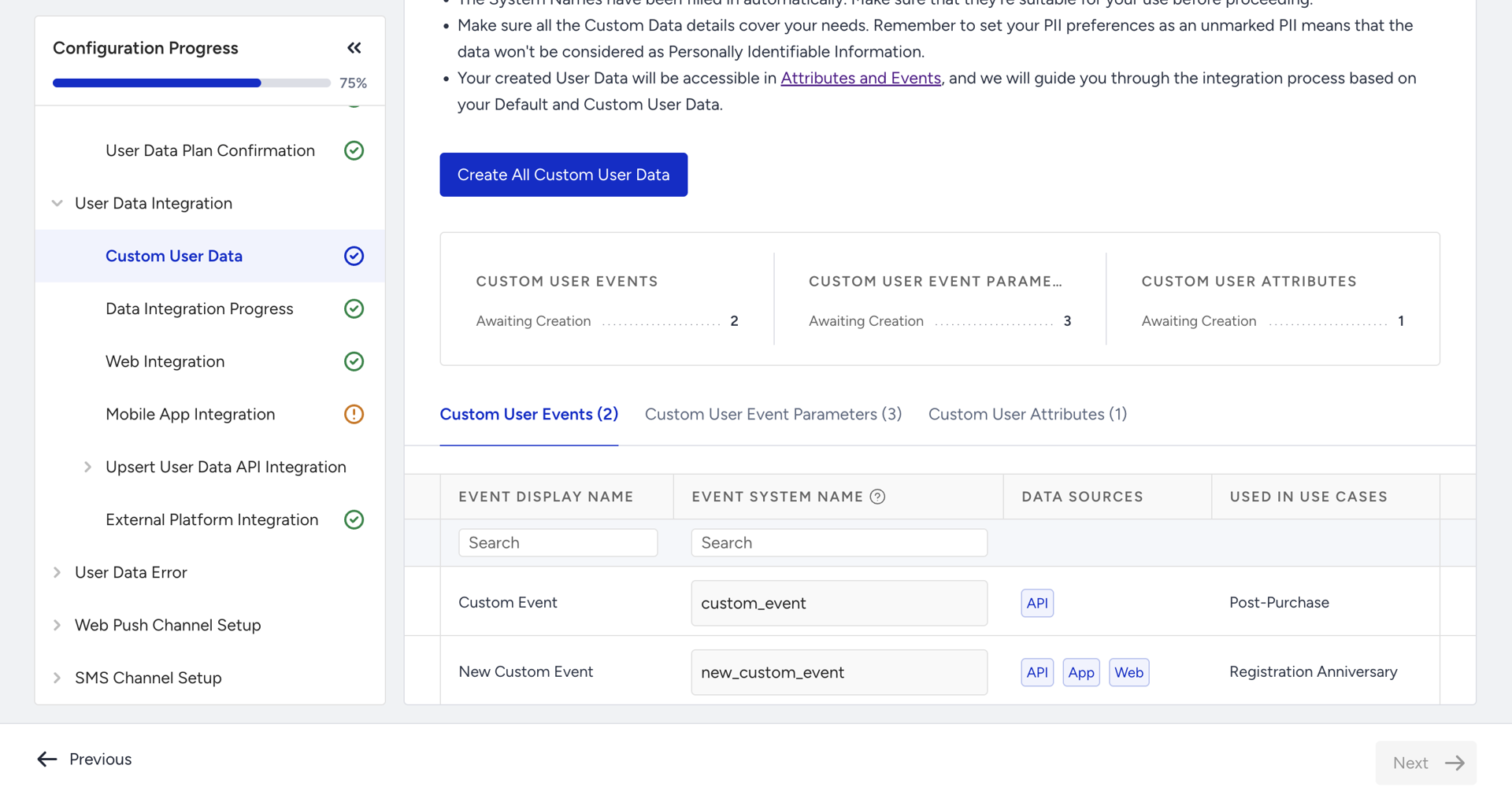
Create All Custom Data
After reviewing your custom data, you can click the Create All Custom Data button to register your data into Insider’s metadata layer and make it available for integration.
Once initiated, the system will begin processing and registering each custom data item individually. This process may take some time, depending on the volume of data.
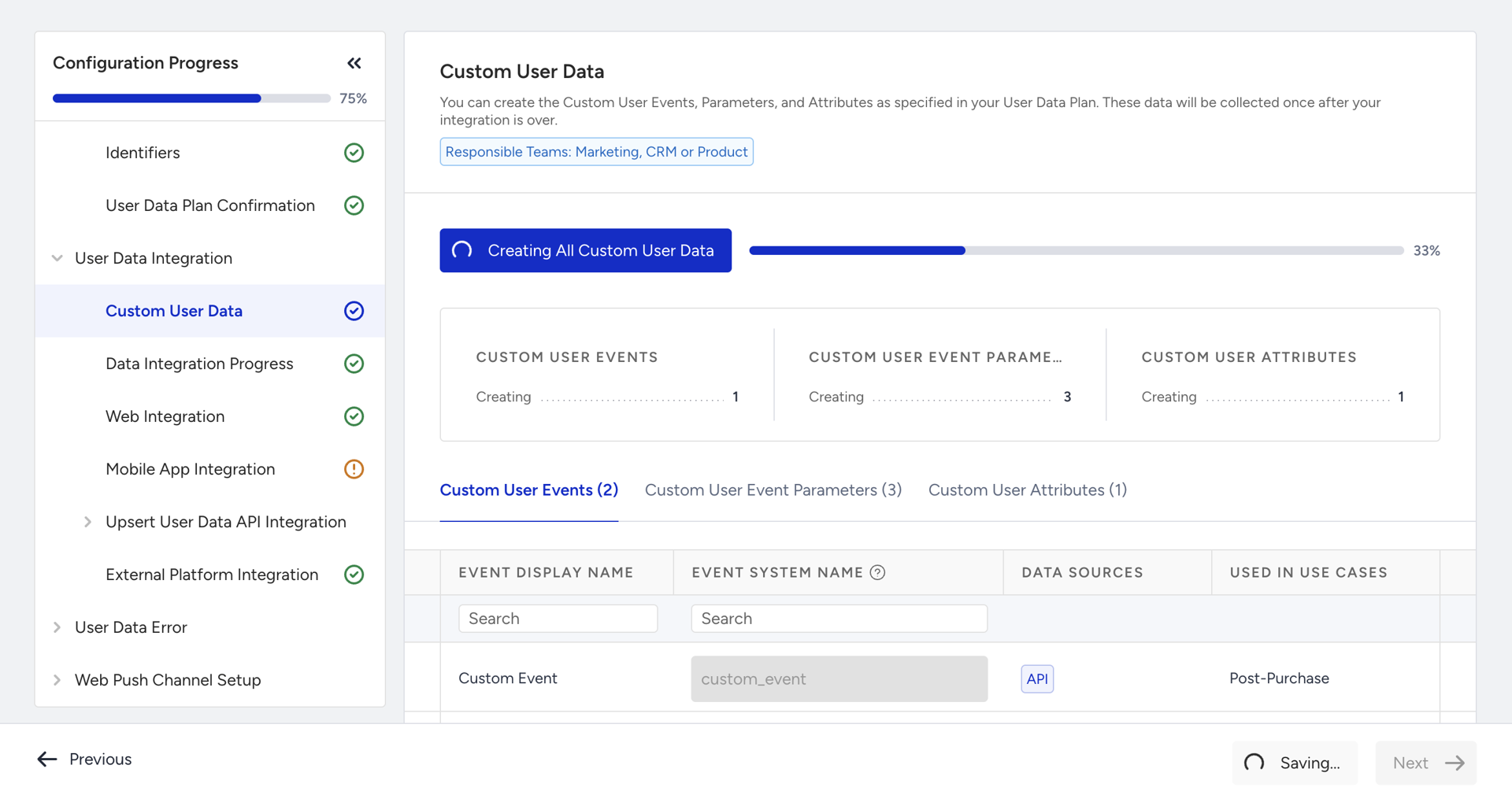
When the registration is complete and all items have been successfully created in the metadata layer, this page will no longer appear. At that point, your custom data setup is complete.