The User Data Integration step enables you to implement the user data schema defined in the User Data Planning phase. Based on your selected data sources (e.g., Web SDK, Mobile SDK, Upsert API, External Platforms, or Static Segment Upload), this step guides you through integrating your data into Insider’s Unified Customer Database.
The key steps are:
Custom User Data
Review and create the custom events, parameters, and attributes defined in your data plan. During this step, you will also confirm system names and mark any fields that contain Personally Identifiable Information (PII) before proceeding.
Data Integration Progress
Monitor the status of each integration source selected in your Data Plan. From this view, you can access quick links to begin setup for each source and track your progress as you complete the required integrations.
Integration Steps
Complete the integration for each source using the guided tools:
Web Integration
Mobile App Integration
Upsert User Data API Integration
External Platform Integration
Static Segment Upload
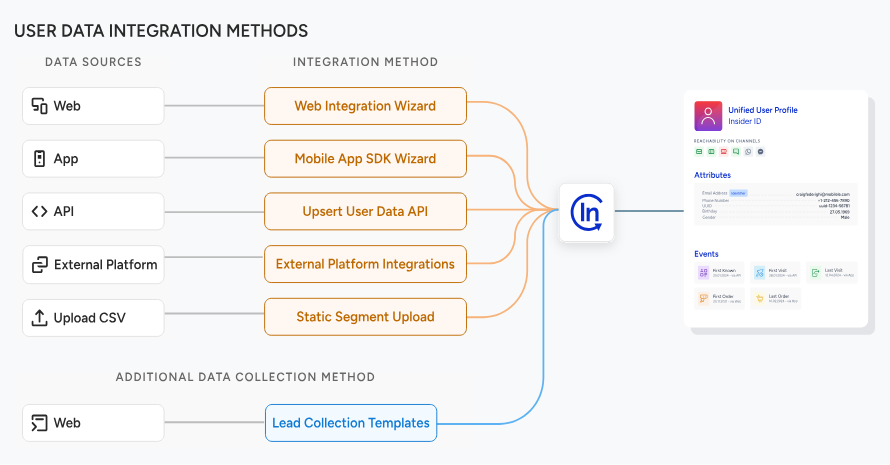
Only the integration sources selected during User Data Planning will appear in your interface. Each method will guide you through the appropriate setup and confirmation steps.