Suggested reading: What is SMS Opt-out?
Insider provides different options for opt-out from SMS.
- Send an inbound message to shortcode
- Receive an inbound message by replying
- Unsubscription link
- Your opt-out process
Send an inbound message to shortcode
This method is the most commonly used option worldwide. If you use the company/brand name or any other alphanumeric name as the Sender ID (from), you must use this method for opt-out because end-users cannot send messages to an alphanumeric sender ID.
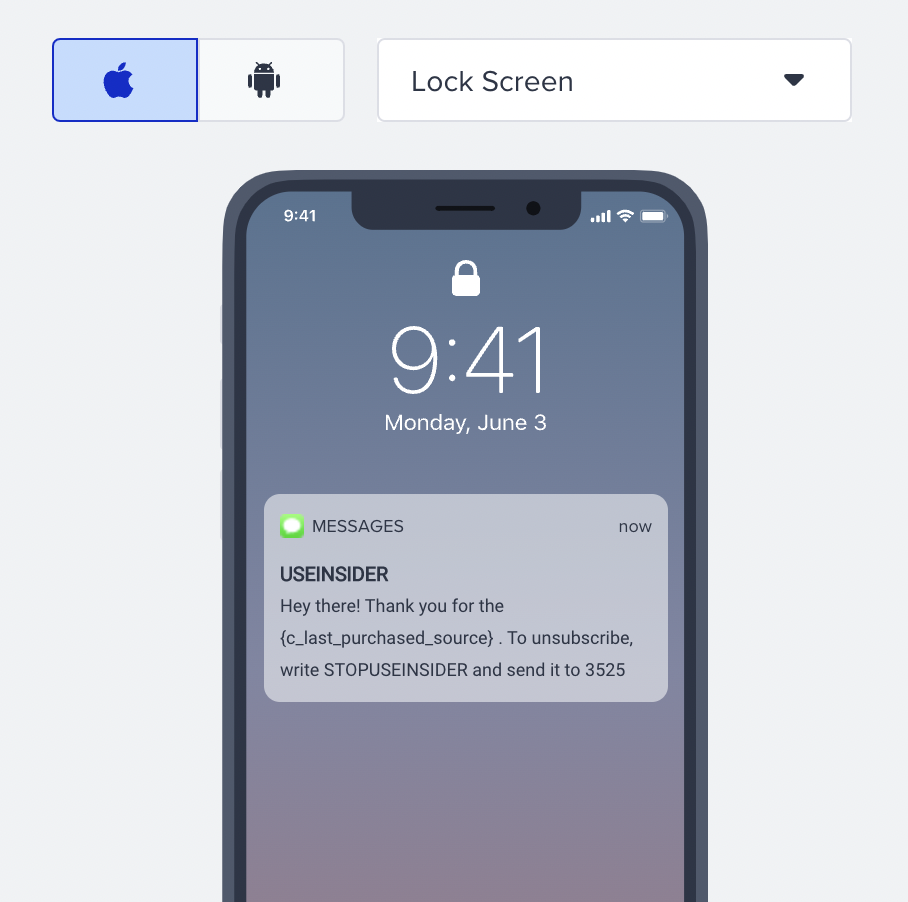
The user types in the KEYWORD and sends an inbound message to the stated SHORTCODE to stop receiving SMS messages.
For example, they can text “STOPUSEINSIDER” to 3525 to stop receiving messages.
The following setups are required for this method:
- Shortcode registration (in the example above, it is ‘3525’)
- Keyword registration (in the example above, it is ‘STOPUSEINSIDER’)
Receive an inbound message by replying
This method is used when you use a Long Code (virtual number) as the sender ID. In some countries, an alphanumeric sender name is not allowed. That said, you can prefer a long code rather than an alphanumeric sender ID for your SMS campaign if that’s your preference. Users can reply to your message directly since a Long Code is an actual number.
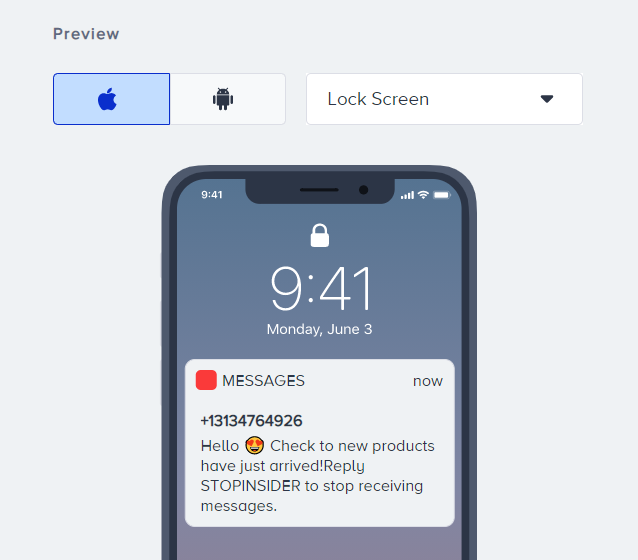
The user types in the KEYWORD and replies to your message to not receive SMS messages anymore.
For example, they can reply with “STOP USEINSIDER” to stop receiving messages.
The following setups are required for this method:
- Long code registration (in the example above, it is the sender ID that you send the message from)
- Keyword registration (in the example above, it is ‘STOP USEINSIDER’)
Unsubscription link
Using this method, you can easily redirect your users to your website and collect unsubscription requests via a customizable pop-up without paying extra fees for Unsubscription Number and developing an unsubscription method. You can use links in 3 different ways, which are:
- SMS Unsubscription with Internal Link
- SMS Unsubscription with External Link
- SMS Unsubscription with Custom Link
Your opt-out process
You can use this method to control the opt-out process without receiving any messages from users. It can be your subscription page or receiving offline user requests such as reaching out to your call center.
Once you process the opt-out data, you need to inform Insider by sending the sms_optin attribute with the value as false. You can use the Upsert API to pass this data or integrate the Web SDK.
When a user opts out, if the SMS opt-in value is not false in the Insider database, the user who requested to opt out might continue to receive messages.
Insider automatically processes the user’s opt-out information and SMS opt-in when they send an opt-out message. The user will not be included in your brand’s next SMS campaign.
For example, you create an SMS campaign with an opt-out option and send the SMS through a journey. The user receives the SMS. They send an inbound message to opt out. The user's SMS opt-in will be changed to false immediately in the Insider database. They will automatically receive an opted-out attribute in the database. When the user enters the same journey in the future and arrives at the SMS step, Insider will not try to send them an SMS message. In case an SMS is attempted to send, there is another fallback mechanism at the SMS Queue, which double-checks users' opt-in information.