The Liquid AI Agent is available in accounts that have Liquid Tags enabled. To activate it for your account, contact the Insider One team.
The Liquid AI Agent writes Liquid personalization snippets for your campaigns from a plain-language description. You describe the personalization you want, and the agent returns a short snippet you can paste into your Subject, Preheader, or email body. Every snippet is built from the personalization attributes in your account and checked against the engine that renders your campaigns before it reaches you.
In this article:
Before you start
Two things need to be in place before the agent can write a snippet for a campaign:
Liquid Tags is enabled for your account. Contact the Insider One team to activate it.
The Liquid Tags toggle is on for the campaign. In your email campaign, go to the Design step. On the Message Content screen, turn on the Liquid Tags toggle in the top right corner.
Turning on Liquid Tags permanently deletes any existing content in the Subject, Preheader, and Message Design fields for this campaign, across all variants. Copy your subject line and preheader text before you switch if you want to keep them.
If Liquid personalization isn't available for your account, the agent tells you so and returns no snippet written in that syntax. For the full picture of where Liquid works in an email campaign, see Liquid in Email.
Open the Liquid AI Agent
You reach the agent through Insider One AI, the assistant built into the InOne panel. For an overview, see Insider One AI.
Open Insider One AI from the chat entry point in the InOne panel. The chat panel opens alongside your work, so you can keep the campaign open while you ask.
Describe the snippet you want in plain language. Your request routes automatically to the agent that handles Liquid personalization, so you don't pick an agent from a list.
Generate a snippet
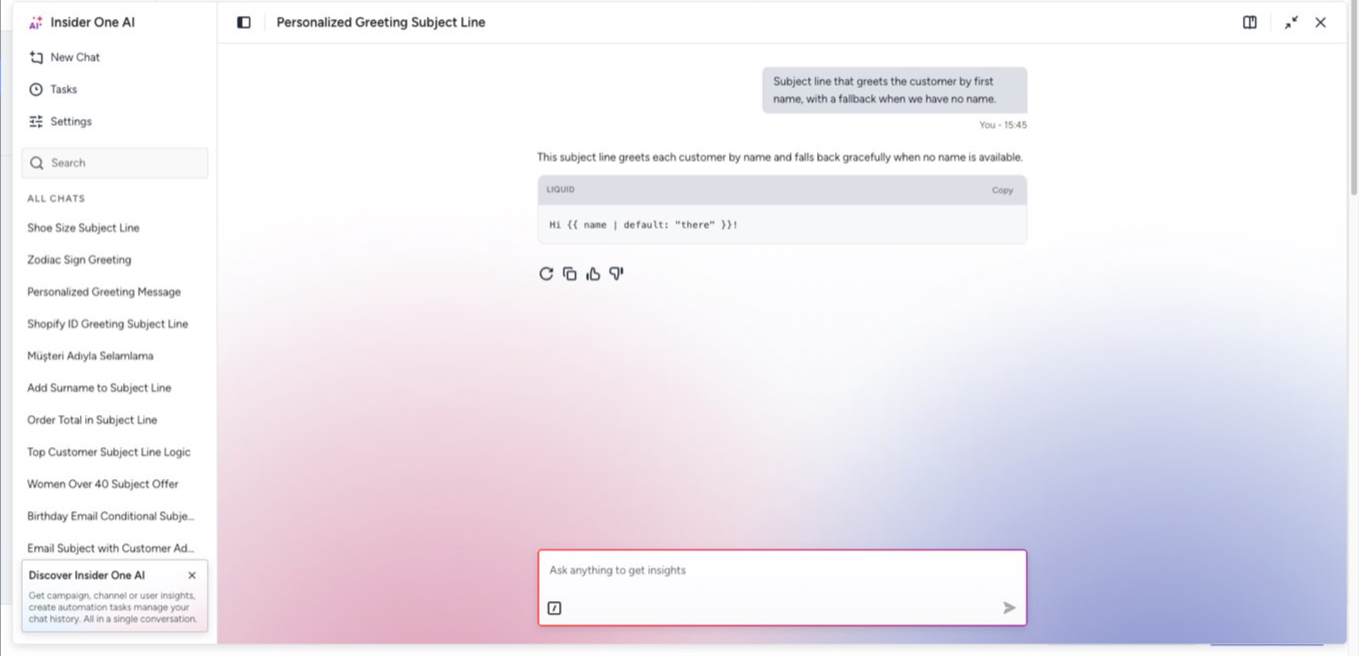
Describe the personalization in plain language, and say where the snippet will go. E.g., "a subject line that greets the customer by first name, with a fallback when we have no name".
Read the reply. The agent answers with one sentence describing what it produced, followed by one snippet block. The sentence tells you what the snippet does and names anything the agent decided on your behalf.
Copy the snippet and paste it into the field you wrote it for. The snippet arrives ready to paste, with no surrounding markup or formatting wrapper to remove.
Click the Preview and Test Message button at the bottom right of the Message Content screen, then search for a user in the Previewing as field. Insider One renders the snippet with that user's real attribute values, so you can confirm the wording and the fallback before you send.
.png)
The reply comes back in the language of your panel. A prompt written in Turkish returns Turkish wording.
How the agent uses your account's attributes
The agent reads the personalization attributes your account actually holds, and writes them with the exact identifier your account uses. This keeps a snippet from being refused when you save the campaign.
Every attribute in a snippet is one your account holds. The agent doesn't write a plausible-looking attribute name that doesn't exist.
The agent writes an attribute you name by its panel label with the identifier behind it. If you ask for "Shopify Id", the snippet carries your account's own identifier for that attribute, with nothing added, removed, or reshaped. Custom attributes in Insider One carry identifiers such as c_membershipprogram, which is what the snippet uses.
The same request on two accounts returns two snippets. Each one carries its own account's identifier for the concept you described.
The agent groups no reference under a container your account doesn't have.
When the agent asks a question
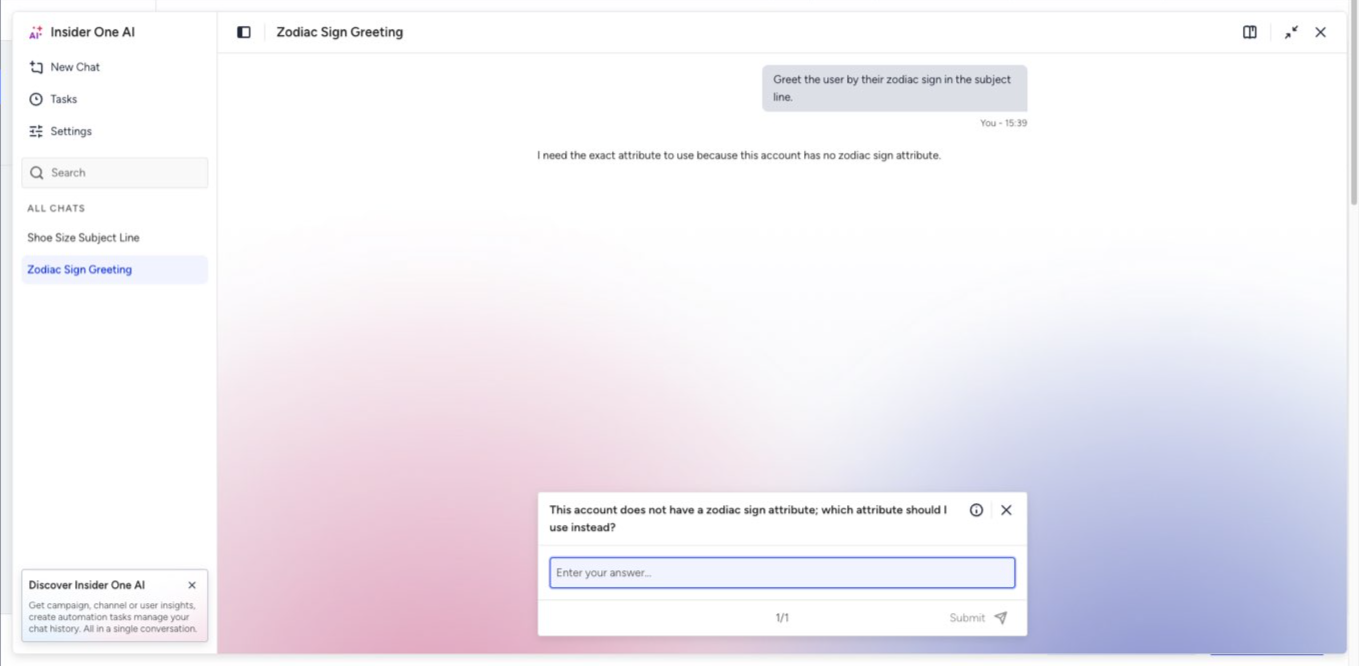
The agent asks instead of guessing. You get a question in three situations:
Nothing in your account matches what you described. The agent asks and names the closest attributes your account does hold. For example, a request for a condition on a birthday year, in an account with no birthday-year attribute, comes back as a question naming the near match.
More than one attribute matches. The agent shows the candidates with enough context to tell them apart and asks which one to use. Two attributes described as an age is a common case.
A comparison value could be either fixed text or another attribute. For a request like "a condition where the Line Id contains name", the agent asks whether name is a word you want to match or another attribute.
Answer the question, and the snippet comes back carrying exactly the attribute you chose. When your description matches exactly one attribute, the agent asks nothing and returns the snippet directly.
Choose the surface: subject, preheader, or template body
A snippet written for a subject line isn't written the same way as a token inside an email template, so tell the agent where the snippet will go.
Subject and preheader. The snippet can carry fallback wording for a value a customer doesn't have, using the default filter.
A token inside an email template. The snippet comes back in the plainer form that surface accepts, with no fallback attached.
If your request doesn't say which of the two you need, the agent asks before writing.
Use cases in practice
These examples show the kind of request the agent is built for, and what comes back.
Greet a customer by name, with a fallback
Ask for a subject line that greets the customer by first name and falls back to neutral wording when the name is missing. The snippet carries your account's own name attribute and a default value, so no recipient sees a gap where the name should be.
Change the wording by membership tier
Ask for a subject line that says one thing for a tier and something else for everyone else. Both branches of the condition come back carrying wording you can send. The agent doesn't fill a branch you didn't describe: if you supply wording for only one outcome, the agent leaves the other branch out or asks about it.
Format a price
Ask for a snippet that shows an amount as a price. The agent uses the formatting helpers the rendering engine supports, such as money_format for currency and time_format for dates. Both are specific to Insider One.
Check whether a value is present
Ask for a subject line that changes depending on whether a custom attribute is filled. The presence check comes back in the form the rendering engine evaluates, instead of a form that looks right and fails at send time.
Reference the items in a customer's cart
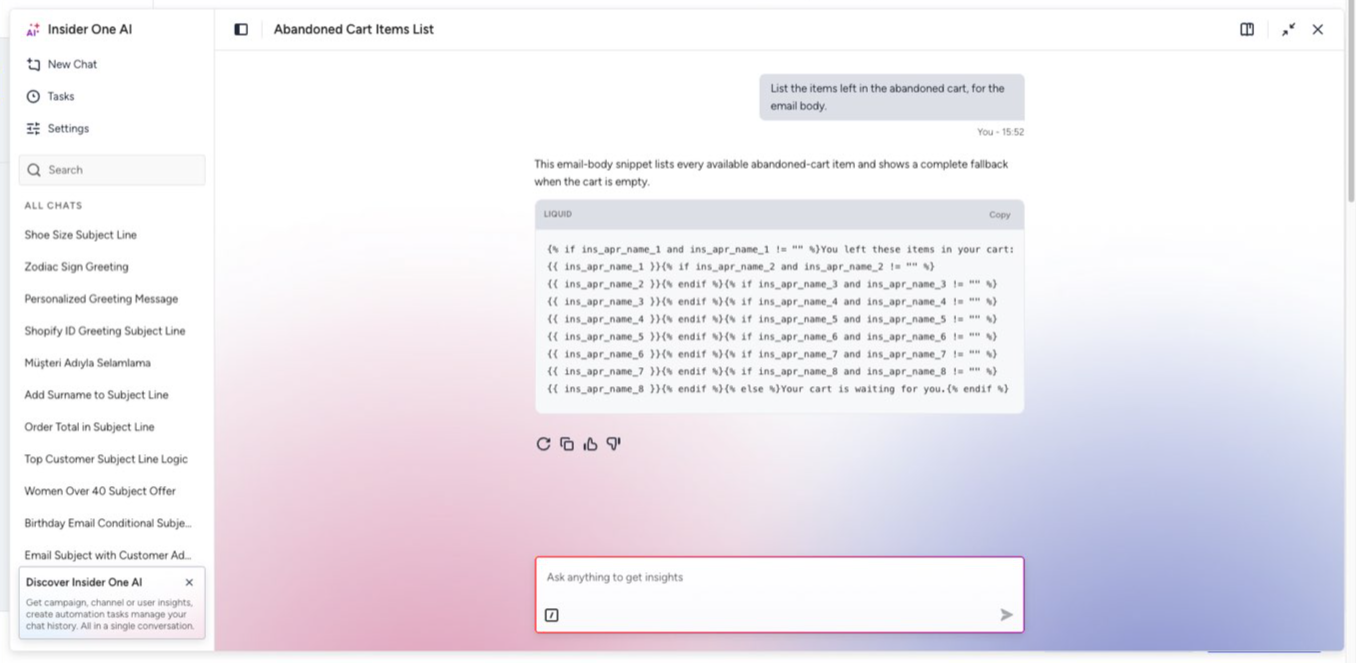
Ask for a reminder that names what a customer left in their cart. The agent iterates the collection your account records and reads the item field that collection carries. A snippet that iterates a collection also handles customers with an empty cart, so no recipient gets a sentence with a gap. If the collection you named doesn't resolve in your account, the agent asks instead of producing one.
Good to know
Scope of the snippet. The agent produces short, personalized text: a subject line, a preheader, a one-line greeting, a conditional sentence, or a short reference to a product or an event. It doesn't produce HTML email templates, long message bodies, or multi-line copy with visual structure. Ask for a full promotional email, and the agent explains the limitation and, where useful, offers the smallest personalization snippet that could be part of one. Build full templates in the Drag & Drop Editor or the HTML editor instead.
Validation. The agent checks every snippet against the engine that renders your campaigns, not against an approximation of it. Only the formatting helpers and control structures the engine supports appear in a snippet, and every helper the engine supports is available. Conditions, loops, and their closings are balanced.
What the agent tells you about its work:
When it replaces a helper the engine doesn't support, the sentence names the helper it left out and the one it used instead.
When it assumes a value for a comparison, the sentence states the assumption.
When it can't confirm a snippet as valid after its own repair attempt, the reply says so and makes no claim of validity.
When it can't read your account's attribute list, the reply says the personalization is unverified instead of checked.
When Liquid personalization isn't available for your account, the reply explains that and returns no snippet in that syntax.
The agent never describes a snippet as checked when no check ran.
Wording in your plain copy. The agent treats a vertical bar inside the wording you asked for as copy, not as a formatting helper. It writes an attribute whose name the rendering engine can't read in plain form, but can read in the form the engine can read.
Language. The wording in the snippet and the agent's reply follow your panel's language.
Next steps
You now have what you need to turn a personalization idea into a snippet you can send. Ready to see it in action? Turn on Liquid Tags in an email campaign, open Insider One AI, and describe the subject line you want.