Liquid is a templating language that lets you inject dynamic, personalized content into your Web campaigns. Thanks to Liquid, you build a single template with conditional logic, loops, filters, and calculations, and Liquid fills in the right data for each visitor in real time. This means fewer duplicate campaigns built to handle different audiences, and more relevant messages from one template.
In Insider One Web campaigns, Liquid is available when you build or edit an on-page Web campaign element in the Action Builder or Design Editor. You can add it to the text elements and button text you want to personalize.
This guide walks you through the following concepts and covers everything you need to start using Liquid confidently:
Enable Liquid Tags
Use cases in practice
Personalize with visitor data
Early access:
The Liquid Tags feature is available for early access. To activate it for your account, contact the Insider One team.
Enable Liquid Tags
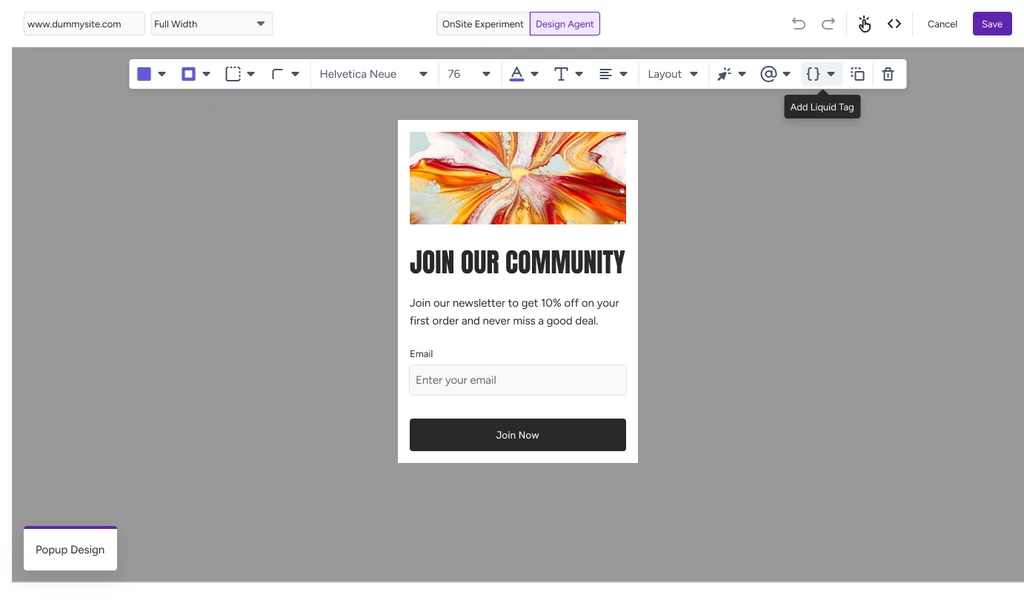
Select the text element or button text you want to personalize, then open Liquid Tags.
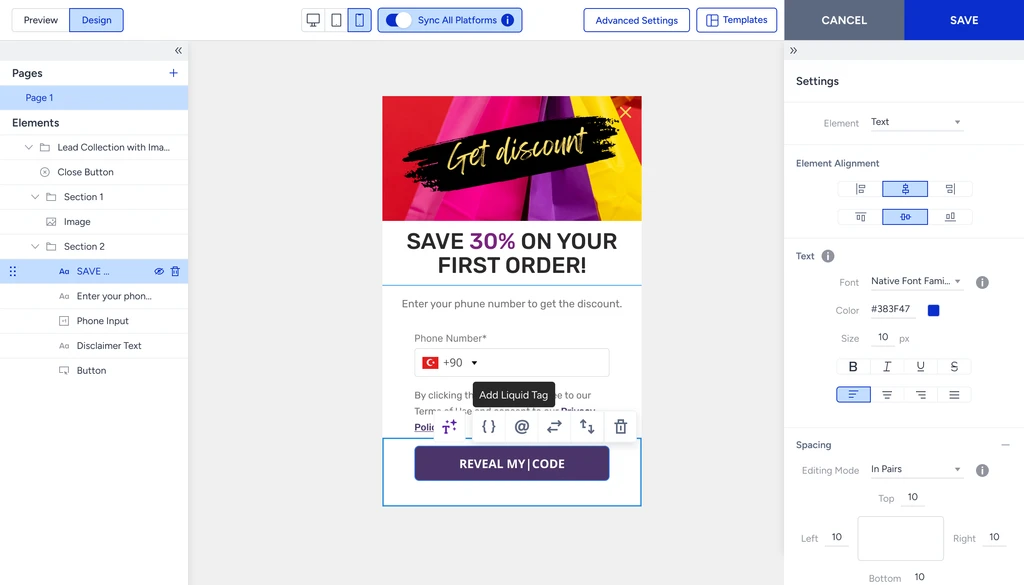
It opens a code editor where you write and preview your Liquid syntax before saving it to that element.
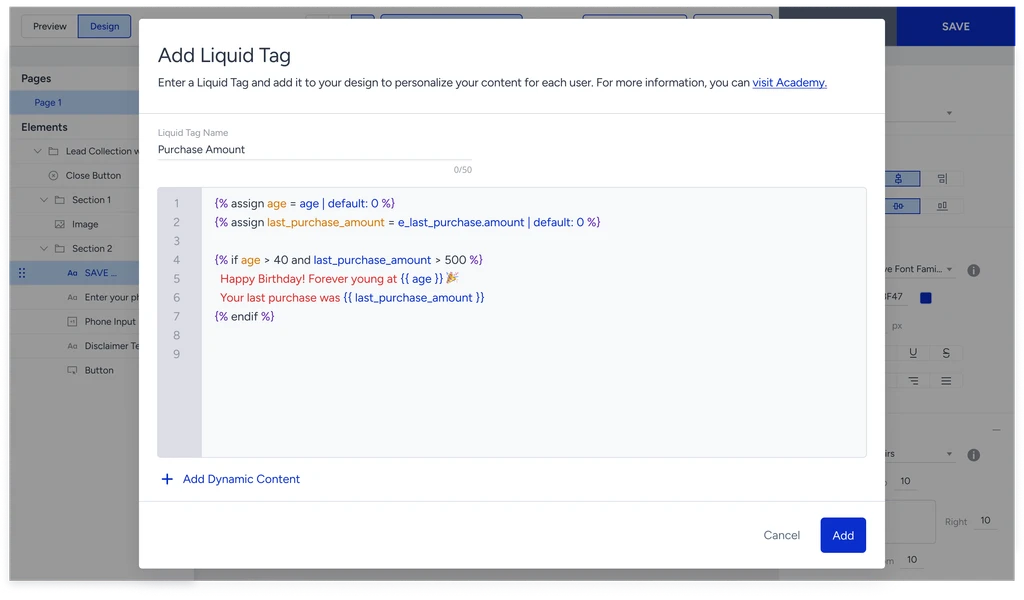
Choose an attribute or event from the list, or write your Liquid syntax directly in the editor.
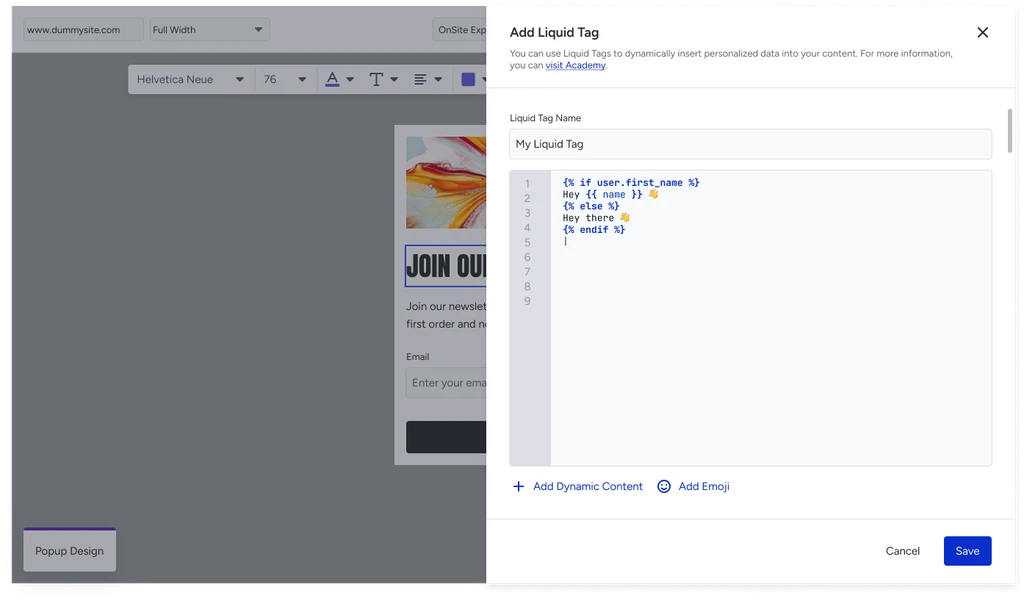
Preview your design and confirm your Liquid code is placed as expected.
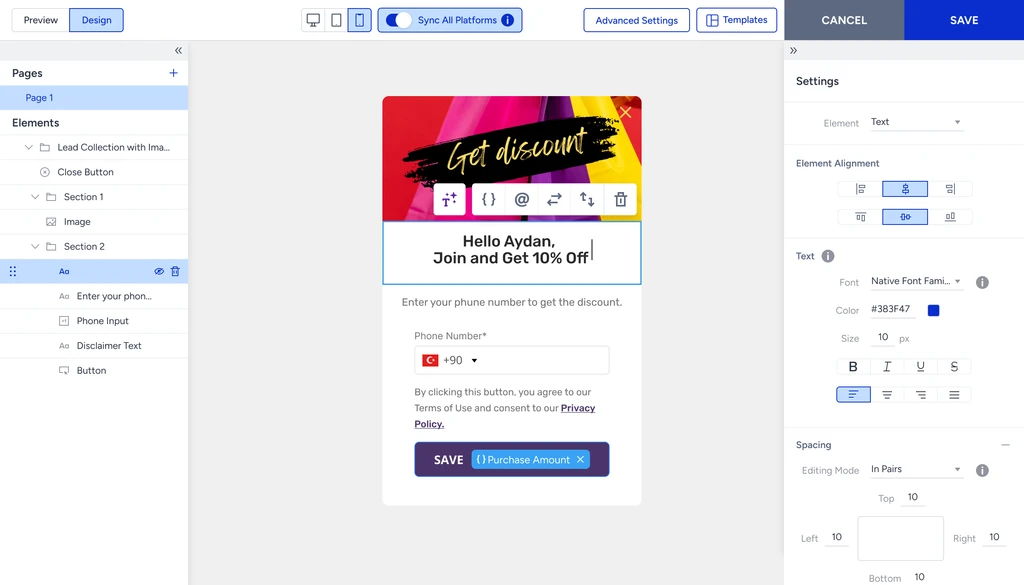
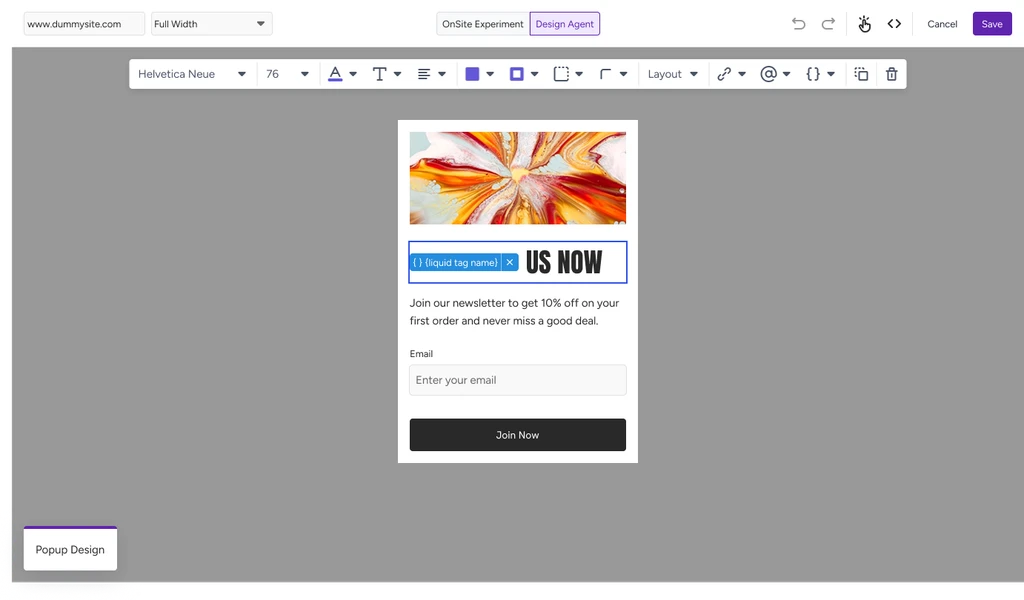
Save. Your visitors now see personalized content based on their own data whenever the campaign is shown.
Only non-PII data appears in the attribute and event list when you build a Liquid tag. Personally identifiable information is not listed there.
Use cases in practice
Anniversaries and special dates
{% assign signup_years = 'now' | date: "%Y" | minus: user.signup_date | date: "%Y" %}
{% if signup_years > 0 %}
  Happy {{ signup_years }} year anniversary!
{% endif %}
Conditional content based on visitor status
{% if user.subscription_status == 'active' %}
  Thank you for being a subscriber!
{% else %}
  Subscribe now to get exclusive benefits.
{% endif %}
Countdown to an event
{% assign event_timestamp = '2026-12-31' | date: "%s" %}
{% assign now_timestamp = 'now' | date: "%s" %}
{% assign days_left = (event_timestamp | minus: now_timestamp) | divided_by: 86400 %}
{{ days_left }} days remaining!
Language and locale
{% if user.language == 'es' %}
  ¡Hola! Descubre nuestras ofertas.
{% else %}
  Hello! Check out our offers.
{% endif %}
Personalize with visitor data
What happens when data is missing
If a variable has no value for a visitor, Liquid renders it as an empty space rather than showing an error. To avoid gaps in your campaign, add a fallback with the default filter:
{{ attribute.first_name | default: "Dear Customer" }}
You can also check whether a value is present before you use it:
{% if attribute.first_name != blank %}
  Welcome back, {{ attribute.first_name }}!
{% endif %}
If a Liquid tag has invalid syntax or references a missing value, the campaign still displays safely rather than breaking the page.
Liquid works only with data already available to the campaign, such as attributes, events, and variables passed in. It cannot call external APIs or fetch real-time data from third-party sources. Some advanced filters and tags behave slightly differently across Web, Email, and Mobile, so if you reuse a template across channels, test it on each one.
Liquid syntax reference
Objects
Variables are wrapped in double curly braces {{ }} and output a value.
{{ attribute.first_name }}
{{ custom_attribute.email }}
{{ event.purchase_amount }}
Output:
John
john@example.com
149.99Add a fallback for missing values with the default filter:
{{ attribute.first_name | default: "Dear Customer" }}Tags (Logic)
Tags are wrapped in {% %} and handle conditions and loops.
if / elsif / else
{% if attribute.premium %}

<h2>Premium Member Content</h2> {% elsif attribute.trial %} <h2>Trial Version</h2> {% else %} <h2>Standard Content</h2> {% endif %} ```
unless (the inverse of if)
{% unless attribute.unsubscribed %}
  <p>Stay informed about our campaigns!</p>
{% endunless %}
case / when
{% case attribute.language %}
  {% when 'tr' %}
    <p>Türkçe içerik</p>
  {% when 'en' %}
    <p>English content</p>
  {% else %}
    <p>Default content</p>
{% endcase %}
for loops
{% for product in custom_attribute.favorite_products limit:3 %}
  <li>{{ forloop.index }}. {{ product.name }}: {{ product.price }}</li>
{% endfor %}
Useful loop variables: forloop.index (starts at 1), forloop.index0 (starts at 0), forloop.first, forloop.last, forloop.length.
assign (store a value for reuse)
{% assign full_name = attribute.first_name | append: " " | append: attribute.last_name %}
<p>Welcome, {{ full_name }}!</p>
Filters
Filters transform a value and are chained with the pipe character |.
Category | Examples |
|---|---|
String | upcase, downcase, capitalize, truncate: 10, split: "," |
Array | size, first, last, join: ", ", uniq, reverse, sort: "price" |
Math | plus, minus, times, divided_by, modulo, round, ceil, floor |
Date | date: "%Y-%m-%d", date: "%B %d, %Y", and "now" |
FAQ
Q: Do I need to be a developer to use Liquid Tags?
A: No. The syntax is designed to be readable by marketers, and the built-in editor includes a preview so you can check your output before publishing.
Q: Can I still use my existing dynamic content tags?
A: Yes. Existing {{ attribute | default }} style tags continue to work. Liquid Tags let you add richer logic on top when you need it.
Q: Where can I get help writing Liquid syntax?
A: Contact the Insider One team. They can help you get started with common patterns like the ones above.