User Rules enables you to trigger your campaign based on the frequency or duration of a user's visits to your website and their log-in status (e.g., Logged in User - is).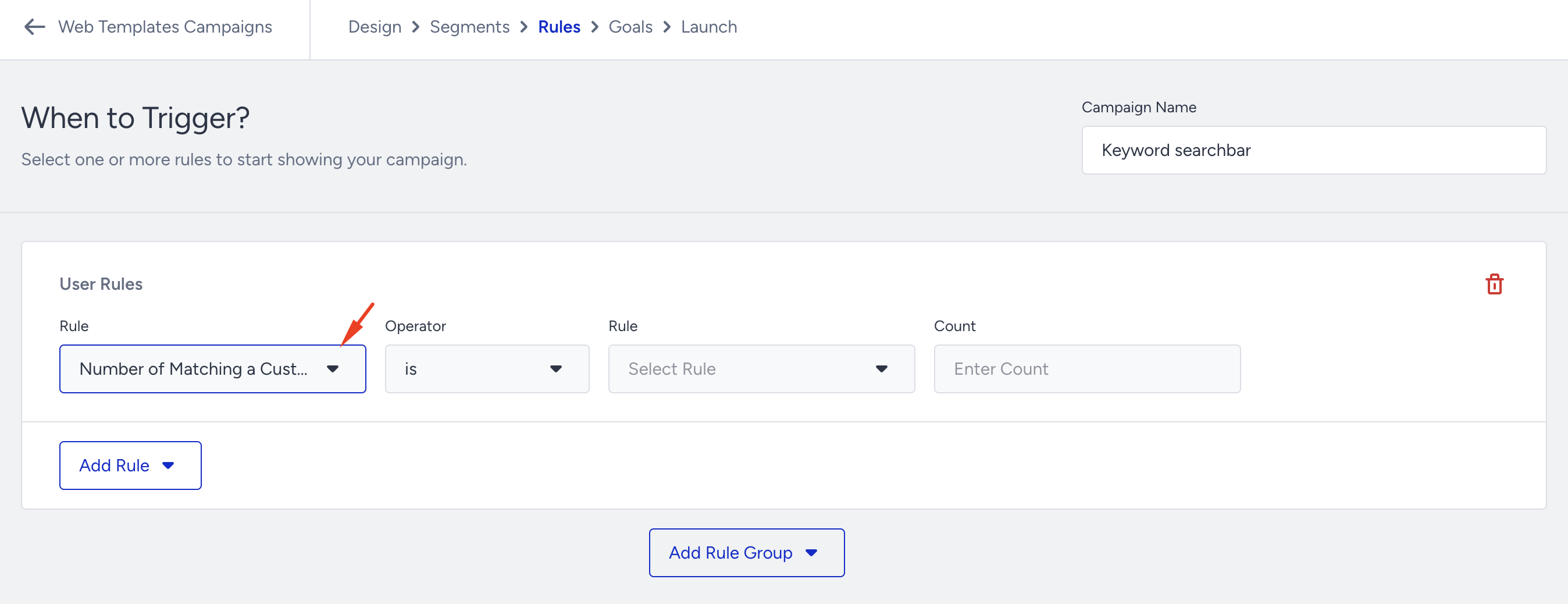
User Rules definitions
Number of matching a custom rule by user: Targets users who trigger the same custom rule (which should be already created) multiple times (e.g., Number of matching a custom rule by user - is - {ruleName} - {2 count}).
Number of matching a custom rule by a user in past (n) days: Targets users who trigger the same custom rule (which should be already created) multiple times in (n) day(s) (e.g., Number of matching a custom rule by a user in past (n) days - is - {ruleName} - {7 days} - {3 count}).
Time Spent on Site: Targets how much time a user has spent on the site based on certain pages or rules. The timer is not reset on each landing but calculates the total time spent (e.g., Time Spent on Site - is - {ruleName} - {30 seconds}).
Even if the user is idle or switches to another tab (without closing the original page), it still counts toward "time spent on site."
Visit Count in past (n) days: Targets how many times a user has visited the site in (n) day(s) (e.g., Visit Count in past (n) days - is - {7 days) - {2 count}).
Page-Based Time Showing: Targets how much time a user has spent on a page URL (e.g., Page Based Time Showing - is - poshstreet.co/new-arrivals - {30 seconds}).
Ad Blocker: Targets users with Ad Blocker enabled (e.g., Ad Blocker - Active).
Logged In User: Targets users who are logged in on the website (e.g., Logged In User - is).
Web Push Users: Targets users based on their web push permission status (e.g., Web Push Users - Blocked opt-in).
Page-Based Time Showing, Ad Blocker, and Web Push Users rules are available for OnSite and Architect campaigns.
All the rules mentioned depend on your website mapping, which the Insider One team completed after the Insider Tag integration. Therefore, if you encounter any problems, you should submit a request through the Insider One Help Center. We strongly recommend implementing a full-scope Insider Web SDK to avoid potential issues.
Use Cases
You can display a lead collection form for unregistered users.
To increase engagement, you can send a notification to a user who hasn't visited the website in the last 90 days, letting them know how much you've missed them.
If the user visits outlet pages more than 3 times, you can display the Hamburger Menu and place the clearance offers there.
With the responsive on-page campaign, you can ask users with AdBlockers to turn them off and offer them a discount if they do.
If the user spends more than two minutes on the cart page, you can offer a coupon code via the Side Coupon Menu.
You can display the App Download template for users who are not logged in.