Display Time Settings control two behaviors for OnSite campaigns: when the campaign first appears to a user after they meet the campaign rules, and how long the campaign remains visible before it is automatically hidden.
Both settings are configured in the Rules step of the your campaign.
The Display Time setting is available for OnSite campaigns.
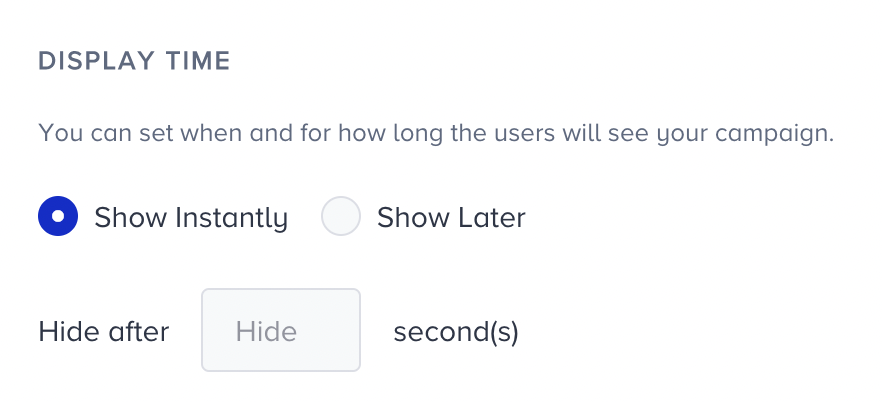
Show Instantly
The campaign appears to the user as soon as all campaign rules are met. Use this option when immediate visibility is important, for example a welcome message triggered on page load, an exit intent prompt, or a campaign tied to a specific user action.
You can optionally set a hide time to automatically remove the campaign from view after a defined number of seconds, even if the user has not interacted with it.
Show Later
The campaign appears after a delay once all campaign rules are met. The delay is set in seconds. Use this option when you want to give the user time to engage with the page before the campaign appears, for example a cart abandonment prompt after 30 seconds on the cart page, or a lead collection campaign after a user has spent time reading an article.
You can also set a hide time to automatically remove the campaign after it has been visible for a defined period.
Hide time
Both Show instantly and Show later support an optional hide time. When set, the campaign is automatically removed from view after the defined number of seconds, regardless of whether the user has interacted with it.
Use hide time to prevent the campaign from persisting across the full session on pages where it would become intrusive, such as high-frequency pages or pages with long average session durations.