Campaign Rules define the conditions under which a campaign is displayed to a user. While Segments determine who is eligible for a campaign based on their profile and historical behavior, Rules determine the real-time context in which the campaign appears, such as the page the user is on, what they have in their cart, how they behave on the page, or where they came from.
Rules are evaluated at the moment of display. A user who qualifies for a segment may still not see a campaign if they do not meet the active rules at that time.
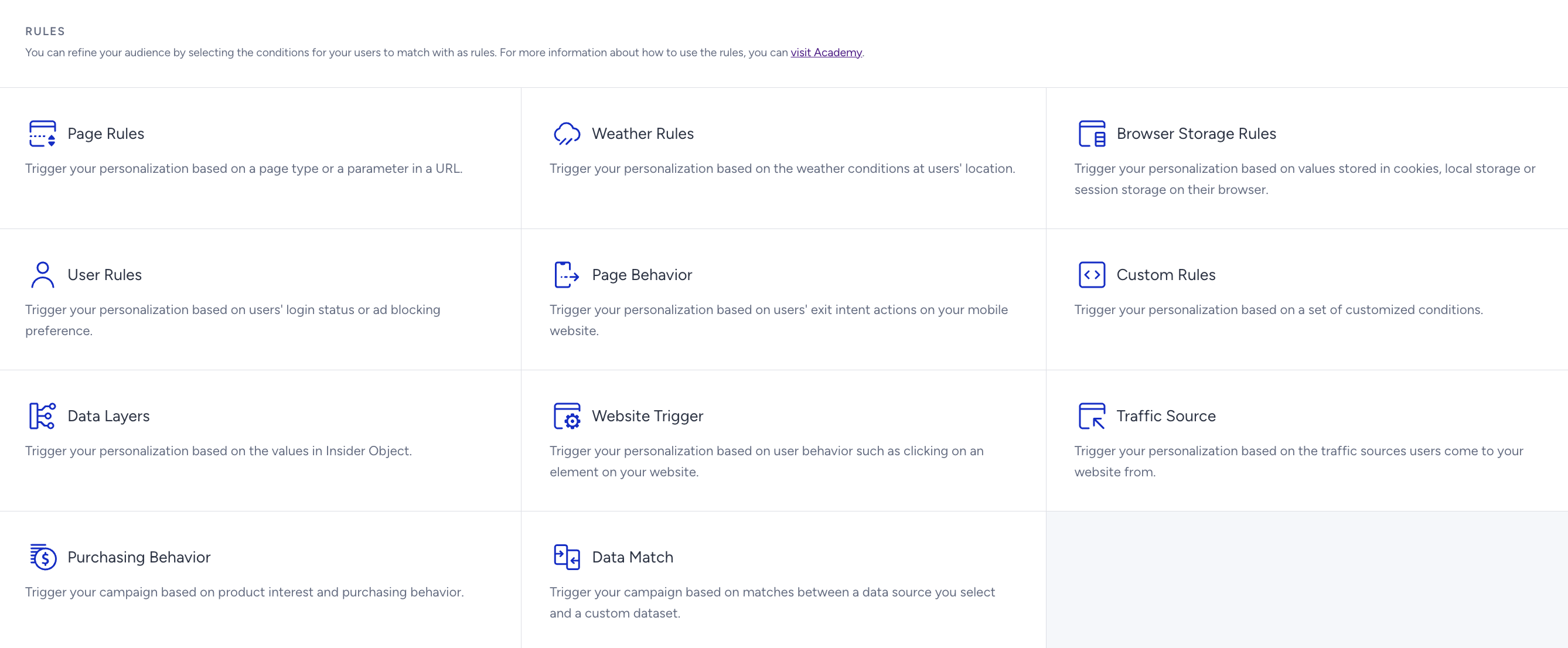
You can apply multiple rule groups to a single campaign. When multiple rules are used together, all conditions must be met for the campaign to display.
You can trigger your campaigns based on the following condition groups:
Most rule groups depend on your website mapping, which is configured during Insider Tag integration. Page type, product data, category data, and cart information are all sourced from your system rules. If a rule does not behave as expected, verify that the relevant system rules are correctly implemented.
For full system rules coverage, implement the Insider Web SDK. Partial implementations may limit which rule groups are available for your campaigns. If you encounter issues, submit a request via the Insider One Help Center.