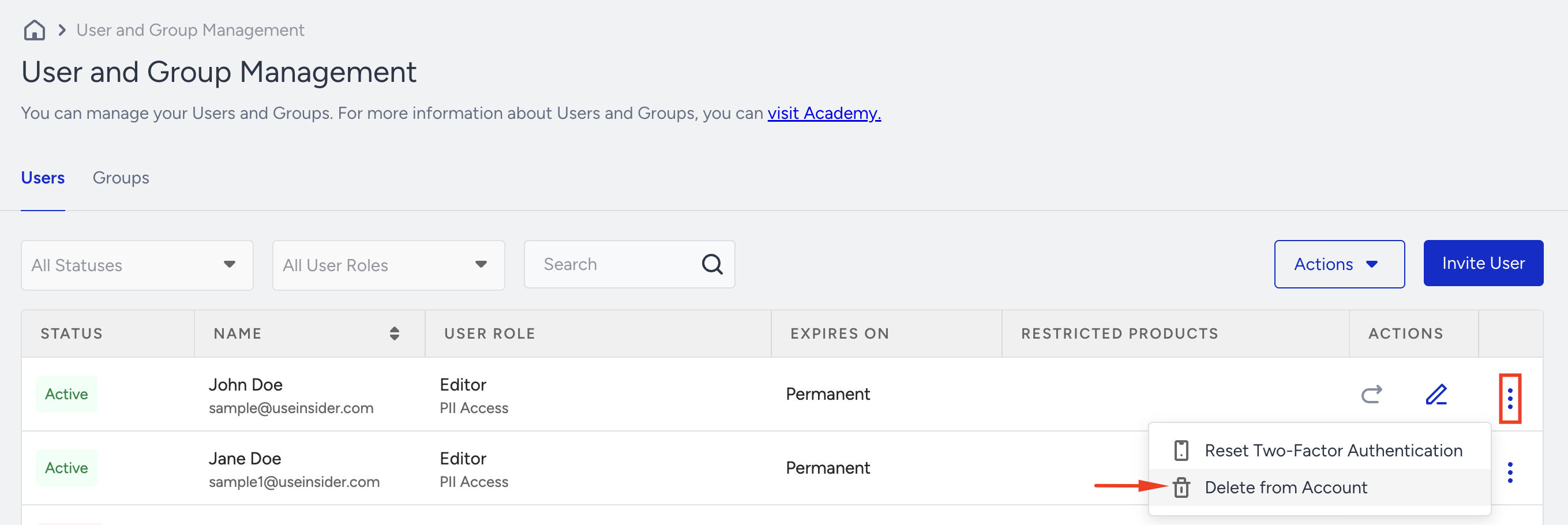
Administrators can manage and update their access after a user first accesses the InOne panel.
Edit a user
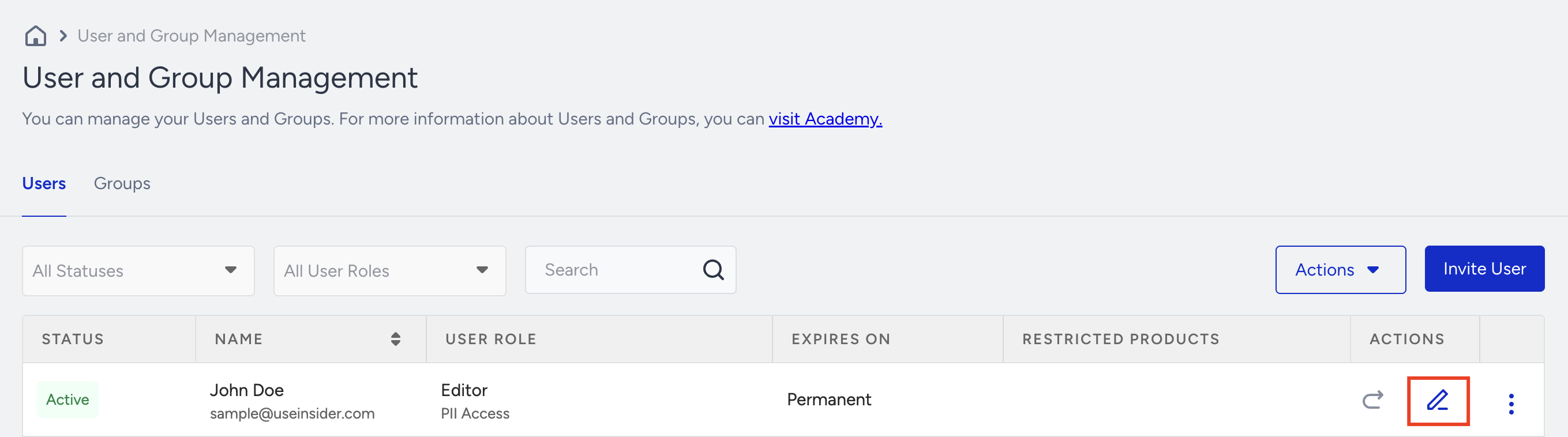
Once a user has accessed the InOne panel, you can edit their access settings. Click the Edit button next to the user.
A modal similar to the Invite User modal will appear, with additional fields for first and last names. Administrators can update user access there.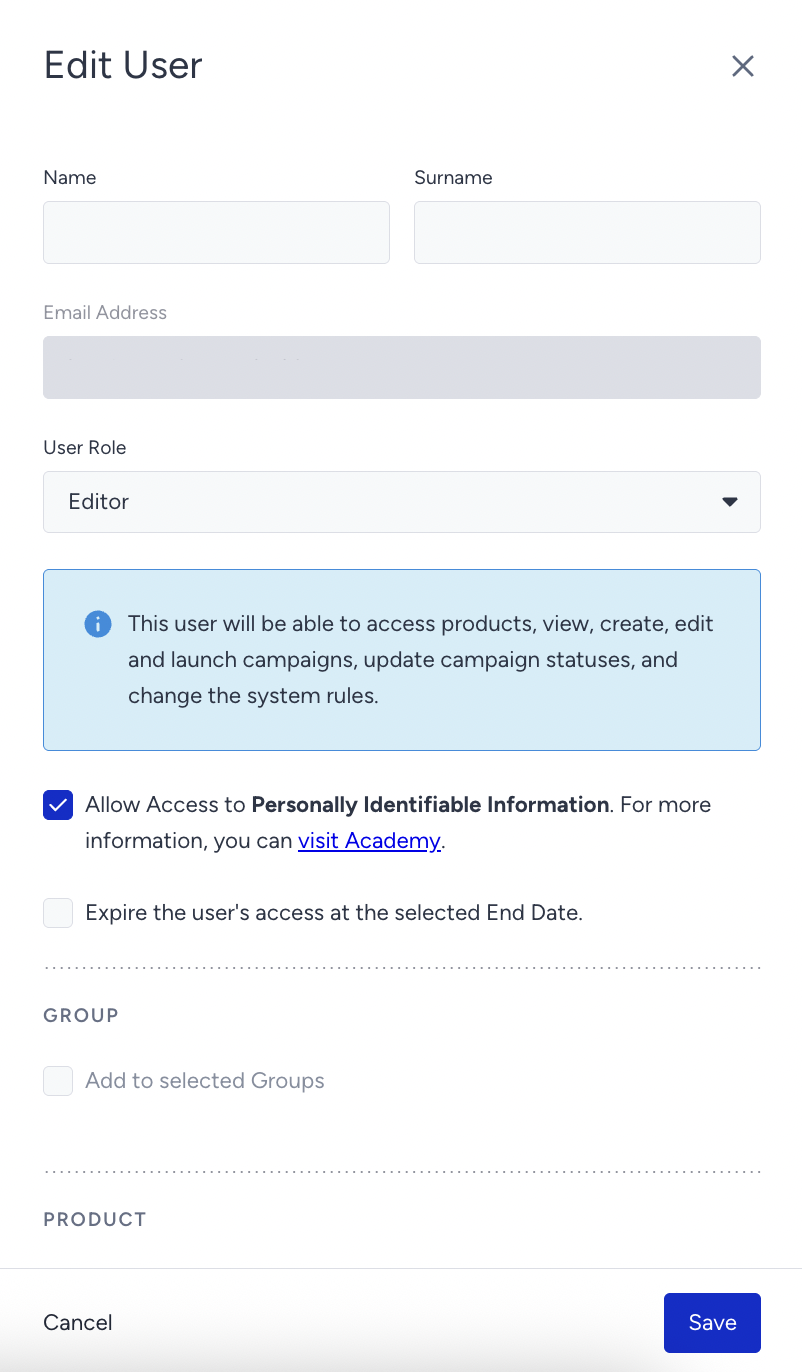
The name field, along with the Invite modal, is visible because the user's name is captured upon their first access to the panel. If the user is still unassigned, meaning they haven't accessed the panel yet, the first and last name fields will appear empty. Once the name is entered, the user cannot be updated without providing a new first and last name.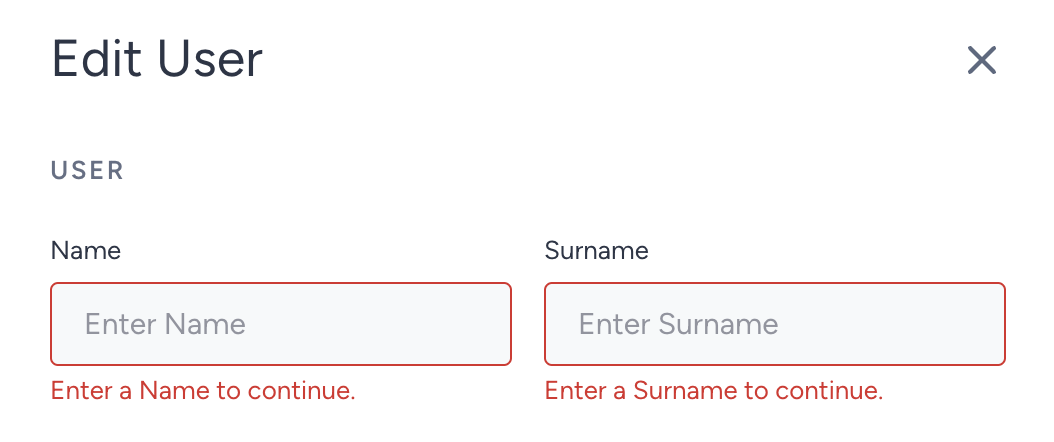
Delete a user
To delete a user, click the Delete option from the three-dot menu next to their name.