The View in Browser feature allows recipients to open emails in their web browsers. Viewing emails in the browser solves display issues if any, and enhances the user interactivity.
Including a View in browser link is one of the best practices in email marketing to ensure your email is accessible and visually appealing to all recipients. With this link in your email, you can also address the following cases:
- Rendering issues: An email may not display correctly in the recipient's inbox due to formatting or compatibility issues. Viewing the email in a browser ensures the email is displayed as intended.
- Interactivity: Certain interactive elements or advanced HTML/CSS features might not work properly in all email clients. Opening the email in a browser can enable these features to function correctly.
- Accessibility: This option provides a more user-friendly experience for the recipients who prefer reading emails in their browsers or have accessibility tools that work better with web pages.
Requirements
To send email campaigns with View in Browser, you need to use a custom unsubscribe feature in your email template.
If you use the default unsubscribe feature instead of the custom unsubscribe, the unsubscribe link will not be clickable in the browser.
Add the View in Browser link
To add the View in Browser link:
1. Add an HTML block inside the email template on the Drag & Drop Editor. If you created your template via the HTML editor, go to the HTML Editor step.
2. Insert the following snippet in the HTML block.
<a class="ins-view-in-browser-link" id="ins-view-in-browser-link" href="https://email.useinsider.com/view-in-browser/<%ins_view_in_browser%>">View In Browser</a>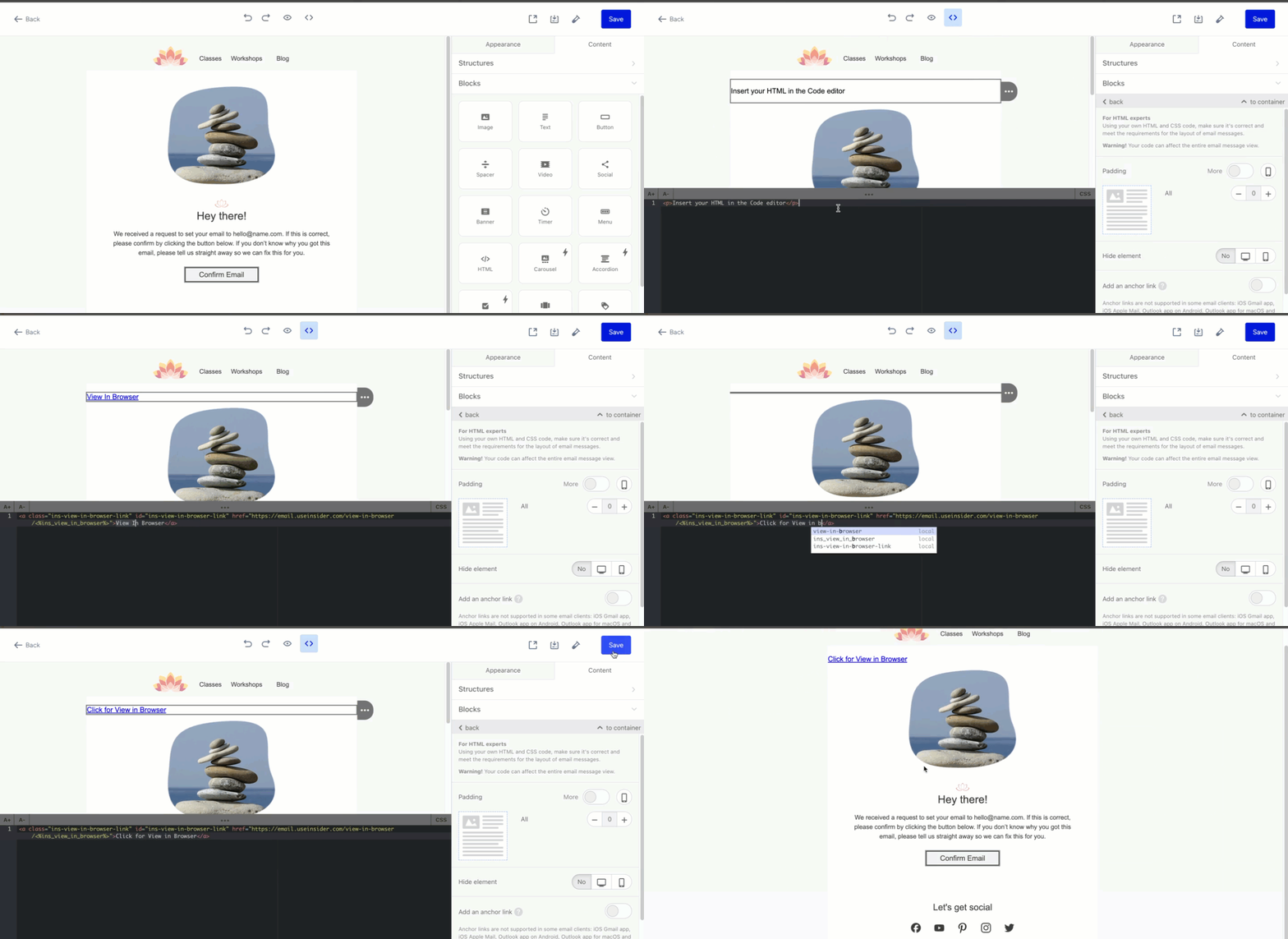
You can replace the "View in browser" copy with another text you like.
<a class="ins-view-in-browser-link" id="ins-view-in-browser-link" href="https://email.useinsider.com/view-in-browser/<%ins_view_in_browser%>">View In Browser</a>
3. After sending the email campaign as a test message or launching the campaign, you can reach the online version of the email template on your browser.
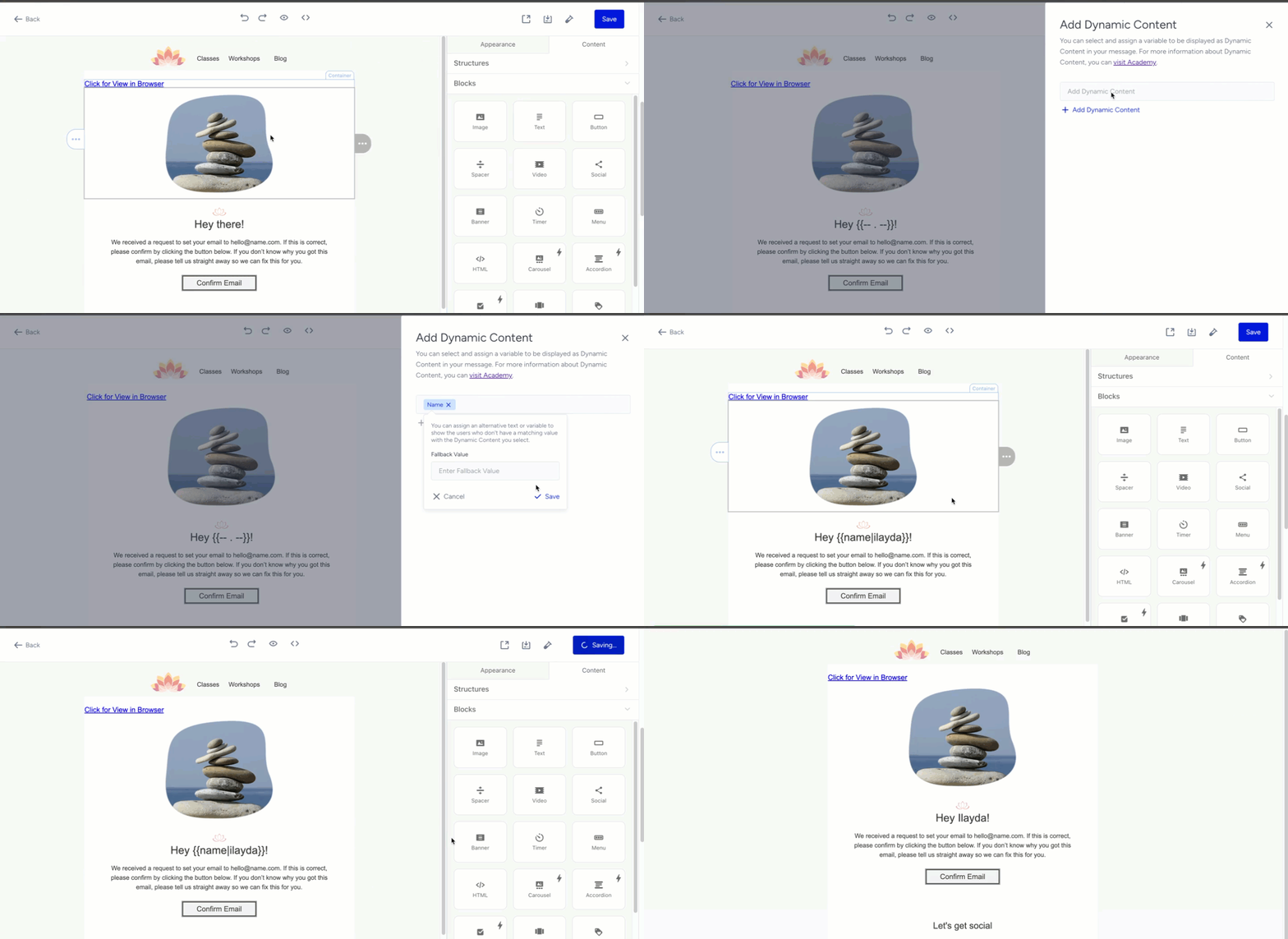
HTML Editor
Open the HTML editor to insert the following snippet where you want to display the link.
<a class="ins-view-in-browser-link" id="ins-view-in-browser-link" href="https://email.useinsider.com/view-in-browser/<%ins_view_in_browser%>">View In Browser</a>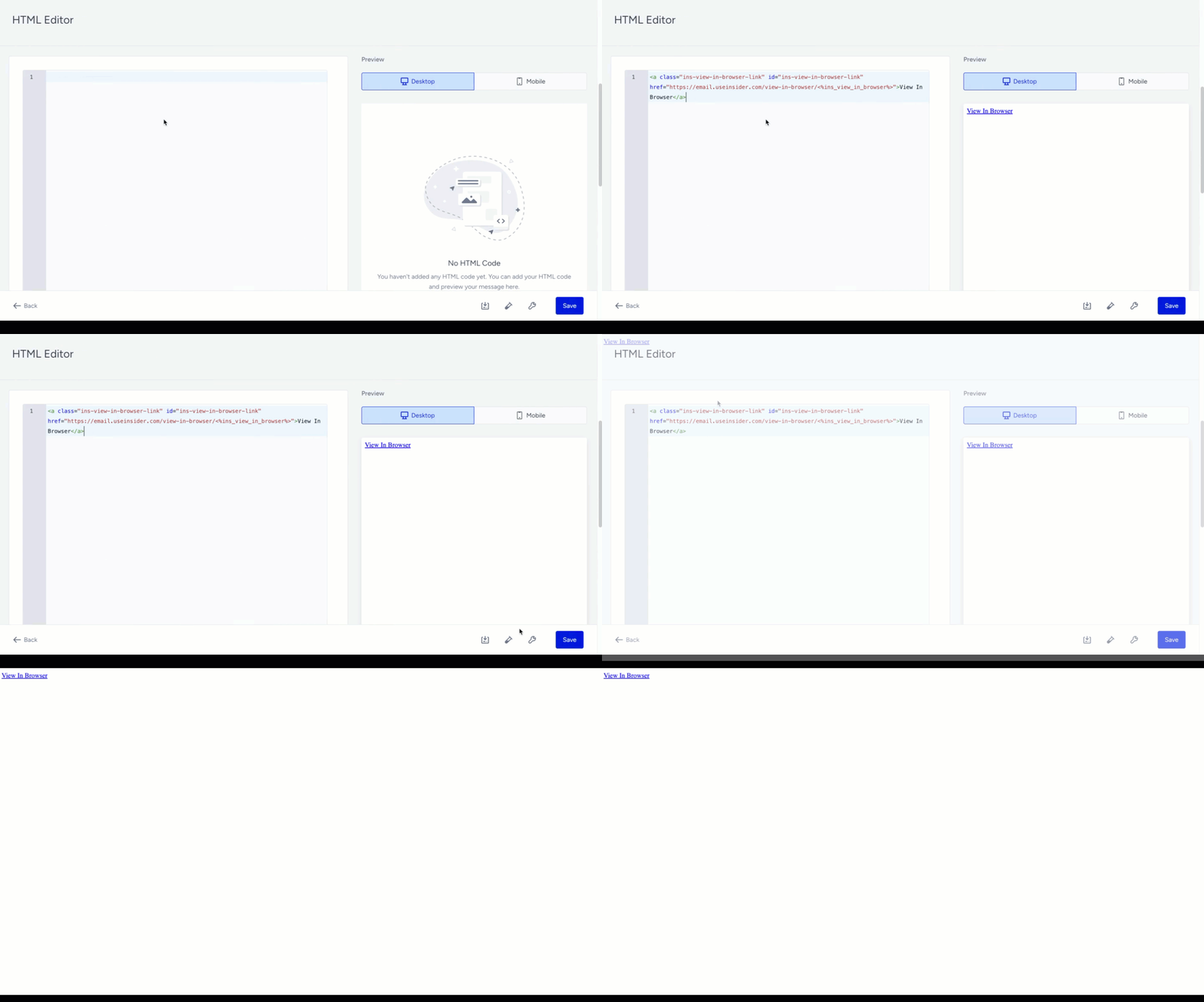
The remaining steps also apply to the HTML editor.