Suggested readings: Cross-Platform Omnichannel Journeys, Create an Architect Journey, Architect Feature Set
Journeys involve designing customer journey flows, analyzing users' behavior and interactions within the funnel, and identifying bottlenecks.
You can optimize your flow at each step to anticipate and address potential issues. It can perform better once you optimize your flow with the following suggestions:
- Separate journey flows into trackable flows,
- Target users,
- Wait for users,
- Check user behavior and actions,
- Avoid bothering users,
- Avoid losing users on the flow,
- Select the correct channel,
- Optimize personalizations,
- Trigger big audiences.
Separate journey flows into trackable flows
Some journeys might be too long to track and hard to evaluate. In such cases, you can split your journeys into smaller journey flows based on the milestones of your business cases.
For example, you are designing a cart abandonment journey flow. You check whether the user made a purchase. If not, send them a message to engage them. If yes, you want to send a thank you or a feedback survey. In that case, instead of handling two different cases in the same journey flow, you can create a separate post-purchase journey to send them a survey. So, you can easily track and evaluate the results of two different use cases.
Target users
Targeting a broad audience without segmentation may not help you reach your goals, as it's like sending a bulk campaign. Your users may end up on funnels they are unlikely to interact with, leading to low conversions and user engagement.
You can follow these best practices to avoid such cases easily:
- Using the correct starter for your business cases
- User Website Action: Segments and rules for only website users
- On Event: Event-based real-time starter. It takes users when they perform the specified action on the platforms (e.g., website, mobile app, or events passed from your end).
- On Attribute Change: It immediately takes users when their attribute value changes or gets a new one.
- On Past Behavior: Deep segmentation based on users' past behaviors. Positive and negative cases include ‘the users who added an item to their cart but have no purchase in the last 2 days'.
- On Dynamic Date: Targeting users according to their date type attribute or event parameter for cases like birthdays, expiration dates, etc.
- Validate users via segmentation, such as targeting only reachable users in addition to your segment.
.png)
Wait for users
Once you take users on the journey, they will proceed with the flow based on their behavior and actions. When you have checkpoints to understand whether they have completed the desired goal, you need to give them some time to take this action.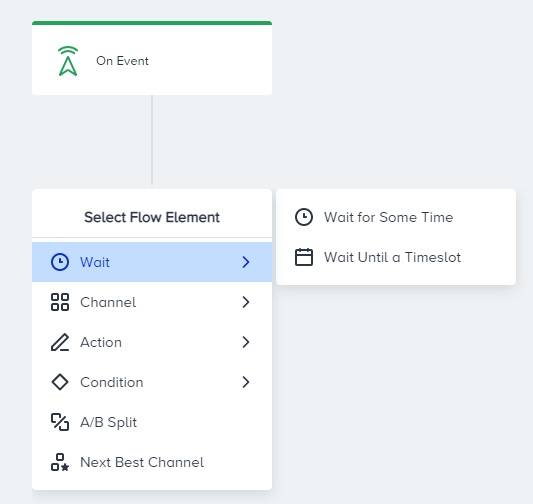
Let’s say you are designing a cart abandonment journey. Given your average purchase time after users add items to their cart, you can add a wait element to your journey to wait for your user to complete their purchase. If they do not purchase their items within this period, you can check their actions and take another action on the flow.
Wait duration varies for each industry and use case. For example, if you are executing food delivery marketing, the wait duration should be short since food ordering is a fast process. However, the wait duration can be longer when it comes to long-term consuming products.
Check user behavior and actions
Checkpoints are nodes that guide your users along the correct path in the flow. You can interpret your flow, evaluate the number of users who complete the desired actions, and gain insights into funnel bottlenecks.
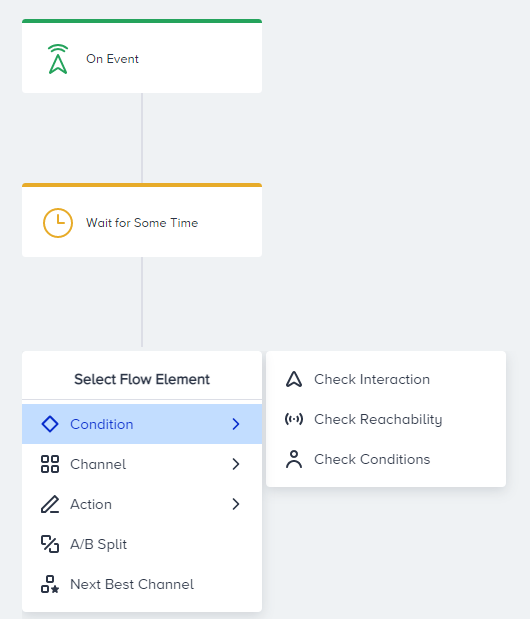
You can check user behavior or actions to decide your next action in the flow.
If you use check elements, you should add the wait element before the check element. If you do not expect any user attribute change or do not expect the user to perform specific events during the journey, you do not need to use check elements. You can also add the same condition to the starter element.
Avoid bothering users
Journeys are non-stop automated flows unless you pause them. If you do not set user eligibility, users will keep re-entering the journey and receive the same messages. You can use the following features to avoid such cases:
Avoid losing users on the flow
Users can drop from the journey when they are not reachable on the channel they arrive at. You can check their reachability before leading users to a specific channel. Only reachable users will proceed to the respective channel element. You can lead those who are not reachable to other channels.
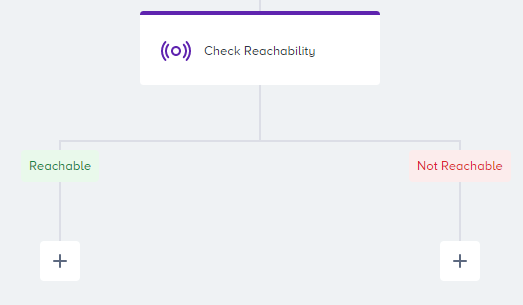
In this way, you can create alternative interactions with users to avoid losing users on the flow and increase your conversion possibilities.
See more on Check Reachability here.
Select the correct channel
This is a major dilemma when selecting channels to engage users. Architect considers each user's past behavior and provides Next Best Channel to automate your decisions. You can easily add Next Best Channel before adding the channel element, and evaluate the numbers after launching your journey.
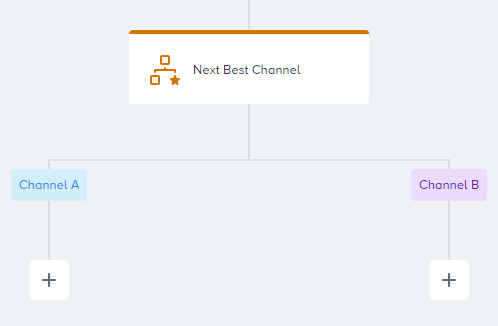
The channel stats also let you see how many users reach a specific channel element and easily interpret that channel's performance.
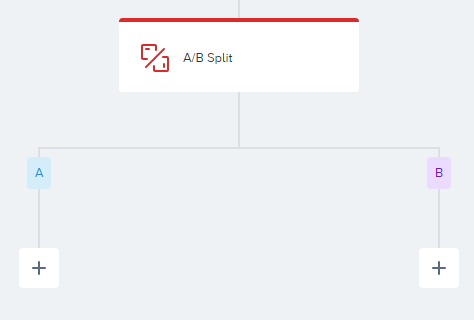
You can also use the A/B split option to select the correct channel. You can use this element to compare two channels and evaluate the results based on A/B split analytics.
Optimize personalizations
Your users meet the content first when you reach out to them through any message. That’s why having contextually convenient message personalization is essential. You can use user attributes in your content, effective words in the subject line, or any dynamic content in your messages.
Using the A/B split option, you can compare the effectiveness and performance of each content on the same or different channels.
Trigger big audiences
Architect allows you to trigger huge audiences ranging from 100K to 10M. Targeting a big audience might cause a delay due to processing the large volume of user data, querying the segment, finding the exact users, and returning a response to the journey.
It might take users a while to meet your starter conditions to enter the journey. On Past Behavior triggers a maximum of 200k users in an hour. All users are taken on the journey with the hourly iterations. This process depends on the working period.
- If the working time period is 60 minutes, it takes 200K users for an hour.
- If the working time period is two hours, it takes 200K users for every two hours.
- If the working time period is five hours, it takes 200K users for every five hours.
- If the working time period is one day, it takes 200K users for one day.
You can narrow down your segment accordingly or use On Event and On Attribute Change starters.
You can follow these best practices to avoid such cases:
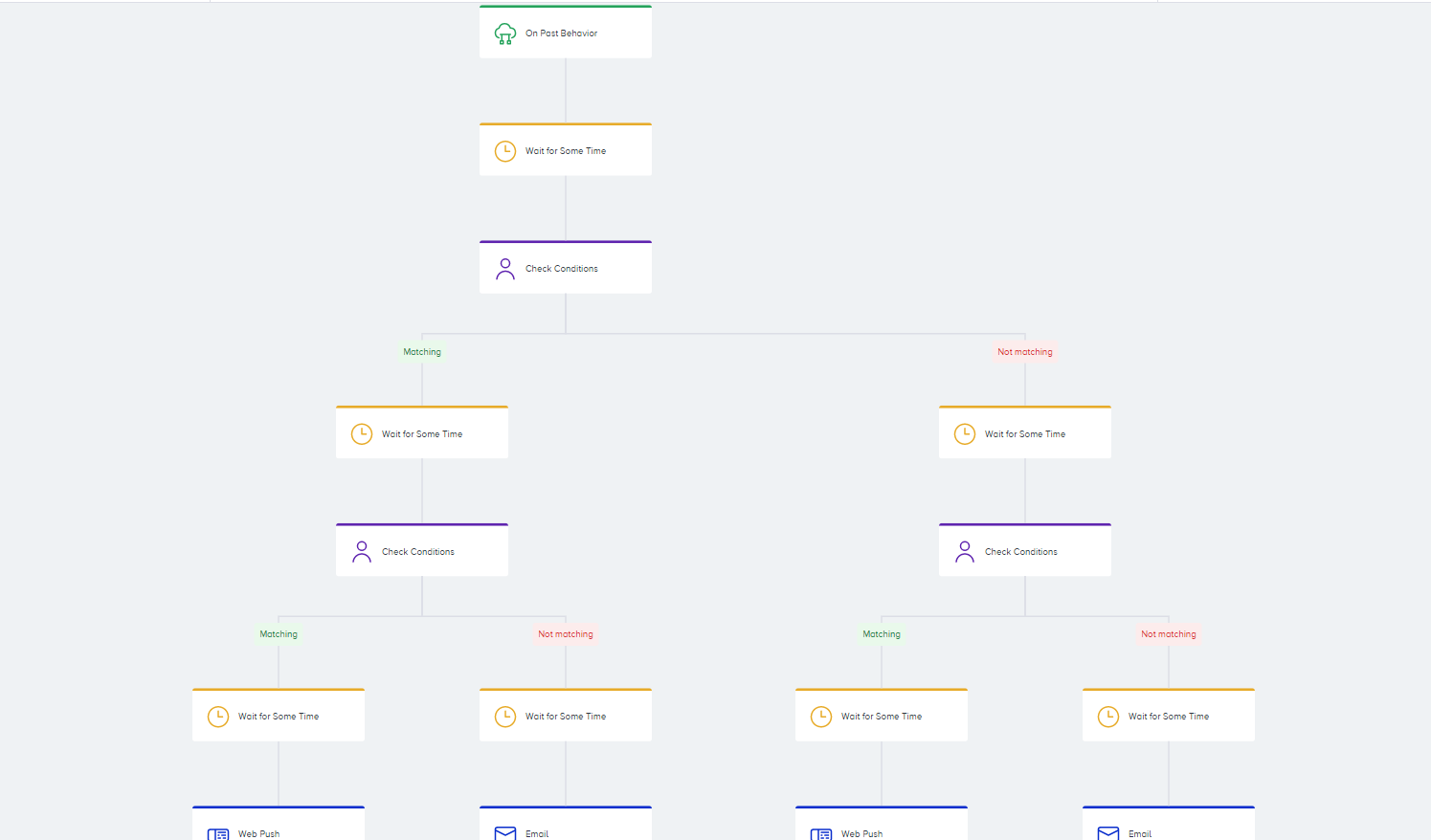
- Distribute users to different paths after the starter element. Segmenting or checking user behavior on the flow will help you take the correct actions and send more relevant messages to users.
- Always use a "wait" element between each element. This will help the journey handle the users on the flow more smoothly.
Triggering big audiences generally happens when you have non-action (negative) segmentation such as “targeting users who have not purchased over the three months”. You can do this type of segmentation, "On Past Behavior". You can always check the audience count (count bubble) for your segment to see how many users will enter the journey if you activate it now.
See below for one example of triggering big audiences:
Based on the suggestions provided in this guide, you can start creating more advanced journeys now.
Simultaneously message more than 200K users with On Past Behavior
The On Past Behavior starter is a powerful tool for creating user segments and initiating journeys.
Consider a scenario where you aim to send an email to a group of 850K users, ensuring all of them receive it at the same time, say, 10 am. To address this, we recommend a journey structure that uses the Wait Until a Time Slot element.
Below are the alternative steps:
- Adjust journey scheduling: Begin by scheduling your journey to conclude no later than 5 am. This allows you to allocate up to five hours for user collection before the intended send time.
- Set trigger frequency: Configure the trigger frequency of the On Past Behavior starter to 1 hour. This ensures that each user segment, up to 200K, is processed once per hour.
- Incorporate the Wait Until a Time Slot element: Place the Wait Until a Time Slot element after the On Past Behavior starter and before the message you intend to send. Set the wait period to cover the desired send time window (e.g., 10 am to 11 am).
- Achieve user group collection: Over the course of five hours, the On Past Behavior starter will process five segments of users, accumulating in the Wait Until a Time Slot element.
- Simultaneous message sending: At the designated time (10 am), the Wait Until a Time Slot element releases the collected user group, sending them as a cohesive unit to the subsequent message element.
By employing this method, you ensure that the large user group is collected and engaged simultaneously, achieving your goal of synchronized message delivery. While it requires careful planning and coordination, this approach maximizes the utilization of the current system limitations and provides an efficient solution for targeting larger user segments.