Suggested reading: Journey Language
Instead of creating separate journeys for each language, you can create paths for each language, select multiple languages at the launch step, and target users from many different languages in a single journey.
Architect can trigger users into the journeys based on more than one language to reach users from different languages, especially if you have various platforms with multi-language support. You can create paths based on different languages to target each of them, and you can let users into the journey by targeting the relevant languages.
To create multi-language journeys, follow these steps:
1. Select a starter element based on your use case.
2. Add the Check Conditions element.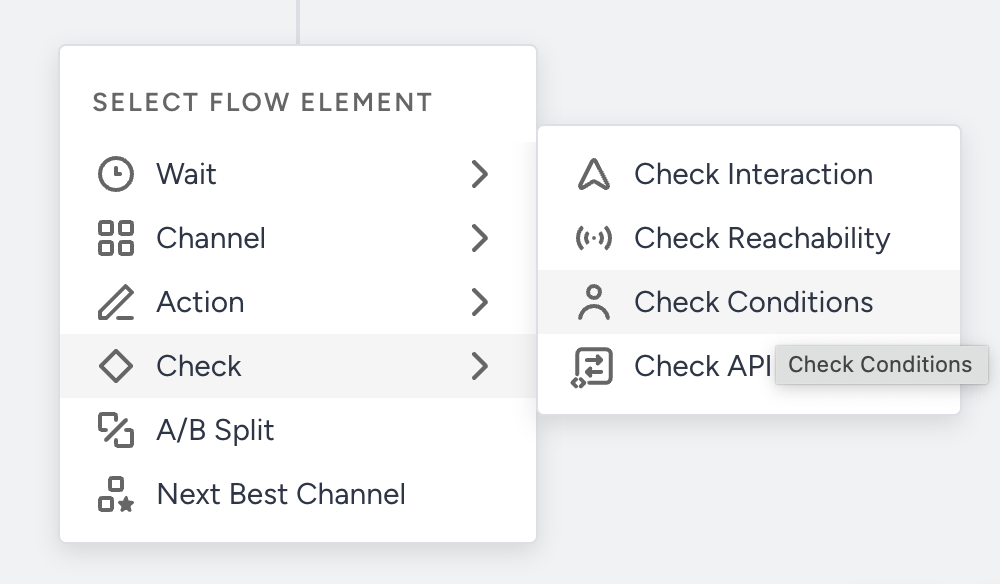 3. Click the Check Conditions element to configure it.
4. Click the Add Condition Path button to add the path(s). You can add up to 10 paths.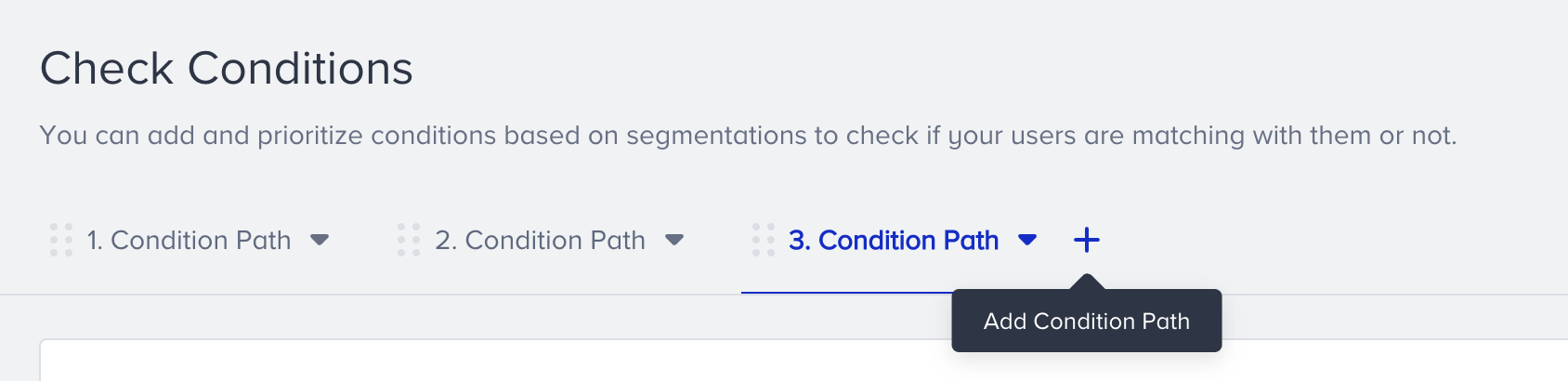 5. Select the Attributes to add the language segment. Enter the value for the language you want to add. Select different values on each condition path tab to add other languages.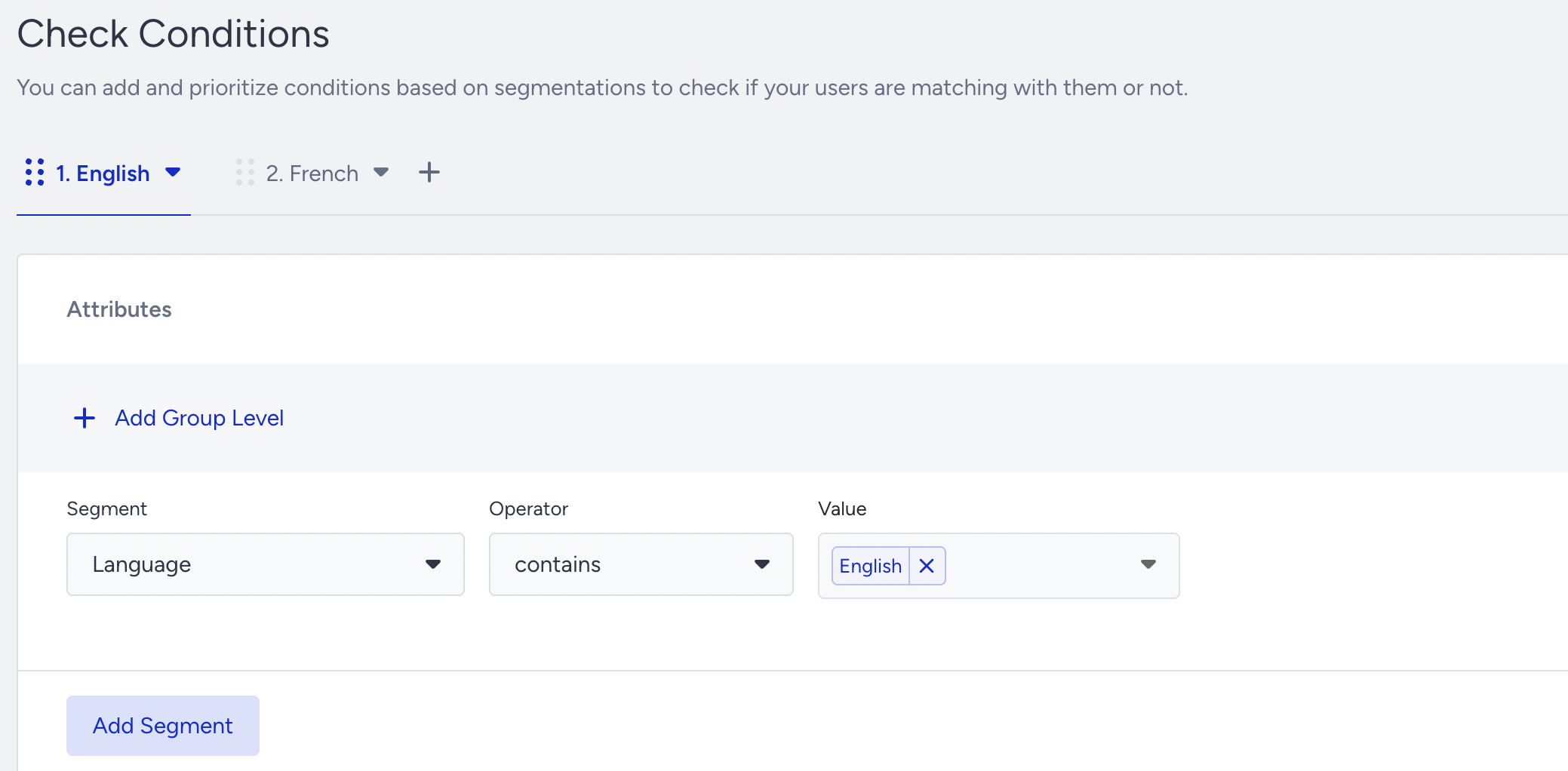
6. Design your journey flow.
7. Once you design your journey, click the Launch button in the top right corner.
8. Select the language(s) you added toeach condition path. You can also select the All Languages option, which will take users in all languages on the journey.
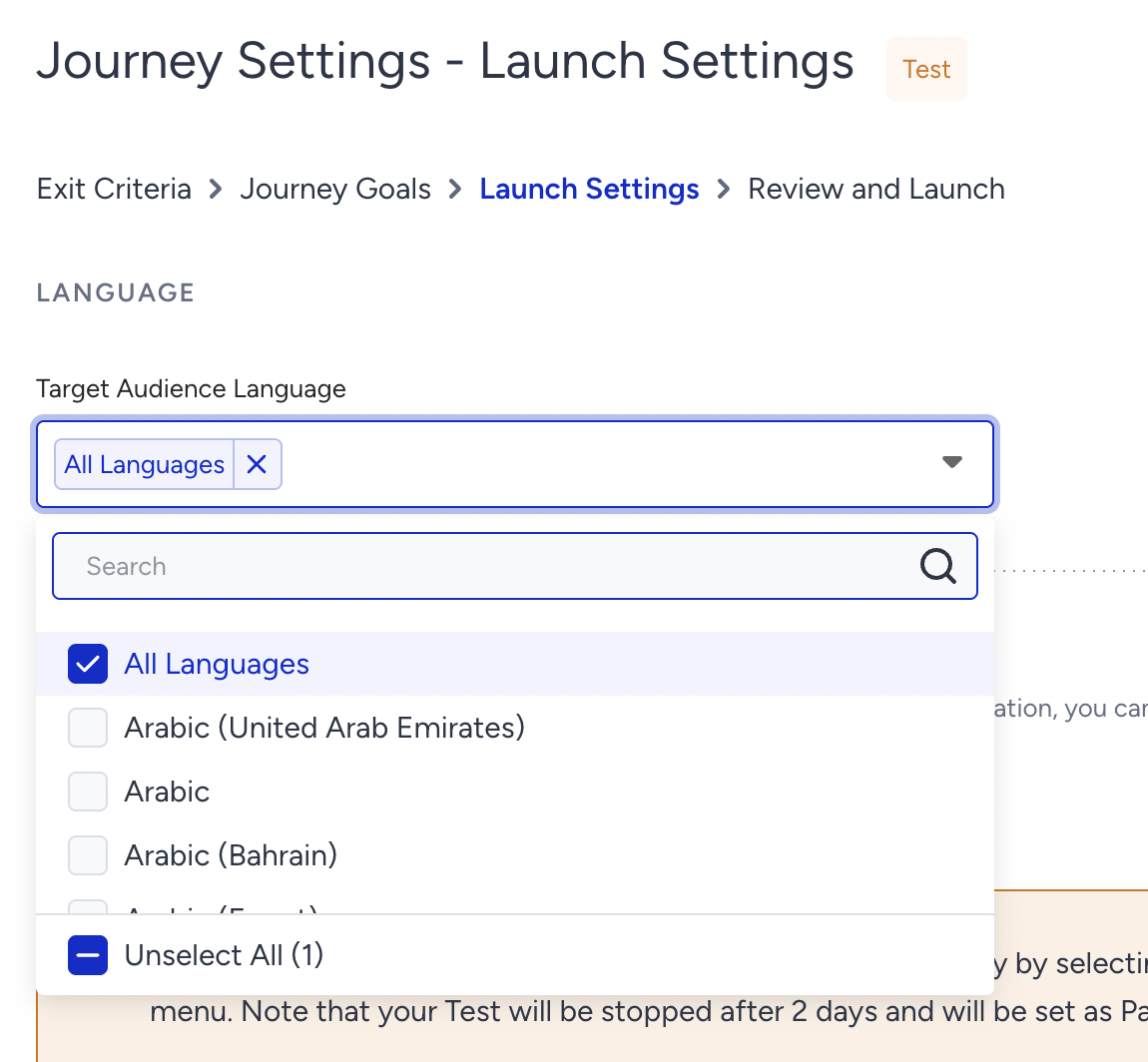 Now, you can launch your journey with multiple languages.