Journey Agent is the AI assistant inside Architect that designs and edits customer journeys from a natural-language conversation. The Journey Agent assembles the structure on the canvas, wires the branches, and validates it against Architect's rules.
This feature is released in beta. Contact the Insider One team for early access.
The Journey Agent builds the structure of a journey. It is a co-pilot, not a replacement for the canvas. You still need to fill in content, such as subject lines, segment IDs, and URLs, and publish the journey the usual way.
Instead of dragging elements onto the canvas one by one, you can describe a journey in plain language and watch Journey Agent assemble it. The flow is as follows:
You chat with the agent.
Journey Agent builds the journey skeleton on the canvas in real time.
You review, fill in the content as usual, and launch.
Journey Agent removes the repetitive structural work so you can focus on content and strategy. You can interrupt, undo, or take over at any point.
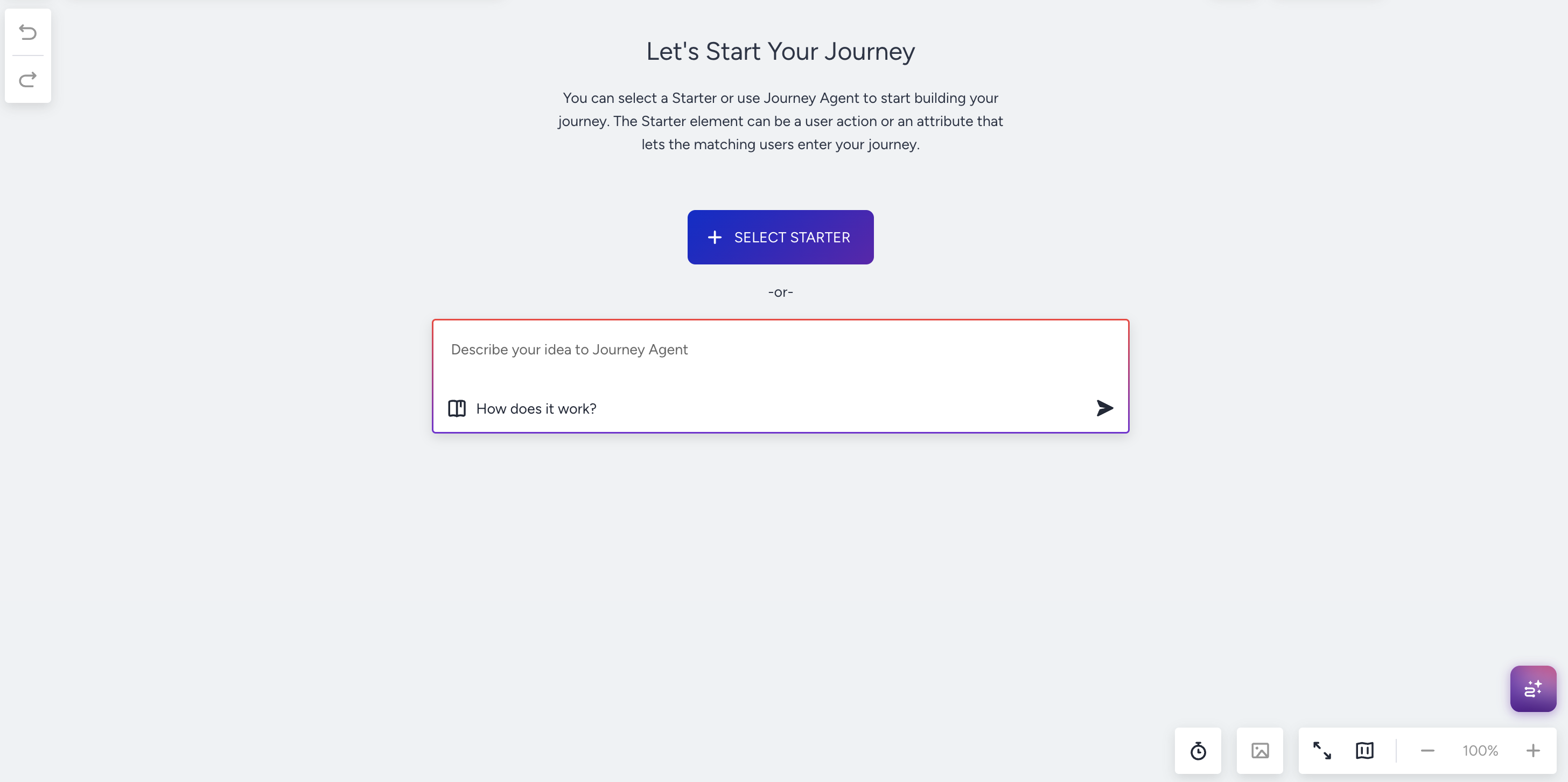
You can design engagement journeys such as onboarding, winback, abandoned cart, price drop, loyalty, and more. It is useful when you can describe the flow but are unsure how to connect elements. You can use the agent to create drafts (e.g., a 3-day onboarding journey for new signups) and iterate on the existing journeys (e.g., adding an SMS reminder after the welcome email if they haven’t opened it in 2 days).
What can you build?
Journey Agent works with Architect's standard journey elements. It assembles and connects them for you.
Elements | Functions |
|---|---|
How a journey begins: On Event, On Past Behavior, Business Event, Price Drop, Back / Low in Stock, Attribute Change, Dynamic Date, Website Action. | |
How it reaches the user: Email, SMS, App Push, Web Push, WhatsApp, In-App, On-Site, Call an API, plus Facebook / Google audience sync. | |
How it branches: Check Conditions, Check Reachability, Check Interaction, Check API Response. | |
How it pauses: Wait for Some Time / Event / Attribute, Wait Until a Time Slot / Dynamic Date. | |
Splits & AI routing | How it distributes users: A/B Split and Next Best Channel, plus the AI elements explained below. |
How it updates the user record: Update User Attribute, Update Static Segment. | |
Flow control | Connector merges 2+ branches back into one path after a fan-out (reachability, A/B, NBC, multi-path conditions). |
Transactional journeys does not support Journey Agent.
AI elements
Two AI-driven elements go beyond the standard routing above. They are partner-gated and only suggested when the partner has the relevant add-on enabled:
Decision Agent: AI Decisioning decides the channel, the send time, the content variant and whether to send for each user, in a single element.
Call an Agent: A single AI reasoning step inline. It evaluates per-user context against a plain-language instruction and writes one typed result variable into the journey for downstream routing or personalization.
Call an Agent is a single AI step that writes one variable inline; Decision Agent is a multi-channel fan-out where AI Decisioning picks the channel, content, and time per user.
What does Journey Agent not support?
Journey Agent is designed to build the journey structure. Content and customer-level configurations are handled as usual.
The Journey Agent does not:
Write or edit message content, such as subject lines, body copy, push title/body, deep links, or customize On-Site / In-App templates.
Pick or compile a segment definition.
Pick a send time, set silent hours, or change Send Time Optimization settings.
Configure a Call an API endpoint, payload, response variables, or auth.
Configure a Call an Agent input context, instruction, or output variable shape.
Fill Decision Agent base content or AI personalization tokens.
Edit transactional journeys.
Launch a journey or change its status. Customers review and publish from the canvas.
Design transactional journeys.
Change customer-level configuration (timezones, sender IDs, locale defaults, account-level channel priorities).
Replace Segment Agent for audience definition, Decisioning for per-user content/channel/time optimization, Analytics for performance review, or the canvas for content editing.
Publish, pause, or duplicate journeys.
If you ask the Journey Agent for any of these options, the agent acknowledges and points to where you can configure that.
How does a conversation with the agent work?
> Open Journey Agent from inside an Architect journey in the draft status.
> Describe the journey in natural language. For example:
"Build a 3-step onboarding for new app installs: welcome push on day 0, email on day 2, in-app message on day 7."
"After the welcome email, wait 2 days and check if they clicked. If yes, send an SMS thanking them; if no, resend the email."
"Add 2 more paths to the A/B split and distribute users equally."
"Reconnect the SMS and WhatsApp branches into the existing wait step."
> Watch the canvas update in real time as Journey Agent adds, connects, and configures elements.
> Fill in content (subject lines, segment IDs, etc.) directly on the canvas.
> Review and publish as usual.
Journey Agent can also explain its work: after building, you can ask why specific elements were chosen, and Journey Agent describes the reasoning behind the starter, waits, checks, and channels it placed.
Modify a selection
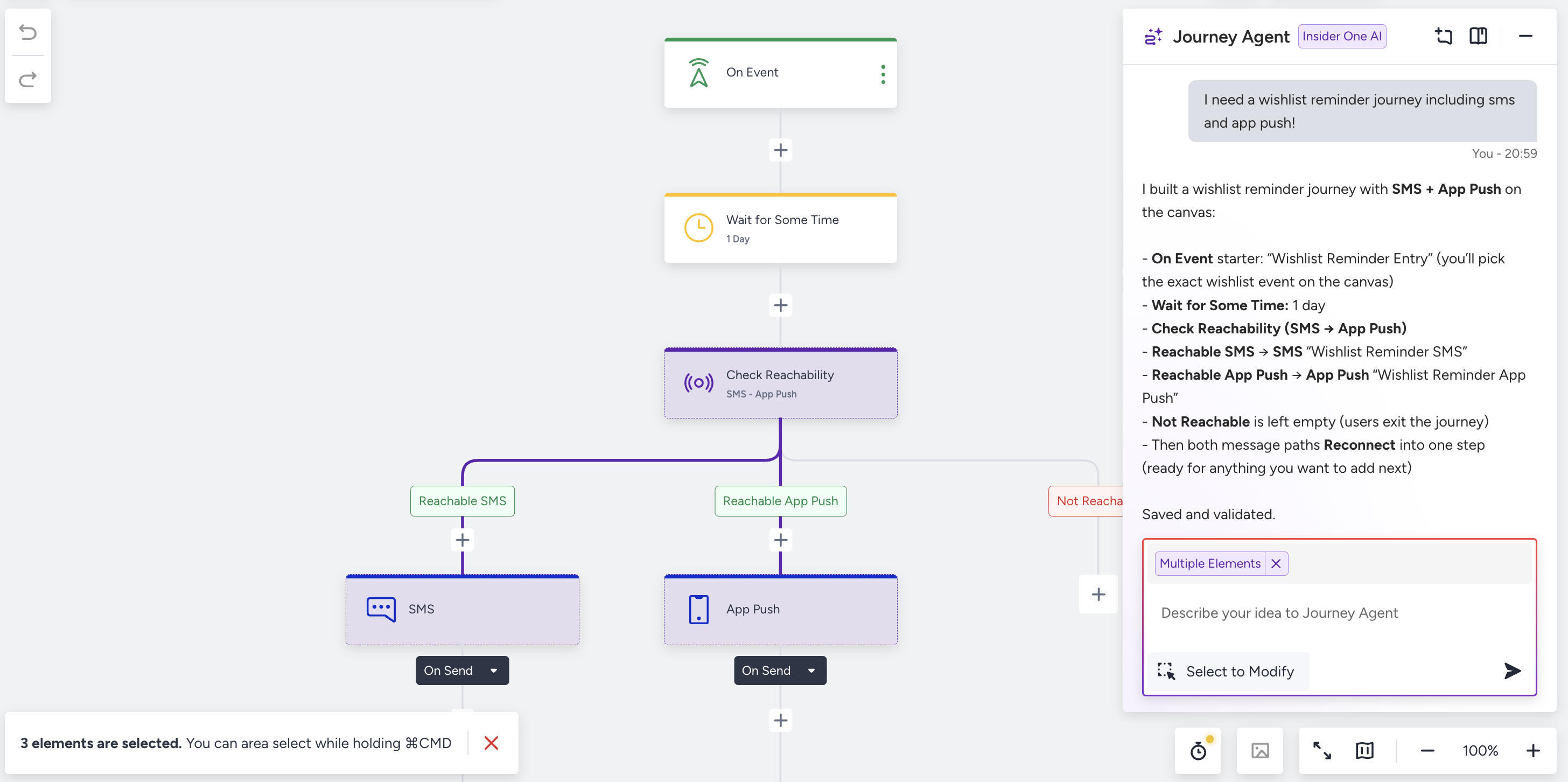
Journey Agent is selection-aware. If you select one or more elements on the canvas before chatting, Journey Agent scopes its edits to that selection, which is useful for refining a single branch of a complex journey without touching the rest.
If nothing is selected, the Journey Agent can edit the whole journey.
If one or more elements are selected, the Journey Agent only edits inside that scope. You can hold ⌘ / Ctrl to select multiple elements.
If you ask for something outside the selection, the Journey Agent explains and suggests they widen the selection, or clears it.
Languages
Journey Agent understands natural-language prompts in a wide range of languages, and it is not limited to a single locale. You can write to it in the language you are most comfortable with, can switch languages mid-conversation, and replies always follow the language of the most recent message.
Built-in validation
Before persisting changes, Journey Agent runs a set of structural checks, such as cycles, orphan elements, missing channels under NBC, allocation sums on A/B splits, and more. When something causes a launch-time error, you will receive a clear explanation and a suggested fix, but no silent failures.
Prompt examples
Below are some sample prompts.
Prompt | Result |
|---|---|
"Build a winback for users who haven't purchased in 30 days. Email first, SMS after 3 days if they didn't open." | On Past Behavior starter → Email → Wait 3 days → Check Interaction (opened?) → SMS on the "not matching" branch. |
"Add a Check Reachability before the message: prefer WhatsApp, then SMS, then email." | Inserts a Check Reachability with the channel priority, wires the existing message under each channel path. |
"Split the audience 60/40 between two paths." | Creates an A/B Split with path_a = 60%, path_b = 40%. |
"Add 2 more paths to the A/B split and split equally." | In-place expansion: 4 paths at 25% each. Keeps existing downstream branches intact. |
"Reconnect the WhatsApp and SMS branches into the existing 1-day wait." | Adds a Connector that merges the two branches before the wait. |
"Let AI pick the best channel between email, SMS, and WhatsApp." | Creates a Next Best Channel with the three channel paths. |
Decision Agent is in Early Access and available only to customers with it enabled. Journey Agent will not proactively suggest it if it is disabled and instead offers NBC or a manual channel split as alternatives.
Call an Agent is available to customers with it enabled.
WhatsApp, InApp, On-Site, Web Push, and App Push are gated by the customer’s enabled channels list. If you ask for a disabled channel, the Journey Agent suggests an enabled alternative rather than silently swapping.