The Decision Agent is where Decisioning lives in Architect. Add it to a journey like any other step. It routes each user down the channel path most likely to work for them. Your journey stays in your hands, and every send gets a decision built around the individual user.
The Decision Agent is in beta and toggle-gated, so it is available only when its feature toggle is on. It works in non-transactional journeys. For the concept behind it, see AI Decisioning.
In this article:
Add the Decision Agent to your journey
The Decision Agent behaves like a branching element. It opens with two channel paths by default, and you can add up to five, each with a unique channel.
In Architect, open your journey canvas.
Select the Decision Agent at the point where you want a message to go out.
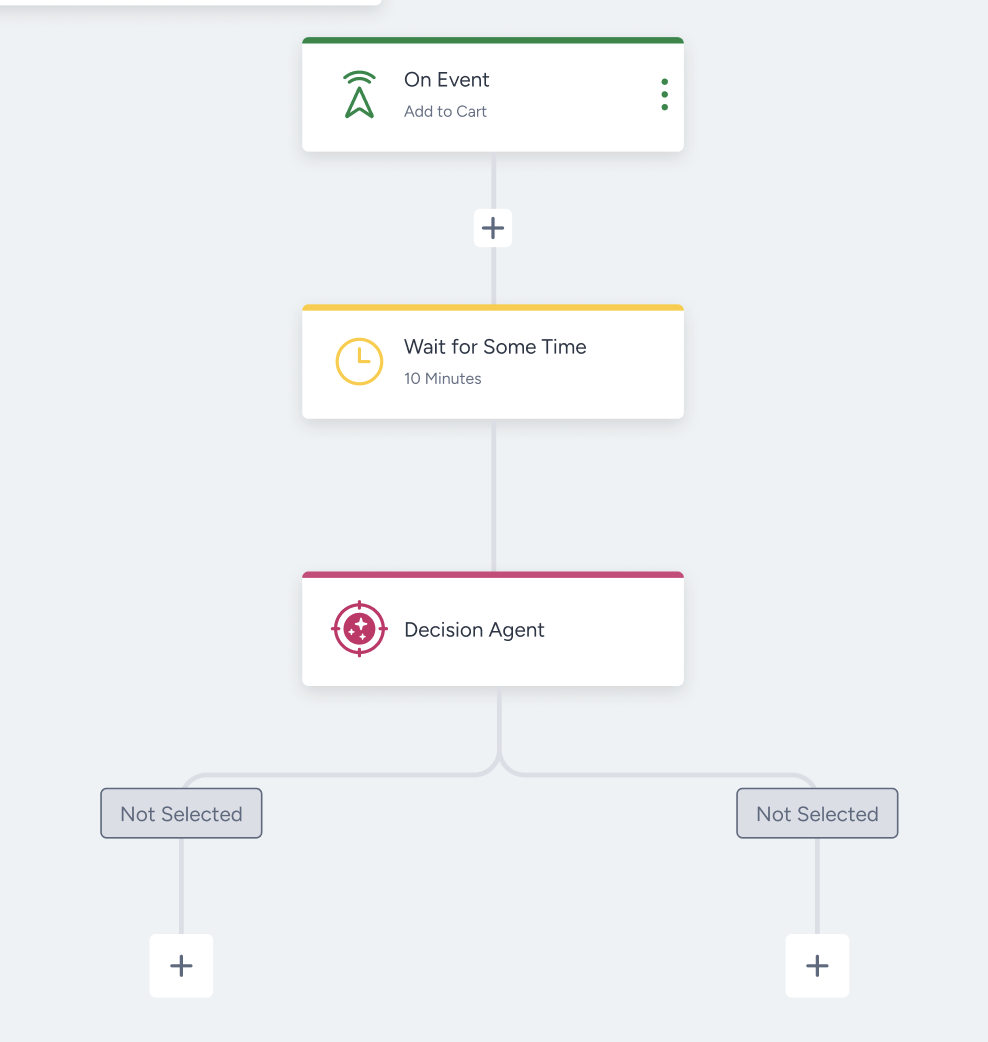
Add channel paths as needed, up to five in total.
Supported channels are Email, SMS, App Push, Web Push, and WhatsApp. WhatsApp supports channel and time decisions, but not content selection.
Decisioning routes a user only to a channel they are reachable on. It excludes unreachable paths before it makes the decision.
Configure the Decision Agent
Open the Decision Agent element.
Assign a channel to each path.
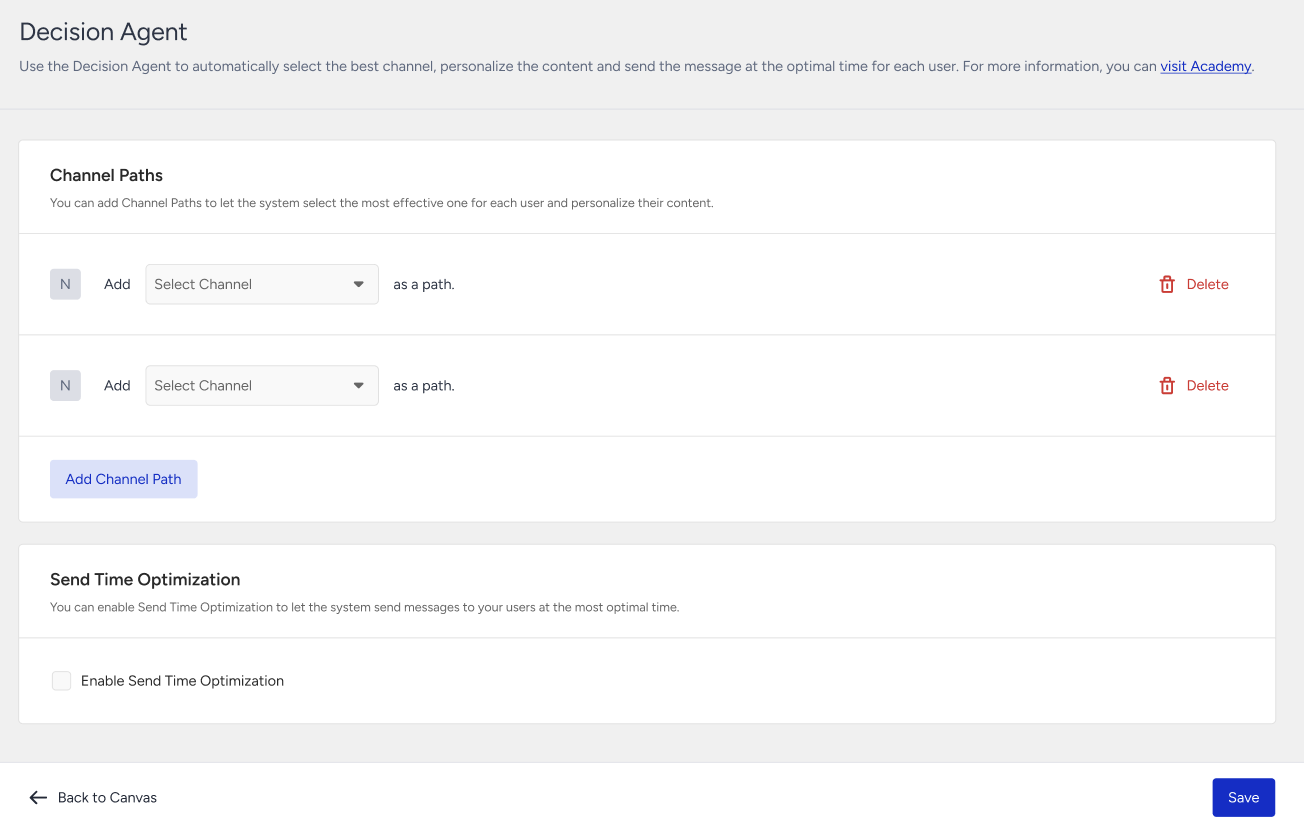
Turn send-time optimization on or off for the element.
Choose your level of control
Decisioning makes three independent decisions: content, channel, and time. Turn on only the ones you need, and keep manual control of the rest.
Content only: Use one channel path, turn content optimization on, and turn send-time optimization off. Decisioning picks the best variant, and you control channel and timing.
Channel and time: Use multiple channel paths and turn send-time optimization on. Decisioning picks the channel and the hour, and your content stays as you wrote it.
All three: Use multiple channel paths, turn send-time optimization on, and turn content optimization on. Decisioning delivers a fully per-user send.
Build your base content
Write the base content for each channel. Decisioning builds its content variants from it. You review and approve the variants before you launch the journey.
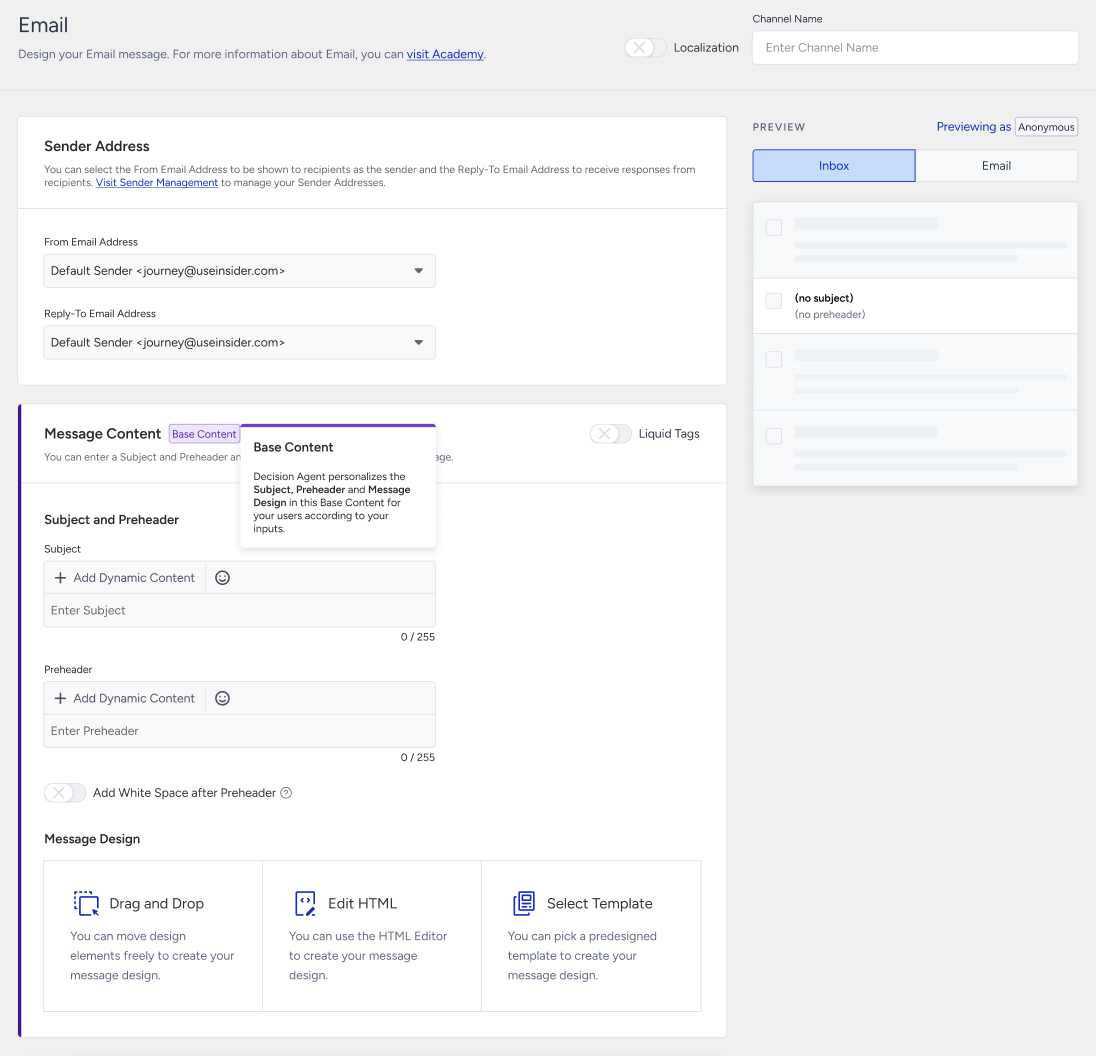
For how base content and variants work together, see AI Decisioning.
Limits and good to know
The Decision Agent decides one send. If your journey sends more than one message, add a Decision Agent before each message.
Decisioning decides messages in a sequence independently, not together.
You cannot use the Decision Agent in transactional journeys.
You cannot place a Wait, Check, Action, or A/B Split step directly under one of its channel branches.
The Decision Agent is in beta and toggle-gated.
Best practices
Decisioning learns from real engagement. The value you get depends on giving it room to learn and a clear outcome to learn toward. These practices help it reach reliable per-user decisions sooner.
Start with ecommerce. Decisioning is a strong fit for ecommerce journeys today. They bring high message volume, frequent engagement, and clear actions (product views, add-to-cart, purchase) to learn from. Other verticals work, but ecommerce gives the richest, fastest-learning signal.
The content taxonomy (discounts, price drops, product discovery, loyalty, urgency) maps naturally onto ecommerce messaging. Engagement is frequent enough that per-user profiles stabilize fast.
Give it distinct content to choose from. The content decision is only as good as the variety in your base content. Write base content that differs in tone, value proposition, and incentive, so the variants are meaningfully different. Near-identical variants give Decisioning nothing to distinguish.
Select meaningful labels for your variants. Choose a label mix that fits your brand language and tone. For example, convenience-led messages pair well with a "claim offer" call to action (CTA).
Let it learn before you judge it. Early sends include exploration while Decisioning builds per-user profiles. Give a journey enough volume and enough time before you read the results. Low-volume journeys and very short runs don't give it the evidence it needs.
Pick high-volume, recurring journeys first. The best starting points run continuously and reach many users: abandoned cart, browse abandonment, win-back, and post-purchase. They accumulate engagement fast, so Decisioning reaches confident decisions sooner. One-off campaigns to small audiences make weaker starting points.
Next steps
You now have everything you need to put Decisioning to work: one element, up to five channel paths, and the level of control you choose. Ready to see it in action? Add a Decision Agent before the next message in an abandoned cart or win-back journey.