Architect enables you to compare channels, content, and paths in journeys to determine the best-performing alternative while the journeys are running.
You can branch your journey flow into two paths using the "A/B Split" element to compare two alternatives and decide which option is more suitable for your business case. While designing your second journey, you will know which option to select for better performance results, such as higher conversion or revenue. A/B testing allows you to continuously experiment with new ideas and optimize your strategies to improve the customer journey. For example, you can easily change your messaging channel or personalization strategy and replace your channel with the highest-performing one by editing your customer journey.
A/B split means sending messages to the right users at the right time with the right content on the right channel.
How does the A/B split work?
The A/B Split element allows you to branch your journey flow and divide it into Path A and Path B. Once you set an allocation for each path, it will direct users to paths randomly according to your allocation. You can set percentages for the allocation of paths.
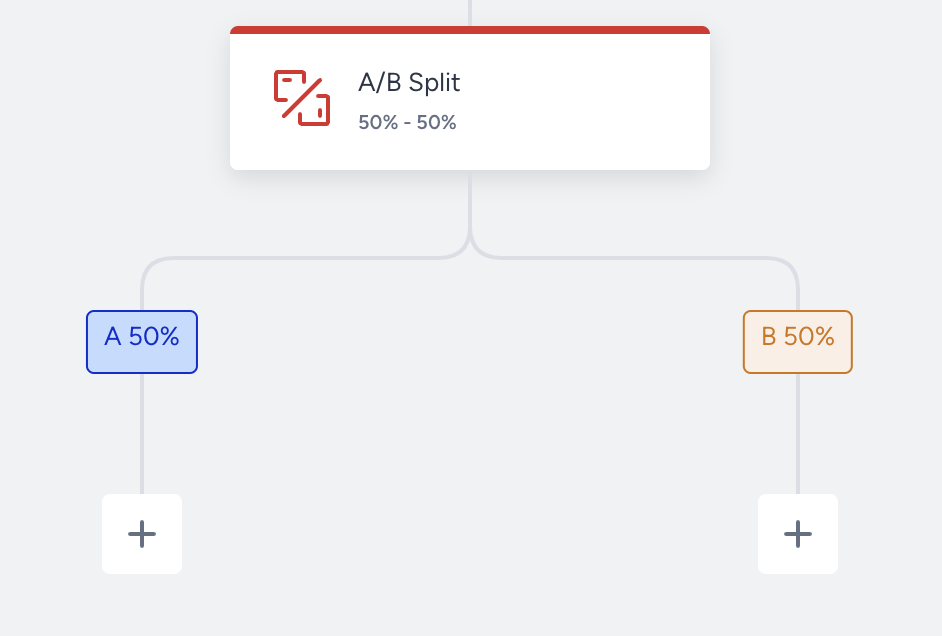
We recommend using a 50-50 percentage split to get significant results for each alternative.
For example, you set a distribution of 50% - 50% for each path. 1000 users arrive at the A/B Split Element. The next two elements after the A/B Split element on the A and B paths will have around 500/500 users.
The approximate percentage allocation may not precisely match the number of users in the respective paths. As journeys process users in real time, you cannot know how many users will come to the A/B Split element. The initial distribution is not as specific as in the case of a known segment.
Re-Eligible Users
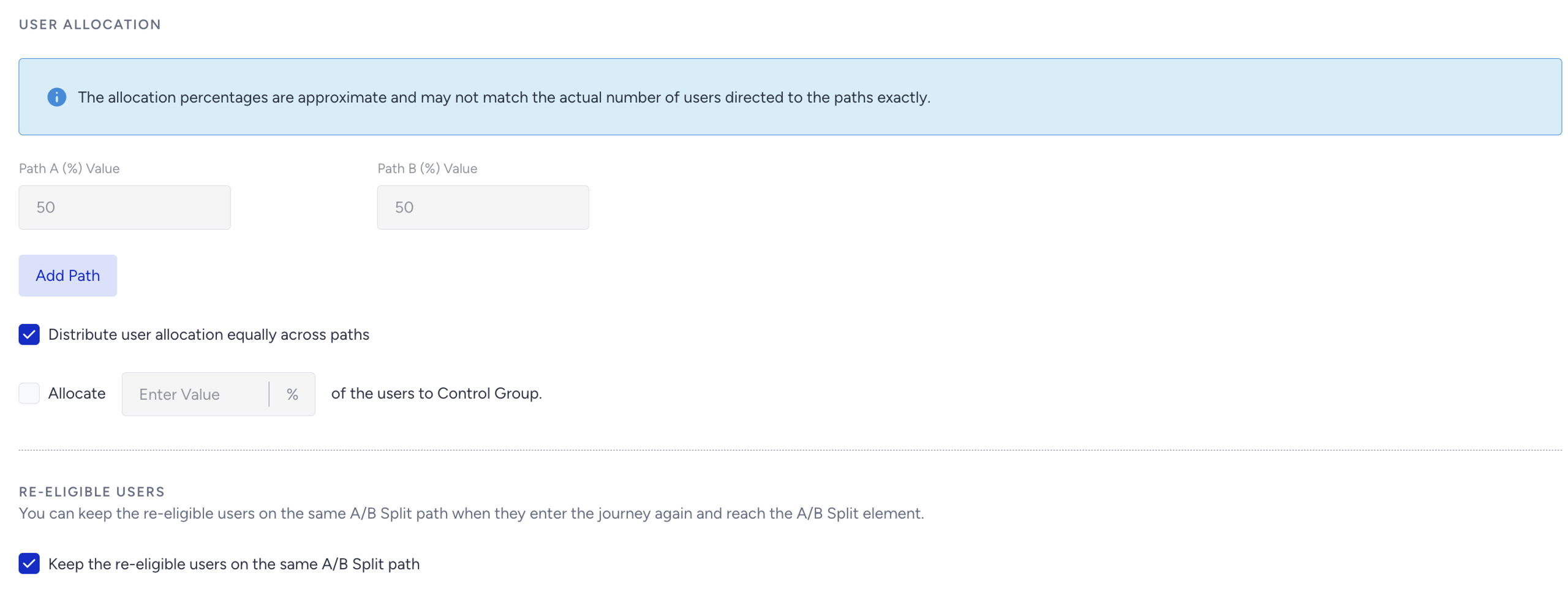
When you check the "Keep the re-eligible users on the same A/B Split path" box, users who re-enter a journey will always follow the same path they were originally assigned to.
For example, user A is assigned to Path A and receives SMS A. If they re-enter the journey, they will stay on Path A. User B is assigned to Path B and receives SMS B. If they re-enter the journey, they will stay on Path B.
If the control group is enabled, this rule applies to all paths, even when not enabled.
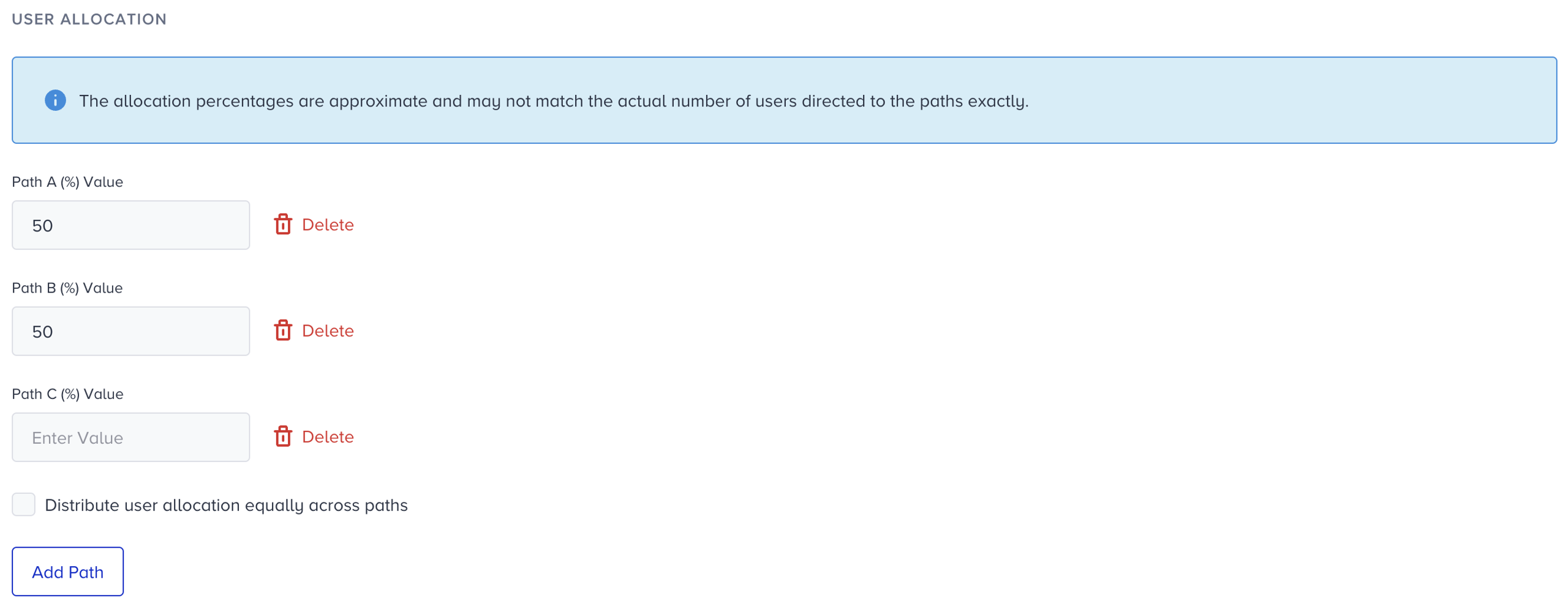
If you want to compare more than two alternatives, click the Add Path button to add a path inside the A/B split.
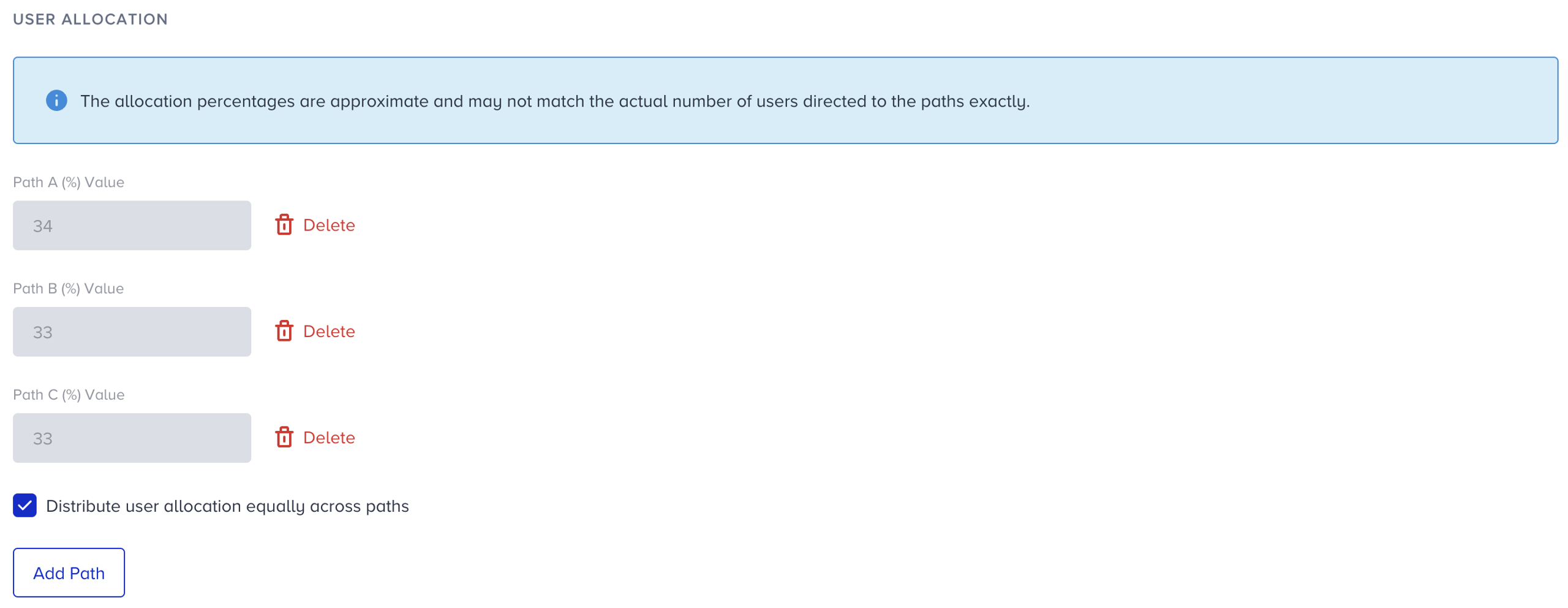
Under User Allocation, you can set the allocation percentages for each path. To distribute the allocation evenly across paths, check the "Distribute user allocation equally across paths" box. Once you select the checkbox, the allocation percentages will automatically adjust to divide users evenly across all paths. Once you select the checkbox, you can no longer edit the allocation percentages manually. While the checkbox is selected, you can click the Add Path button to add up to four paths, what some marketers call multivariate testing, or delete the paths you added; then the allocation will be re-adjusted.
Use cases
Create different journey paths (line-up) and see which path performs better in reaching your goal. For example:
Path A: Email - Email - Web Push
Path B: App Push - Email - SMS
Create different content for the same channel and add it to two paths to see which content drives better results. For example, you can see what kind of wording, emojis, or attributes work better and generate higher conversion for your cart abandonment use case by reading the A/B Split Analytics.
-Hello [Jane], you have items in your cart. Don’t miss out on the discount!
-You forgot about the items in your cart; the discount expires in 24 hours.Select different channels after the ‘A/B Split’ element and see which channel performs better of the two options.
Compare time slots to see when the message gets the most attention by adding a wait element before the channel.