WhatsApp is one of the most common messaging channels, and its popularity is increasing. Available on mobile devices, it creates an immediate connection with users by providing personalized and interactive content.
A WhatsApp message consists of a registered and approved template, dynamic variables on the template, action buttons defined on the template, and response messages.
You can use WhatsApp channel in your journeys in many use cases such as cart reminder, browse abandonment, and post-purchase messages.
This article explains the following:
Requirements
Ensure to confirm the steps listed in Before Architect Integration.
Complete the WhatsApp Integration before setting up your WhatsApp in Architect.
If you are already using Insider One's WhatsApp product, you do not need to make any additional integration for the WhatsApp channel in your journeys.
How does the WhatsApp channel work?
When a user reaches the WhatsApp element in a journey, the system first checks if they are reachable on the WhatsApp channel. If they are, they receive the notification. If they are not, they drop from the journey.
The reachability function checks a user's WhatsApp opt-in and GDPR opt-in. For more information on WhatsApp opt-in collection, refer to Subscriber Base.
The journey does not attempt to send a user any messages over WhatsApp if:
Their WhatsApp opt-in is false.
Their GDPR opt-in is false.
WhatsApp Opt-Out is true (if the user opted out from WhatsApp).
If your company obtains your users' consent in compliance with the local regulations, make sure to pass the GDPR opt-in field to Insider One. If you want to stop collecting and processing the data of an identified user, GDPR opt-in field should have the false value. Insider One cannot be held liable if these obligations are not fulfilled and reserves the right to seek compensation from your company.
Tips and tricks
Architect enables you to design smart journeys to reach the right users. Before adding the WhatsApp element, you can use the Check Reachability element to understand whether users are eligible to receive a message on WhatsApp. To ensure that you do not lose users from the flow, you can also take other actions on users or send them messages via different channels.
You can use either a single or conversational message type with interactive buttons. You can also add dynamic content to the template as a variable and response messages.
Use cases
WhatsApp does not support display conditions. That's why users who do not have the respective dynamic content will see the cards empty.
Using WhatsApp helps you:
Promote your best-selling travel packages to your subscribers.
Send a tailored booking confirmation in real-time.
Welcome your subscribers in real-time after opt-in.

Influence your users to make their first purchase.
Drive repeat purchases with a replenishment trigger.
Recover lost revenue with timely cart reminders.
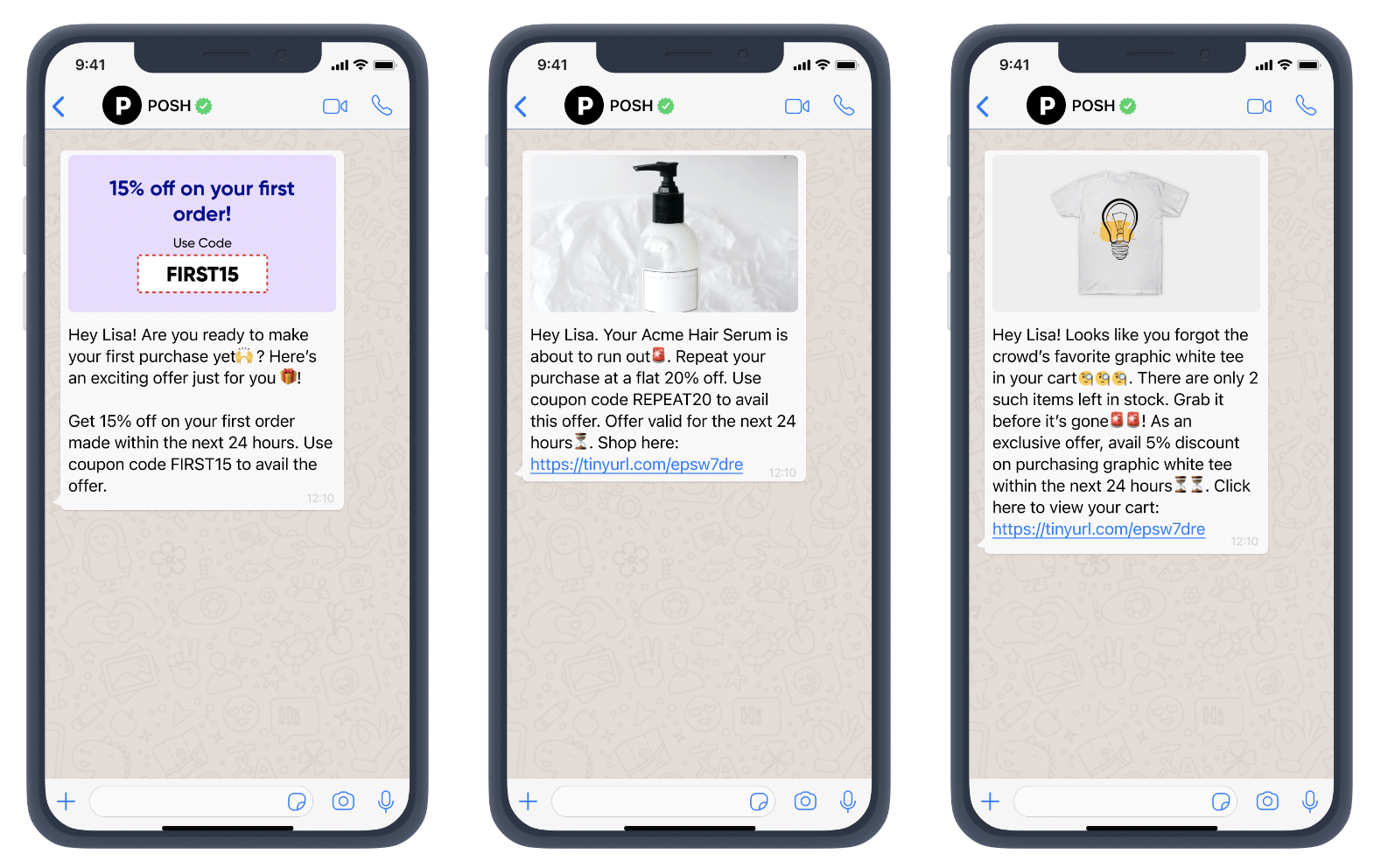
Re-engage with your inactive users and collect feedback.
Influence browse abandoners to come back.
Send a personalized birthday wish to VIP customers.

You can use the WhatsApp carousel template for use cases as follows:
You can display a series of products with images and direct purchase links to drive sales and reduce cart abandonment.
Card 1 | Card 2 |
|---|---|
Image: A high-resolution, professional photo of Product A. | Image: A clear photo of a matching accessory, like sandals or a handbag. |
You can showcase multiple properties with key details and easy options to view more or schedule a tour.
Card 1 | Card 2 | Card 3 |
|---|---|---|
Image: A striking exterior photo of the first property. | Image: An interior photo of the second property's living room. | Image: A professional headshot of a real estate agent or a team photo. |
You can promote different travel packages with appealing images and links to explore or book them directly.
Card 1 | Card 2 | Card 3 |
|---|---|---|
Image: A beautiful photo of a tropical beach or resort. | Image: An iconic landmark in a European city, like the Eiffel Tower or the Colosseum. | Image: A collage of various travel destinations. |
You can highlight daily specials or popular menu items with tempting photos and direct ordering options.
Card 1 | Card 2 | Card 3 |
|---|---|---|
Image: A mouth-watering photo of the appetizer. | Image: A close-up of a perfectly plated entrée. | Image: A dessert or a general photo of the restaurant's interior. |