The navigation menu, the InOne sidebar menu where each Insider One product lives, provides a fast browsing experience across all Insider One products. The menu is placed on the left-hand side of the panel and is accessible on all pages. For instance, you can navigate from a campaign-creating page to a report with only a few clicks. You can easily find your campaigns through this structured, consistent navigation.
This guide walks you through the menu items.
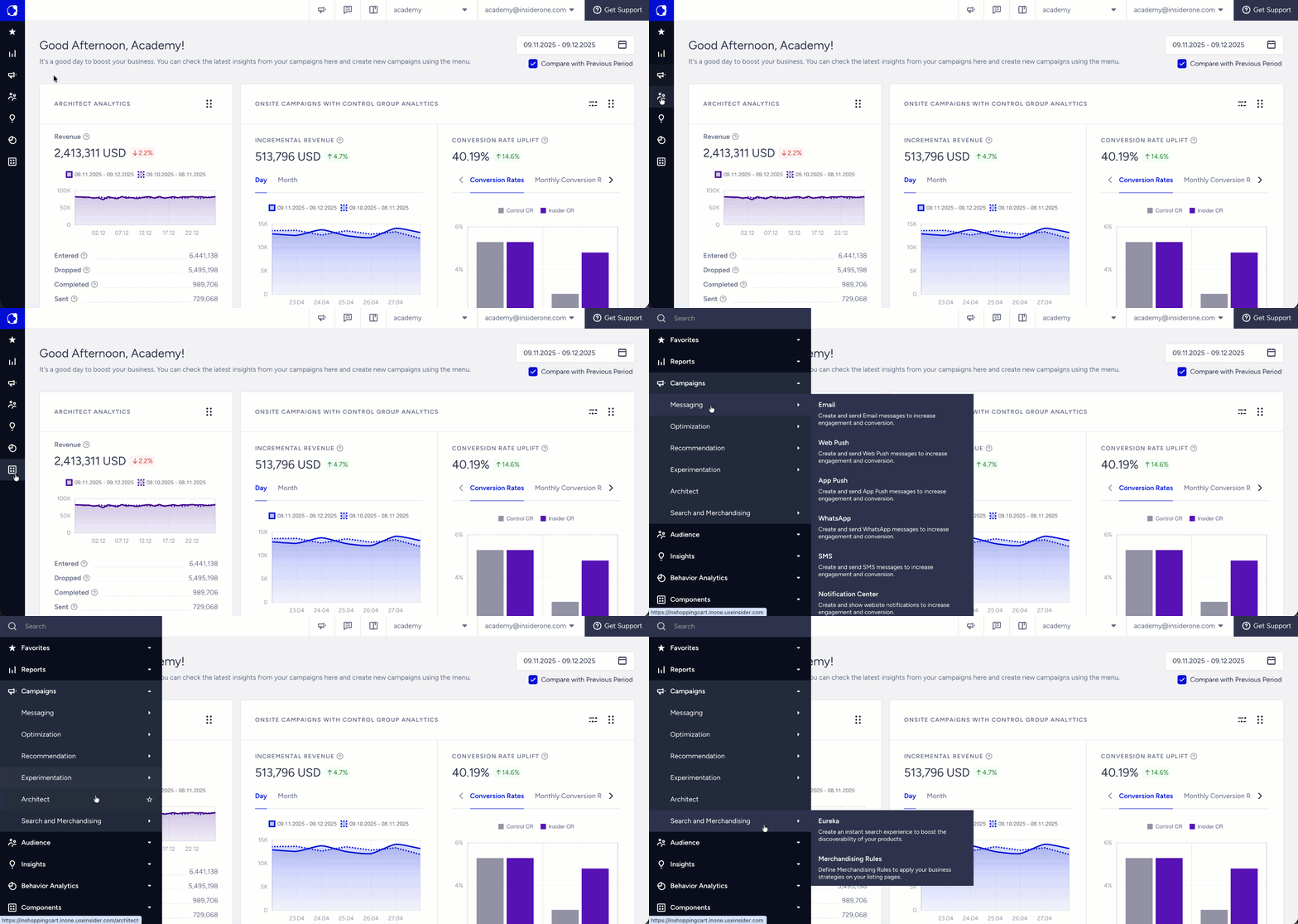
The left sidebar hosts the product groupings that are formed based on their use cases:
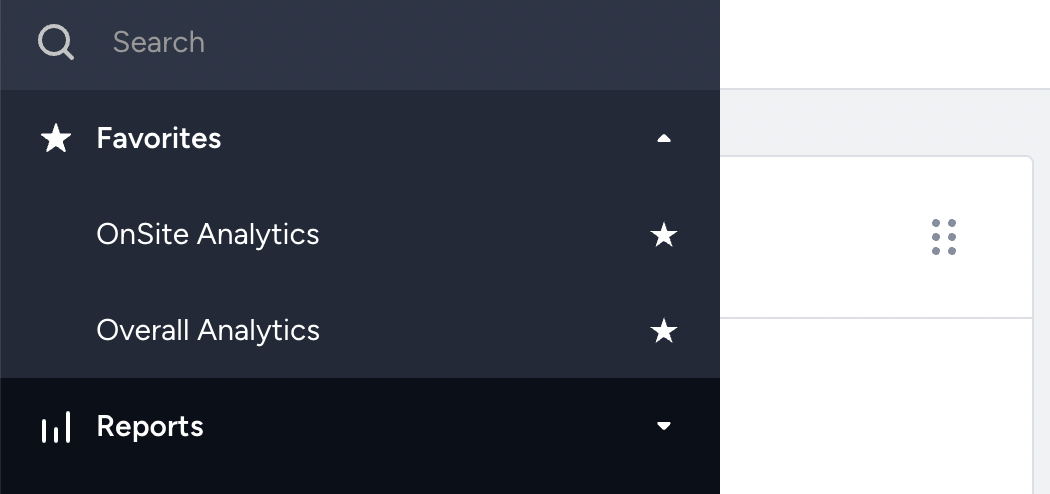
Favorites
You can use the Favorites menu to access your frequently used products, saving time while creating campaigns or evaluating your reports. To add items to your Favorites, click the Star icon next to the product names. They will then be listed under the Favorites menu.
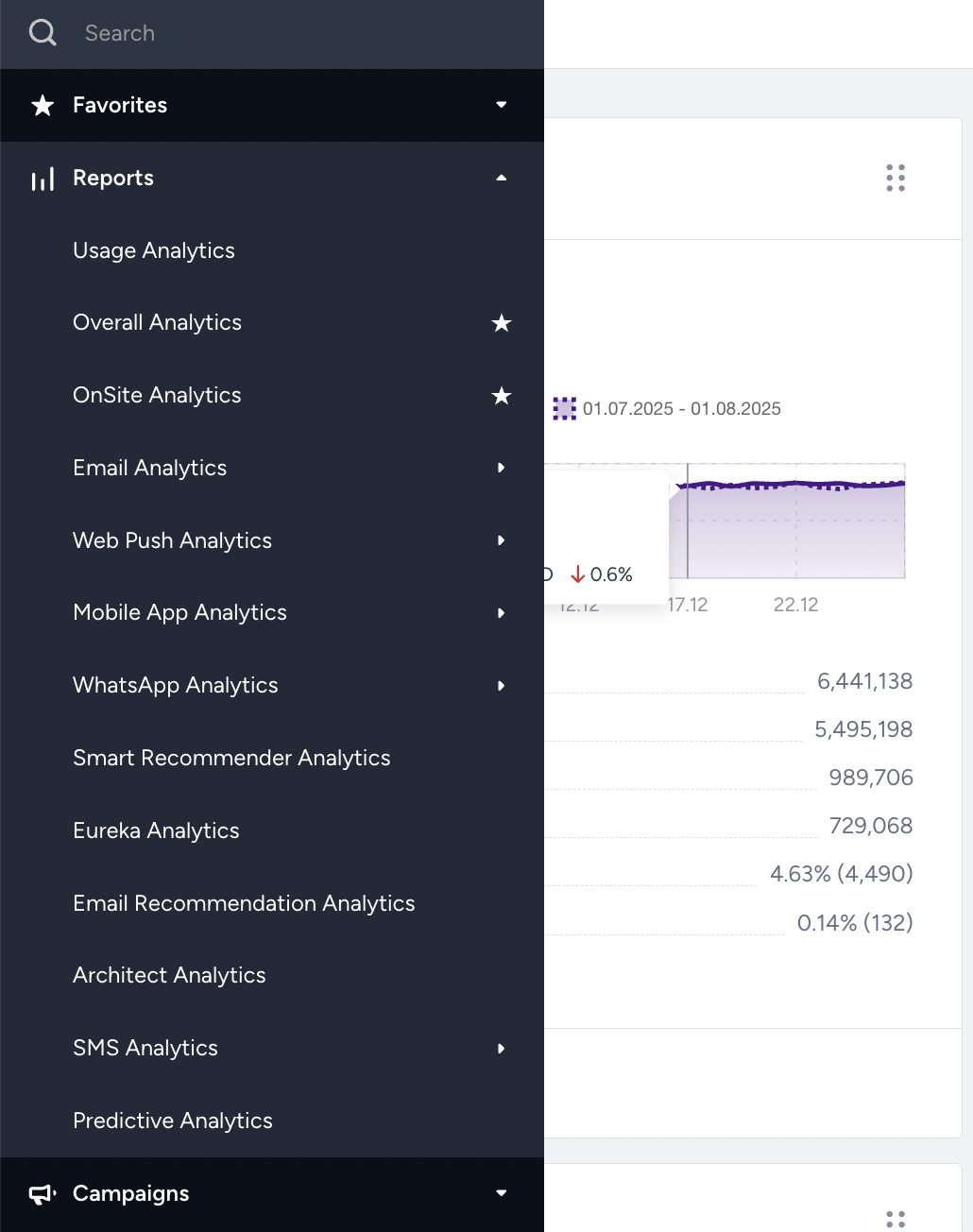
Reports
Reports are essential for your business. Across different dashboards, you can track your campaign performance across various channels. You can measure the effectiveness of your campaigns and gain meaningful insights to increase their return on investment.
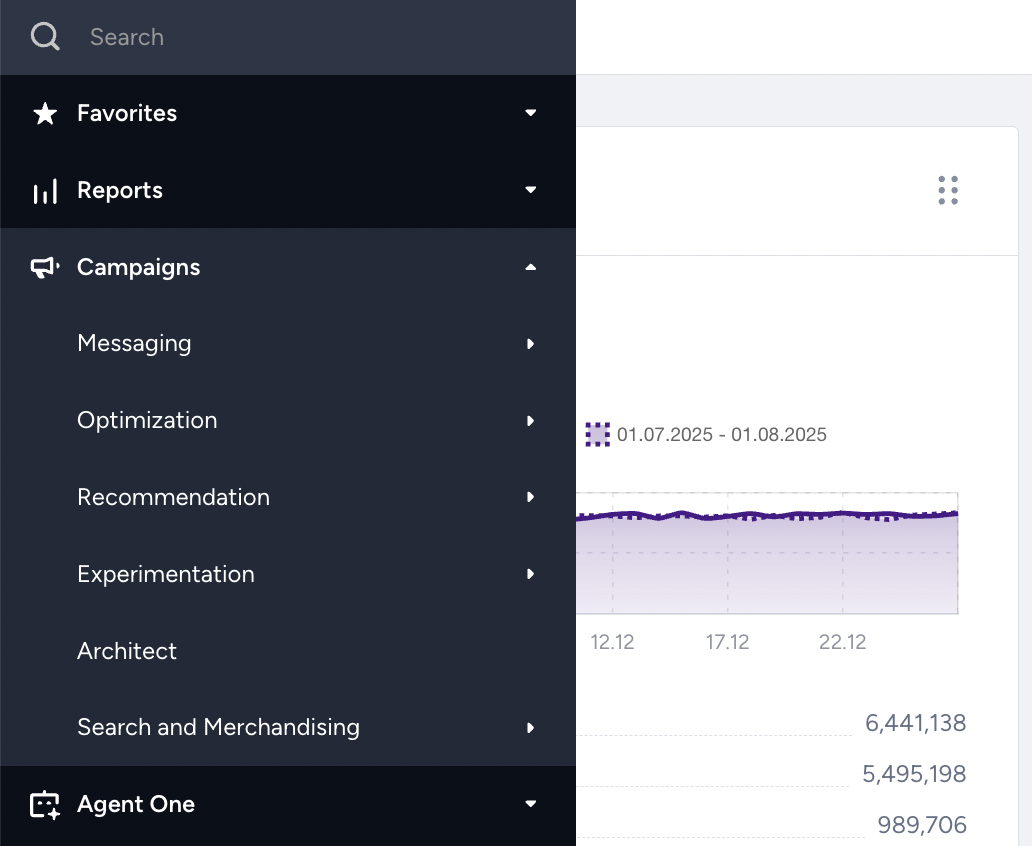
Campaigns
Campaigns enable you to provide a personalized experience across all channels. You can create a campaign using a ready-to-use template for a website, mobile app, message, or email, and measure its return on investment.
Messaging
You can use the Email product to create promotional and recurring email campaigns to reach a wide range of customers with powerful segmentation. The available email campaign types are as follows:
Campaign Type | Purpose |
|---|---|
Send one-off emails to notify your recipients about promos, offers, and discounts | |
Send periodic emails to keep your recipients informed and engaged |
App Push
App Push helps you retain and re-engage your mobile app users with rich, personalized, timely, and contextual push notification types. The available app push types are as follows:
App Push Type | Purpose |
|---|---|
Send one-off app push messages to notify your users about promos, offers, and discounts | |
Send app push messages to your users in a carousel format | |
Send app push messages to your users in a slider format | |
Send app push messages to your users in a discovery format | |
Send periodic app push messages to keep your users informed and engaged | |
Send app push messages to your users when they complete a specified goal | |
Send app push messages to your users when they arrive or leave a specific location | |
Send app push messages to your users when they leave items in their carts |
Web Push
Web Push helps you reach your customers with a range of web push notifications to increase engagement and revenue. The available web push types are as follows:
Web Push Type | Purpose |
|---|---|
Send push notifications to all your subscribers, or based on the segment they belong to | |
Send web push messages based on your users' actions on your website to notify them about promos, discounts, and offers | |
Send web push messages to your visitors when they leave items in their carts | |
Send web push messages to your visitors when a product they visited is back in stock | |
Send web push messages to your visitors when the price of a product rises or falls |
With the WhatsApp messaging channel, you can send automated updates and alerts on personal channels.
SMS
You can use SMS campaigns to send promotional content directly to the customer without limitation. The available SMS types are as follows:
Campaign Type | Purpose |
|---|---|
Easily send single SMS messages to your segmented users | |
Send messages to your users when they leave items in their carts | |
Send any customized content to your new recipients when they opt in. |
Notification Center
You can create a dedicated Notification Center on your website to share the latest updates about your brands, promos, offers, and discounts.
Tab Talk
With Tab Talk, you can create campaigns to attract visitors leaving the website using different titles.
Optimization
Web Templates
Web templates help you create campaigns with ready-to-use, responsive templates for desktop, mobile, and tablet devices.
App Templates
App templates help you create campaigns with ready-to-use inApps in the template store on your mobile application to engage your users and gamify their app experience. The available template types are as follows:
Template Type | Purpose |
|---|---|
Let your users contact you directly on WhatsApp | |
Let your users spin the wheel of fortune and deliver coupons | |
Give a gift to your users with a gamified experience | |
Show active view or cart status of products | |
Deliver coupons and notifications to engage your app visitors | |
Collect leads and give gifts to your app visitors |
App Template From Push
You can trigger App Templates From Push based on the app push notifications you send to your users.
App Survey
You can use the App Survey to learn which products or features are your strongest and which are your weakest, then create a strategy for improvement. The available survey types are as follows:
Survey Type | Purpose |
|---|---|
Collect feedback and customer satisfaction with a gamified experience | |
Learn what your customers think about your brand with short questions |
InStory
InStory helps you deliver story-like experiences to visitors on your desktop website, boosting user engagement metrics.
Category Optimizer
With Category Optimizer, you can offer more relevant content to your users by creating dynamic menu items.
Recommendation
Web Smart Recommender
With Web Smart Recommender, you can create recommendation campaigns to show AI-backed personalized product recommendations with a wide range of algorithms on the web.
App Smart Recommender
With App Smart Recommender, you can create recommendation campaigns to show AI-backed personalized product recommendations with a wide range of algorithms on the app.
Experimentation
Onsite Experiment
With Onsite Experiment, you can use the A/B test tool, target different segments with different content, learn the winner, and increase conversion rate and AOV on the web.
App Content Optimizer
With App Content Optimizer, you can change and test any element or piece of code quickly and easily on your app — without having to go through development.
Architect
Orchestrate high-performing customer journeys that understand each customer’s activities on every platform connected with a rich, unified customer database. Read more about the Architect.
Search and Merchandising
Eureka
With Eureka, you can help users find the product they are looking for across a wide range of products using an AI-backed search engine and Action Builder.
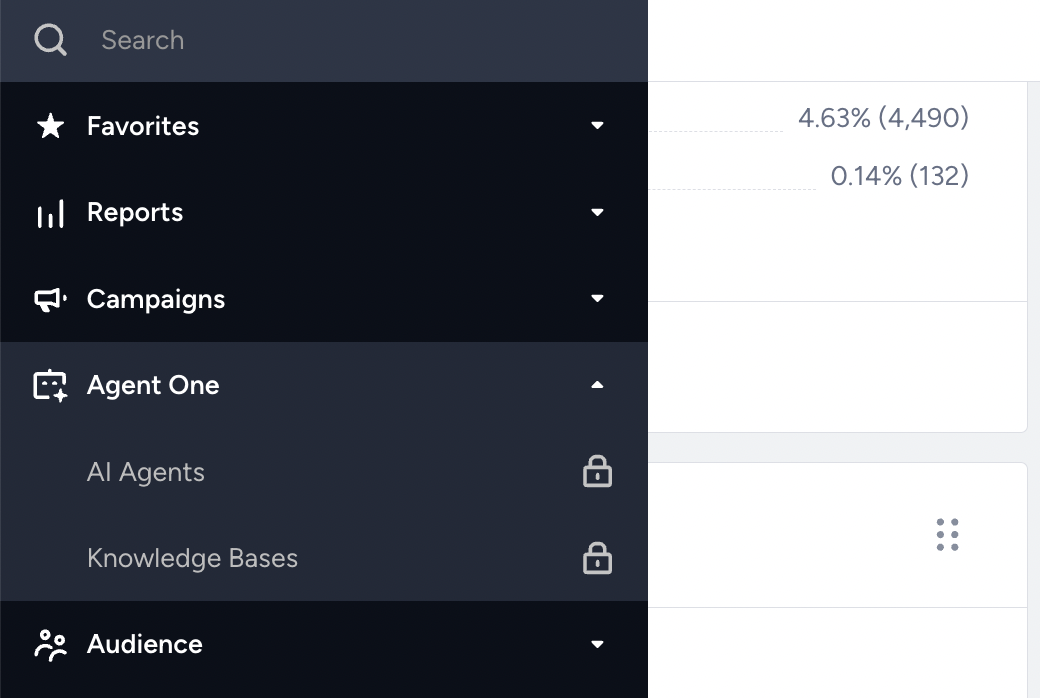
Agent One
Agent One brings together AI-powered experts—referred to as agents—designed to support marketers and customer engagement teams with scalable, personalized interactions.
Audience
Audience helps you understand, manage, and target your users. Advanced segmentation capabilities based on customer behavior, personal interests, attributes, and purchase history can more effectively enrich your customer base.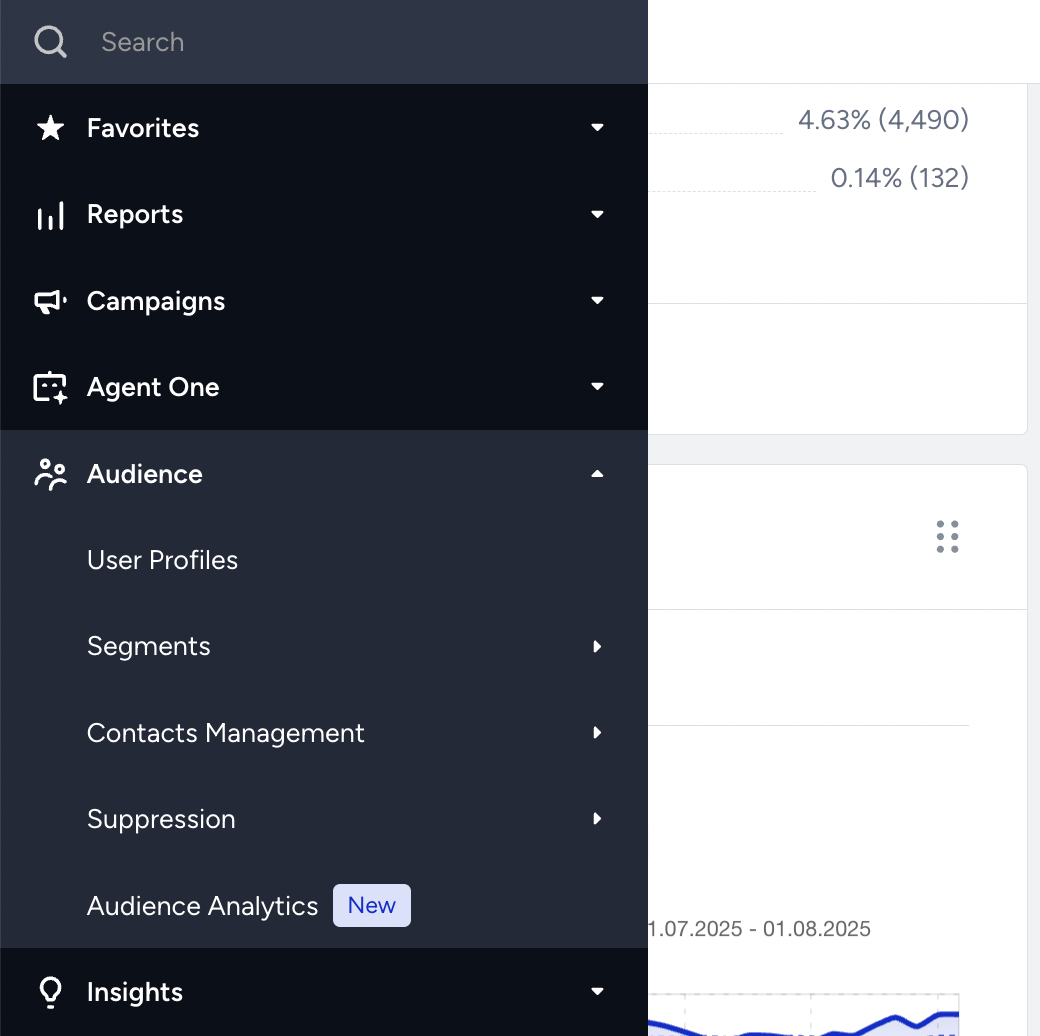
User Profiles
Base your strategies on this front-end implementation of Insider One's User Profile database.
Segments
Deliver more relevant content to each group of recipients with the help of segment options.
Suppression
Manage your suppressed emails by type: global unsubscribe, unsubscribe groups, bounces, blocks, and invalids.
Audience Analytics
Have a better understanding of your audience. View many insightful pre-defined metrics amongst the various audience segments created within Insider One's InOne panel.
Insights
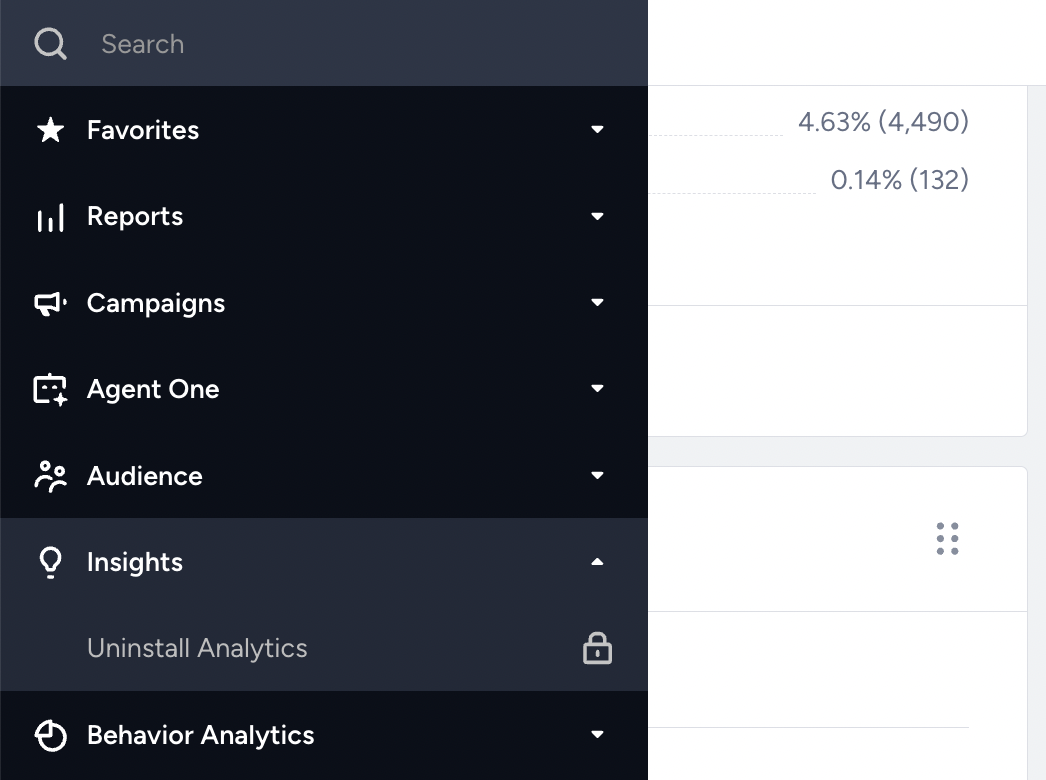
Insights provide actionable guidance to help you make strategic decisions with more information. You can find analytics about your churn users and uninstalls, as well as insights about your page speed, in Uninstall Analytics and Google Page Speed Insights. These insights help you understand risks and build a better strategy for your app.
Behavior Analytics
Behavior Analytics helps gain a more comprehensive understanding of user information within Insider One's Unified Customer Database, spanning platforms such as web, apps, and APIs.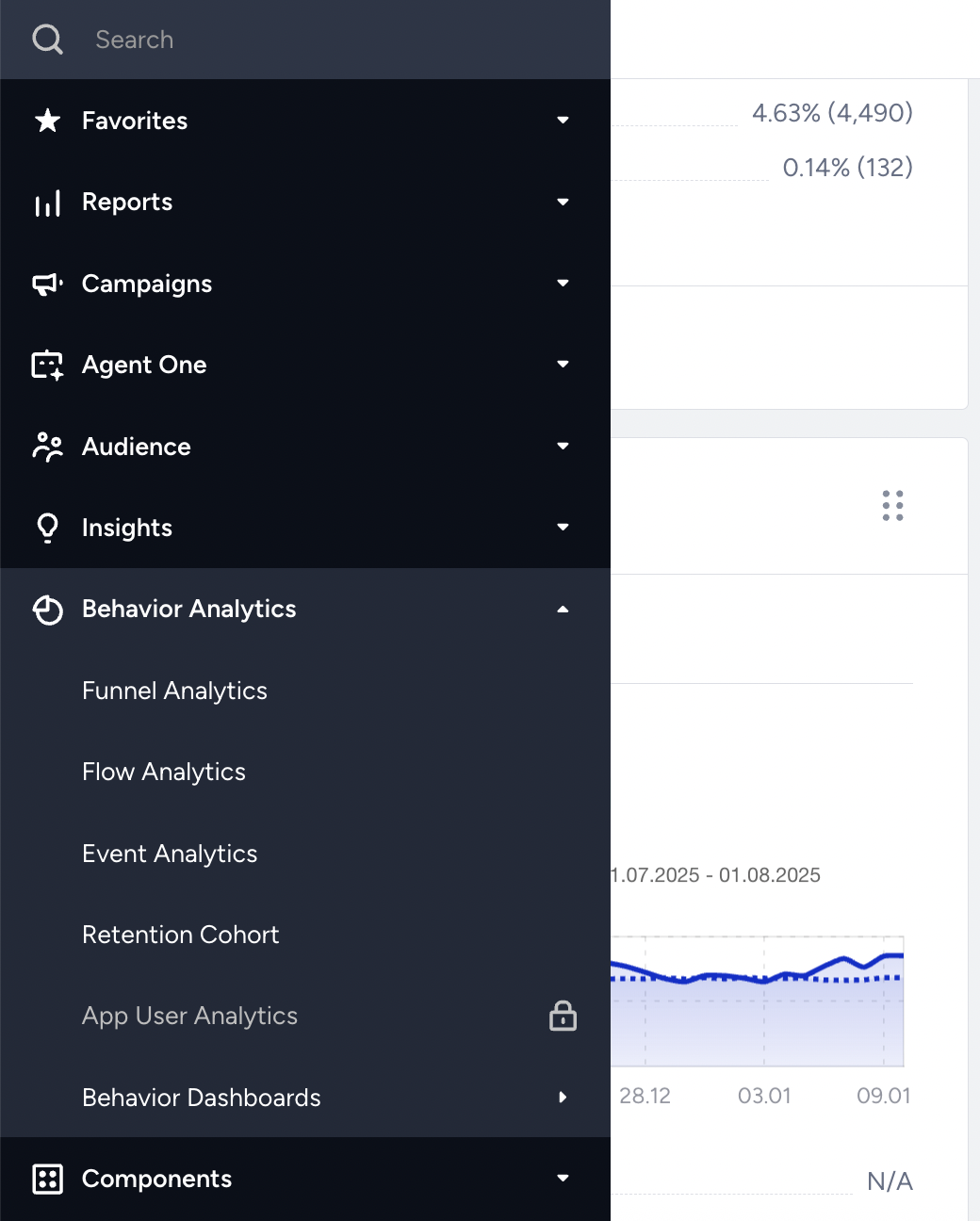
Funnel Analytics
Funnel Analytics helps app owners pinpoint user drop-offs and uncover potential obstacles to desired actions.
Flow Analytics
Flow Analytics displays collective user flows for the selected event across all channels, including web, application, API, and others.
Event Analytics
Event Analytics helps you track and analyze user actions (events) across all channels, such as web, applications, and APIs.
Retention Cohort
Retention Cohort is an engagement analysis tool that dissects user event patterns across all channels (web, app, API, etc.) from the initial visit onward, offering insights over time.
Behavior Dashboards
Behavior Dashboards help you reach behavior analytics on your platforms with ease.
Components
Components help you understand the working principles of Insider One products, such as rules, goals, events, attributes, and geofences. 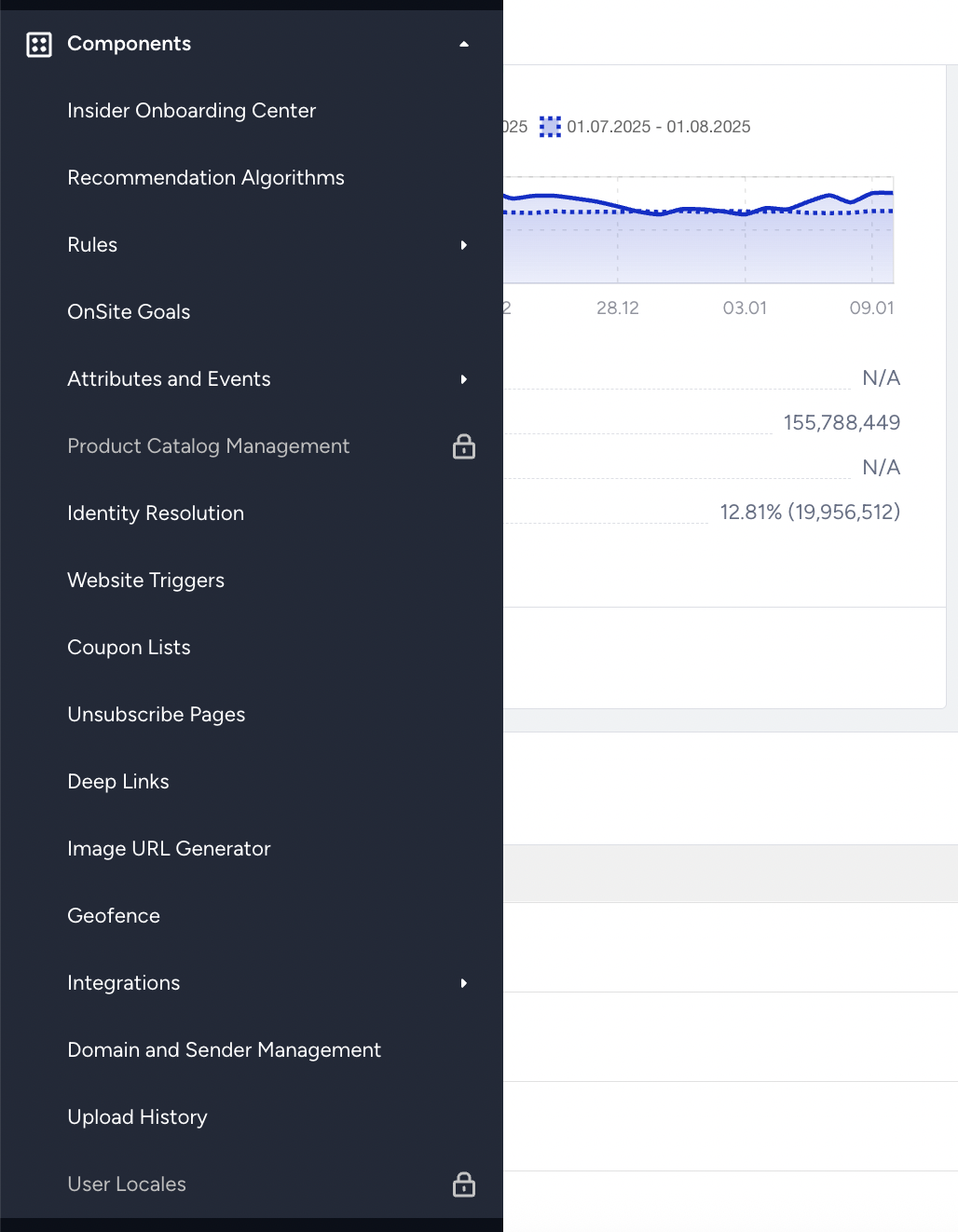
Insider Onboarding Center
Insider Onboarding Center helps you start your onboarding flow with ease.
Recommendation Algorithms
Recommendation algorithms provide direct access to the complete list of available algorithms.
Rules
Rules help you map out your website with system rules and create the target pages or conditions with custom rules.
Onsite Goals
Onsite Goals enable you to keep track of certain metrics to measure the performance of your campaigns.
Attributes and Events
Attributes and Events help you manage your events and attribute types.
Product Catalog Management
Thanks to Product Catalog Management, view summary numbers of total, in-stock, out-of-stock, and passive products. Access and validate all product attributes, filter and search by any attribute, track updates and sources, and hide products from recommendations.
Identity Resolution
Identity Resolution helps you configure and prioritize the identifiers for your users.
Website Triggers
Website Triggers let you create triggers based on your website elements to trigger other campaigns.
Coupon Lists
Coupon Lists help you create and use coupon lists in your campaigns.
Deep Links
Deep Links let you create your deep links to add to your campaigns.
Image URL Generator
Image URL Generator enables you to upload images and generate URLs to embed in your code for your Web Suite campaigns.
Geofence
Geofence lets you add geofences, control their status, and follow their details
Integrations
Integrations enable you to manage your integration steps and items, such as External Platform Integrations, Mobile App Components, and Website Integration Wizard.
Domain and Sender Management
Domain and Sender Management helps you manage your sender emails in your email campaigns.
Upload History
Upload History helps you track the status of your recently uploaded lists, including static segments and suppression pages.
User Locales
User Locales enables you to set language and country attributes to create User Locales that you can use later in your Email localization campaigns to target specific audiences.