You might not be receiving Web Push notifications due to several reasons:
You might not have enabled opt-in settings.
You might not have allowed notifications on your browser.
You might not have allowed notifications on your system.
To receive Web Push notifications, the operating system and browser must have permission enabled. If you cannot see any Web Push notifications, at a basic level, check whether the permissions on your operating system and browsers are open.
Operational System Level
Windows
Check the Notifications & Action section under Settings and ensure you allow “Get notifications from apps and other senders” on the operating system level.
.png)
Check the Notifications & Action section and ensure you enable browser notifications on the operating system level.
.png)
macOS
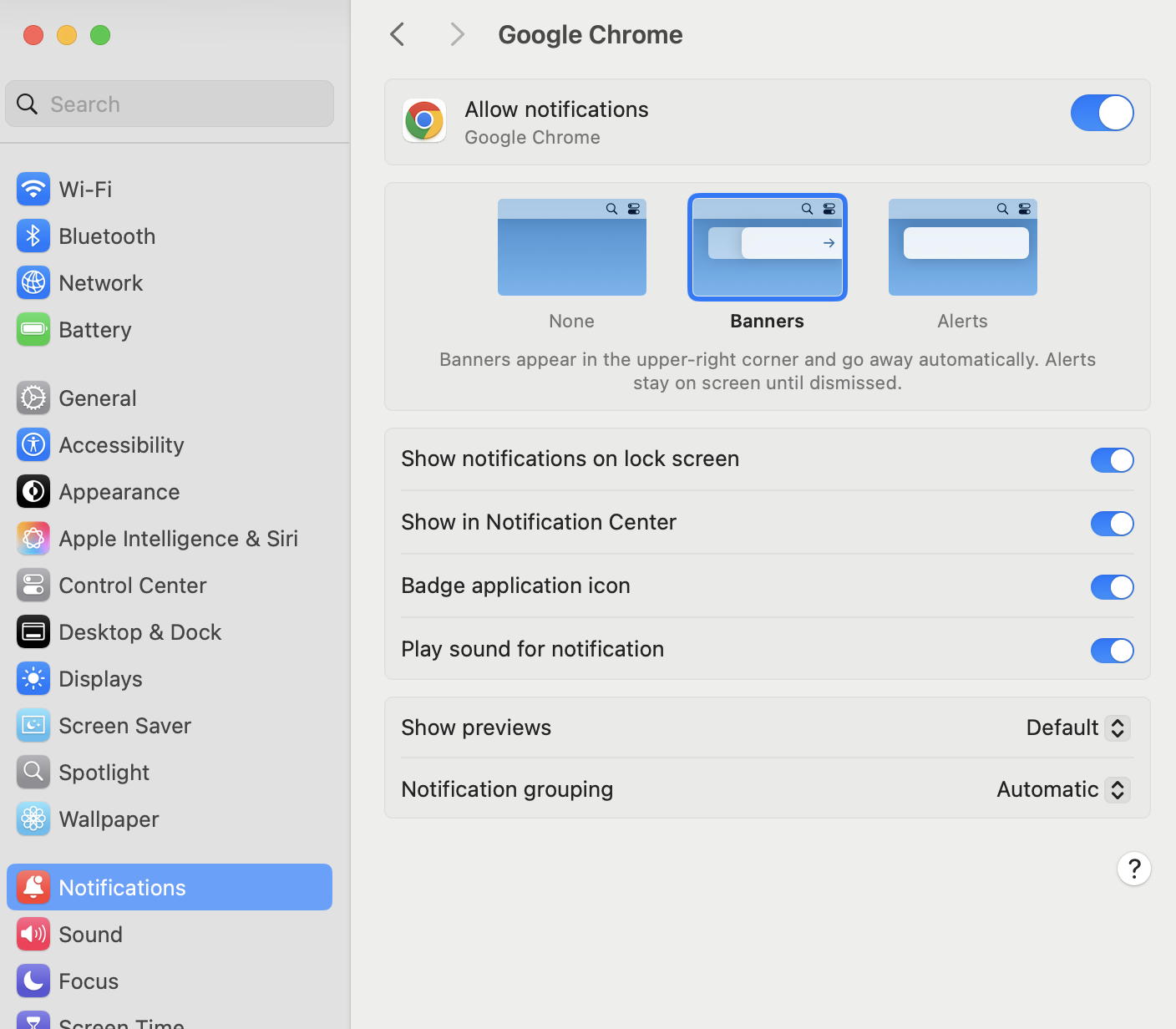
Navigate to System Settings > Notifications. Select your browser and enable "Allow Notifications."
Browser Level
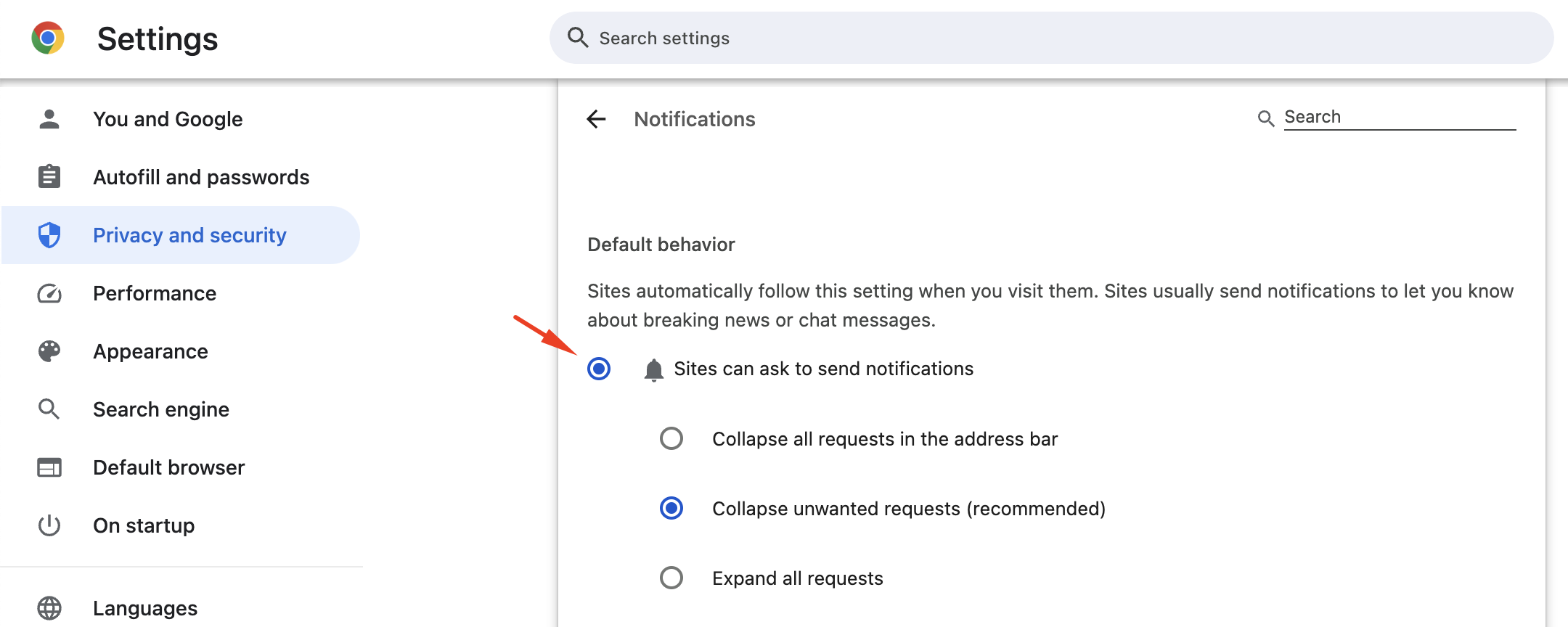
Ensure you allow the opt-in screen under Chrome Settings > Security and Privacy > Site Settings > Notifications. If this is disabled, you won’t see the opt-in permission screen.
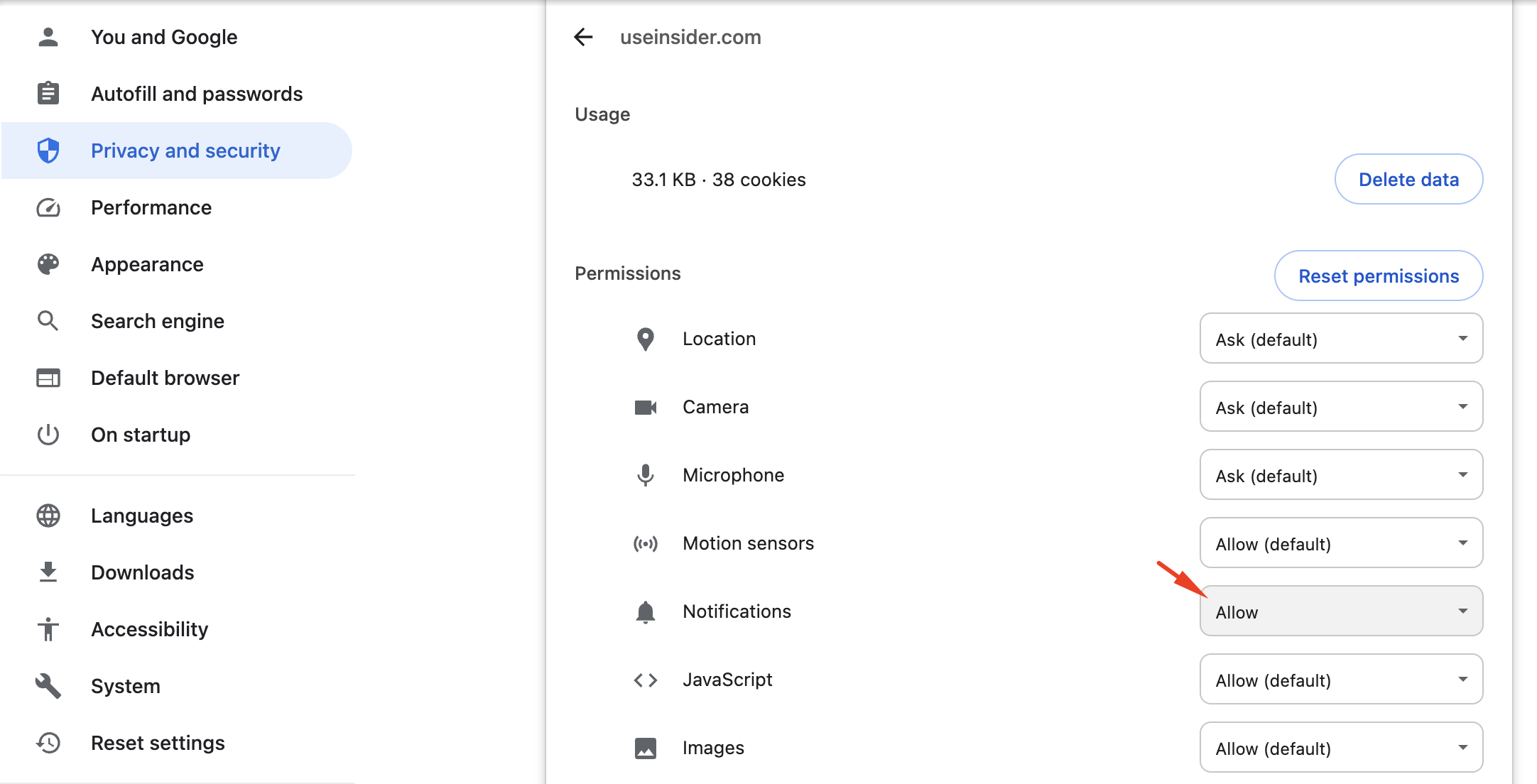
Under Chrome Settings > Security and Privacy > Site Settings, ensure you allow notifications for that particular website.
We highly recommend checking these points if you are unable to receive Web Push notifications. If you are still having trouble receiving Web Push notifications, you can refer to the articles listed below: