Suggested readings: Architect Channel Email, Using Email, Email Channel Analytics
Email Analytics
You can evaluate each email (element) you add to your journey flow while it is running.
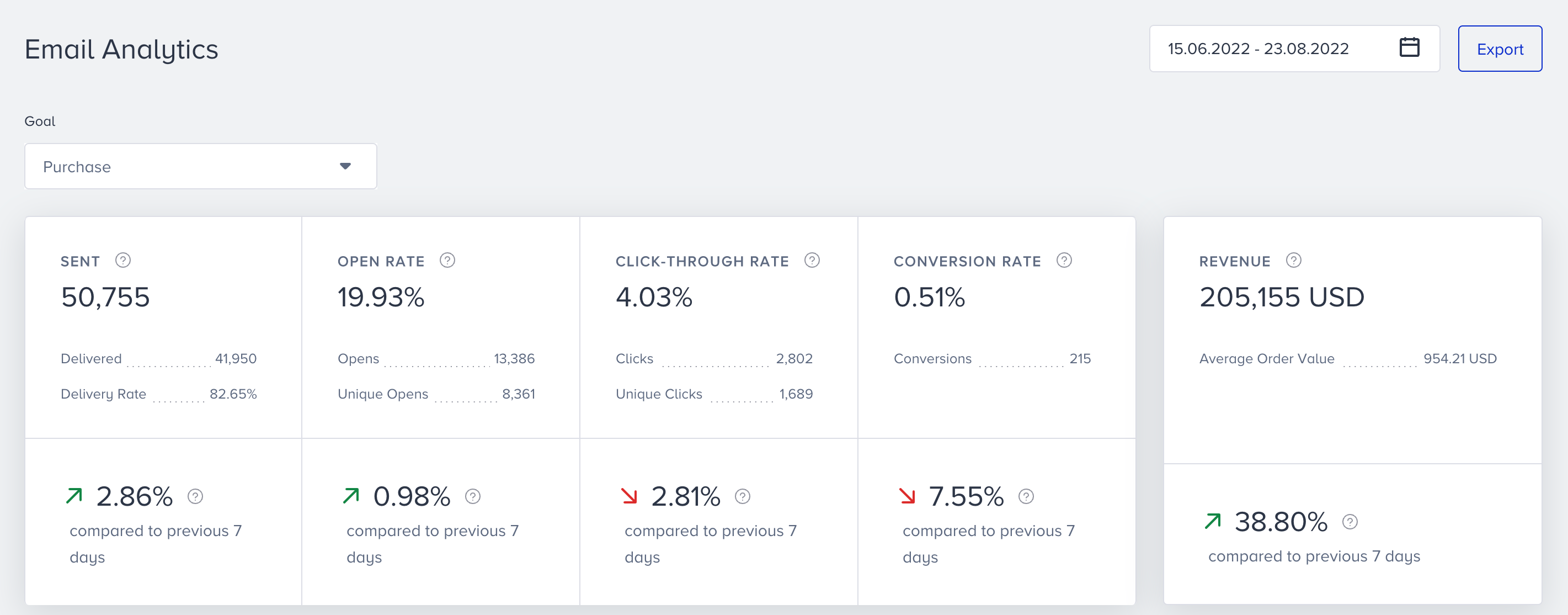
You can see Sent, Delivered, Opens, Open Rate, Clicks, Click Rate, Conversions, Conversion Rate, Revenue metrics, and their trends. Moreover, you can see email-specific metrics such as hard bounce, spam, unsubscribed, etc., at the bottom of your email analytics page.
Live Stats
After you launch your journey, you can see the Arrived and Reachable figures in the Email element on the canvas.
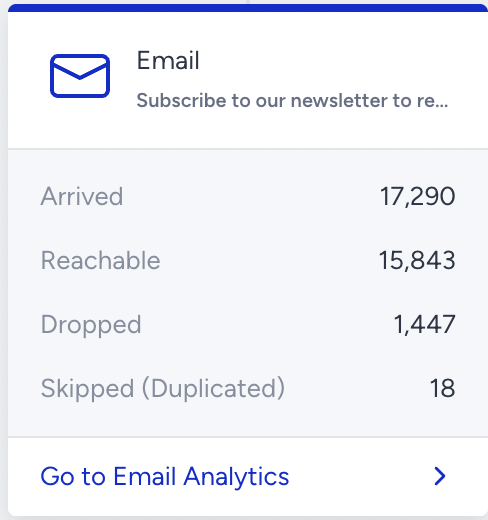
- Arrived displays the number of users who arrive at the Email element.
- Reachable displays the number of reachable users on Email.
- Dropped displays the number of unreachable users on Email.
- Skipped (Duplicated) appears when a user is prevented from receiving the same message twice. It shows the number of users who would have received a duplicate email if this safeguard were not in place. This can happen, for example, when two different users have the same email, and both reach the same message in a journey at similar times. To avoid duplicate sends, the system checks whether the same email has received the same message within the last 30 minutes and skips the second delivery if so.