The Onsite Segment allows you to target users based on specific conditions or previously created custom segments.
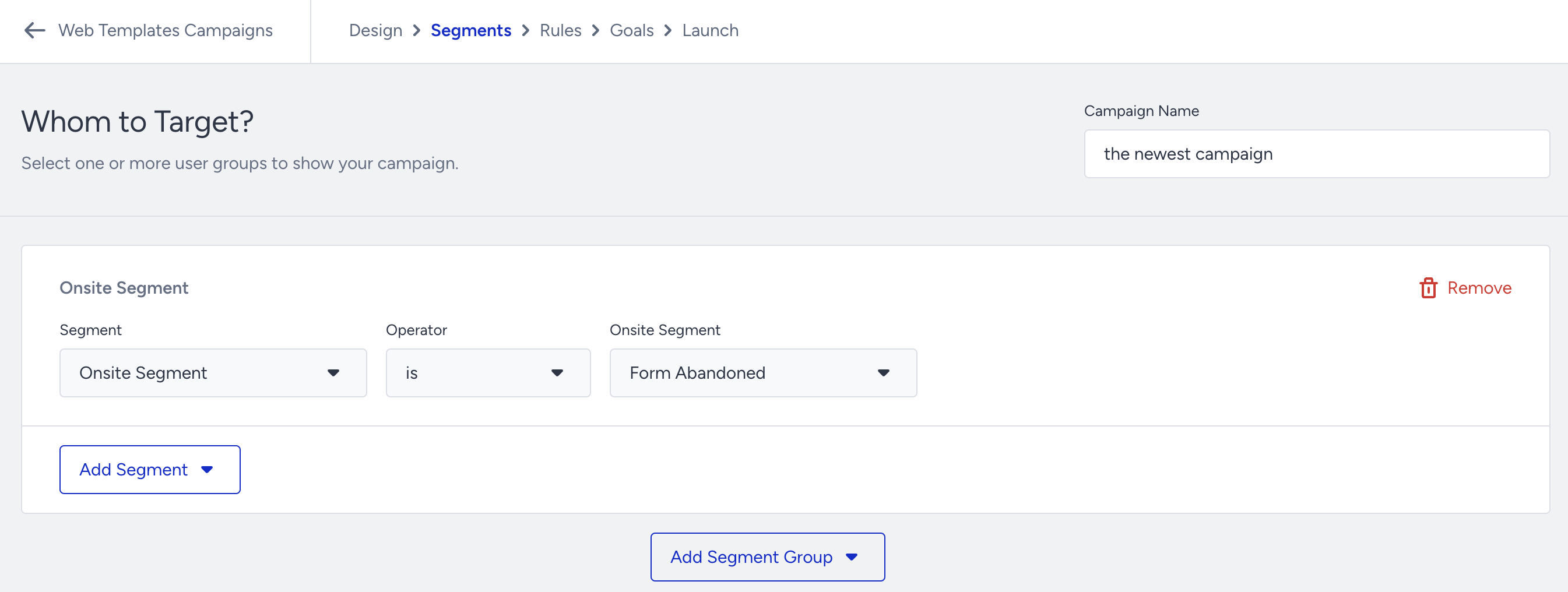
This is particularly useful for regular targeting of specific user groups, ensuring you can consistently reach the same audience with precision.
Example: Onsite Segment - is - Form Abandoned (target users who abandoned a form submission).
How the Onsite Segment works
Create onsite segments based on your defined targeting criteria.
Use these segments repeatedly across Onsite campaigns for consistent audience targeting.
Targeting can be based on behaviors, visits, purchases, or specific actions.
Use cases
Wishlist Behavior
Target users who add products to their wishlist → Send Web Push notifying them about those products.
Frequent Product Visitors
Target users who visit a product at least 5 times → Change banners dynamically (e.g., gender-specific offers) via Onsite Experiment.
Seasonal Campaigns
Use Web Push to re-engage users during peak shopping seasons based on visits to promotional landing pages.
Survey Interaction
Target users who fill out surveys → Show Call Us button or additional Lead Collection forms.
Clearance Product Visitors
Target users who browse clearance products → Send Web Push to bring them back during the promotion period.
Payment Method Targeting
Segment users based on payment method for tailored promotions.
High-Value Purchasers
Target users who purchased more than X amount in Y days → Create loyalty offers via Onsite Experiment.