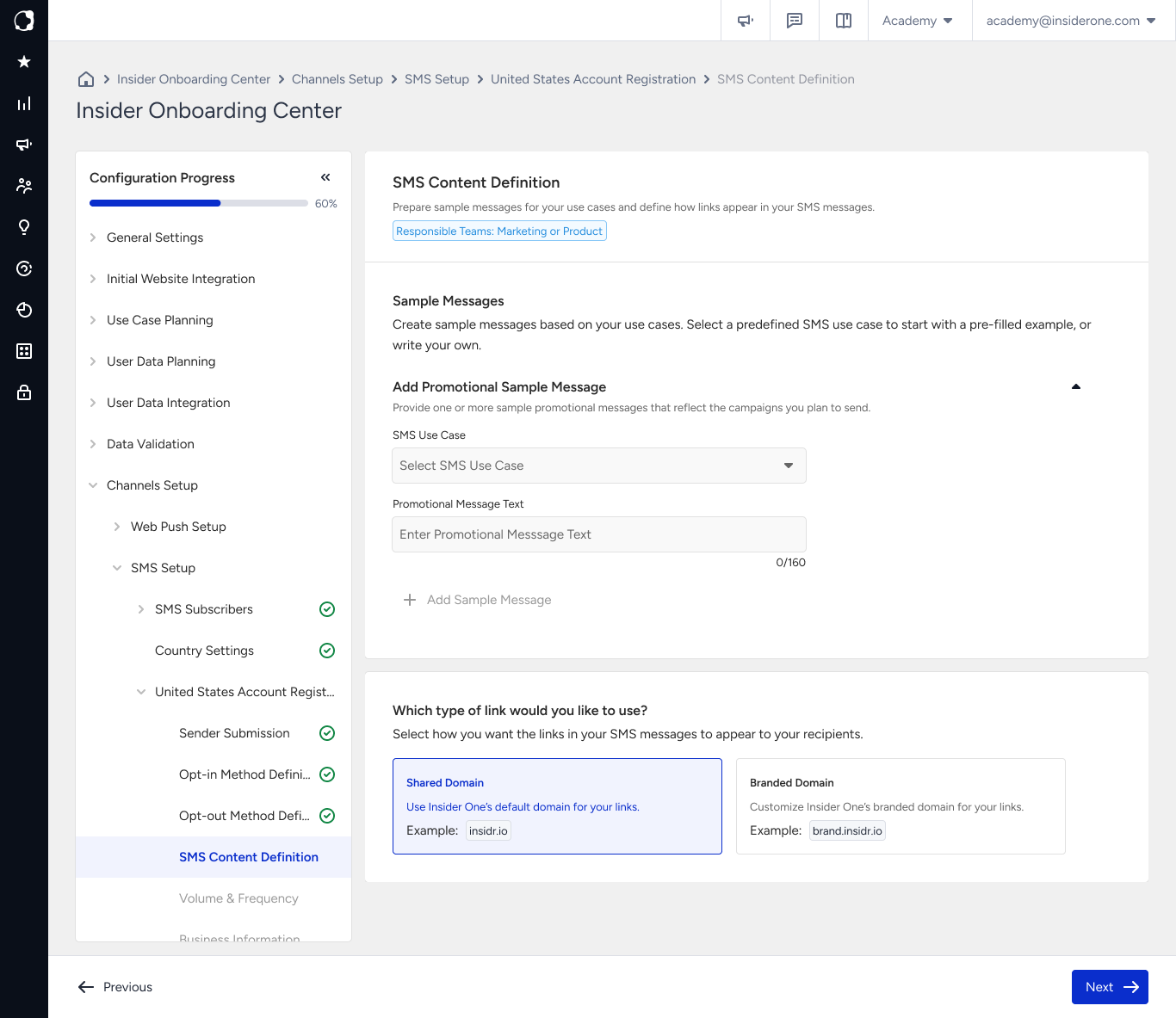
In this step, provide sample messages that represent the SMS content you plan to send.
The samples are reviewed as representative examples of your actual SMS traffic and are considered during the registration review. Make sure each sample reflects the type of content you plan to send and includes the required elements.
What you provide
Provide at least one sample message for each message type in your setup. If you registered Promotional senders only, you see one section. If your setup includes Transactional messaging, complete both sections.
For each sample, select a use case or add your own if none of the predefined options apply. Then, enter the message content.
You can add multiple samples. Use samples that closely represent the messages you plan to send so the reviewer can clearly understand your expected SMS traffic.
Each message is validated before you can continue. Make sure every sample meets the required format.
Choose a use case
Select the use case that best represents the purpose of your sample message.
Use case | Use it for |
|---|---|
2FA (Two-Factor Authentication) | Authentication and account verification, such as one-time passcodes |
Account Notifications | Password resets and profile changes |
Customer Care | Support ticket updates and follow-ups |
Delivery Notifications | Order, shipping, and delivery status updates |
Security Alert / Fraud Alert | Alerts that require immediate attention |
Marketing | Promotional offers, campaigns, and product announcements |
Events | Notifications and promotions for events and conferences |
Education | Communications from schools, universities, and educational programs |
Charity / Nonprofit | Communications from registered charities and nonprofit organizations |
Political (Election Campaigns) | Election messages from registered political organizations |
Polling & Voting (Non-Political) | Surveys and non-political polling |
Public Service Announcement | Official health, weather, and safety announcements |
Provide a separate sample for each use case you plan to use rather than one generic sample for multiple purposes. Clear and representative samples help the reviewer understand the content you plan to send.
What a strong sample looks like
Insider One Store: Winter sale is live, 30% off all boots until Sunday. Shop: insiderstore.com/sale Reply STOP to unsubscribe.
This sample includes the following elements:
Brand name: The brand name appears at the beginning of the message so recipients can immediately identify the sender.
Specific content: The offer clearly explains what is available instead of using generic wording.
Valid destination: The link represents a real destination rather than placeholder text.
Opt-out instruction: The unsubscribe instruction is included directly in the sample.
Include the opt-out instruction in your sample even though it is appended automatically when you send the message. The reviewer checks for the opt-out instruction in the sample content during registration review.
For the required message elements and content that is not accepted, refer to SMS Content Guidelines.
Message length
A standard SMS part contains 160 characters. Longer messages are split into multiple SMS parts, and each part is charged separately.
Turkish and other accented characters can use a different character encoding and reduce the number of characters available in each SMS part. As a result, a message that appears to fit within one SMS can be sent as multiple parts.
For more information about character limits and encoding, refer to SMS Part and SMS Smart Encoding.
Common mistakes
Submitting placeholder content: Avoid sample text such as
test messageor filler content. Provide a realistic example of the SMS messages you plan to send.Submitting a sample without a brand name: Include your brand name so the reviewer can associate the message with the sender you registered.
Adding Promotional content to the Transactional section: Make sure the sample matches the selected message type. Different message types are evaluated according to different requirements.
Submitting a sample that does not represent your actual campaigns: Use examples that closely match the content you plan to send after registration. Significant differences between the registered samples and actual traffic can affect how the traffic is evaluated by operators.
Next step
Continue with Volume and Frequency, where you estimate how much SMS traffic you plan to send and when.