Smart Encoding is the easiest way to change non-GSM characters into GSM characters. In the Design step of your campaign, with the help of the toggle under the input area, you can change the non-GSM characters into GSM characters. This helps you to reduce the cost of each message, and you will be in total control of your messages via checking them in the Preview section and testing them.
This guide provides details about:
How to Use Smart Encoding
When you type a non-GSM in the Message Text input area, you will see a warning box below. This warning box will give you information on which characters are special characters that are not supported by GSM encoding.
Moreover, if all those special characters in that message are mapped in Insider One’s Smart Encoding, you will see a toggle named Switch to GSM-7.
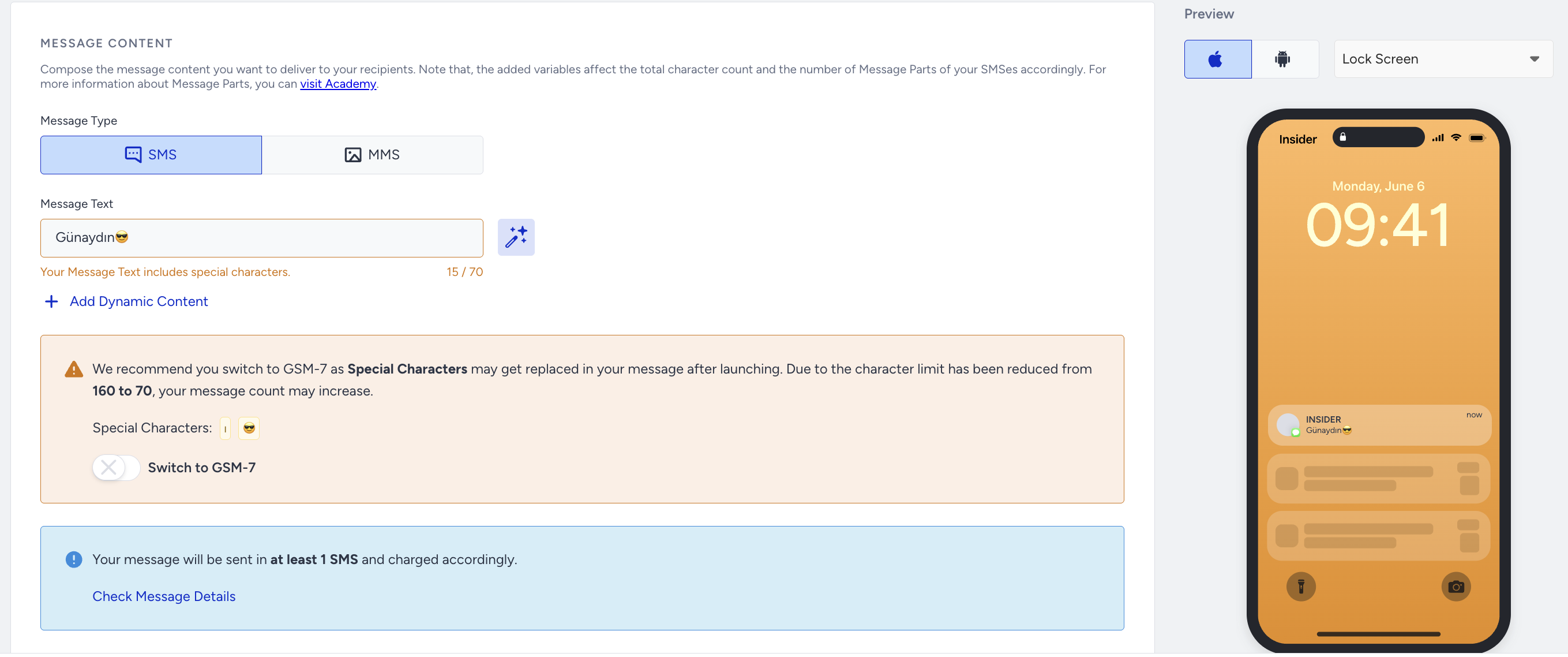
When you enable the toggle, you will see that the warning box changes into an information box, and the characters in the message will be changed into GSM characters under the preview section. In the example below, “Günaydın :slight_smile:” is mapped to “Günaydin”.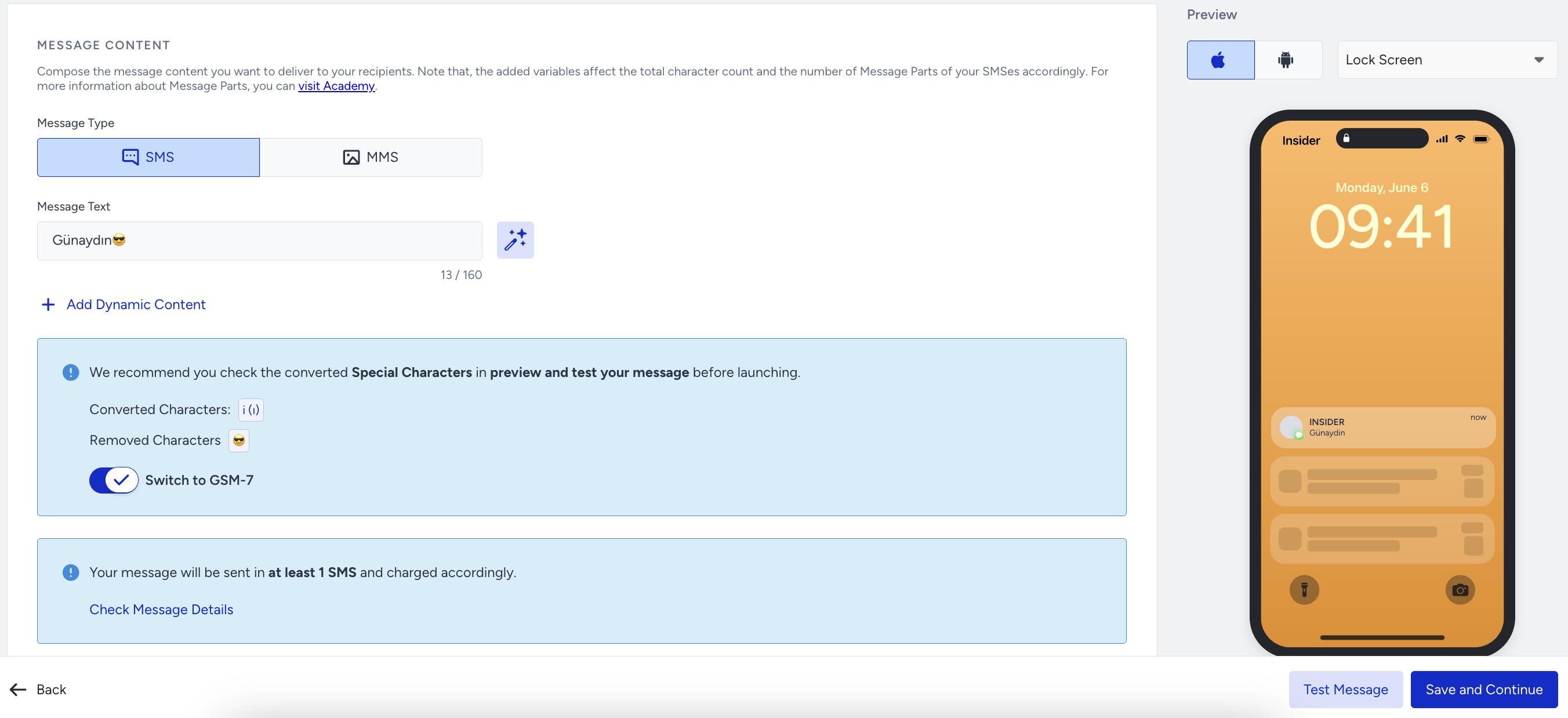
When you enable the toggle, Insider One does not change your original input in the Message Text input area. Insider One maps the characters to the GSM-7 and displays the latest status of the SMS message in the Preview area.
Mapped Character List
Insider One currently supports Portuguese, Spanish, and Turkish for Smart Encoding.
UCS-2 | GSM-7 |
|---|---|
Ç|Ć | C |
ç|ć | c |
ş|ś | s |
Ş|Ś | S |
ğ | g |
Ğ | G |
İ|Í|Ï|Î | I |
ı|í|ï|î | i |
₺ | TL |
Ú|Ù|Û | U |
ú|û | u |
á|ã|â|ą | a |
Á|À|Â|Ã|Ą | A |
ê|ë|ę | e |
Ê|È|Ë|Ę | E |
Í | I |
í | i |
Ó|Õ|Ô | O |
ó|õ|ô | o |
`|´ | \ |
ń | n |
Ń | N |
ł | l |
Ł | L |
Π| OE |
œ | oe |
ż|ź | z |
Ż|Ź | Z |
If the written character is not listed in the mapped character table, you will not be able to see the Switch toggle.
Refer to the video below to learn more about SMS Smart Encoding.
If this video does not load in your region, you can watch it on our YouTube Channel.