You cannot make any changes to External Platform Integrations without having either an Administrator or an Editor with PII access in InOne. Refer to User Roles for further information.
Census, a Reverse ETL platform, connects your data warehouse to various business applications, simplifying data activation by synchronizing customer data with numerous tools. Through a no-code approach, it empowers marketing teams to construct dynamic audience segments, enabling personalized campaigns and focused engagement.
Essentially, it serves as a data highway, seamlessly transferring valuable insights from the warehouse to tools for optimal utilization.
How does Census integration help?
Utilizing Census to import diverse customer data into Insider One, you can generate detailed segments for highly targeted campaigns. For example, you can focus on specific demographics with customized promotions, re-engage inactive segments with relevant content, or provide personalized product recommendations based on real-time data.
How do you connect Census with Insider One?
To start using Census with Insider One,
1. Navigate to Components > Integrations > External Integrations and select the Census Integration.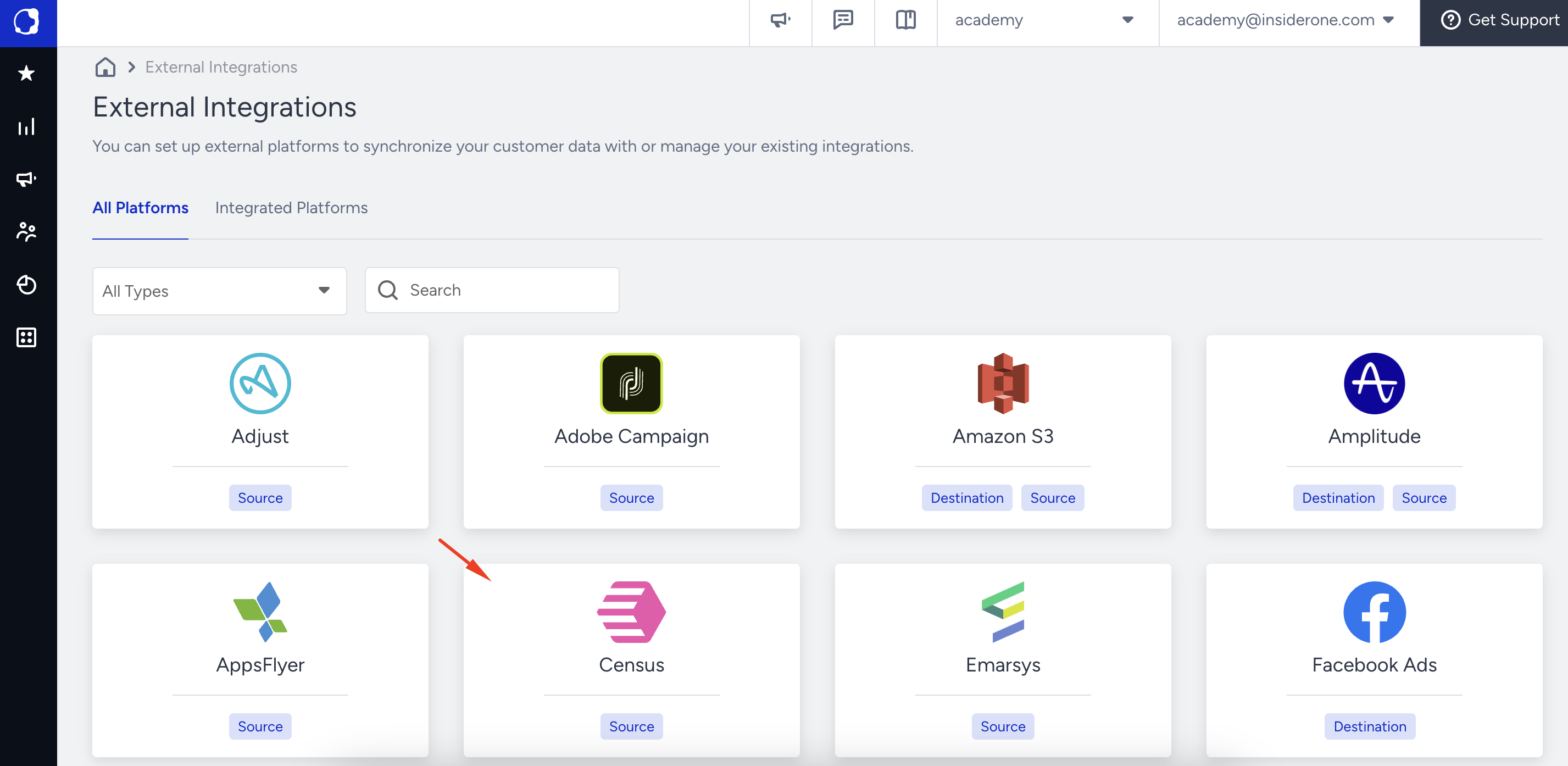
2. Enter a name for your integration and click the Save button.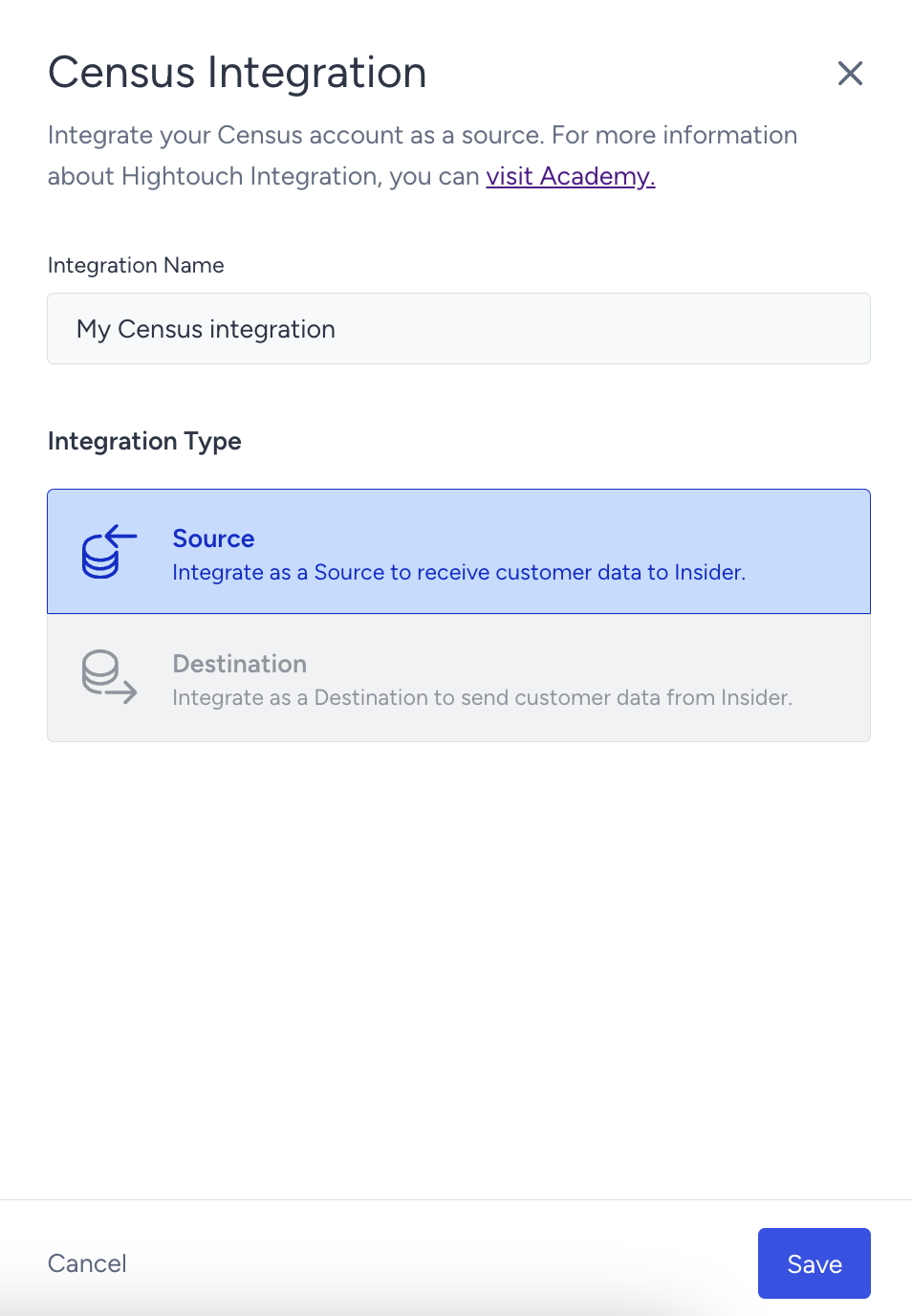
3. Copy the API key and Insider One Account Name.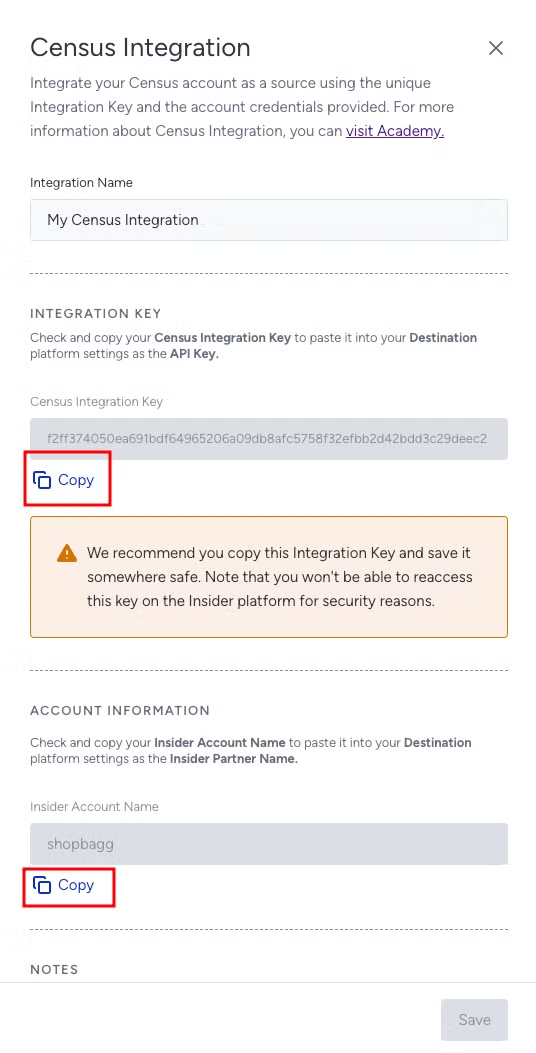
4. Go to the Census App. Navigate to the Destinations page and click on Add Destination. Select Insider from the list of destinations. Enter your API Key and Insider One Account Name, then click Save.
What are the supported objects and behaviors?
Object name | Supported | Sync Keys | Behaviors |
|---|---|---|---|
Users | Yes | Email, Phone Number, UUID | Update or Create, Update Only |
Events | Yes | Unique Event ID | Append |
Syncing Events might also result in the creation of new user records if the provided User ID does not already exist in Insider One.
If you are trying to write NULL values to identifiers, Census will not be able to remove the existing value in Insider One.